
Digital Marketing Tool Categories Compared: A Practical Guide for 2026

Many marketing teams struggle not from a lack of software, but from choosing tools before defining the decision each must support. The problem is rarely the number of tools; it is how they are grouped and chosen.
This guide compares digital marketing tool categories by the business decision each serves: reaching new audiences, nurturing leads, proving return on spend, or keeping customers. Matching software to a specific decision lets spending follow strategy rather than habit. Businesses that map each tool to a clear decision can create a more focused marketing stack.
Key Takeaways
- Pick a digital marketing tool category by the business decision it must support: reach, conversion, measurement or retention.
- Most teams overbuy by starting from a tool list rather than the question they need answered.
- Categories overlap. Marketing automation, for example, relies on CRM data and email platforms.
- Settle the category first, then compare vendors.
- Test shortlisted tools with a free trial on a real task, scoring each against the same criteria.
- Check AI features for accuracy, legal exposure and brand fit before adopting them.
Table of Contents
- Why Teams Overbuy Software
- What Digital Marketing Tools Are
- Seven Categories at a Glance
- Automation and Relationship Systems: CRM and Marketing Automation
- The Business Benefits of Using Marketing Tools
- How to Evaluate and Choose Tools Within Each Category
- Conclusion: Choose Categories First, Then Vendors
- Frequently Asked Questions
Why Teams Overbuy Software
Teams buy software in response to feature demos, not to decisions. One tool is added after another, and months later nobody can say which one helps answer the director’s question about which social media channel brings in customers worth keeping.
A typical sequence: a campaign underperforms, a new platform is recommended, and it duplicates data already held in the CRM. Its reports do not match finance’s, so the team spends its time reconciling numbers instead of acting on them.
Start instead from the decision each category supports: reaching audiences, nurturing leads, proving return on spend, retaining customers, producing content, or running daily operations. Choosing by decision narrows the vendor choice and makes it easier to justify, especially when a tool can create reports or support content creation without duplicating existing data.
What Digital Marketing Tools Are
A marketing tool is any software or platform that helps you plan, create, run, measure or improve marketing work. Digital marketing tools work through online channels such as search engines, social media, social platforms, email, websites and paid ad networks. Their defining feature is data: most record clicks, opens, impressions and conversions, so you can see results within hours rather than weeks.
Group tools by job, not vendor. Vendors often bundle several functions into one product, so treat the category as the unit of decision and the vendor as a later choice. Thinking in digital marketing tool categories makes comparisons clearer. Tools for digital marketing also cover analytics platforms like Google Analytics, which show how visitors find and use your content.
Seven Categories at a Glance
Most digital marketing software falls into one of seven groups, and the group matters more than the brand names inside it. A tool’s category shows which decision it supports, what data it reads and which tools it must connect to. Judge each digital marketing tool category against one clear goal to build a best-fit stack without paying for overlapping features. Each category serves a different audience within the team, so a tool that fits one group’s workflow may not suit another’s.
Read the table below as distinct jobs, not a ranking. A small team may need only two or three of these, while a mature operation runs most of them with data flowing between them. Some vendors offer a bundle that covers several categories at once, which can simplify integration but may limit depth in any single area.
| Category | Core job | Typical question it answers |
|---|---|---|
| Email marketing | Send and track messages to subscribers | Which message moves this list to act? |
| Social media management | Schedule, publish and monitor social posts | When and where should we publish? |
| SEO | Research keywords and audit site search health | What do people search for, and why don’t we rank? |
| Content marketing | Plan, write, edit and distribute content | What should we publish next and does it work? |
| Analytics | Collect and report on site and campaign data, such as Google Analytics | What is working, and what should we change? |
| Design | Produce images, video and layouts | Can we make this asset quickly and consistently? |
| CRM and marketing automation | Manage customer records and trigger journeys | Who is this contact, and what should happen next? |
Automation and Relationship Systems: CRM and Marketing Automation
Customer relationship management (CRM) and marketing automation are two separate purchasing decisions. A CRM answers “who are our customers and what have they done with us?” Automation answers “what should we send or do next, and when?” Buying automation before you have clean customer data means workflows run on guesses.
Customer Relationship Management (CRM) Tools
A CRM is the main database for people and accounts. It stores contacts, companies, deals, purchase history, support tickets and staff notes, so everyone working with a customer sees the same picture. This shared view helps sales and support teams understand their audience, including what their social media activity reveals about customer interests.
Choose a CRM when customer knowledge is scattered across spreadsheets, sales and support cannot see each other’s conversations, or you cannot forecast your pipeline. Per-user pricing suits small teams but rises with headcount, so model growth in both seat and contact pricing before you commit.
Marketing Automation Tools
Marketing automation platforms run multi-step programs triggered by customer behavior. A form fill starts a nurture sequence, a page visit scores a lead, and an abandoned cart sends a reminder. Core value lies in lead scoring (ranking contacts by purchase readiness), segmentation (grouping contacts by shared traits) and timed sequences across channels, so each message reaches the right audience with relevant content marketing material.
Automation depends on data it does not create. Before you buy, confirm the platform can read the events and attributes you need and sync with your CRM in both directions. Skipping this step leads to duplicate contacts and emails sent to people who already bought.
How CRM and Automation Connect Across Categories
The CRM holds the stable record. Automation reads that record and writes engagement back. Email platforms deliver the messages, and analytics shows whether the sequence moved revenue.
| Question | System that answers it | Depends on |
|---|---|---|
| Who is this contact and what have they bought? | CRM | Forms, sales entry, integrations |
| Which contacts are ready for sales? | Automation (lead scoring) | CRM fields and engagement events |
| Did the nurture sequence create revenue? | Analytics | CRM deal stages and tagged sources |
Settle the CRM first, then add automation when a specific workflow needs it. Automation earns its cost when you run several segmented programs at once and can measure each one.
The Business Benefits of Using Marketing Tools
Tools earn their place when they change a decision or remove a task that eats hours. Digital marketing tools help businesses in five main ways: time savings, accuracy, targeting, measurement and competitiveness. Each benefit depends on the category you buy, so read them against the matrix in this guide. Many teams start with a platform like Google Analytics to see which channels already bring in visitors and which landing pages convert them, and to shape a clear marketing strategy around those findings.
Time Savings and Efficiency
The biggest early gain is time. A scheduling tool, an email platform with saved automations or a reporting dashboard removes repetitive work that would otherwise land on one person each week. Returns are strongest for recurring tasks, such as posting to several channels, managing media management files or pulling the same report every Monday.
Measure the saving honestly. Count hours saved on tasks you actually run. Take a marketing coordinator who spends three hours each Monday on a campaign report. If a reporting tool cuts that to 20 minutes, the saving is about 2.5 hours a week, or roughly 130 hours a year. A tool that saves two hours on a task performed once a month has not saved much.
Accuracy, Targeting and Personalization
Tools reduce errors from copying data by hand and make targeting repeatable. A segmented email list built from CRM fields is more reliable than one assembled from memory, and it helps you reach the right audience. Personalization, such as inserting a first name or a product the customer viewed, is hard to do manually at volume.
Accuracy has limits, and AI features add a new one. Digital Marketing Tools lists the main risks of AI-generated marketing content as accuracy errors, legal exposure, brand dilution and weak search performance. Keep a human check in the workflow.
ROI Tracking and Staying Competitive
Measurement is where tools justify their cost. Analytics and attribution features tie spend to outcomes, showing which campaigns deserve more budget and which insights should guide your next move. Research cited in industry reporting finds that 53% of people in the US research products using search engines before making a purchase. Without measurement across search, video and reviews, you cannot see where that research is working for you.
Teams that can see which channel drives results can move budget quickly, especially when a tool also surfaces the offers that perform best. Teams that rely on instinct tend to react late. For a practical starting point on search visibility, see best local SEO tools.
How to Evaluate and Choose Tools Within Each Category
Once the category is settled, the vendor decision is where most teams lose time. Two platforms in the same category can differ sharply in data model, pricing unit and ease of use. The category tells you what job a tool does, not whether it is the right one for your business.
Score Tools Against Your Own Criteria
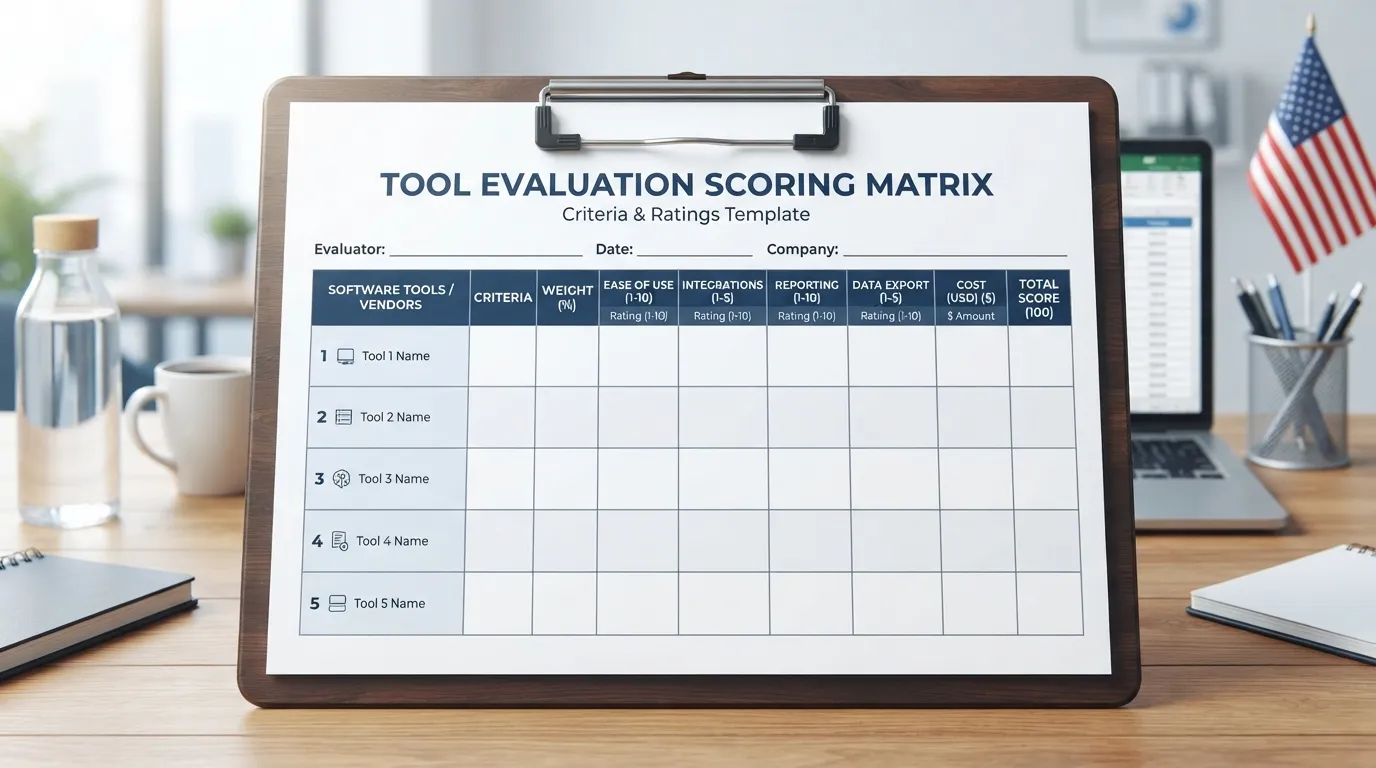
Set your criteria before you open a vendor website. Write down the decision the tool must support, the people who will use it, and the two or three features that would block the work if missing. Then weight them. Digital Marketing Tools publishes a worked example in how its team rates software, where features and ease of use each carry 40% of the score. A weighted score forces a choice that a feature checklist never does.
Run a Free Trial on a Real Task
A free trial should run a real task drawn from your account structure, data and reporting needs. Import a real contact list into a CRM trial, build one live campaign in an email platform, and pull a real month of traffic into an analytics suite. Log the time taken, the errors hit and the outputs produced, then score every candidate on the same sheet. Demo environments with clean sample data rarely reveal integration gaps. Testing landing pages built in each tool shows how well it helps your team convert visitors, not just how it looks in a demo. Check that the tool’s data stays visible to search tools such as Google Search Console after launch.
Weigh AI Features and the Risks of AI-Generated Content
Most categories now ship AI features. Treat them as something to test, not a reason to buy. According to the same Digital Marketing Tools guidance, the main risks come from accuracy errors, legal exposure, brand dilution and weak search performance. Check whether a tool lets you review and edit outputs and disable generation for regulated claims. Businesses that build a clear strategy for AI output will avoid most of these problems.
| AI feature | What to test in the trial | Risk to watch |
|---|---|---|
| Draft generation (content tools) | Fact accuracy against a source you supply | Invented claims, off-brand tone |
| Subject-line or copy suggestions (email) | Lift against a control group | Generic messaging |
| Audience prediction (social media, ads) | Whether segments match your real customers | Over-targeting, bias |
Keep Reviews Current When You Compare Vendors
Old star ratings are a weak guide. One review platform has said its reviews decay to roughly 3% of original weight after about three years. Another excludes reviews older than 24 months from its ranking entirely, as set out in the same guidance. Read only reviews from the last two years, filter for your company size and role, and ask the vendor about recent changes if a rating drops sharply. Reviews that mention search engine performance or content marketing results are often the most useful insights for comparison.
Conclusion: Choose Categories First, Then Vendors
Start with the decision, not the software list. Name the one or two outcomes you need this quarter, such as reaching new audiences, nurturing leads or proving return on spend. Then use the Decision-to-Category Matrix to find the right digital marketing tool categories for each.
Compare vendors only after that. Test differences in features, price and integrations on a real task, using your own data and reporting needs, as Digital Marketing Tools’ guide to rating software recommends.
Frequently Asked Questions
What is the difference between a marketing tool and a digital marketing tool?
A marketing tool is any software that supports marketing work, including offline workflows. A digital marketing tool runs on digital channels such as search, email, social platforms, websites and video. Most software bought by a modern marketing team falls into the digital group.
How many digital marketing tool categories does a small business need?
Most small businesses start with two or three categories: a CRM or email platform, an analytics suite, and one channel tool that matches their main audience source. Add more only when a specific decision goes unanswered. Use the decision-to-category matrix to check which categories your top decision requires.
Is a CRM the same as a marketing automation tool?
No. A CRM stores customer and lead records and tracks sales relationships. Marketing automation sends and triggers campaigns based on behavior, such as opened emails or page visits. Many US teams run both, with the CRM holding the data and automation acting on it.
Which category should I budget for first?
Budget first for the category that supports your primary decision. For lead capture and nurturing, that is usually an email platform connected to a CRM. If you cannot yet prove what your marketing earns, put analytics first.
How do I test a tool before buying?
Run a free trial on a real task, not a demo. Use your own account structure, data and reporting needs, and record results against the same criteria each time. The method is set out in how digital marketing tools rate software, and a local example is covered in our best local SEO tools guide.
Do I still need SEO tools if I use AI content tools?
Yes. AI content tools produce drafts but do not show which search queries people use, how hard they are to rank for, or whether your pages perform. Accuracy errors, legal exposure and weak search performance are the main risks of AI-generated content, and SEO tools are how you catch and measure them.
Disclosure: digitalmarketingtools.ai is sponsored by Digimetrics.ai. Sponsored Highlights are clearly labelled advertising. Our reviews, comparisons and guides are written to be useful and fair regardless of who sponsors the site. Read the full disclosure.


