
Advertising Tools: The Complete Guide to Choosing, Managing and Optimising Paid Campaigns (2026)
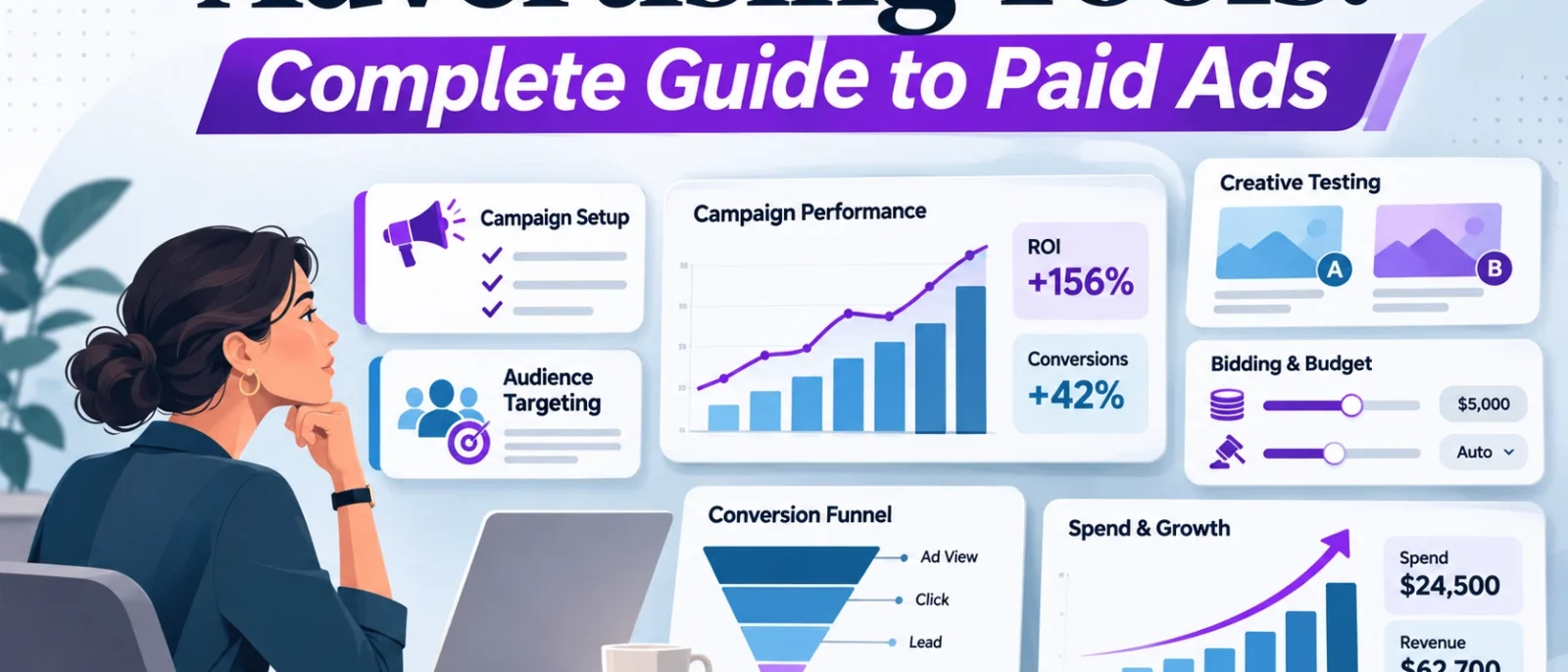
Advertising software has never offered marketers more ways to spend money.
Google Ads can automate bidding, audience targeting and creative combinations. Meta provides AI-assisted campaign management. TikTok offers its own creative and optimisation tools. Meanwhile, an expanding market of third-party platforms promises better reporting, smarter budgets, faster creative production and more accurate attribution.
The problem isn’t a shortage of advertising tools.
It’s knowing which tools actually improve your campaigns and which ones simply add another subscription to your marketing budget.
Imagine a business spending $8,000 a month on advertising. Its team already uses Google Ads and Meta Ads Manager, but it’s considering a PPC automation platform, AI ad generator, creative analytics tool and attribution dashboard.
Every vendor promises an improvement. One claims to save management time. Another promises better-performing creative. A third says the business is underestimating its advertising returns.
But what if the real problem is that its website isn’t converting visitors?
No amount of automated bidding or creative reporting will fix a broken checkout process.
That’s why choosing advertising tools should begin with the business problem, not the product’s feature list.
In this guide, we’ll explain the different types of advertising tools, compare representative platforms, examine pricing and hidden costs, and show how to build a practical advertising technology stack.
We’ll also cover AI automation, measurement, budget management, creative testing and the questions worth asking before purchasing additional software.
Editorial disclosure: This guide is based on publicly available product documentation and official platform information reviewed in November 2026. DigitalMarketingTools.ai has not independently tested every platform discussed or conducted a controlled performance comparison. Recommendations are based on documented capabilities and suitability, not unverified claims of superior results.
What Are Advertising Tools?
Advertising tools are software platforms that help businesses plan, create, launch, manage, measure or optimise paid advertising campaigns.
Some tools are necessary to publish advertisements. Others provide additional capabilities that the advertising platforms don’t offer themselves.
For example, Google Ads lets businesses advertise across Google’s advertising inventory. A tool such as Optmyzr can help manage multiple advertising accounts, identify problems and automate recurring PPC tasks. A reporting platform such as Supermetrics can collect advertising data from different sources for analysis.
All three serve different purposes.
A useful way to understand advertising software is to separate it into eight categories.
| Advertising Tool Category | Main Purpose | Representative Tools |
|---|---|---|
| Advertising platforms | Publish and manage paid campaigns | Google Ads, Meta Ads Manager, Microsoft Advertising, TikTok Ads Manager |
| Research and planning | Understand audiences, keywords and competing advertisements | Google Keyword Planner, Meta Ad Library, TikTok Creative Center |
| Creative production | Produce advertising images, videos and copy | Canva, Adobe Express, native AI creative tools |
| Campaign management and automation | Manage campaigns, bids, accounts and recurring tasks | Optmyzr, Smartly, Google Ads Editor |
| Creative testing and analytics | Evaluate advertisements, concepts and creative performance | Motion, native platform experiments |
| Budget pacing and monitoring | Track spending against targets and flag unexpected changes | Optmyzr, Google Ads budget reports |
| Analytics and attribution | Understand traffic, conversions and commercial outcomes | Google Analytics 4, Supermetrics |
| Landing page and conversion tools | Improve the experience after someone clicks an ad | Unbounce, Instapage |
These categories overlap.
For instance, Google Ads contains planning, campaign management, automation and reporting features. Optmyzr also covers several areas, including budget management and performance reporting.
That overlap is why a marketing team can end up paying for several tools that perform similar tasks.
The first buying decision should therefore be whether your existing advertising platform already solves the problem.
Which Advertising Tools Should You Use? A Quick Comparison
You don’t need every tool in this guide.
Start by identifying what is stopping your advertising programme from producing better results.
| Your Main Problem | Tool Category to Investigate | Tools Worth Comparing | What to Check |
|---|---|---|---|
| Not enough qualified search traffic | Search advertising | Google Ads, Microsoft Advertising | Search intent, targeting and lead quality |
| Need product awareness or demand generation | Paid social | Meta Ads Manager, TikTok Ads Manager | Audience relevance and creative performance |
| B2B lead generation is expensive | Professional network advertising | LinkedIn Campaign Manager | Qualified leads and pipeline contribution |
| Campaign management takes too long | PPC automation | Google Ads Editor, Optmyzr | Time saved and error reduction |
| Advertising creative isn’t improving | Creative analytics | Motion, native experiments | Reliable insights and testing volume |
| Budgets exceed agreed limits | Budget pacing | Native budget reports, Optmyzr | Forecast accuracy and alert speed |
| Reports disagree across channels | Analytics and reporting | Google Analytics 4, Supermetrics | Source definitions and data freshness |
| Paid visitors don’t convert | Landing page optimisation | Unbounce, Instapage | Conversion rate and page experience |
| Shopping ads contain incorrect products | Product feed management | Merchant Center, specialist feed tools | Feed accuracy and disapproval handling |
| Ads appear in unsuitable environments | Media verification | DoubleVerify, Integral Ad Science | Viewability, invalid traffic and brand suitability |
For smaller businesses, the most sensible starting point is often an advertising platform, dependable conversion tracking and a simple reporting process.
Larger teams may need additional tools because they manage multiple accounts, substantial spending, complex approval processes or several channels.
Our guide to choosing an advertising tool for a small business explores how to prioritise one operational bottleneck before comparing software.
1. Advertising Platforms: Where Your Campaigns Actually Run
Advertising platforms are the foundation of most paid media stacks.
They determine where advertisements appear, who is eligible to see them, how campaigns enter auctions and how performance is reported.
Before adding third-party software, understand what the native platforms already provide.
Google Ads: For Search, Shopping, Video and Multi-Channel Campaigns
Best for: Businesses targeting existing search demand, online purchases and measurable leads.
Pricing model: Advertising spend; no separate standard subscription is required to access the core campaign management platform.
Official website: Google Ads

Google Ads is particularly relevant when customers actively search for products, services or solutions.
A plumbing business might advertise against emergency plumbing searches. An ecommerce store might use Shopping campaigns to promote products. A software provider could run Search campaigns targeting commercial queries.
Google also provides Performance Max, which uses automated bidding, targeting and creative assembly across eligible Google advertising inventory.
According to Google’s Performance Max documentation, advertisers define conversion goals, supply creative assets and other campaign inputs, and allow the system to optimise delivery.
However, Google’s automation still depends on the quality of the signals advertisers provide.
If your conversion tracking records low-quality leads as successful outcomes, automated bidding may optimise toward more of those leads.
What to watch: Conversion tracking, search term relevance, budget settings, campaign objectives, account changes and the limitations of automated optimisation.
Meta Ads Manager: For Facebook and Instagram Advertising
Best for: Ecommerce businesses, consumer brands, local services and advertisers using visual creative to generate demand.
Pricing model: Advertising spend.
Official website: Meta Ads Manager
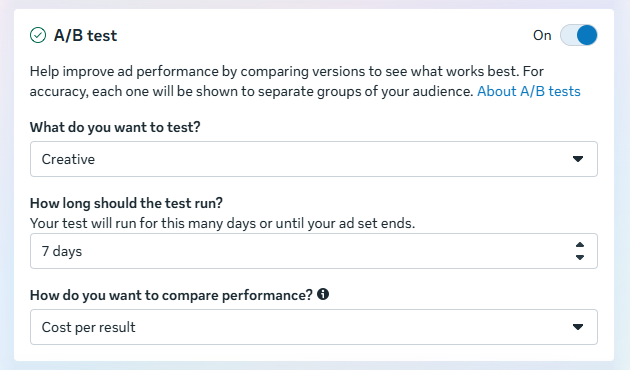
Meta Ads Manager provides campaign creation, audience targeting, placements, budget management and performance reporting across eligible Meta advertising placements.
Its Advantage+ features automate portions of campaign delivery and creative optimisation.
Meta also offers native tools for campaign analysis, dynamic product advertising and creative development.
For many businesses, these capabilities are sufficient to start testing paid social campaigns.
The more important question is whether your team has enough useful creative concepts and reliable conversion information for the platform to optimise against.
What to watch: Creative fatigue, conversion quality, attribution settings, audience overlap and whether automated campaigns have sufficient reliable data.
Microsoft Advertising: For Additional Search Demand
Best for: Businesses extending search advertising beyond Google.
Pricing model: Advertising spend, without a standard platform subscription.
Official website: Microsoft Advertising
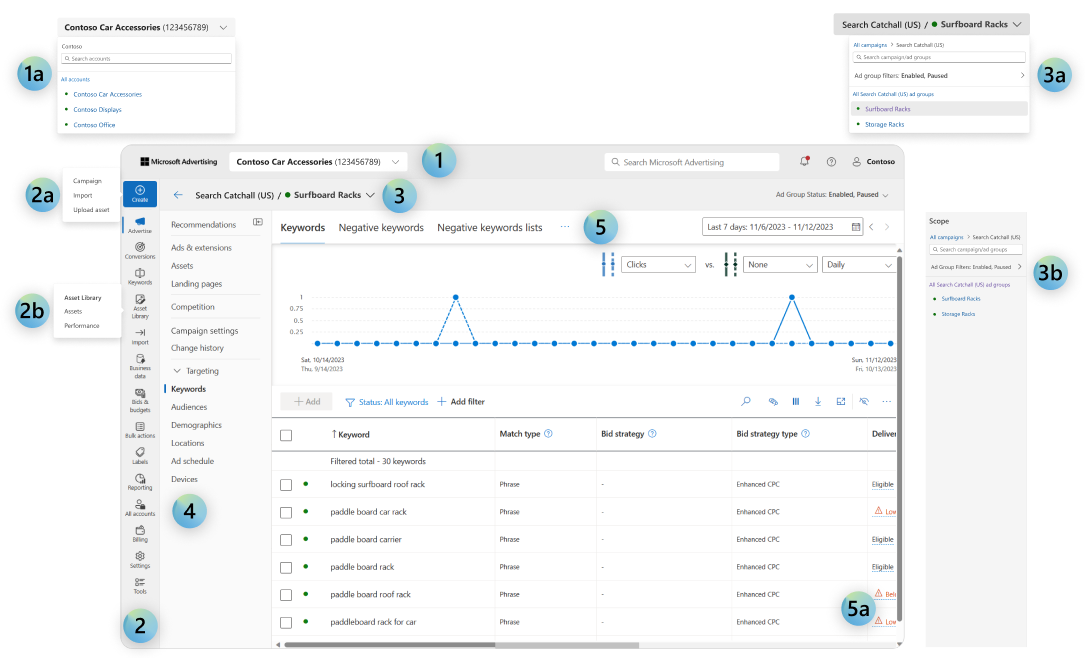
Microsoft Advertising supports search, shopping, display and other advertising formats across its network and partners.
Its search campaigns can help businesses reach audiences using Bing and other supported search experiences.
For advertisers with established Google Search campaigns, Microsoft Advertising may provide an additional channel worth testing.
However, a second advertising platform also introduces more tracking, reporting and account management work.
What to watch: Actual search volume, lead quality, campaign imports and whether the additional reach produces profitable conversions.
TikTok Ads Manager: For Video-Led Discovery and Commerce
Best for: Consumer brands, ecommerce advertisers and businesses with a strong short-form video strategy.
Pricing model: Advertising spend, subject to campaign and account requirements.
Official website: TikTok Ads Manager
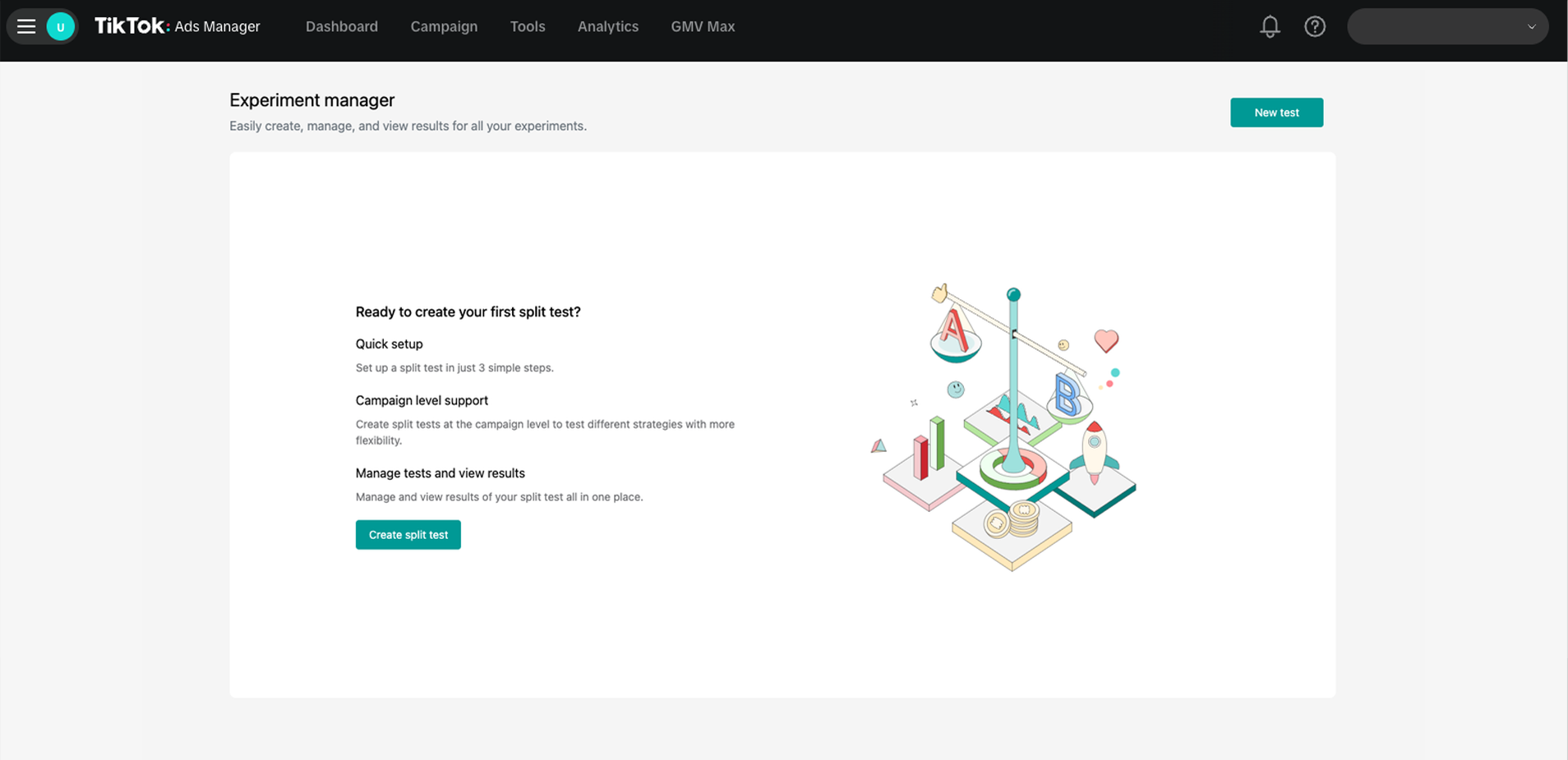
TikTok Ads Manager lets advertisers create campaigns, manage audiences, upload creative assets and measure advertising performance.
Its Smart+ capabilities support automated campaign optimisation.
TikTok also offers creative research and production resources through Creative Center.
The platform is particularly relevant when a product benefits from demonstration, storytelling or creator-led video.
However, success depends on more than converting existing static advertisements into vertical videos.
Creative concepts, opening hooks, pacing and product presentation all affect whether the advertisements are suitable for the environment.
What to watch: Creative production capacity, audience suitability, video engagement, conversion performance and regional advertising requirements.
LinkedIn Campaign Manager: For B2B Advertising
Best for: B2B services, recruitment-related campaigns and businesses targeting professional audiences.
Pricing model: Advertising spend.
Official website: LinkedIn Campaign Manager
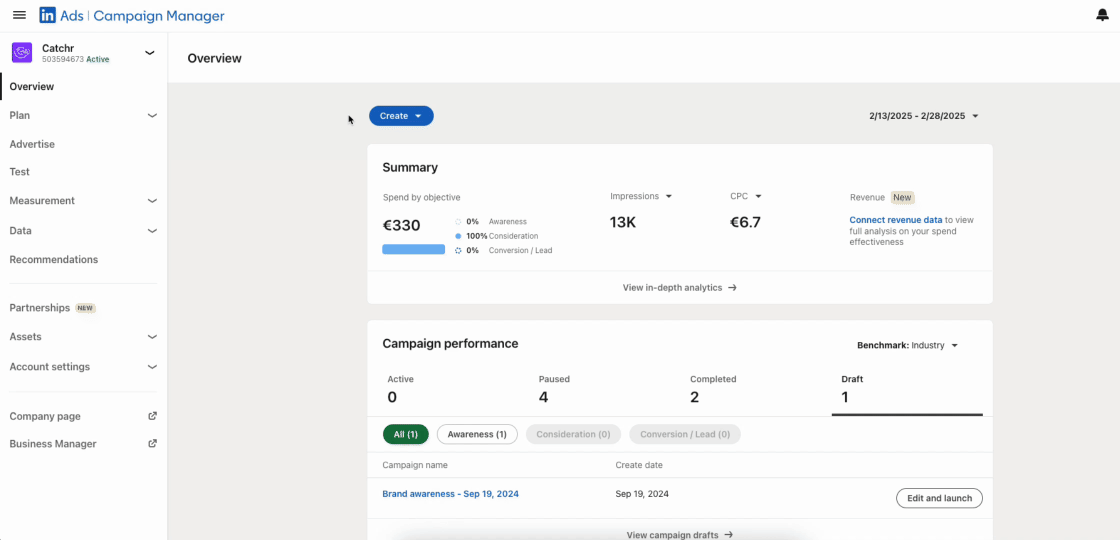
LinkedIn Campaign Manager allows advertisers to target audiences using professional attributes such as job function, seniority and industry.
That can be useful when marketing products or services to specific types of business decision-makers.
But more precise professional targeting doesn’t automatically make a campaign profitable.
For high-value B2B services, the relevant measure may be qualified pipeline or closed revenue rather than the lowest cost per form submission.
What to watch: Lead qualification, CRM integration, sales cycle length and the relationship between advertising leads and actual opportunities.
Amazon Ads: For Product-Led Ecommerce Advertising
Best for: Eligible brands and sellers advertising products on Amazon.
Pricing model: Depends on advertising format; Sponsored Products generally uses cost-per-click pricing.
Official website: Amazon Ads
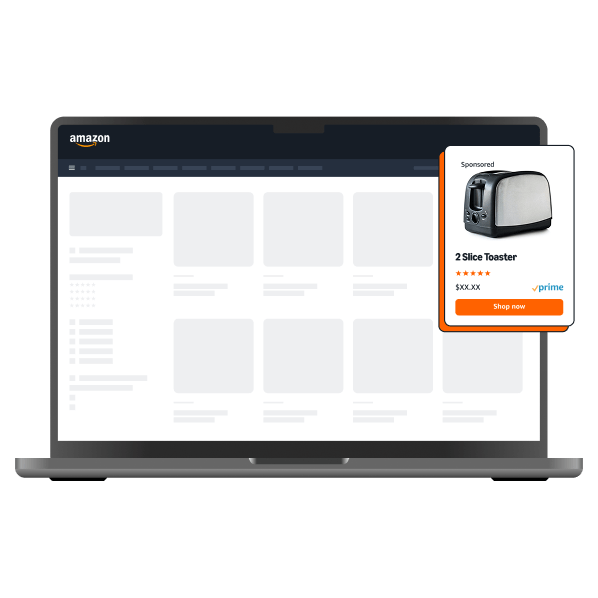
Amazon Ads is particularly relevant to businesses whose products are sold through Amazon’s marketplace.
Sponsored Products campaigns promote individual product listings and can use keyword or automated targeting.
The buying decision is often closer to the point of purchase than in broader awareness advertising.
However, results depend on product availability, pricing, listing quality, reviews and the economics of each product.
What to watch: Advertising cost of sales, contribution margin, inventory availability and organic versus paid sales.
2. Advertising Research Tools: What to Use Before Spending
Advertising research tools help marketers investigate customer demand, competitor messaging and creative approaches.
This work is valuable before launching campaigns because advertising can become expensive when the offer, audience or messaging is poorly understood.
Google Keyword Planner
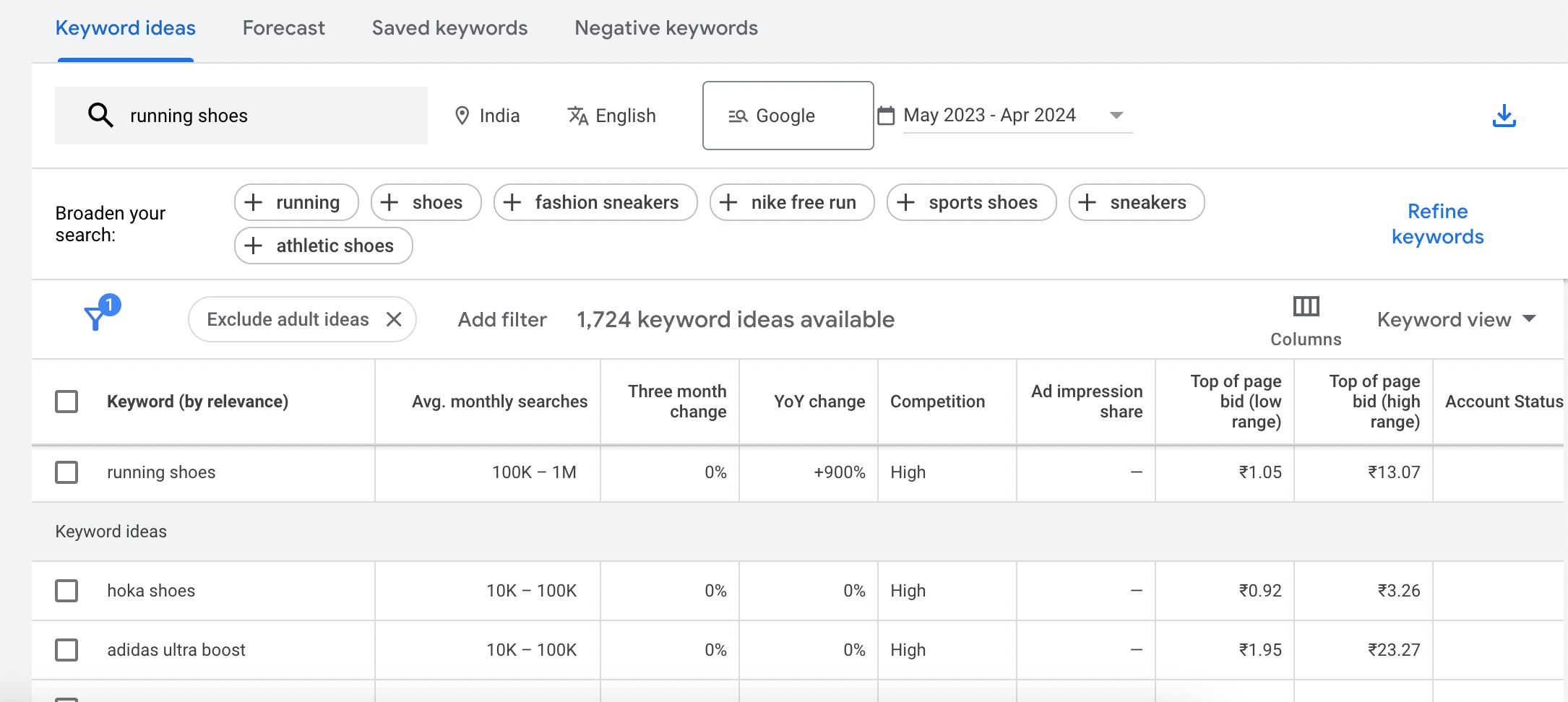
Google Keyword Planner helps advertisers investigate search terms, review demand estimates and plan search campaigns.
It’s particularly useful for building an initial keyword list and estimating potential traffic.
However, forecasts are estimates, not guarantees. Search demand doesn’t automatically translate into profitable clicks.
Use keyword research to identify commercial intent, then validate performance through actual search term reports and conversion data.
Meta Ad Library
Meta Ad Library provides visibility into advertisements running across Meta’s platforms, subject to the library’s applicable transparency rules.
For competitor research, it can help identify the offers, creative concepts and messages other advertisers are using.
But there’s an important limitation: seeing an advertisement in the library doesn’t reveal whether it is profitable.
A competitor may continue running an advertisement for several reasons, including brand awareness, testing or a campaign that has not produced its intended outcome.
Use the library for creative inspiration, not as proof of performance.
TikTok Creative Center
TikTok Creative Center provides creative inspiration and advertising examples.
Its Top Ads resources include authorised advertisements that meet specified performance criteria, with filters for categories and markets.
This can help advertisers understand common creative formats and messaging approaches.
However, examples selected by a platform should not be interpreted as a representative sample of all advertising outcomes.
Our advice: Research tools are most useful when they produce a testable hypothesis. They should help you decide what to try, not persuade you to copy another advertiser’s campaign without understanding its audience or economics.
3. Advertising Creative Tools: Producing Better Ads at Scale
Creative production is an increasingly important part of paid advertising.
Businesses need variations for different platforms, formats, audiences, products and campaign objectives.
That can create substantial production work, particularly for ecommerce and paid social teams.
Canva and General Creative Design Tools
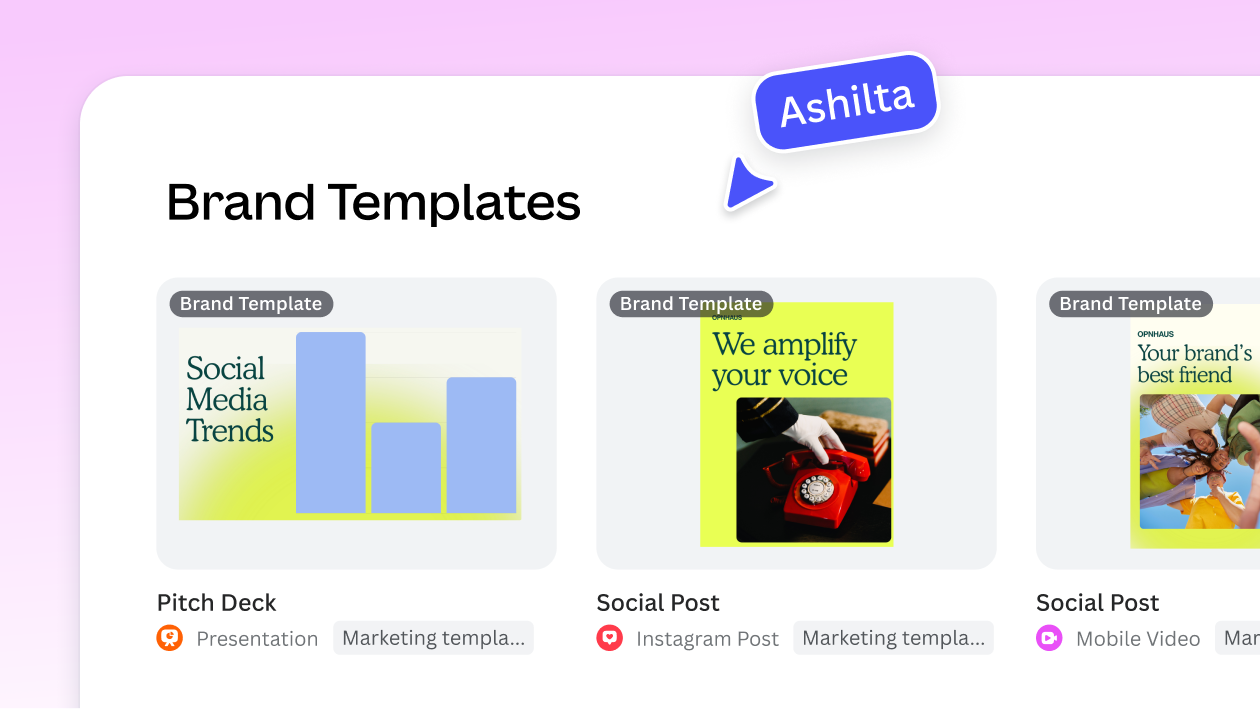
Canva provides templates, design tools, collaboration features and AI-assisted creative capabilities.
It can help smaller teams produce and adapt advertising graphics without a dedicated designer for every variation.
Adobe Express and similar design applications serve related workflows.
However, producing advertisements faster doesn’t establish that they perform better.
A tool may generate twenty attractive variations of the same weak message.
The relevant question is whether the creative workflow helps your team develop and test genuinely different approaches.
AI Ad Copy and Creative Generators
AI advertising tools can help produce headlines, descriptions, images, video concepts and creative variations.
They may be useful for overcoming production bottlenecks or developing initial ideas.
But generative tools can also introduce incorrect product claims, inconsistent branding, unsuitable imagery or messaging that doesn’t match the landing page.
Every advertisement still needs human review.
For a more focused comparison, see our guide to AI advertising tools by use case.
When a Dedicated Creative Tool Is Worth Paying For
Consider additional creative software when your team regularly encounters measurable production problems.
For example, an ecommerce brand producing advertisements for hundreds of products may benefit from automated resizing, templates and product-feed-driven variations.
A business publishing only a few advertisements each month may already have everything it needs in Canva and the native advertising platforms.
The number of creative variations isn’t the outcome. Approved, useful creative that contributes to better campaign decisions is the outcome.
4. PPC Management and Automation Tools: When Native Features Aren’t Enough
Google, Meta, Microsoft and other advertising platforms already provide automation.
Third-party PPC management software must therefore do something valuable beyond enabling automated bidding.
Common reasons to invest include managing multiple accounts, coordinating rules across channels, identifying recurring issues, and reducing manual reporting or editing work.
Google Ads Editor
Best for: Advertisers managing frequent bulk changes in Google Ads.
Price: Free.
Official website: Google Ads Editor
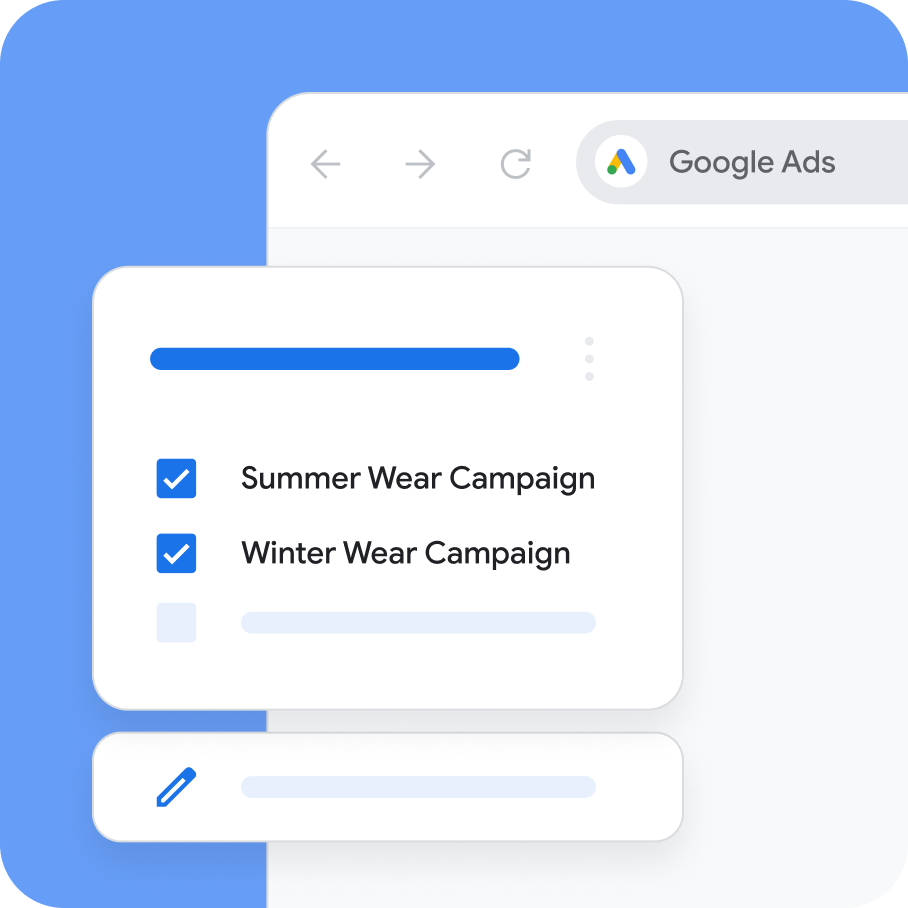
Google Ads Editor is a desktop application for editing campaigns offline and making changes across multiple items.
It can be useful for agencies and in-house teams managing large account structures.
Its bulk editing, copying and review capabilities may reduce repetitive tasks.
However, bulk changes introduce risks of their own.
A mistake affecting hundreds of advertisements is more expensive than a mistake affecting one.
Review changes carefully before publishing them.
Optmyzr
Best for: PPC specialists and agencies managing complex advertising accounts.
Pricing: Spend-based Essentials and Premium plans, with custom Enterprise arrangements. Confirm the applicable quote and billing currency.
Official website: Optmyzr Pricing
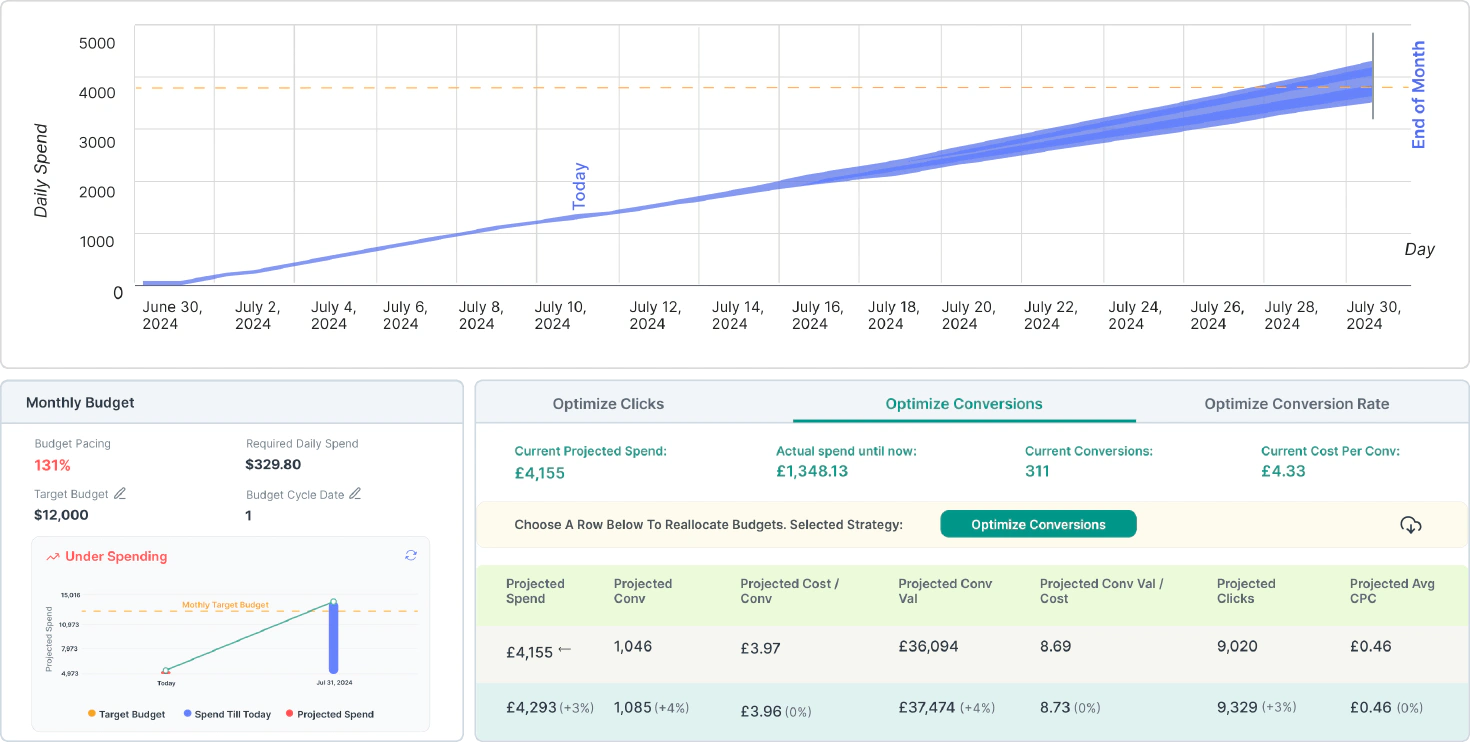
Optmyzr provides PPC account monitoring, automation, reporting, budget management and campaign optimisation tools.
Its official documentation lists support for advertising platforms including Google, Microsoft, Amazon, Meta and LinkedIn.
The platform can help teams identify issues and apply recurring rules across accounts.
However, the available features and automation frequencies differ by plan.
Optmyzr also applies spend limits and possible overage charges, so its cost can change as managed advertising spend increases.
What to check: Supported accounts, automation frequency, data freshness, approval controls, spend thresholds and overage terms.
Smartly
Best for: Larger advertisers coordinating creative production and media operations.
Pricing: Custom quotation.
Official website: Smartly
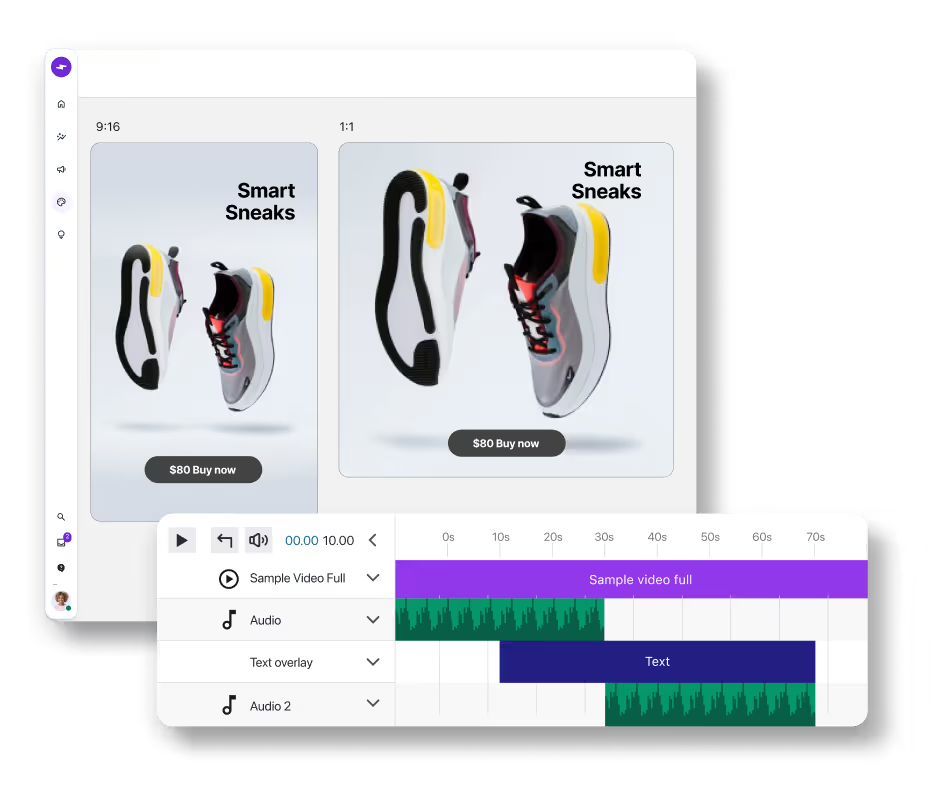
Smartly brings together creative and media workflows, with automation supporting campaign production and management.
This can be relevant for organisations running campaigns across several advertising channels and teams.
Its value depends on whether it improves coordination and reduces the time required to launch and optimise campaigns.
What to check: Supported channels, creative workflow requirements, integration limits, implementation effort and contractual commitments.
Should You Automate Every Advertising Decision?
No.
Automation works best when the intended outcome is clearly defined and the data supporting the decision is sufficiently reliable.
For example, an automated rule that flags campaigns exceeding a defined spending threshold can be useful.
A rule that automatically doubles budgets whenever yesterday’s ROAS exceeds a target may be dangerous if conversions are delayed or the sample is small.
Our guide to how AI bidding tools work explains why these systems require realistic goals, clean conversion data and human oversight.
The best automation removes repetitive work without removing accountability.
5. Creative Testing and Analytics Tools: Finding What Actually Works
A creative testing platform helps advertisers understand which images, videos, messages and concepts are associated with better campaign results.
That sounds straightforward, but advertising experiments are easily misinterpreted.
One creative might receive more impressions because the platform favoured it early. Another might appear less effective because it reached a different audience or ran during a different period.
A reporting system that declares a winner without accounting for those differences may encourage bad decisions.
Motion
Best for: Paid social teams analysing advertising creative across campaigns.
Pricing: Paid subscription; confirm the current plan and spend limits.
Official website: Motion
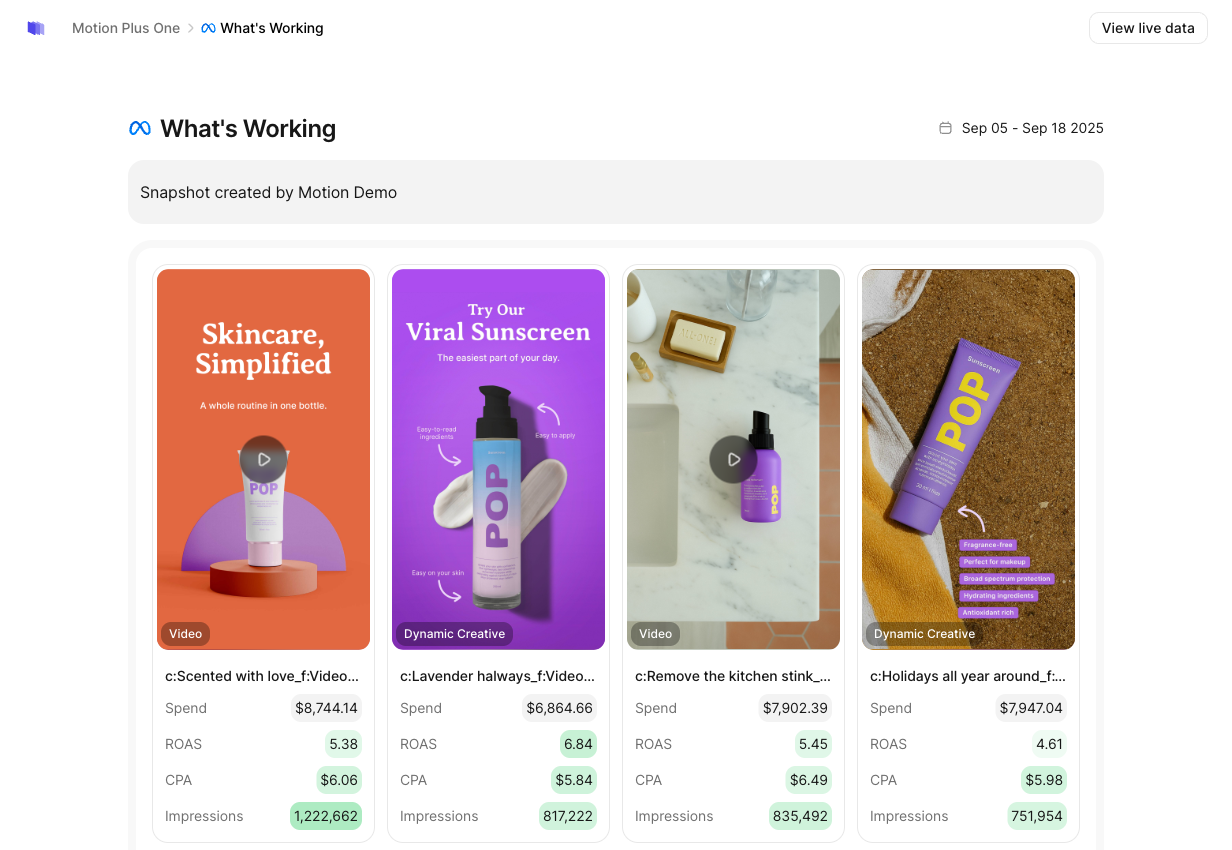
Motion provides creative-focused reporting and analysis across supported advertising platforms.
Its reporting groups creative concepts and helps teams examine patterns involving formats, messaging and creative attributes.
Motion also documents AI-assisted tagging capabilities for eligible Meta advertisements.
That can help marketers move beyond comparing advertisements only by campaign name or individual ad ID.
However, creative analytics and controlled experimentation are not the same thing.
Finding that a particular type of video performs well in historical data doesn’t prove that the format caused the improvement.
How to Evaluate Creative Testing Tools
Before buying, ask:
- Can the tool group advertisements by creative concept rather than only campaign structure?
- Does it show how much spending and how many conversions support its conclusions?
- Can you identify changes in audience, placement or delivery conditions?
- Does the platform distinguish observed correlations from controlled test results?
- Can findings be turned into useful creative briefs?
For teams spending relatively little on advertising, small sample sizes can make it difficult to detect modest performance differences reliably.
In those situations, better creative organisation and reporting may offer more value than sophisticated statistical features.
6. Budget Pacing Tools: Preventing Spending Problems
Budget pacing tools help advertisers compare actual spending with planned spending.
This becomes important when businesses manage multiple campaigns, client budgets, promotion periods or fixed monthly limits.
For example, an agency might manage several accounts with different spending targets and invoicing schedules.
Checking each account manually every morning may be practical at first, but difficult as the number of campaigns increases.
A pacing tool can help flag unexpected spending patterns or forecast whether a campaign is likely to exceed its target.
Why Daily Budget Settings Aren’t Enough
Google Ads uses average daily budgets for many campaign types.
According to Google’s official spending-limit documentation, most campaigns may spend up to twice their average daily budget on a particular day, while the standard monthly spending limit is based on 30.4 times that daily budget.
For instance, a campaign with an average daily budget of $100 may spend more than $100 on some days.
That isn’t necessarily an error.
A useful pacing system needs to distinguish normal advertising-platform behaviour from genuine budget problems.
What a Good Budget Pacing Tool Should Do
The most useful features include current spend visibility, end-of-period projections, alerts and clearly defined intervention rules.
More advanced tools may also support automatic budget adjustments or allocation changes.
However, forecast accuracy matters more than automation complexity.
Ask whether projections account for recent campaign changes, seasonal patterns, delayed reporting and campaigns that don’t run every day.
For small accounts, platform-native reporting and carefully configured alerts may be sufficient.
For larger agencies, centralised pacing and approval workflows may justify additional software.
7. Advertising Analytics and Attribution Tools: Knowing What Paid Media Produces
Advertising platforms report their own campaign performance.
But a business usually needs to understand outcomes beyond the advertising dashboard.
That includes leads recorded in a CRM, completed purchases, refunds, repeat customers and revenue.
This is where analytics and attribution tools become important.
Google Analytics 4
Best for: Businesses measuring website and app activity.
Pricing: Standard GA4 is available without a subscription fee; Analytics 360 is an enterprise offering.
Official website: Google Analytics
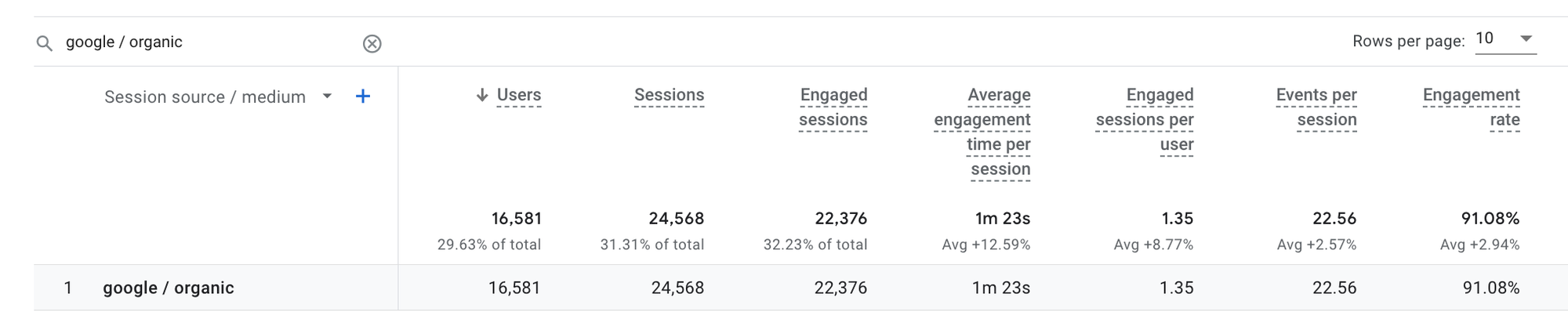
GA4 helps marketers understand traffic sources, user behaviour, important events and conversions.
It can support analysis across paid and organic channels.
However, Google Analytics and an advertising platform may report different conversion figures.
Those differences can result from attribution models, reporting windows, data collection methods and the definition of a conversion.
The objective shouldn’t be to force every report to show identical numbers.
It should be to understand what each system measures and decide which figures are appropriate for each business decision.
Supermetrics
Best for: Teams consolidating campaign data across several marketing platforms.
Pricing: Paid plans vary according to products, data sources and reporting requirements.
Official website: Supermetrics
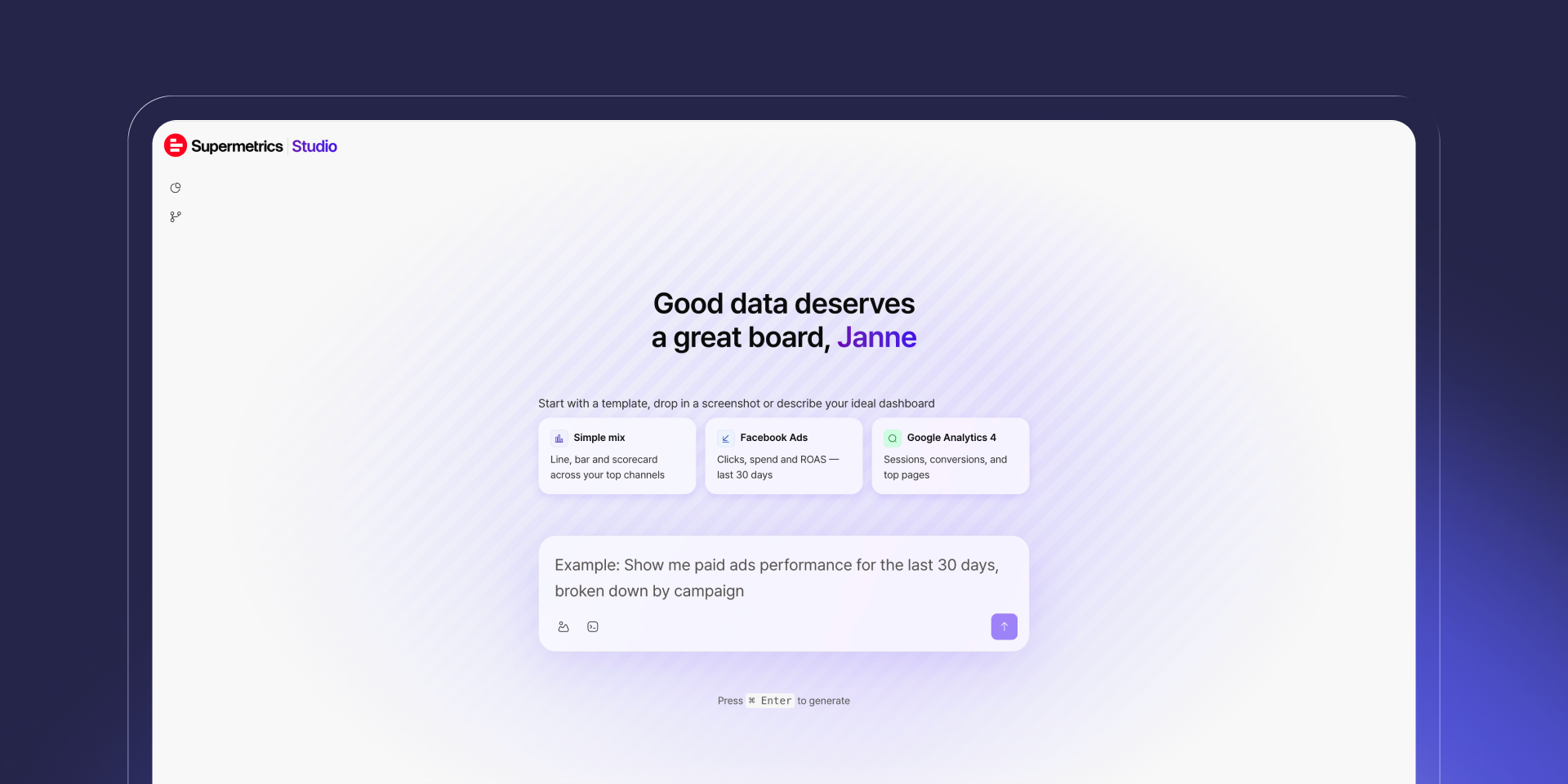
Supermetrics connects advertising and marketing data with reporting and analysis destinations.
That can be useful for agencies creating cross-platform reports or teams combining paid media information from multiple sources.
However, consolidating numbers doesn’t automatically resolve attribution differences.
A central dashboard may place Google Ads conversions beside Meta-reported conversions without making them directly comparable.
What to check: Data source coverage, refresh frequency, connector limits, historical data, definitions and reporting costs.
Why Attribution Software Doesn’t Automatically Prove Incrementality
Attribution models assign credit for conversions to advertising interactions.
They can help explain observed customer journeys, but attribution isn’t the same as proving what would have happened without advertising.
For example, a customer might see a paid advertisement and later buy a product they were already planning to purchase.
A platform may credit the advertisement, but that doesn’t necessarily mean the advertisement created the sale.
For important spending decisions, consider experiments, holdout groups, geographic tests or other incrementality methods where feasible.
These methods have their own limitations and costs, but they answer a different question from standard attribution.
Our advertising performance metrics guide explains how to interpret ROAS, CPA, CTR and other metrics without confusing activity with profitability.
8. Landing Page Tools: The Part of Advertising Most Buyers Ignore
Advertising doesn’t end when someone clicks.
A campaign can have relevant targeting, compelling creative and efficient bidding while still losing money because visitors don’t complete the intended action.
Common problems include slow pages, confusing offers, weak message consistency, broken forms and complicated checkout processes.
Landing page tools help marketers create and test pages designed around particular campaign objectives.
Unbounce and Instapage
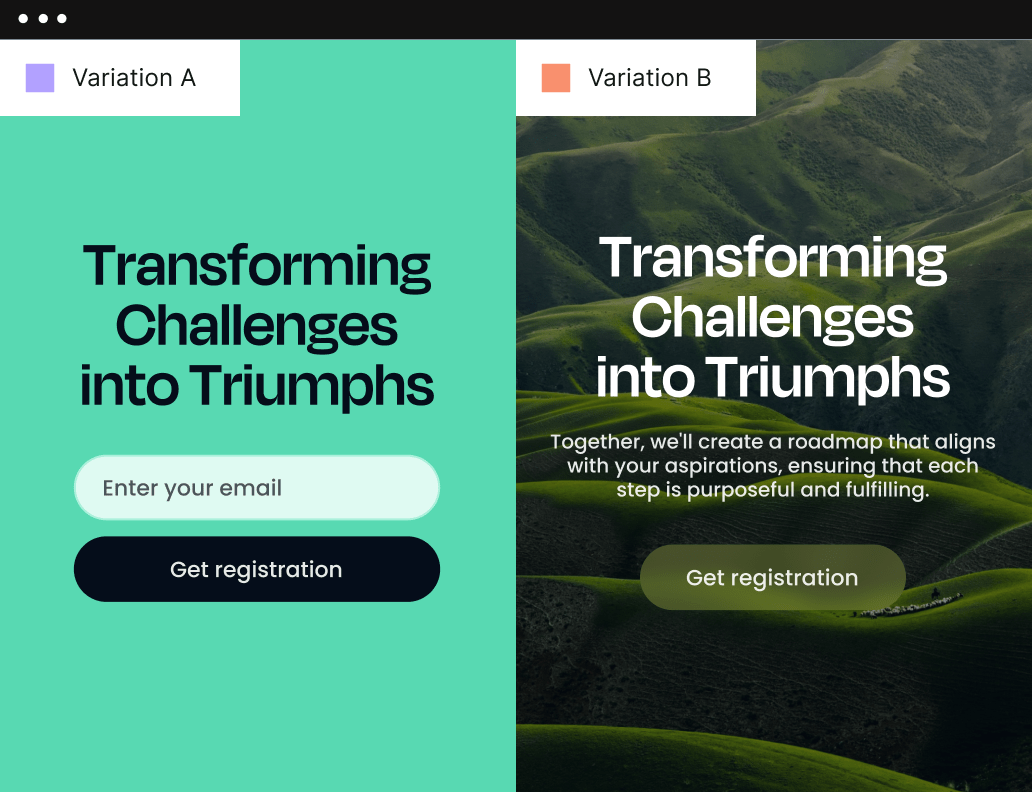
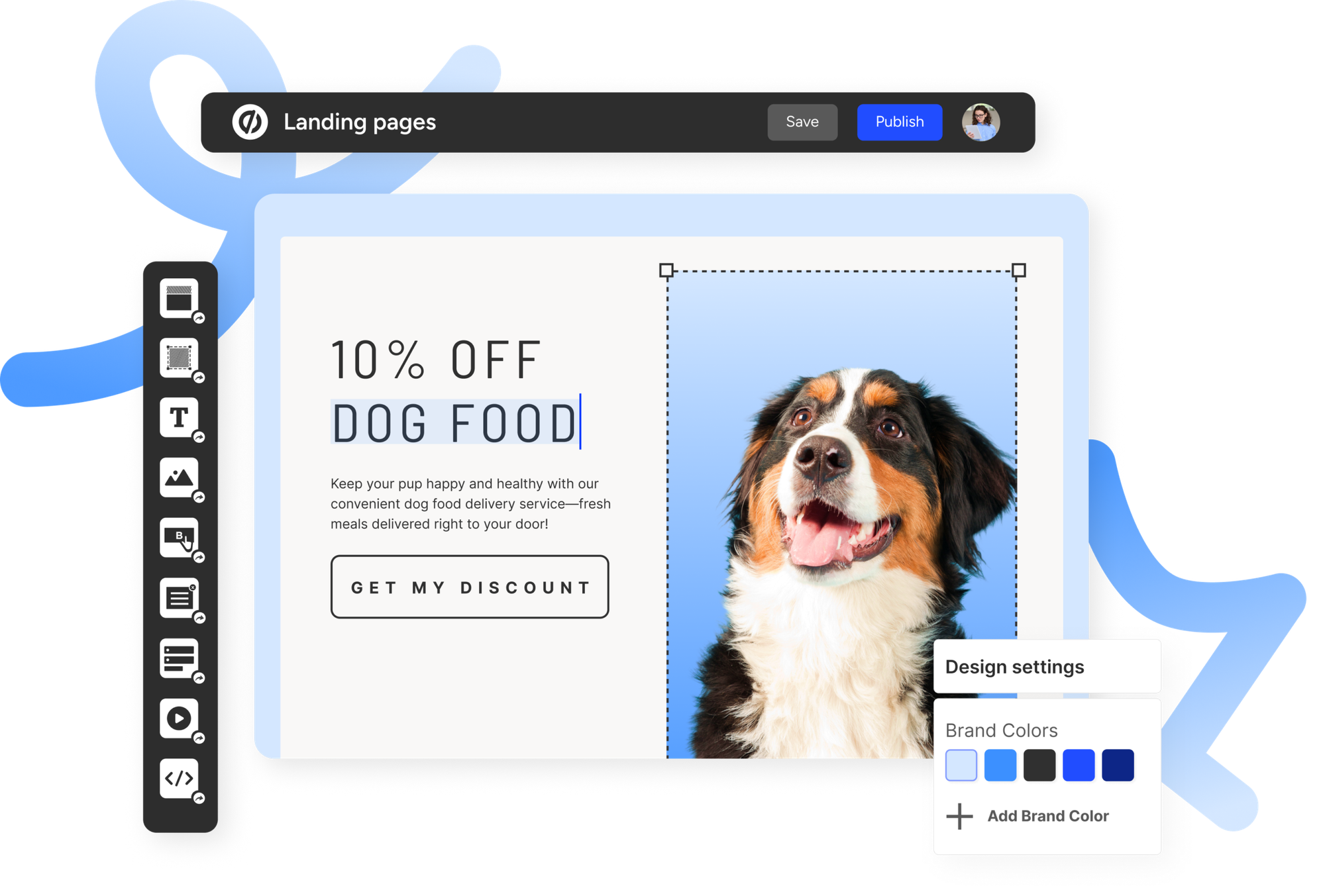
Unbounce and Instapage are examples of dedicated landing page platforms.
Their tools support page creation and conversion-focused workflows, with testing and optimisation features depending on the product and plan.
They can be useful when marketers need to launch campaign-specific pages without waiting for a complete website development cycle.
But a dedicated page builder isn’t always necessary.
If your existing website can produce fast, reliable landing pages with good tracking, another subscription may not add much value.
Before purchasing, compare equivalent pages under similar traffic conditions and measure the actual conversion outcomes.
Our landing page builders comparison explains how to evaluate performance and conversions without relying solely on vendor claims.
9. Product Feed, Ad Verification and Brand Safety Tools
Not every important advertising tool fits neatly into creative production or campaign management.
Some software addresses specialised problems that become more important as advertising programmes grow.
Product Feed Management
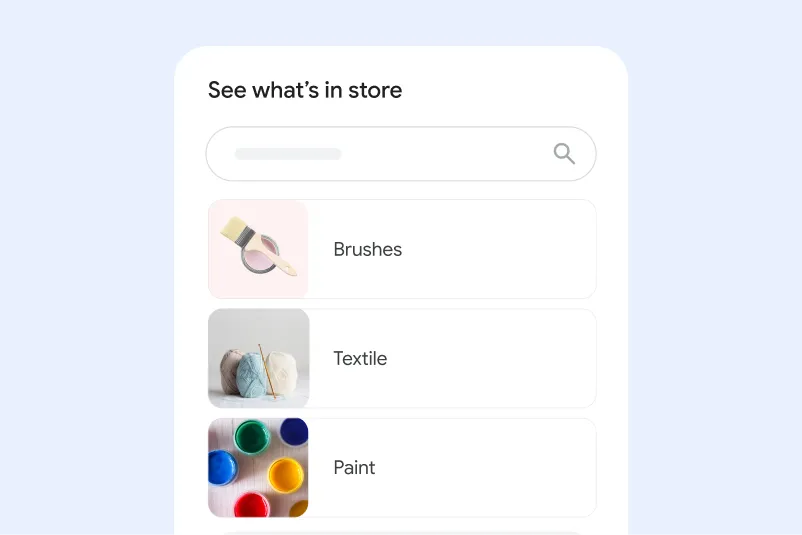
Ecommerce advertisers often need product information to remain consistent across shopping platforms.
Incorrect prices, unavailable products, missing identifiers and feed disapprovals can reduce campaign effectiveness.
Google Merchant Center provides product-feed capabilities for eligible shopping and ecommerce advertising workflows.
Specialist feed management systems may become valuable when businesses manage large catalogues, several advertising destinations or frequent inventory changes.
The primary evaluation criteria should be feed accuracy, time to resolve disapprovals and how reliably changes appear across connected destinations.
Advertising Verification and Brand Safety
Businesses running display, video and programmatic campaigns may need independent information about where advertisements appear.
Tools such as DoubleVerify and Integral Ad Science provide media quality measurement and verification capabilities.
These can involve viewability, invalid traffic and brand suitability.
For example, an advertiser may want to avoid placing advertisements beside content that conflicts with its brand standards.
However, additional verification software can introduce cost, reporting complexity and differences between measurement systems.
For large campaigns, that may be justified. For a small local search advertising account, enterprise media verification could be unnecessary.
The buying decision should reflect actual exposure risk and the inventory being purchased.
How Much Do Advertising Tools Cost?
Advertising software costs vary widely because some products charge for media delivery, others charge subscriptions, and others use pricing based on spending, seats or data usage.
There is no meaningful industry-wide average that applies to every advertising stack.
Advertising software pricing models
| Pricing Model | How It Works | Common Examples | Main Risk |
|---|---|---|---|
| Media spend | Pay for advertising delivery or interactions | Google Ads, Meta Ads | Spending without profitable outcomes |
| Fixed subscription | Pay a recurring software fee | Creative and reporting tools | Paying for unused features |
| Spend-based subscription | Price increases with managed ad spend | PPC automation tools | Costs rising as campaigns scale |
| Seat-based | Pay according to users or access levels | Some collaborative platforms | Additional team access costs |
| Data or connector-based | Pay for sources, volume or reporting features | Marketing data platforms | Unexpected usage or connector charges |
| Custom enterprise contract | Individually negotiated terms | Large media and verification platforms | Minimum terms, setup fees and lock-in |
The software subscription is only one part of the total cost.
You also need to account for advertising spend, creative production, staff time, implementation, training and the cost of maintaining integrations.
Worked example: Why ROAS Alone Can Mislead
Consider a hypothetical ecommerce campaign with the following monthly figures.
| Item | Illustrative Amount |
|---|---|
| Advertising spend | $8,000 |
| PPC software | $250 |
| Creative production | $700 |
| Reporting software | $150 |
| Total advertising-related cost | $9,100 |
| Revenue attributed to advertising | $20,000 |
| Gross margin on sales | 45% |
| Gross profit before advertising costs | $9,000 |
| Contribution after listed advertising costs | -$100 |
The headline ROAS is 2.5 times ad spend.
That might appear successful if the team only looks at the advertising platform.
But at a 45% gross margin, the attributed sales generate $9,000 in gross profit.
After deducting the $9,100 in listed advertising-related costs, the campaign has a negative contribution of $100 before any further fixed overhead.
This is a hypothetical illustration, not a real advertiser result.
It shows why a tool promising better ROAS isn’t automatically delivering better business profitability.
The metric that matters is whether the additional cost produces enough incremental value to justify itself.
How to Calculate Whether an Advertising Tool Is Worth the Money
A software purchase should solve a measurable problem.
Suppose a PPC automation platform costs $300 a month and saves an analyst six hours of manual work.
If those six hours represent $240 of labour value, the software has not yet justified itself through time savings alone.
It may still be worthwhile if it helps prevent costly errors or enables better decisions.
But those additional benefits need to be evaluated rather than assumed.
A useful calculation is:
Net monthly tool value = Labour value saved + verified additional contribution + avoidable costs prevented − total software and operating costs
Use conservative estimates for benefits that haven’t been demonstrated.
If the tool saves work but doesn’t improve results, treat that as an efficiency benefit—not a performance uplift.
If it produces recommendations but nobody implements them, the value may be negligible.
Time to First Useful Action
This is another useful buying measure.
Instead of counting the time from signup to dashboard activation, measure how long it takes before the tool helps someone complete a valuable task.
That might be identifying a broken conversion event, correcting a budget problem, finding a wasted-spend issue or producing an actionable creative brief.
A tool that needs weeks of configuration before delivering anything useful may be a poor fit for a small team, even if it eventually offers many advanced features.
How to Choose Advertising Tools: A Seven-Step Framework
Rather than buying tools one at a time based on demonstrations, evaluate them against a consistent framework.
Step 1: Identify Your Primary Advertising Problem
Begin with the specific outcome that needs improvement.
Examples include lowering customer acquisition costs, increasing qualified leads, reducing campaign management time or improving reporting accuracy.
Avoid vague goals such as “make our advertising more efficient.”
A useful objective might be:
Reduce manual campaign-reporting time from eight hours to three hours per week without losing essential performance detail.
That gives you something measurable.
Step 2: Audit Your Existing Tools
Review what your team already uses.
A typical setup may include Google Ads, Meta Ads Manager, GA4, Google Tag Manager, a CRM and a reporting spreadsheet.
List which tasks each product handles and where capabilities overlap.
You may discover that the automation, alerts or reporting feature you’re considering buying already exists in your current platform.
Step 3: Establish a Reliable Measurement Baseline
Before testing a new optimisation tool, make sure you can measure performance consistently.
Check that conversion events fire correctly, CRM outcomes can be reconciled where appropriate, and campaign data is reasonably complete.
If your measurement is unreliable, software claiming to improve results may simply be optimising against incorrect information.
Step 4: Evaluate Actual Workflow Fit
Ask the vendor to demonstrate a specific task from your team’s regular workflow.
For example:
Show us how to identify campaigns projected to overspend their monthly budget and send an alert to the relevant account manager.
A demonstration like that is more informative than a generic product tour.
Step 5: Compare Total Cost
Request a quotation covering the expected advertising spend, users, integrations, onboarding and additional fees.
Check whether the plan’s cost changes as your business scales.
Also ask about minimum contract periods and what happens when you cancel.
Step 6: Run a Controlled Pilot
Use a limited trial where possible.
Choose a measurable problem, document the current process and test whether the tool improves it.
Don’t change several major advertising variables simultaneously if you’re trying to attribute the improvement to one tool.
Step 7: Review Results Before Expanding
At the end of the pilot, compare the tool’s actual contribution with its cost.
If it has reduced management time, improved data quality or helped the team avoid demonstrable errors, it may justify a larger rollout.
If it only produces more dashboards and recommendations, reconsider the purchase.
Advertising Tool Evaluation Scorecard
Use this framework when comparing shortlisted products.
| Evaluation Criterion | Suggested Weight | What to Verify |
|---|---|---|
| Workflow fit | 25% | Solves the team’s documented problem |
| Data accuracy and reliability | 20% | Produces sufficiently dependable information |
| Measurable business value | 20% | Saves time, reduces errors or improves outcomes |
| Integration and controls | 15% | Works safely with existing platforms |
| Total cost | 10% | Subscription, usage, implementation and support |
| Ease of adoption | 10% | Training needs and time to first useful action |
Score each category from 1 to 5 using evidence collected during a pilot or demonstration.
Where a capability hasn’t been tested, label it not evaluated.
These weights are suggested purchasing criteria, not independently validated rankings of the products discussed.
A larger agency might give more weight to integration and account controls. A small business might prioritise ease of use and cost.
The aim is to make the purchasing decision explicit.
Building an Advertising Tool Stack by Business Size
The right stack changes as a business grows.
A one-person marketing team doesn’t need the same systems as an agency managing dozens of client accounts.
Small Business: Keep the Stack Simple
A practical starting setup might include:
| Function | Starting Tool |
|---|---|
| Advertising | Google Ads or Meta Ads Manager |
| Conversion tracking | GA4 and native platform tracking |
| Creative production | Canva or existing design software |
| Reporting | Native dashboards and a simple spreadsheet |
Add paid management software only after identifying a recurring problem that the current setup cannot solve efficiently.
Growing Ecommerce Business: Prioritise Creative and Measurement
An ecommerce business running both Google and Meta campaigns may need:
| Function | Potential Tool |
|---|---|
| Search and shopping ads | Google Ads |
| Paid social | Meta Ads Manager |
| Analytics | GA4 |
| Creative production | Canva or dedicated creative tools |
| Creative analysis | Motion, if volume justifies it |
| Feed management | Merchant Center or specialist feed software |
| Reporting | Native exports or Supermetrics |
The priority should be reliable revenue measurement, product-level profitability and a steady creative testing process.
Agency or Multi-Brand Team: Prioritise Control
Agencies managing many accounts may benefit from more advanced systems.
| Function | Potential Tool |
|---|---|
| Advertising delivery | Native platform managers |
| Bulk editing | Google Ads Editor |
| PPC management | Optmyzr |
| Budget pacing | Native controls or specialist pacing software |
| Reporting | Supermetrics or existing data infrastructure |
| Creative analytics | Motion or equivalent |
| Approvals and governance | Existing project management and access-control systems |
The additional software should reduce operational complexity, not introduce another layer of unnecessary approvals and reporting.
AI Advertising Tools in 2026: What Has Actually Changed?
Advertising automation has expanded significantly.
Google’s Performance Max combines automated bidding, targeting and creative optimisation across eligible inventory.
Meta continues to develop Advantage+ capabilities, while TikTok offers Smart+ campaign tools.
These developments reduce some manual work, but they also change the skills advertisers need.
Better Inputs Matter More Than More Automation
An AI system can optimise efficiently toward the wrong target.
For example, if a business treats every form submission as a successful lead, the system may prioritise people who are likely to submit forms rather than customers who are likely to buy.
Connecting qualified lead or revenue data where appropriate can help align optimisation with business outcomes.
AI Creative Still Needs Review
Generative systems can produce advertisements quickly, but they don’t automatically understand your legal responsibilities, product limitations or brand standards.
Review claims, prices, imagery, required disclosures and landing-page consistency before publishing.
Greater Automation Requires Greater Monitoring
As campaign platforms make more decisions automatically, marketers need to monitor the underlying inputs, goals and performance.
A tool may be functioning exactly as designed while still delivering poor business results because the campaign objective is inappropriate.
The solution isn’t necessarily to disable automation.
It’s to make sure the system is optimising toward meaningful outcomes, with controls that allow marketers to investigate unexpected behaviour.
Advertising Data Privacy, Compliance and Account Security
Advertising tools frequently require access to sensitive business information.
This may include advertising account permissions, customer lists, conversion events, CRM data and campaign performance.
Before connecting a third-party platform, review how it handles that information.
Important questions include:
- What advertising account permissions does the tool require?
- Can its access be restricted to reporting rather than campaign editing?
- Does it retain customer or campaign data after cancellation?
- Are AI models trained using uploaded business information?
- How does the vendor handle data deletion and security incidents?
- Can team access and changes be audited?
Consent requirements also matter.
Google’s Consent Mode documentation explains how Google tags can adjust their behaviour based on users’ consent choices.
Consent Mode is not itself a replacement for obtaining legally required consent or maintaining an appropriate privacy policy.
Local regulations and platform rules still need to be followed.
The best advertising tool shouldn’t create new privacy or account-security risks simply to save a few hours of reporting work.
Common Advertising Tool Buying Mistakes
Buying Automation Before Fixing Tracking
If conversion tracking is inaccurate, automated optimisation may compound the problem.
Validate the measurement setup before adding another optimisation platform.
Paying for Features Your Existing Platform Already Includes
Google Ads, Meta Ads Manager and other native platforms already include extensive reporting and automation.
Check those capabilities before buying overlapping third-party software.
Confusing Dashboards With Better Decisions
More detailed reporting doesn’t automatically improve performance.
Ask whether each report supports a specific action.
Trusting Vendor Case Studies Without Context
A reported 30% improvement means little without understanding the baseline, campaign conditions, sample size and calculation.
Treat case studies as supporting evidence rather than guaranteed outcomes.
Automating Budget Changes Without Safeguards
Automatic rules can create unintended spending changes.
Establish approval requirements, sensible thresholds and monitoring procedures.
Ignoring the Landing Page
Advertising can attract relevant visitors while the destination fails to convert them.
Improve the complete customer journey rather than optimising only the advertising dashboard.
Building a Stack That’s Too Complicated to Maintain
A small team may struggle to maintain several platforms requiring separate logins, integrations, updates and training.
More software can create less clarity.
How We Research Advertising Tools
DigitalMarketingTools.ai evaluates advertising software by the practical work it enables rather than the number of features advertised.
For this pillar guide, we reviewed official product descriptions, platform documentation and published commercial information to identify the categories and buying considerations relevant to advertisers.
The tools mentioned here were not subjected to one identical paid campaign test.
Consequently, the article does not assign numerical performance scores or claim that one platform consistently delivers better campaign results than another.
Our evaluation principles focus on capability, operational usefulness, measurement reliability, implementation effort and total cost.
The site’s Editorial Methodology explains our review principles and disclosure approach.
For further guides, comparisons and category-specific research, explore the Advertising Tools resource library.
Final Verdict: Build Your Advertising Stack Around Decisions, Not Features
The advertising software market will continue introducing new automation, AI features and reporting capabilities.
Some of those innovations will save marketers substantial time. Others will duplicate functions already available inside existing advertising platforms.
The difference comes down to what your business actually needs.
If you’re struggling to generate demand, start with the advertising channels and messages most relevant to your customers.
If management time is the problem, investigate automation.
If your campaigns generate clicks but not customers, examine your landing pages and conversion tracking.
If you’re already managing many accounts, budgeting and reporting systems may provide meaningful operational value.
And if you can’t explain which advertising activities generate profitable customers, additional dashboards shouldn’t be your first priority.
Start with one business objective, identify the constraint, and evaluate tools against a measurable baseline.
Then invest only when the software demonstrates that it can improve the work.
The best advertising stack isn’t the one with the most tools. It’s the smallest combination of tools that helps your team make better advertising decisions, manage spending responsibly and produce profitable outcomes.
Frequently Asked Questions About Advertising Tools
What are the best advertising tools for small businesses?
Google Ads and Meta Ads Manager are practical starting points for many businesses, depending on their target customers and advertising objectives. Combine them with reliable tracking and simple creative tools before adding more advanced software.
Are advertising tools free?
Some are free to access, including Google Ads Editor and certain platform-native planning or reporting tools. However, advertising delivery itself generally requires media spending. Third-party software may charge subscriptions or usage-based fees.
What is the difference between Google Ads and PPC management software?
Google Ads is an advertising platform where campaigns are created and delivered. PPC management software provides additional capabilities such as bulk account management, monitoring, automation or reporting.
Which advertising tools are best for ecommerce?
Google Ads, Meta Ads Manager, Merchant Center and analytics tools are relevant starting points. Businesses with larger catalogues or creative requirements may benefit from additional feed management, automation or creative analytics software.
Do AI advertising tools improve ROAS?
They may improve specific tasks or campaign outcomes, but there is no guaranteed uplift. Results depend on campaign data, targets, creative quality, audience suitability and the test conditions.
How much should a business spend on advertising software?
There is no universal amount. Start with the total cost of your existing advertising activities and add software only when its measurable benefits justify the expense.
What is advertising attribution software?
Attribution software helps assign conversion credit to advertising interactions. It can support analysis, but attribution models do not independently prove that all credited sales were caused by advertising.
What are budget pacing tools?
Budget pacing tools compare actual advertising spending against planned targets. They may provide projections, alerts or automated adjustments to help manage spending across campaigns.
Do I need separate software to create advertising images and videos?
Not necessarily. Native advertising platforms and general design tools may already meet your needs. Dedicated creative production software becomes more valuable when volume, consistency or collaboration requirements increase.
Which advertising metrics matter most?
The most relevant metrics depend on campaign objectives. For sales campaigns, acquisition cost, contribution margin and reliable revenue measurement are particularly important. For awareness campaigns, reach and exposure quality may matter more.
Can one advertising platform manage every channel?
Some products provide cross-channel management capabilities, but coverage and functionality vary. A tool supporting several platforms doesn’t necessarily provide identical control, reporting or automation across all of them.
How often should I review my advertising tools?
Review major tool costs and performance at contract renewal, after significant advertising-platform changes and whenever campaign scale or operational requirements change.
Disclosure: digitalmarketingtools.ai is sponsored by Digimetrics.ai. Sponsored Highlights are clearly labelled advertising. Our reviews, comparisons and guides are written to be useful and fair regardless of who sponsors the site. Read the full disclosure.


