
How to Map Search Intent Before You Write a Page
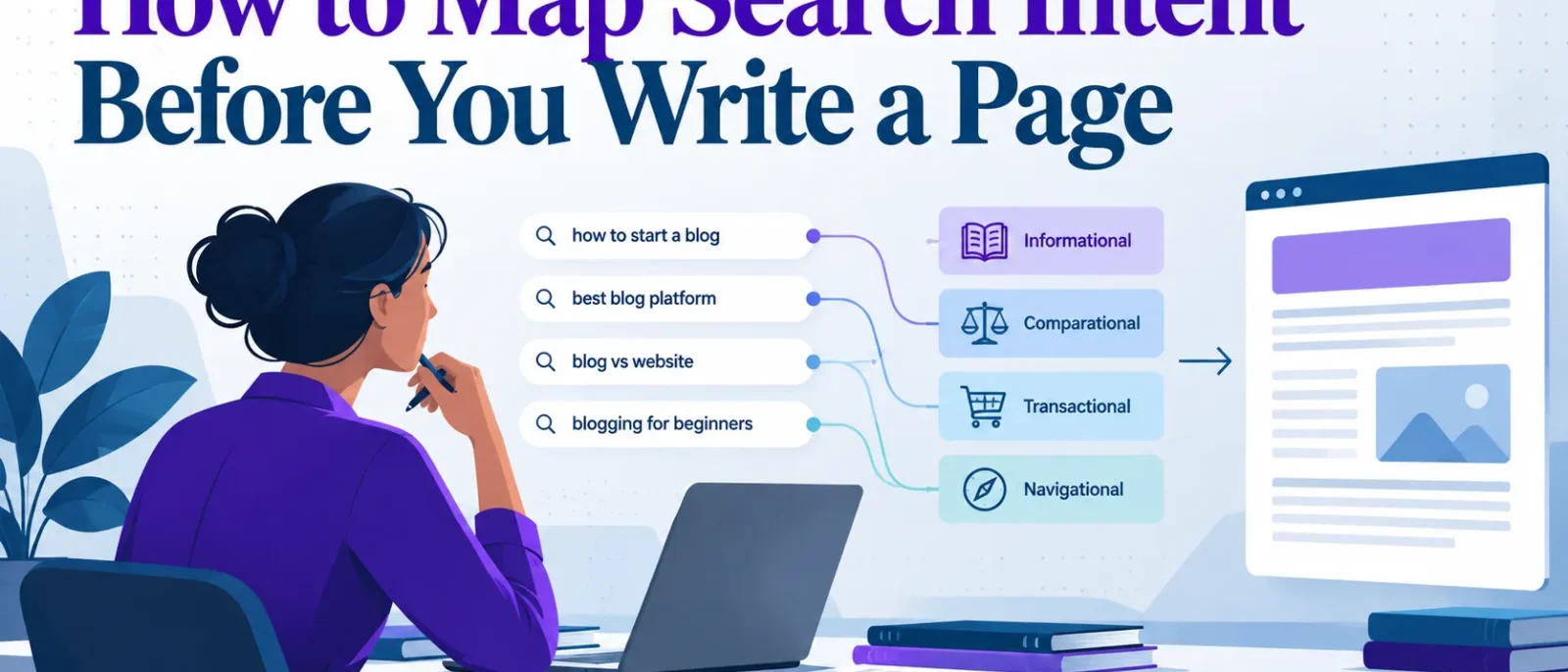
Most pages that fail to rank are not badly written. They are aimed at the wrong job. A well-argued guide may target a query the results reserve for product pages, or a sales page may reach someone who only wanted an answer. Search intent is the job description of a page, and it should be decided before drafting begins. Matching the current results often locks a team into the same blind spots as its competitors. A better approach is to diagnose the gap between what the searcher wants and what the page offers, then build around it.
This guide sets out a repeatable process for how to map search intent when briefing a page, written for content writers, SEO leads and in-house marketers in Singapore. It shows how to use keywords and the information in search results to help your page serve real users, and how to optimize the brief before any copy is written.
The process runs in four steps:
- Analyse the keyword modifiers to form a first classification.
- Read the search results and test the top 10 organic results against that classification.
- Verify the intent with your own search and analytics data.
- Brief the writer with the format, depth and single job the page must do.
Key Takeaways
- Intent is the page’s job. Decide it before writing.
- Classify keywords by modifiers (“how to”, “best”, “vs”, “near me”), then confirm against live results.
- Run the SERP Intent Test on the top 10 results: content type, title pattern, first-screen features and the one job your page must do.
- Informational queries make up roughly 70% of traditional searches, per SE Ranking, so check that layer first.
- SE Ranking reports 37.5% of ChatGPT queries fall into a generative AI intent category, a single-study figure to treat as provisional.
- Once live, confirm intent with Search Console, group queries by intent and map each group to one URL when you how to map search intent.
Table of Contents
- Why Intent Must Come Before the Outline
- What Search Intent Is and Why It Decides Page Format
- The Four Intent Types and the Commercial Middle Ground
- Step 1: Analyse the Keyword Modifiers
- Step 2: Read the SERP Before You Write a Word
- Step 3: Verify Intent with Your Own Data
- Conclusion: Map Intent First, Then Write
Why Intent Must Come Before the Outline
Intent is the page’s job description, and it must be decided before drafting begins. Underperforming pages usually had no clear job: the writer wrote a competent article, then found results wanted a comparison table, a tool or a short answer.
Treating how to map search intent as a repeatable pre-writing process, rather than general awareness, shows each keyword’s content type, depth and first-screen requirements. Awareness alone leaves the writer guessing.
Each stage narrows uncertainty, so the team briefs with confidence. By the time a writer starts, the page format is a decision, not a hope.
What Search Intent Is and Why It Decides Page Format
Search intent is the goal a person is trying to reach when they type a query. Someone who types “how to map search intent” wants a method they can follow. Someone who types “seo tools for small businesses” wants a shortlist they can compare and act on. Your page has to do the job the searcher came to get done, or it will not rank. Those keywords signal a goal, and matching that goal is what makes a page relevant.
The same keyword can carry different intents depending on the results search engines already show. If the first page is full of step-by-step guides, the query is treated as informational. If it is product listings with prices, the query is treated as transactional, meaning the searcher is ready to buy. The results are the most reliable evidence you have, so review them before you create any content.
Format follows the job. Guides suit learning queries, product pages suit buying queries, side-by-side comparisons suit queries with “vs” or “best”, and local listings suit queries with a place signal. Understanding these types of search helps you match each page to the task it serves and improves the user experience on your website.
Intent has to be decided before the outline, because it sets the outline. Rewording the introduction of a draft rarely changes the outcome. Decide intent first, then optimize the structure around it.
The Four Intent Types and the Commercial Middle Ground
The four standard intent types are useful labels, but most real decisions happen where they overlap. How you classify a keyword determines the page you build, so start by understanding what users are looking for in their search.
Informational intent means the searcher wants to learn or answer a question, such as “what is crawl budget”. Informational queries still make up roughly 70% of traditional searches, according to SE Ranking. The winning page answers the question in its opening lines, then goes deeper.
Navigational intent means the searcher wants a specific site, brand or page, such as “Shopee seller centre login”. A generic explainer rarely wins these. If the keyword is a brand name, check whether the top result is that brand’s own website.
Transactional intent means the searcher is ready to buy, book, download or sign up. The page must carry what that action needs: the price in SGD, stock status and an add-to-cart path for ecommerce, or a booking form or quote request for a service.
Commercial investigation intent is the middle ground most guides blur. The searcher is researching before a purchase, as with “iPhone vs Samsung comparison”. The winning format is a comparison or ranked list with criteria, prices and a clear verdict. Modifiers such as “vs”, “best” and “review” should trigger a commercial brief.
Local intent appears when a query carries a “near me” or area signal, or when Google infers a location. In Singapore, a local query often returns a map and a short list of nearby businesses with ratings, hours and quick actions. A national guide placed above that listing is less likely to be seen.
Generative AI search intent covers queries where the searcher wants a written answer rather than a list of links. SE Ranking reports that generative search intent accounts for 37.5% of ChatGPT queries. This comes from one study and is a provisional observation, so check the live results for your own keyword. A simple definitional question may now be answered before the click, so a long-form page needs a reason the reader cannot get the same answer from a summary, such as a tool, template or decision framework. Your content has to offer something a summary cannot.
Mixed intent is the real problem
Where the labels meet, a keyword often shows two or more intents at once. The useful question is not “which label is this?” but “which intent do the results reward most?” Read the search results to see what the query is really asking for, since the user experience they reveal shows which format the searcher expects.
Matching the current results is a sound starting point, but copying that format locks your page into the same blind spots as the competitors. The better test is to ask where the results fail the searcher, such as a guide that never names a price, or a comparison that ignores local buyers, and to build the page around that gap. Good keyword research looks for these gaps, and a clear understanding of search intent makes them easier to spot.
As a working heuristic, not a validated rule, if a single format appears in at least 6 of the top 10 results, treat it as dominant and build to it. If the results split more evenly, treat the keyword as mixed. Answer the informational question first, then link clearly to the commercial option, and recheck the split after a few weeks.
Step 1: Analyse the Keyword Modifiers
Before reviewing any search result, read the keyword for the words before or after the core topic. Modifiers show what the searcher expects. “How to map search intent” asks for a method. “Best seo tools for small businesses” asks for a shortlist. “Ahrefs price” asks for a number. The core noun may stay the same, but each query needs a different page.
Modifiers do most of their work at the question word, the comparison, the price or location signal, and the year. A brand name usually means the searcher already knows the category and wants a specific product. A brand name alone often means they want the brand’s own website. Modifiers help users find the page that matches their user intent, which is why reading them carefully matters for how search engines rank results.
The table below is a starting hypothesis. Confirm it against the results in Step 2.
| Modifier | Likely intent | Page type that usually fits |
|---|---|---|
| “how to”, “steps”, “guide” | Informational | Step-by-step guide or tutorial |
| “best”, “top” | Commercial investigation | Ranked roundup or buyer’s guide |
| “vs”, “compared”, “or” | Commercial investigation | Side-by-side comparison page |
| “price”, “cost”, “pricing” | Commercial or transactional | Pricing page or cost breakdown |
| “buy”, “discount”, “order” | Transactional | Product or checkout page |
| “near me”, “in Singapore” | Local | Local listing or area-specific page |
| brand name alone, “login” | Navigational | The brand’s own site |
| a year such as “2026” | Freshness-driven | The same page type, refreshed and dated |
A year changes the answer. “Best seo tools 2026” signals a current, comparison-led list, not an evergreen essay.
Be wary of competitor titles. Many ranking pages carry old years without updating their content. Do not copy an old year. Use 2026 and make sure the tools, prices and examples reflect this year. Checking the query against the results shows whether the modifier has been read correctly, and whether the page you create actually helps the reader find what they came for.
Step 2: Read the SERP Before You Write a Word
The top organic results are the clearest evidence of what Google believes users want. Reading them costs nothing, and they show the format, depth and purpose your page needs to match. Marketing teams that skip this step often publish a well-argued page that never ranks, because it does not resemble what already sits on the first screen and so fails to match the search intent behind the query. Good keyword research helps you map that intent before you start, including navigational intent where a user is looking for a specific website. Understanding search intent before you write means your content will reflect what users are actually looking for.
Start with the top five results, then check the next five. The first five show the dominant pattern. The next five show whether that pattern holds or whether there is room for a different angle.
What to check on each result
- Page type: guide, tool, comparison, category or product page. Example: a “best” query returning three comparison pages.
- Content depth: count the sections and estimate the word count. Example: winners with eight to twelve H2s suggest a full guide.
- Features: note tools, product listings, local packs, videos and AI overviews. Example: a local pack signals a need for a place, not an article.
- Title pattern: record modifiers such as “best”, “vs”, “how to” or a year. Example: “how to” plus a step count points to a tutorial.
- Local signals: for a Singapore audience, look for local-pack results, Singapore-based publishers and S$ pricing. Example: a “running shoes” query returning S$ prices from Singapore retailers.
Reading title patterns for freshness
Titles show how Google expects a topic to age. For “best air fryer”, years such as 2023 have appeared in top-ranking titles, which suggests the query is refreshed regularly. If leading titles carry an old year, do not copy it. Use 2026 where the query is genuinely time-bound, and leave the year out where it is not.
Recording findings in a grid
| Position | URL | Content type | Title modifiers | First-screen features | Approx. length | Job it does |
|---|---|---|---|---|---|---|
| 1 | Example page | Guide | “how to” | Featured snippet | Long | Explains the process |
| 2 | Example page | Tool roundup | “best” | Shopping results | Medium | Compares options |
Working heuristic, not an established rule: when at least 6 of the top 10 results share a content type, treat it as dominant and build to match. When fewer than 6 share a format, the SERP is mixed and you need a different approach.
Worked example: suppose you search “running shoes Singapore” and 7 of the top 10 results are comparison pages. Record that in the grid, then fill in your own result for your keyword, noting how many of the top 10 results match and which format dominates. Since 7 is at least 6, build a comparison.
SERPs are a strong signal of intent, not a guarantee. Results shift as Google adjusts its ranking, so re-check the grid before you commit to a brief. For a transactional query, results may favour product pages or price comparisons, and your content should reflect that. Each search you run adds to your understanding of the information users want, so keep the grid updated as your content evolves.
Step 3: Verify Intent with Your Own Data
Your analytics and Search Console data are the only evidence here from real users. The SERP shows what Google rewards, but your own data shows what your audience does after arriving. Treat any disagreement between the two as the most useful finding in your search and content work.
Start with your website analytics. Filter the landing page report for pages that already earn impressions or clicks for the target keyword, then follow what visitors do next. If an informational guide loses readers after thirty seconds, the intent may be narrower than assumed. If visitors click through to a pricing page, the query carries commercial intent even if the wording looks informational.
Record scroll depth, time on page and the usual next step for each page in a simple grid beside your SERP findings. Working professionals reviewing this grid can spot mismatches in seconds.
Search Console is stronger for checking the search queries behind a broad keyword. Filter the Performance report by a query containing your head term and export the list. A term such as “seo tools” may hide distinct intents: “free seo tools”, “seo tools for small businesses”, “seo tools for ecommerce”. If one URL collects impressions for conflicting intents, it is trying to do two jobs and is a candidate for splitting.
Automated intent tools
Automated tools classify large keyword lists quickly but are weaker at judgement. A tool may label a query “commercial” from its wording, yet miss that the live results are dominated by free roundups. Check the top ten results yourself. Where the SERP and the tool disagree, trust the SERP and note the conflict for review.
Auditing intent across the whole site
To map intent across a whole site, export query data for every URL and group search queries by intent. Assign each group one primary URL and flag any URL serving several groups. Record the mapping in one sheet with columns for query group, intent, target URL and page type, and check every new brief against it.
Conclusion: Map Intent First, Then Write
Search intent decides the format, depth and purpose of a page, and the live results show it before anyone drafts a sentence. A transactional query answered with a long guide, or an informational query answered with a product page, rarely holds its position.
Run the four steps on your target keyword:
- Classify the modifiers. Read “how to”, “best”, “vs”, “price”, “near me” and years as signals of the job the searcher wants done.
- Read the SERP. Check the top 10 results for the dominant page type, title pattern and first-screen features.
- Verify with your own data. Compare the keyword against Search Console queries and on-site engagement.
- Brief the page. Turn the findings into one intent statement, one page type and a brief that answers the reader’s follow-up questions.
If the results show a mix of guides and comparisons, decide which job your page will do, state it in the brief, and only then open the editor.
What is the difference between search intent and keyword intent?
Keyword intent is the purpose a term appears to carry, judged from its wording alone. Search intent is the purpose a real user has when they type it, and the live results reveal it more reliably than the words do. To map user intent, trust the live results over your guess about the wording.
How many search results should I check to confirm intent?
Start with the top 5 organic results and widen to the top 10 when the pattern is unclear. As a working heuristic rather than an established rule, if at least 6 of the top 10 share one format, your content should match that format.
Can one keyword have more than one search intent?
Yes. Many keywords produce a mixed SERP. Either serve the majority intent, or answer the main question first and address the secondary intent in a clearly signposted section.
How do I find search intent using Google Search Console?
Open the Performance report, filter by the page or query, and export the search queries it earns impressions for. Group each search query by purpose, such as “how to”, “price” or “vs”, then check which URL earns the clicks for each group. Looking at this data helps you understand which content already matches what users want.
Does search intent change over time?
Yes, and year-dated queries change fastest. Check the years in current top titles, and use 2026 in your headings where the query calls for it. Refresh pages when the results shift.
Do I need a tool to map search intent?
No, but a tool helps at scale. Automated classifiers misread mixed SERPs and local signals, so check their labels against the live results. For a single page, a manual review of the top 10 results with a simple grid is usually enough.
Disclosure: digitalmarketingtools.ai is sponsored by Digimetrics.ai. Sponsored Highlights are clearly labelled advertising. Our reviews, comparisons and guides are written to be useful and fair regardless of who sponsors the site. Read the full disclosure.


