
7 Best Free Keyword Research Tools in 2026: What Can You Actually Do for $0?
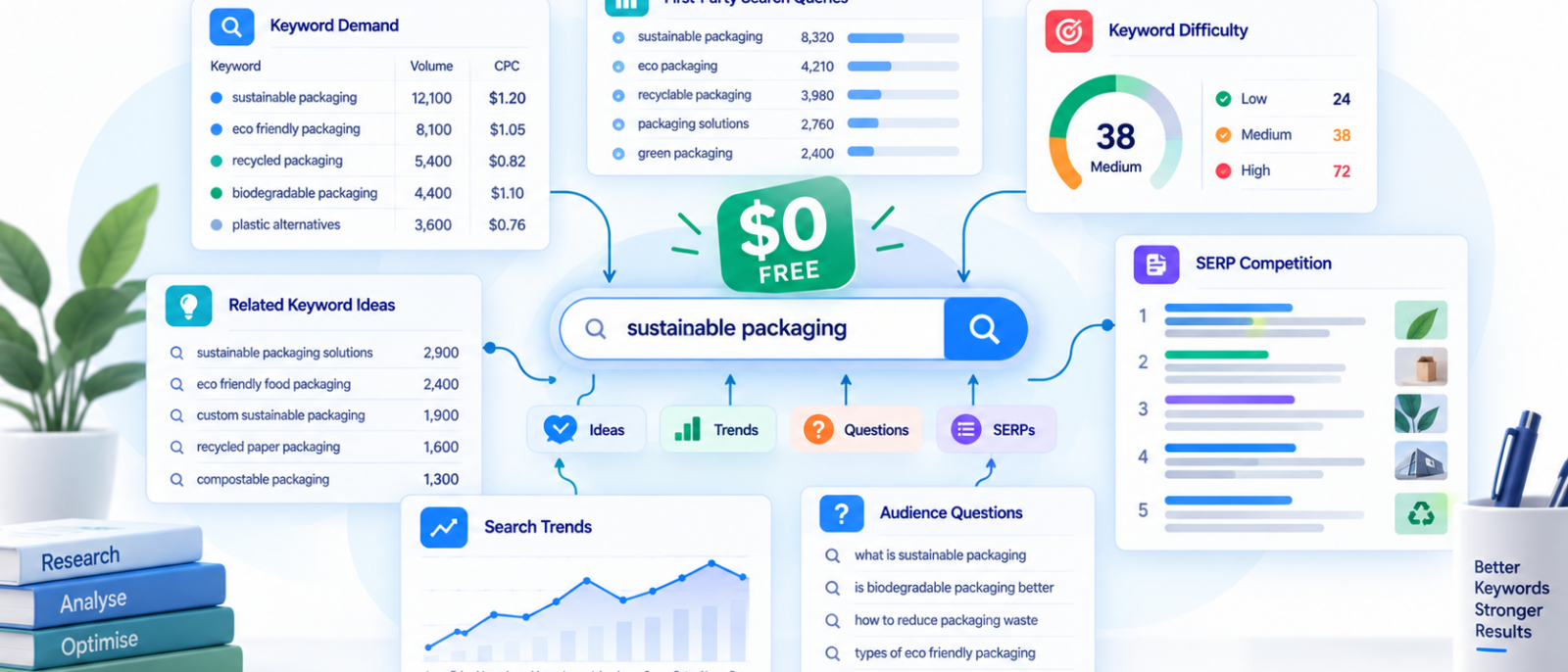
We compared what the free versions actually give you, where their limits start to matter and which tools we would combine before paying for a larger SEO workflow.
A free keyword research tool can mean very different things in 2026. Google Keyword Planner provides keyword ideas and demand estimates without charging separately for the tool, while Semrush’s Keyword Magic Tool gives free users a restricted version of a much larger SEO platform.
Other products are more constrained. Ubersuggest and AnswerThePublic cap free research, while Google Search Console costs nothing and can expose real queries already generating visibility for your own site but cannot research the entire market.
The useful question is therefore not which free tool gives you the biggest spreadsheet. It is:
How far can each one take you toward a keyword you would actually approve for content?
Quick Picks
| Need | Best free option |
| Best overall starting point | Google Keyword Planner |
| Best for an existing website | Google Search Console |
| Best SEO-style free research interface | Semrush Keyword Magic Tool |
| Best for quickly expanding a seed keyword | Ahrefs Free Keyword Generator |
| Best for trends and emerging topics | Google Trends |
| Best for questions and audience language | AnswerThePublic |
| Best for beginners wanting volume + difficulty together | Ubersuggest |
We would not rely on only one. Estimated demand, first-party query data, trends, organic competition and audience language are different kinds of evidence.
The 7 Best Free Keyword Research Tools Compared
| Rank | Tool | Best for | What is actually free? | Main limitation | Verified |
| 1 | Google Keyword Planner | Demand, geography and commercial signals | Keyword ideas, historical estimates and ad data | Designed for Google Ads rather than organic difficulty | Sep 2026 |
| 2 | Google Search Console | Real queries already showing your site | Queries, impressions, clicks, CTR and position | Only works for properties you control | Sep 2026 |
| 3 | Semrush Keyword Magic Tool | SEO-style keyword research | Limited reports/results | Bulk research and exports are restricted | Sep 2026 |
| 4 | Ahrefs Free Keyword Generator | Fast seed expansion | Public keyword-generation tool | Far narrower than paid Ahrefs | Sep 2026 |
| 5 | Google Trends | Momentum and seasonality | Free trend and related-query data | Relative interest, not monthly volume | Sep 2026 |
| 6 | AnswerThePublic | Questions and audience language | Limited free daily searches | Poor fit for high-volume research | Sep 2026 |
| 7 | Ubersuggest | Beginner-friendly SEO metrics | Limited free searches | Daily limits arrive quickly | Sep 2026 |
Table 1: The 7 best free keyword research tools in 2026, compared.
How We Evaluated the Free Tools
A free keyword tool is not useful simply because it returns hundreds of suggestions. We judged each one by whether it moves the research closer to an actual content decision.
| Criterion | What we’re looking for |
| Discovery depth | Does it uncover useful ideas beyond the seed term? |
| Decision data | Does it provide volume, difficulty, trends, intent or another meaningful signal? |
| Free capacity | How much useful research can you complete before hitting a limit? |
| Market context | Can you investigate geography, competitors, questions or related topics? |
| Workflow usefulness | Does the output help decide what page to create or improve? |
We also separate third-party estimates from first-party evidence. A keyword platform can estimate an opportunity; the Search Console Performance report can show what actually happened to your property in Google Search; the live SERP shows what Google currently rewards.
Those sources answer different questions.
The Search Console Recall Test
When first-party data is available, one of the more useful tests is to take an established page, export the queries already generating impressions and then research the same topic with each keyword tool.
The question becomes:
If we had used this free tool before publishing, how much of the real search language would it have helped us discover?
That is more useful than arguing over whether one provider’s estimate of 1,900 monthly searches is more “correct” than another provider’s 2,400.
What Does “Free” Actually Mean?
This distinction matters more than most free-tool roundups admit.
| Type | What it means |
| Truly free | Core functionality remains available without payment |
| Free with account/property | Free, but requires signup or site verification |
| Freemium | Permanent free access with strict limits |
| Free sample tool | Small public portion of a larger paid product |
| Free trial | Temporary access before payment is required |
| First-party free | Free because the data belongs to your connected property |
A seven-day trial is not the same as a permanently free keyword tool.
That becomes important later when we discuss Digimetrics: its Keyword Analysis functionality is relevant to this workflow, but its current free access is a limited 7-day / 200-credit trial, so we would not quietly rank it beside permanently free options.
1. Google Keyword Planner: Best Overall Free Starting Point
Best for: Search demand, location research and commercial signals
Cost: $0 for the tool
Account required: Google Ads setup
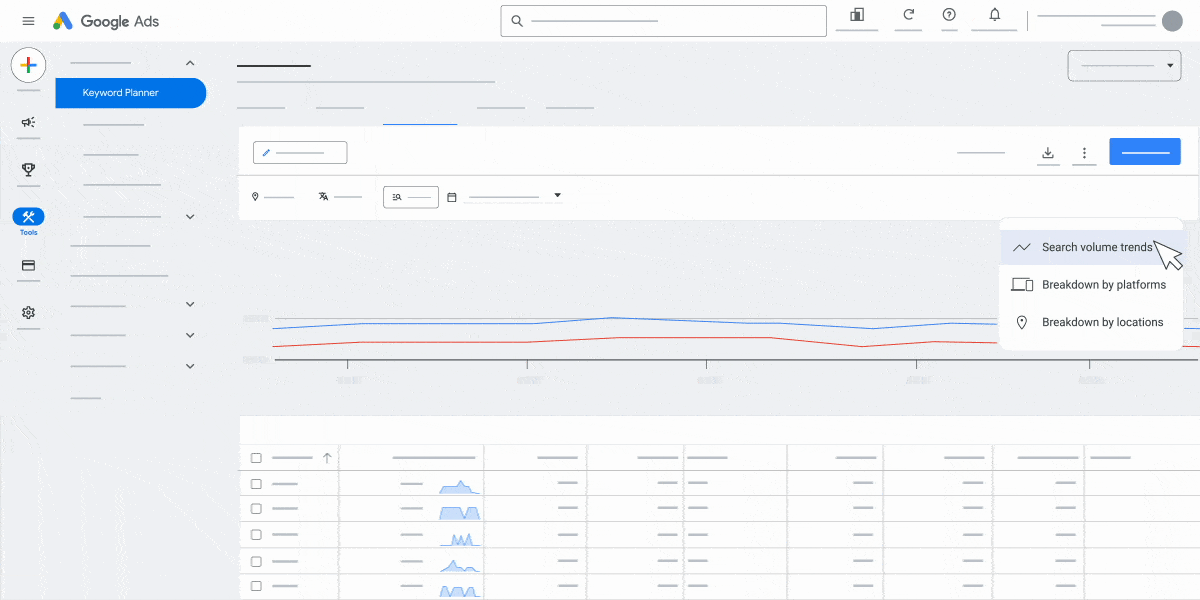
Google Keyword Planner remains one of the strongest starting points because it helps establish whether meaningful search demand exists around a topic. It can generate related keywords, show average monthly search estimates, filter by geography and provide advertising information such as competition and bid ranges.
We mainly use it to compare relative demand between related topics, investigate geographic differences and add commercial context before deciding which keywords deserve deeper research.
Also, Google Keyword Planner is one of the obvious places to start, but its numbers need some context. We broke that down separately in our Google Keyword Planner for SEO test.
Where Google Keyword Planner Can Mislead SEO Research
The main trap is Competition. Keyword Planner lives inside Google Ads, so its competition metric reflects the advertising market rather than how difficult a page will be to rank organically.
A keyword marked Low competition can still have a SERP dominated by major publishers, marketplaces or highly authoritative specialist sites.
Use Keyword Planner for demand and advertising context, then inspect the live SERP or SEO-specific evidence for organic competition.
Choose it if: you need a free starting point for demand, geography and commercial signals.
Skip it as your only tool if: you need competitor rankings, backlinks or deeper organic SERP analysis.
Bottom line: Keyword Planner is our strongest general $0 starting point, provided you use its metrics for the jobs they were designed to perform.
2. Google Search Console: Best Free Tool for an Existing Website
Best for: Real queries your site already appears for
Cost: Free
Requirement: Verified Search Console property
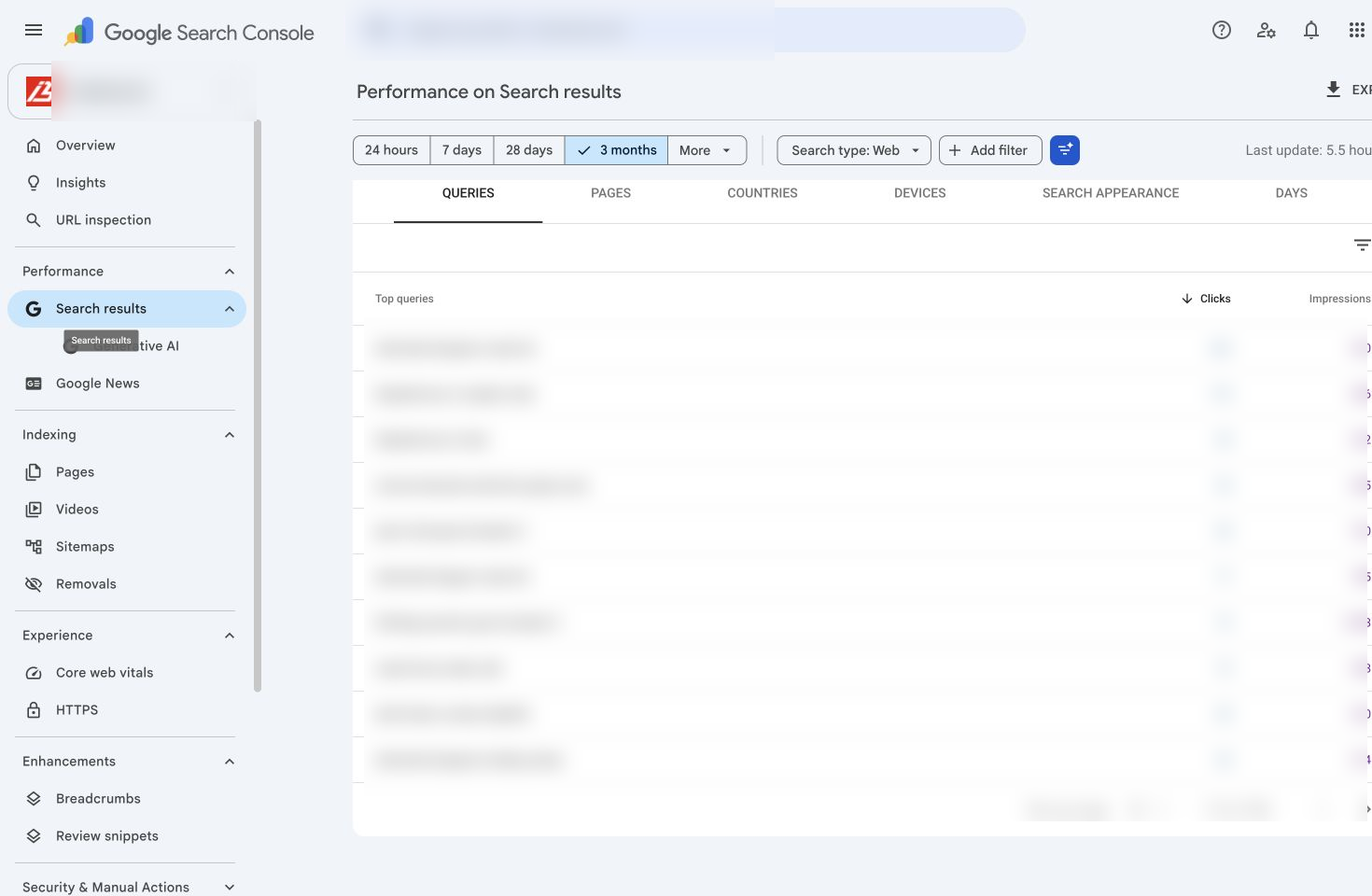
If your site already earns impressions, Google Search Console can contain more useful keyword opportunities than another generic database.
Its Performance report exposes queries alongside impressions, clicks, CTR and average position. That changes the question from what might people search? to what are people already searching when Google chooses to show us?
An article targeting one keyword can begin appearing for dozens of long-tail questions, comparison queries and alternative phrases that were never explicitly included in the original brief.
Where Search Console Stops
Search Console is not a market-wide discovery database. You cannot enter an unrelated niche and retrieve every potential keyword, nor can you inspect another company’s private property data.
That makes it especially strong for optimising existing content, but weaker when researching a completely new market.
Choose it if: your site already has relevant search visibility.
Skip it as your only source if: you need market-wide or competitor research.
Bottom line: For established sites, Search Console is one of the most valuable free keyword sources because it provides first-party evidence rather than another estimate.
3. Semrush Keyword Magic Tool: Best Free SEO-Style Research Experience
Best for: Structured keyword research with familiar SEO metrics
Free access: Limited reports and results
Export: Restricted on free access
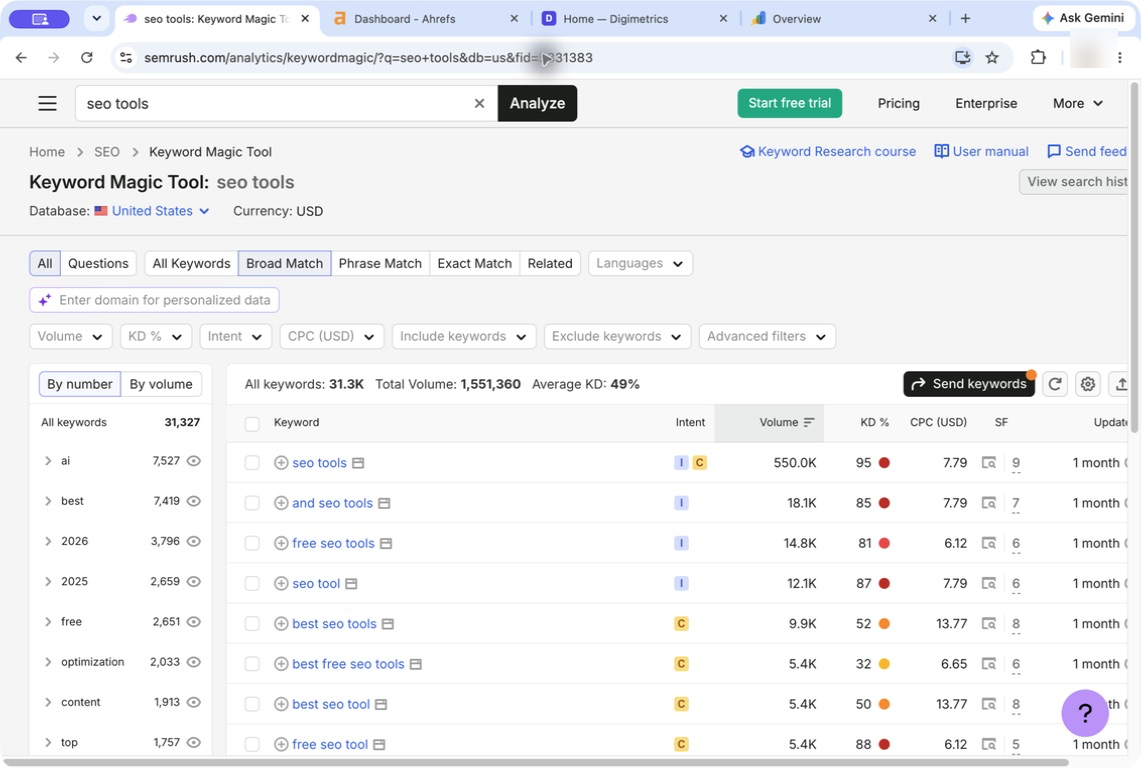
Semrush Keyword Magic Tool gives free users a small version of the workflow normally associated with a paid SEO suite.
Instead of receiving only a list of terms, you can investigate related queries through keyword groups and SEO-oriented metrics. That makes the free access useful when comparing a limited number of article opportunities.
Where the Free Version Becomes Limiting
The constraints become obvious once you move from evaluating a handful of opportunities to building a large keyword map.
Limited results and exports mean Semrush’s free access is better treated as focused research, not an unlimited replacement for the paid platform.
Choose it if: you want an SEO-oriented view of a few important keyword decisions.
Skip it if: you need bulk discovery or large exports.
Bottom line: Semrush offers one of the better free previews of a professional keyword workflow, but the free tier is intentionally narrow.
4. Ahrefs Free Keyword Generator: Best for Fast Idea Expansion
Best for: Expanding a seed topic quickly
Cost: Free public tool
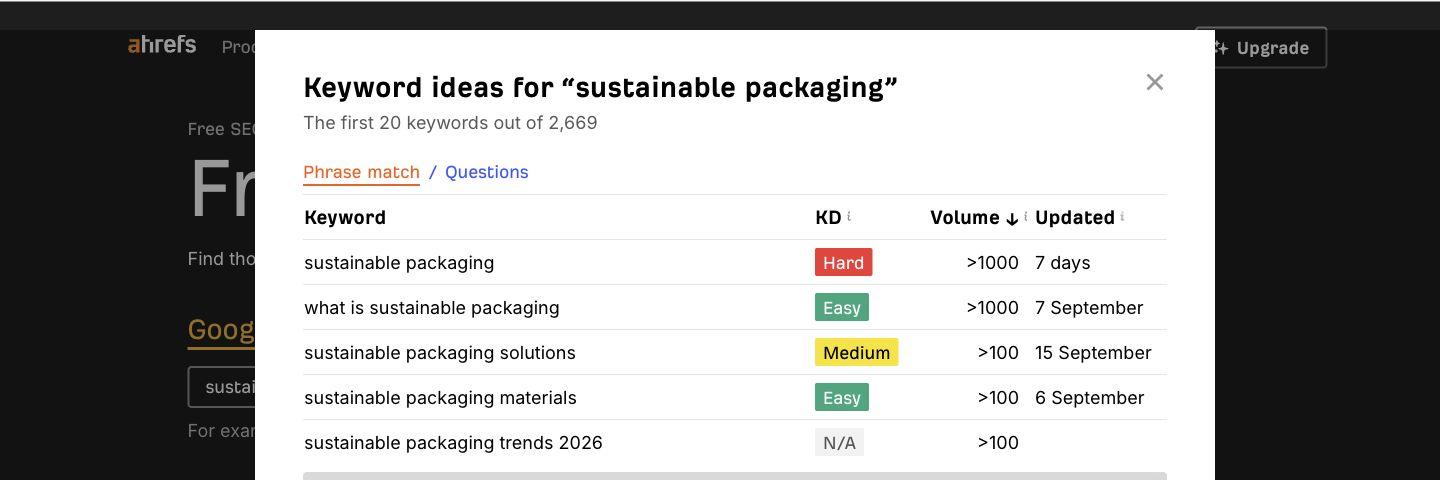
Ahrefs’ Free Keyword Generator is useful when you already know the broad topic but want to see how search language branches around it.
A seed such as email marketing software might expose comparison searches, industry modifiers, feature questions and adjacent problems. The purpose is not to make a separate URL for every variation; it is to understand the topic before clustering those variations by intent.
Where the Free Version Stops
The public generator does not provide the same competitive history, export depth or site-level workflow available through paid Ahrefs plans.
Choose it if: you need quick expansion beyond an obvious seed term.
Skip it as your only research source if: you need deep competitive analysis.
Bottom line: Ahrefs’ free generator is a useful discovery layer before a research project becomes complex enough to justify paid tooling.
5. Google Trends: Best for Emerging and Seasonal Keywords
Best for: Momentum, seasonality and terminology changes
Cost: Free
Absolute monthly volume: No
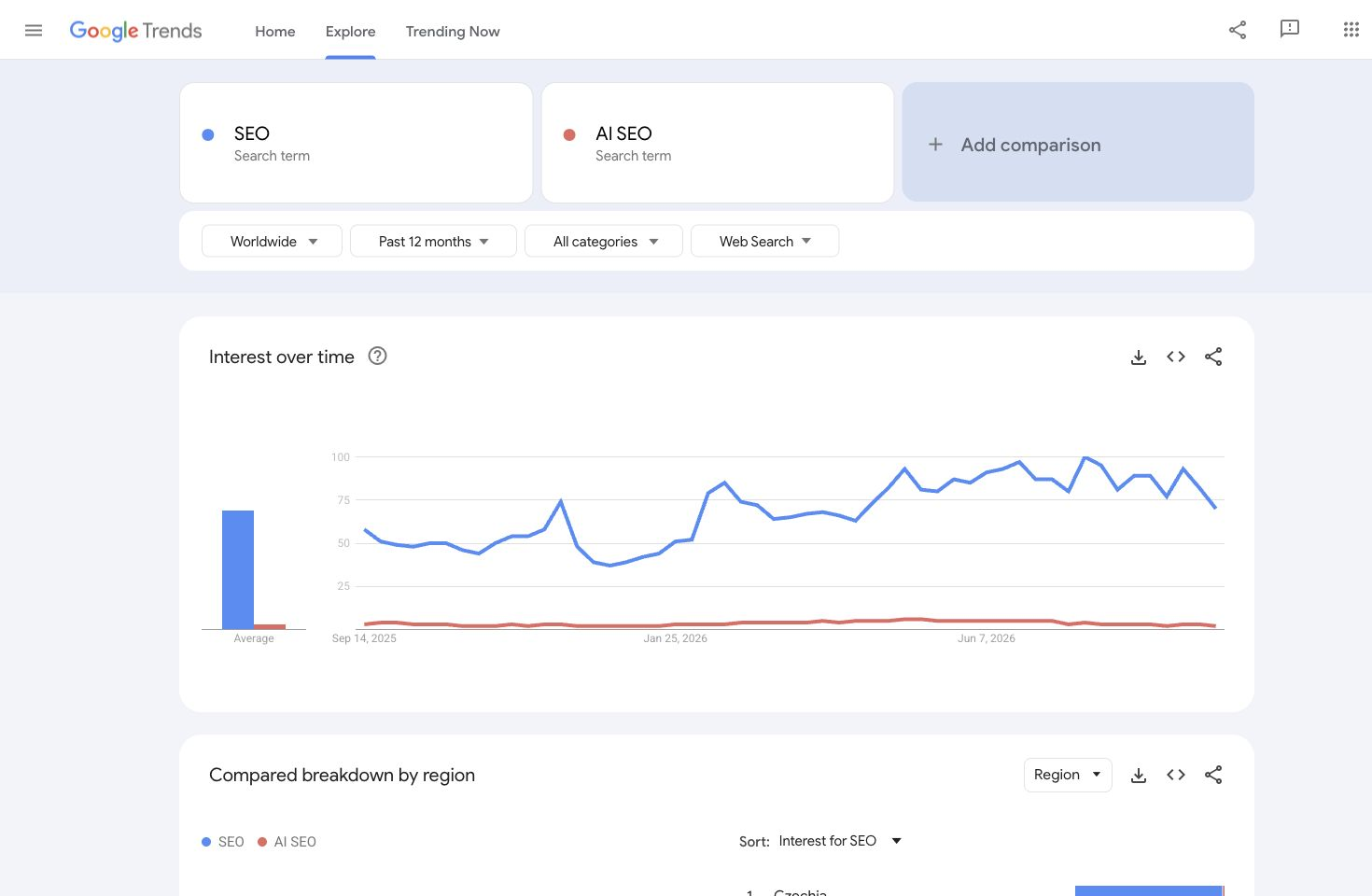
Most keyword databases try to answer how much demand exists? Google Trends answers something different:
Which direction is demand moving?
Google normalises Trends data by time and location rather than reporting conventional monthly search volume, which makes it particularly useful for seasonal queries, emerging technologies and terminology that is changing quickly.
When a 12-Month Average Hides the Story
Two keywords can have similar annual averages while one is stable and the other is rapidly gaining momentum.
That difference can materially change which one deserves attention.
Choose it if: timing, seasonality or emerging terminology matters.
Skip it as your only source if: you need absolute volume or competitor analysis.
Bottom line: Google Trends should add directional context to keyword research rather than pretending to be another volume database.
6. AnswerThePublic: Best for Questions and Audience Language
Best for: Questions, objections and longer-form phrasing
Free access: Limited daily searches
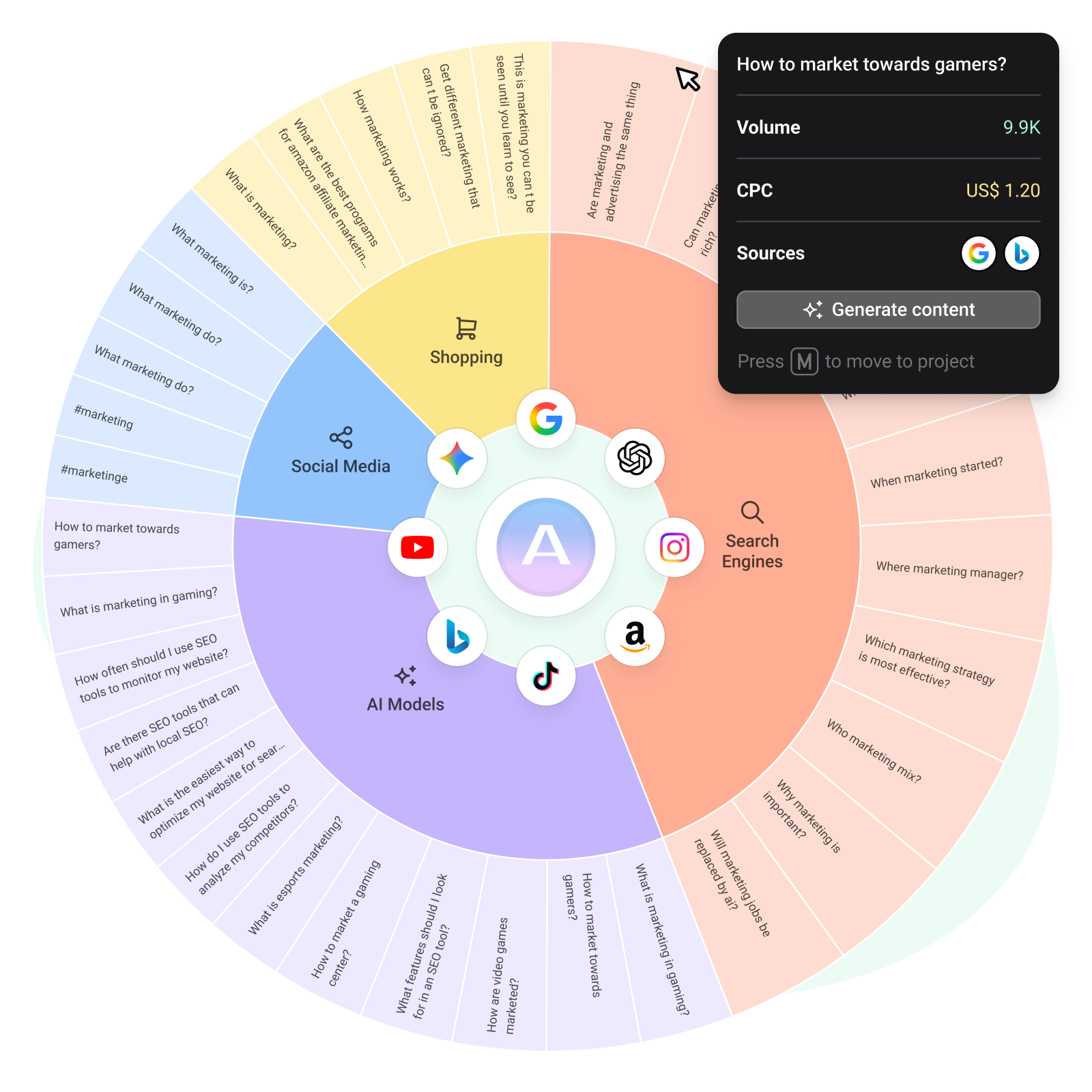
AnswerThePublic is useful when search-volume columns do not reveal how people actually phrase their concerns.
We would use it after establishing the broad topic to identify repeated questions, comparisons and objections worth addressing. The important step is grouping the underlying problems rather than creating an H2 for every generated phrase.
If ten variations are different ways of asking whether a product is accurate, the content requirement is probably one strong accuracy section, not ten mini-FAQs.
Choose it if: you need audience-language ideas around an established topic.
Skip it if: you mainly need bulk volume, difficulty or competitor intelligence.
Bottom line: AnswerThePublic is an audience-language tool before it is a keyword-decision system.
7. Ubersuggest: Best Free Keyword Tool for Beginners
Best for: Beginners wanting ideas and common SEO metrics together
Free access: Limited daily searches
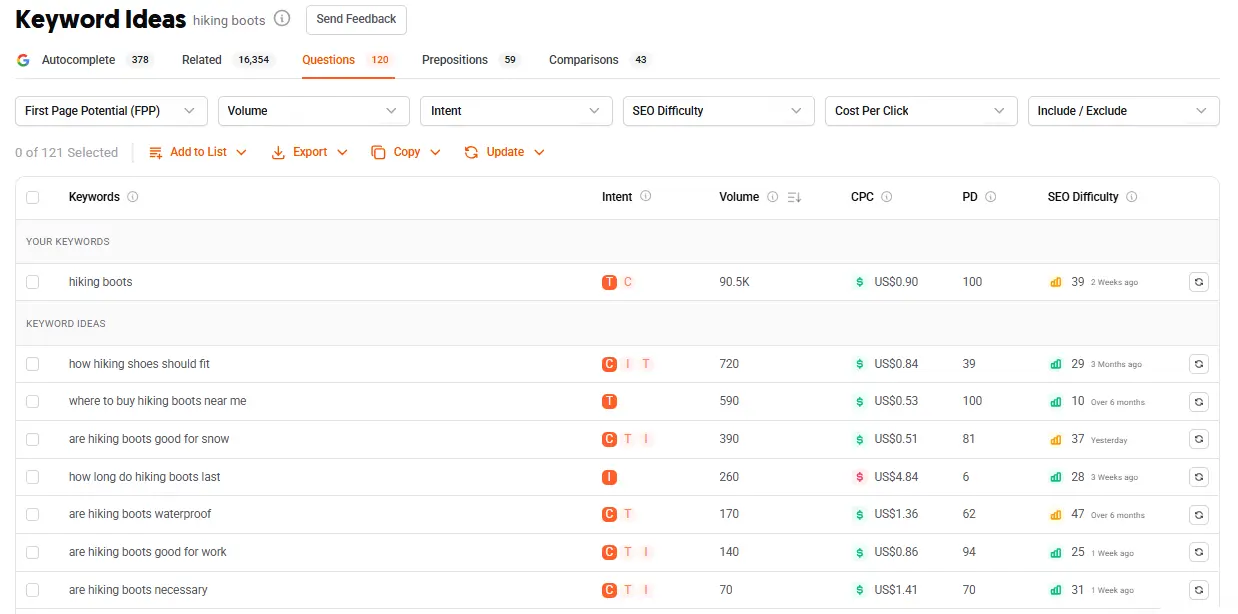
Ubersuggest packages keyword ideas and familiar metrics into a relatively approachable interface.
That makes it convenient for marketers who do not yet want to assemble Keyword Planner, Trends and several other sources themselves.
The trade-off is scale. Once keyword research becomes part of your daily work, free usage ceilings become difficult to ignore.
Choose it if: you’re learning keyword research and want several signals in one place.
Skip it if: you need high-volume research.
Bottom line: Ubersuggest is a useful beginner workflow, but the free version is better suited to occasional research than large projects.
Which Free Keyword Research Tool Should You Use?
The strongest source changes with the decision.
| Decision | Source we’d prioritise |
| Does this topic have demand? | Google Keyword Planner |
| What queries already show my site? | Search Console |
| What does an SEO platform estimate? | Semrush / Ahrefs / Ubersuggest |
| What related language should I investigate? | Ahrefs Free Keyword Generator |
| Is demand changing? | Google Trends |
| What questions are people asking? | AnswerThePublic |
| What content actually ranks? | Live SERP |
| Does the traffic create business value? | Analytics / CRM / conversion data |
The principle is metric ownership. Give every source the job it is best equipped to answer rather than choosing whichever dashboard displays the most precise-looking number.
Once free tools start creating more manual work than they save, our best SEO tools comparison can help you decide whether it’s actually time to pay.
The Keyword Evidence Ladder
Not every keyword signal deserves equal weight.
| Level | Evidence | What it tells us |
| 1. Idea | Autocomplete, communities, generators | Language worth investigating |
| 2. Estimated demand | Keyword Planner and SEO databases | Whether demand appears to exist |
| 3. SERP evidence | Live Google results | What page type and intent currently win |
| 4. First-party evidence | Search Console | What queries actually show your site |
| 5. Business evidence | Analytics, CRM, leads and sales | Whether the traffic is valuable |
A keyword does not become better because one platform gives it a more precise number. Research should increase confidence progressively until there is enough evidence to justify a page or optimisation decision.
What Does “Zero Search Volume” Actually Mean?
A zero in a keyword database does not prove nobody searches the term. New terminology, niche B2B problems, local searches and highly specific long-tail queries can fall below external database thresholds.
Before discarding one, inspect the SERP, audience discussions, related trends and existing Search Console impressions. A query with 50 highly qualified searches may be worth more commercially than a broad informational term with 10,000.
Volume is an input, not the business case.
The $0 Keyword Research Stack We’d Actually Use
If we had no paid keyword platform, we would combine free sources rather than force one tool to handle the entire decision.
Step 1: Start With the Problem
Define the audience problem or marketing decision before opening a database. Keyword software should expand the research rather than invent the strategy.
Step 2: Expand the Language
Use Ahrefs Free Keyword Generator, AnswerThePublic, autocomplete and relevant audience discussions to expose alternative phrasing and questions.
Step 3: Check Demand and Commercial Signals
Use Google Keyword Planner to compare relative demand, geography and advertising context.
Step 4: Check Direction
Use Google Trends when seasonality or emerging terminology could change the decision.
Step 5: Add an SEO Perspective
Use limited Semrush, Ahrefs or Ubersuggest access to get another view of the opportunity, but treat proprietary volume and difficulty numbers as estimates.
Step 6: Inspect the Live SERP
Look at which page types and intents actually rank. A low difficulty score does not compensate for creating the wrong kind of page.
Step 7: Bring in Search Console
For an existing site, use Search Console to determine whether related pages already earn impressions. Sometimes the right decision is updating an existing page rather than publishing another one.
Step 8: Map the Intent
Terms such as best keyword research tool, best keyword research tools and top keyword research software may belong to the same page if their SERPs substantially overlap.
A keyword export is evidence, not a finished content plan.
What Happens When the Free Stack Stops Scaling?
This is where the decision becomes more interesting than simply “buy Semrush.”
Different paid products solve different limitations.
| Free-stack problem | Paid capability worth considering |
| Daily/report limits constantly interrupt research | Larger keyword database |
| You need competitor history | Ahrefs / Semrush-style research platform |
| You need bulk exports and clustering | Paid research workflow |
| Keyword research is disconnected from content optimisation | Integrated SEO/content platform |
| Search data is disconnected from Search Console and GA4 | First-party integrations |
| You research keywords but still manually decide what to fix | Diagnostics/strategy workflow |
| SEO now needs to account for AI visibility | GEO/AI visibility tools |
This is also where Digimetrics becomes relevant.
Where Digimetrics Fits After the Free Keyword Tools
Disclosure: Digimetrics is built by our team. We are not ranking it among the seven free tools because its current free access is a 7-day / 200-credit trial rather than a permanent free tier.
That said, the current product is considerably more relevant to keyword research than a simple “action layer” description would imply.
Its Keyword Analysis tool can take a keyword list and return search volume and CPC, alongside ranking difficultyand contextual intent analysis. That research then sits inside a wider workspace with tools for competitor identification, rank checking, Time to Rank forecasting, SEO Strategy and Diagnostics.
The important distinction is what happens after the keyword is found.
Keyword Discovery Becomes a Workflow
A conventional free workflow might look like:
Keyword Generator → spreadsheet → difficulty tool → SERP → competitor research → Search Console → content brief → optimisation
Inside Digimetrics, more of those jobs sit within one environment.
For example:
| Research question | Digimetrics tool |
| What is the volume/CPC/difficulty? | Keyword Analysis |
| Who actually competes for this topic? | Competitors Identifier |
| Where do we currently rank? | Rank Checker |
| How long may the target take? | Time to Rank |
| What should the SEO plan look like? | SEO Strategy |
| What is stopping the target page? | SEO Diagnostics |
| How does our content compare? | Article Comparison |
| What should we improve? | AI Content Optimiser / On-Page Optimisation |
| Are we already getting relevant impressions? | Search Console integration |
| Is the resulting traffic useful? | GA4 integration |
That does not make Digimetrics a free keyword research tool.
It makes it a potential next step when the problem has moved from finding keyword ideas to running keyword research as part of a repeatable SEO/content workflow.
Why the Search Console and GA4 Connections Matter
Keyword research can become disconnected from actual performance surprisingly quickly.
A third-party platform may tell you a keyword has attractive volume. Search Console may simultaneously show that your existing page already receives impressions for closely related queries, while GA4 shows whether those organic visitors produce useful engagement or conversions.
Digimetrics’ current integrations allow Search Console and GA4 evidence to sit alongside the research workflow, while its wider integration set also includes Google Ads, Meta Ads and LinkedIn Ads.
Its Monty AI concierge can work with connected Search Console, GA4 and Ads numbers, which creates a more useful progression from:
keyword estimate → first-party evidence → action
rather than leaving every stage in a separate browser tab.
Who Should Consider It?
Choose Digimetrics if: free keyword research is no longer the bottleneck and you now need keyword analysis, competitor research, content optimisation, GEO and first-party data to operate as one workflow.
Skip Digimetrics if: all you need is an occasional free search-volume lookup or seed-keyword generator.
Bottom line: We would not call Digimetrics one of the “best free keyword research tools” because its free access is temporary. We would consider it when keyword research itself stops being the difficult part and managing what happens next becomes the bottleneck.
When Is It Worth Paying for Keyword Research Software?
A free limitation matters when it starts costing meaningful time or creating blind spots.
| Symptom | What it costs you | Why paid software may help |
| You constantly hit daily limits | Research stops mid-workflow | Larger allowances |
| You manually copy data between tools | Administrative time | Integrated workflow / exports |
| You need competitor history | Free tools cannot provide it | Competitive database |
| You manage many sites or clients | Free workflows stop scaling | Projects and shared workspaces |
| You need thousands of keywords | Free ceilings hide opportunities | Bulk research |
| Search research is disconnected from content work | Repeated handoffs | SEO/content integration |
| You repeatedly reconcile keyword data with GSC/GA4 manually | Context switching | Connected first-party workflow |
| GEO is now part of search planning | Additional manual research | SEO + AI-visibility workflow |
The upgrade trigger is straightforward:
Pay when you can clearly name the recurring question or workflow that free tools can no longer handle efficiently.
Final Verdict
There is no single free keyword research tool we would use for every part of the job.
Start with Google Keyword Planner for demand, geography and commercial context, and use Google Search Console whenever your own site already has search evidence.
Add Ahrefs Free Keyword Generator, limited Semrush Keyword Magic Tool access or Ubersuggest when you need another SEO-oriented perspective. Google Trends adds momentum and seasonality, while AnswerThePublic helps expose questions and audience language.
The free workflow can take you surprisingly far.
When it stops being enough, don’t automatically buy whichever database has the largest keyword count. First identify what broke. If the problem is deeper competitive research, buy deeper research. If the problem is bulk exports, buy scale. If the problem is that keyword research, content optimisation, GEO and first-party performance data now live in too many separate places, an integrated workflow such as Digimetrics becomes a more relevant upgrade.
The best stack is the one that gives you enough evidence to decide whether the opportunity is real, whether you can create the right page and whether the expected value justifies the work.
If free tools still answer those questions efficiently, stay at $0. Pay when they no longer can. Also, you can browse more keyword research and search-tool comparisons in our SEO tools section.
Frequently Asked Questions
What Is the Best Free Keyword Research Tool?
Google Keyword Planner is our strongest general starting point because it combines keyword discovery, estimated demand, geography and commercial advertising signals without requiring a separate keyword-research subscription.
For an established site, Search Console may be more valuable because it shows actual queries associated with your own Google visibility.
Can I Do Keyword Research for Free?
Yes. Keyword Planner, Search Console, Google Trends, public generators and limited freemium SEO tools can cover a substantial workflow.
The main limitations appear when you need scale, historical competitor data, exports, automation or stronger integration with the rest of your SEO process.
Is Digimetrics a Free Keyword Research Tool?
Not in the same sense as Google Keyword Planner or Google Trends.
Digimetrics currently offers 7 days / 200 credits of free access, after which it becomes a paid platform. Its Keyword Analysis functionality is directly relevant to keyword research, but we classify it as a trial-based paid workflow rather than one of the seven permanently free/free-tier tools.
What Does Digimetrics Add to Keyword Research?
Its Keyword Analysis tool covers volume, CPC, difficulty and intent, but the broader advantage is what surrounds that research.
The same workspace includes competitor identification, rank checking, Time to Rank forecasting, SEO Strategy, SEO Diagnostics, content optimisation and connected Search Console/GA4 data. That makes it more relevant when keyword research needs to feed directly into execution.
Is Google Keyword Planner Competition the Same as SEO Difficulty?
No. Keyword Planner sits inside the advertising ecosystem, so its competition data should not be treated as a direct organic-ranking difficulty score.
Check the live SERP and SEO-specific evidence when evaluating organic competition.
Are Free Keyword Tools Accurate?
They can provide useful evidence, but different sources use different datasets and methodologies.
Treat estimates as decision aids rather than ground truth, and validate important opportunities against the SERP, Search Console and business evidence whenever possible.
When Should I Pay for a Keyword Tool?
Upgrade when free restrictions create more cost in time, missing evidence or fragmented workflow than the paid product would save.
Bulk research, competitor history, integrations, client scale and moving from keyword discovery into repeatable SEO execution are common triggers.
Disclosure: digitalmarketingtools.ai is sponsored by Digimetrics.ai. Sponsored Highlights are clearly labelled advertising. Our reviews, comparisons and guides are written to be useful and fair regardless of who sponsors the site. Read the full disclosure.


