
7 Best Free SEO Audit Tools in 2026: Their Limits and the $0 Stack We’d Use
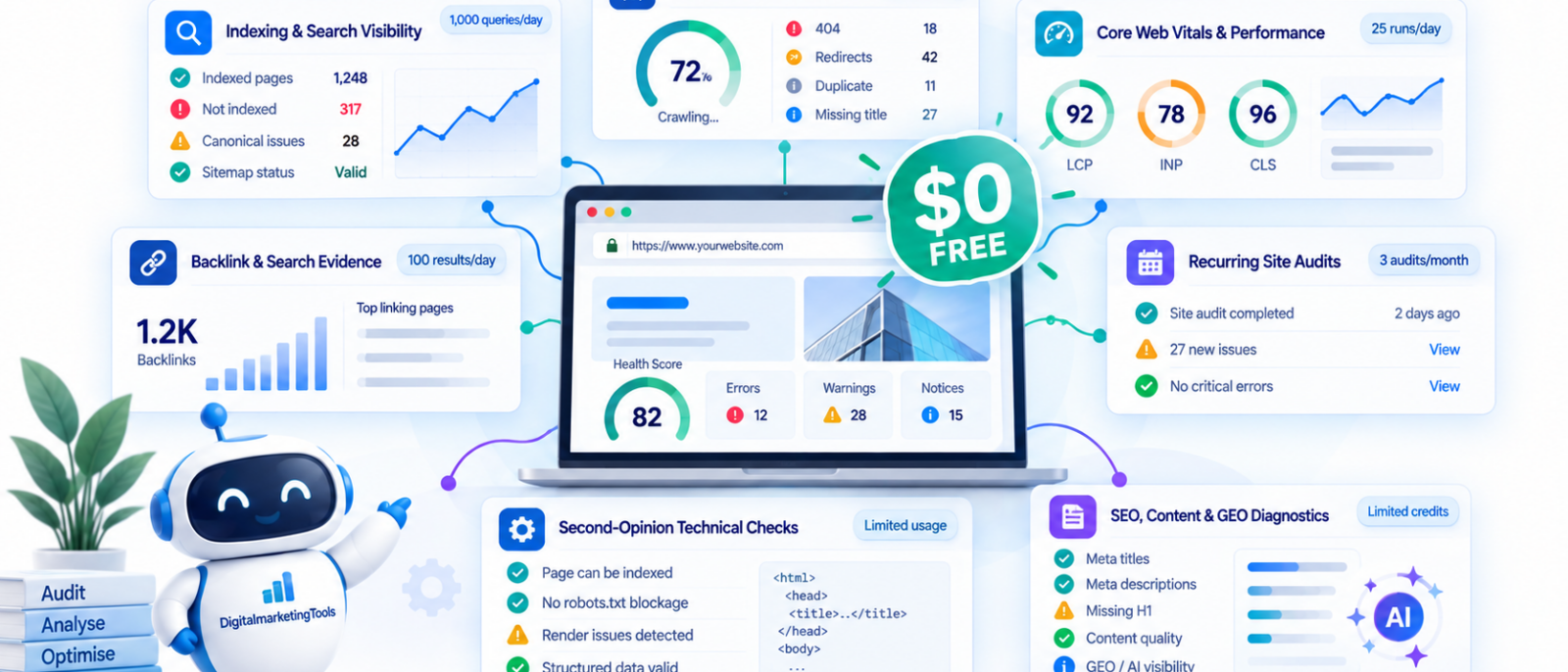
What each free SEO audit option actually gives you, where its limits start to matter and how we’d combine them before paying for another suite.
Search for a free SEO audit and you will find dozens of tools willing to scan a domain, generate a health score and produce a list of warnings. The problem is that “free” can mean anything from an unrestricted first-party Google tool to 100 crawlable pages, 500 URLs per crawl or seven days of temporary access.
The bigger mistake is assuming the tool that finds the most issues has performed the best audit. A site with a 91/100 health score can still have its most valuable landing page accidentally excluded from Google’s index, while a site scoring 76/100 may simply have hundreds of low-impact warnings caused by one template.
Our rule is simple: don’t judge a free SEO audit by how many warnings it generates. Judge it by how much of the diagnosis you can complete before the tool, or its automated judgement, reaches its limit.
Free tools work well for occasional checks, but recurring audits are a different story. We also tested the best SEO audit tools to see which paid platforms are actually worth upgrading to.
Quick Picks
| Need | Our pick |
| Best starting point for a site you own | Google Search Console |
| Best free technical crawler | Screaming Frog |
| Best recurring free site audit | Ahrefs Webmaster Tools |
| Best for performance and Core Web Vitals | PageSpeed Insights |
| Best free second-opinion crawl | Semrush Site Audit |
| Best second search-engine perspective | Bing Webmaster Tools |
| Best integrated audit workflow to trial | Digimetrics |
For a smaller website, our core $0 stack would still begin with Search Console + Screaming Frog + PageSpeed Insights. Ahrefs Webmaster Tools adds a stronger recurring audit for verified properties, while Semrush and Bing are useful cross-checks. Digimetrics has a different role: its free access is temporary rather than permanent, but it lets you test a broader workflow spanning technical SEO, content, GEO and connected performance data.
The 7 Free SEO Audit Tools Compared
| Rank | Tool | Best for | Free access | Main limitation | Verified |
| 1 | Google Search Console | Indexing and Google Search evidence | Free for verified properties | Not a complete technical crawler | Sep 2026 |
| 2 | Screaming Frog | Technical crawling | 500 URLs per crawl | Advanced configuration and larger crawls require paid licence | Sep 2026 |
| 3 | Ahrefs Webmaster Tools | Recurring technical audits | 5,000 crawl credits/project/month | Strongest free access requires site verification | Sep 2026 |
| 4 | PageSpeed Insights | Performance and Core Web Vitals | Free | Page-level performance tool, not complete SEO audit | Sep 2026 |
| 5 | Semrush Site Audit | Technical cross-check | 100 crawlable pages/month without SEO Toolkit | Too restrictive for larger sites | Sep 2026 |
| 6 | Bing Webmaster Tools | Site Scan and second-engine evidence | Free for verified properties | Supplements rather than replaces Google/crawler stack | Sep 2026 |
| 7 | Digimetrics | Integrated SEO, content and GEO auditing | 7 days / 200 credits | Trial-based free access, not permanent | Sep 2026 |
Table 1: Seven free or $0-entry SEO audit tools in 2026, compared.
The limits above matter. Screaming Frog’s free edition remains capped at 500 URLs per crawl, while Ahrefs Webmaster Tools currently gives verified projects 5,000 Site Audit crawl credits per month. Semrush currently limits accounts without its SEO Toolkit to 100 Site Audit pages per month, and Digimetrics offers 200 credits for seven days before moving into its paid plans.
How We Evaluated the Free Audit Tools
We evaluated these options around the actual questions an SEO audit needs to answer rather than feature totals or proprietary health scores.
| Criterion | What we’re looking for |
| Technical coverage | What meaningful crawl, indexing or page-level problems can it detect? |
| Free capacity | How much of a real site can be investigated before the free limit stops the workflow? |
| Evidence quality | Is the finding first-party evidence, direct crawl evidence or a proprietary interpretation? |
| Prioritisation value | Does the output help determine which problem deserves attention? |
| Workflow depth | Does the audit connect naturally to diagnosis, optimisation and validation? |
| Repeatability | Can the audit be rerun often enough to verify fixes and detect regressions? |
We also separate detection from diagnosis. A crawler may correctly identify 400 affected URLs without knowing whether those URLs matter commercially, while Search Console may expose a visibility change without identifying the technical cause. A useful audit combines those forms of evidence rather than asking one score to own the whole diagnosis.
What Does “Free SEO Audit” Actually Mean?
Not all free access models are equivalent.
| Access model | What it means | Example |
| Permanently free | No subscription required for the core function | Search Console, PageSpeed Insights |
| Free with site verification | Free for properties you can prove you control | Ahrefs Webmaster Tools, Bing Webmaster Tools |
| Freemium crawler | Permanent free use with a crawl ceiling | Screaming Frog |
| Restricted free account | Permanent access with low monthly limits | Semrush Site Audit |
| Free trial / credits | Temporary access to paid functionality | Digimetrics |
This distinction matters because a tool can be excellent and still not belong in the same free-access category as Search Console. Digimetrics, for example, currently offers seven days and 200 credits with no credit card required, while its Starter plan begins at $39 per month. That makes it useful for testing the workflow, but not a permanently free crawler.
The Free SEO Audit Coverage Map
Rather than trying to find one checker that does everything, we divide an audit into separate questions.
| Audit layer | Question | Free tool we’d start with |
| Crawlability | Can search engines reach important URLs? | Screaming Frog |
| Indexing | Is Google indexing the pages that matter? | Search Console |
| Technical health | Are redirects, canonicals, directives and internal links configured correctly? | Screaming Frog / Ahrefs |
| Performance | Are speed and Core Web Vitals creating problems? | PageSpeed Insights |
| Search performance | Which important pages and queries are gaining or losing visibility? | Search Console |
| Second-opinion diagnostics | Does another crawler detect the same issue? | Ahrefs / Semrush / Bing |
| Content and intent | Is the technically healthy page actually competitive? | SERP/content analysis |
| AI visibility / GEO readiness | Can AI systems access and understand important content? | Digimetrics / dedicated GEO checks |
| Prioritisation | Which issue deserves work first? | Evidence + business context |
There is deliberately no “SEO score” row. Health scores are useful summaries inside individual products, but making every dashboard turn green is not the objective of an audit.
1. Google Search Console: Best Place to Start for a Site You Own
Best for: Google indexing and search-performance evidence
Cost: Free
Requirement: Verified property
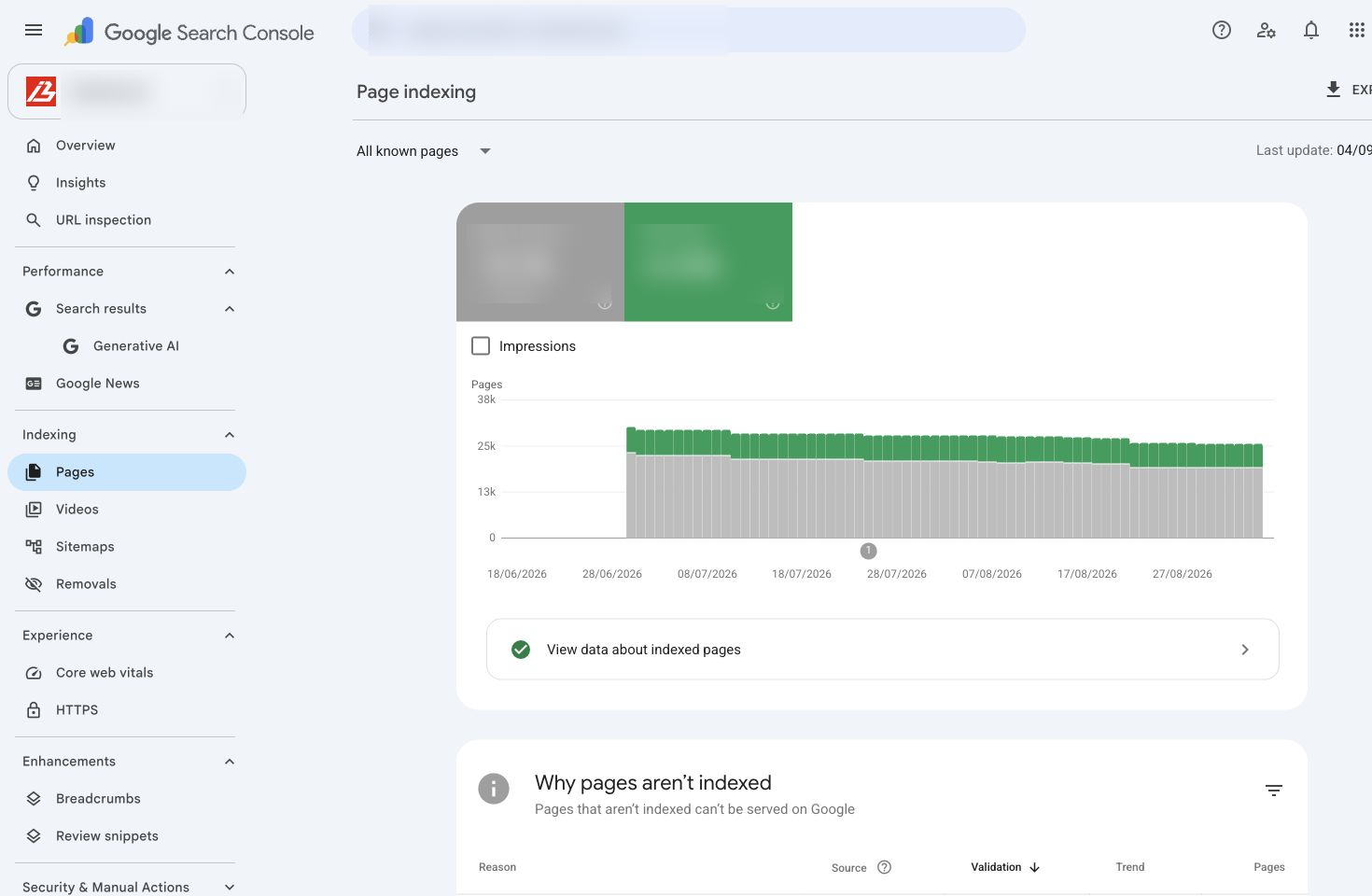
For a website you control, Google Search Console should usually be opened before another generic audit checker.
The Page Indexing report helps you understand which URLs Google knows about and which have been indexed, but the important nuance is that not indexed does not automatically mean broken. Google explicitly advises site owners to confirm that important canonical pages are indexed while recognising that duplicates, intentionally noindexed URLs and removed pages may be excluded for perfectly valid reasons.
That distinction changes how we prioritise findings. A thank-you page intentionally excluded from Search may need no action, while an important service or product page unexpectedly excluded deserves investigation immediately.
What Search Console Adds That a Crawler Cannot
Search Console also provides first-party performance context. Suppose a crawler reports hundreds of duplicated metadata warnings, but Search Console shows that your highest-converting landing page has suddenly lost a large share of its impressions. The latter finding may deserve attention first even though it represents only one URL.
This is why we treat Search Console as Google’s evidence about your property, rather than another technical score.
Where Search Console Stops
It will not inventory every title tag, crawl the site using your preferred settings, analyse a competitor or automatically explain every architectural weakness. For that, pair it with a technical crawler.
Choose Search Console if: you own the website. In practice, that means almost every audit should use it where available.
Skip it as your only audit source if: you need comprehensive onsite crawling or competitive analysis.
Bottom line: Search Console should usually establish the indexing and visibility reality before another platform tells you how “healthy” the site is.
2. Screaming Frog: Best Free Technical SEO Crawler
Best for: Technical crawling and onsite diagnosis
Free limit: 500 URLs per crawl
Paid upgrade: £199/year
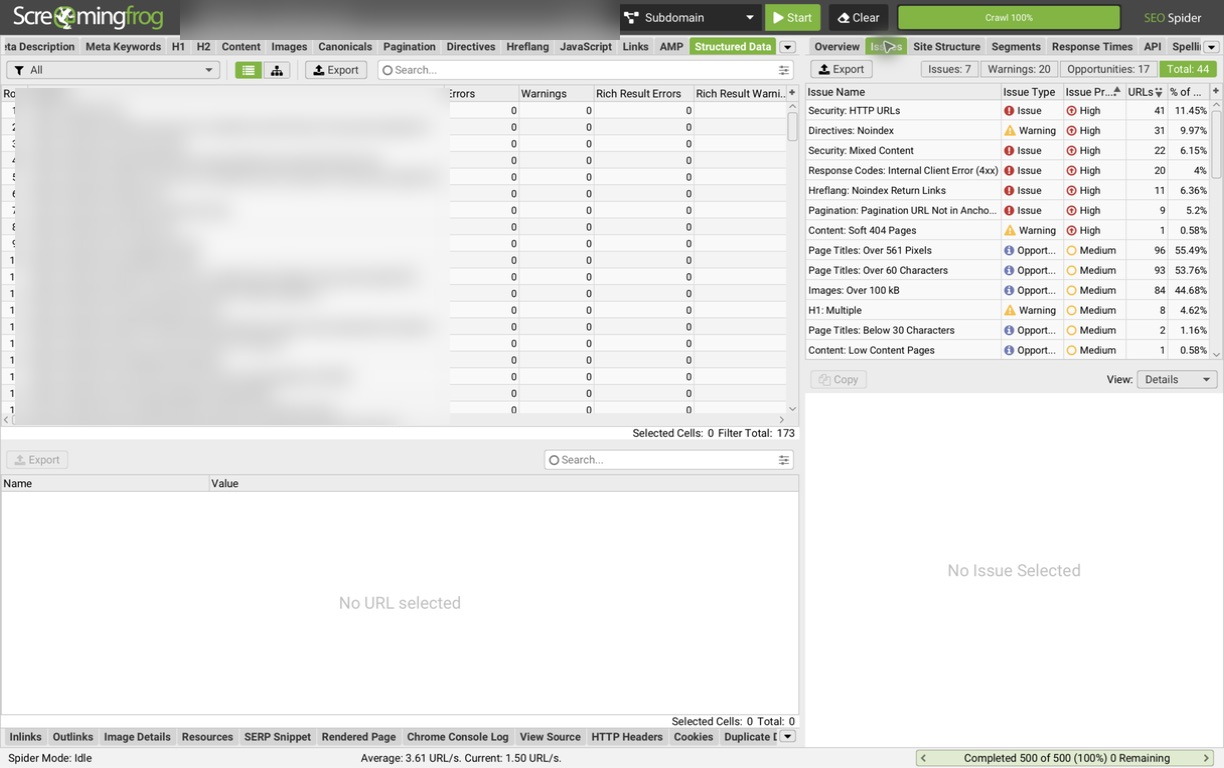
Screaming Frog SEO Spider remains one of the most useful free technical-audit tools because its 500-URL limit applies per crawl, rather than as a small one-time sample.
The free edition can surface broken URLs, server errors, redirects, title and metadata issues, robots directives, hreflang problems, duplicate pages and other onsite conditions. Screaming Frog currently lists more than 300 SEO issues, warnings and opportunities across the product, while the paid £199 annual licence removes the 500-URL ceiling and unlocks advanced capabilities such as JavaScript rendering, saved crawls, crawl comparison and integrations.
What We’d Check First
| Check | What we’re looking for |
| Status codes | Broken pages, 5xx errors and unnecessary redirects |
| Canonicals | Important URLs canonicalising somewhere unexpected |
| Robots directives | Valuable pages unintentionally blocked/noindexed |
| Titles/headings | Missing or heavily duplicated templates |
| Internal links | Important pages receiving weak internal support |
| URL structure | Parameters, duplication and crawl traps |
| Hreflang | Broken or contradictory international targeting |
| Structured data | Markup requiring deeper validation |
The 500-URL allowance can disappear faster than a site’s visible page count suggests because crawlers may discover parameters, pagination and other crawlable paths. A 150-page local or B2B website may fit comfortably; a large ecommerce property may exceed the limit almost immediately.
Choose Screaming Frog if: you need direct technical crawl evidence on a small or medium-sized site.
Skip the free edition if: JavaScript rendering, crawl comparison, advanced integrations or substantial crawl scale are essential.
Bottom line: Few free options give a technical SEO practitioner as much control, but its value depends heavily on whether 500 URLs meaningfully represents the site.
3. Ahrefs Webmaster Tools: Best Free Recurring Site Audit
Best for: Recurring audits of websites you control
Free limit: 5,000 Site Audit crawl credits per verified project/month
Verified websites: Unlimited
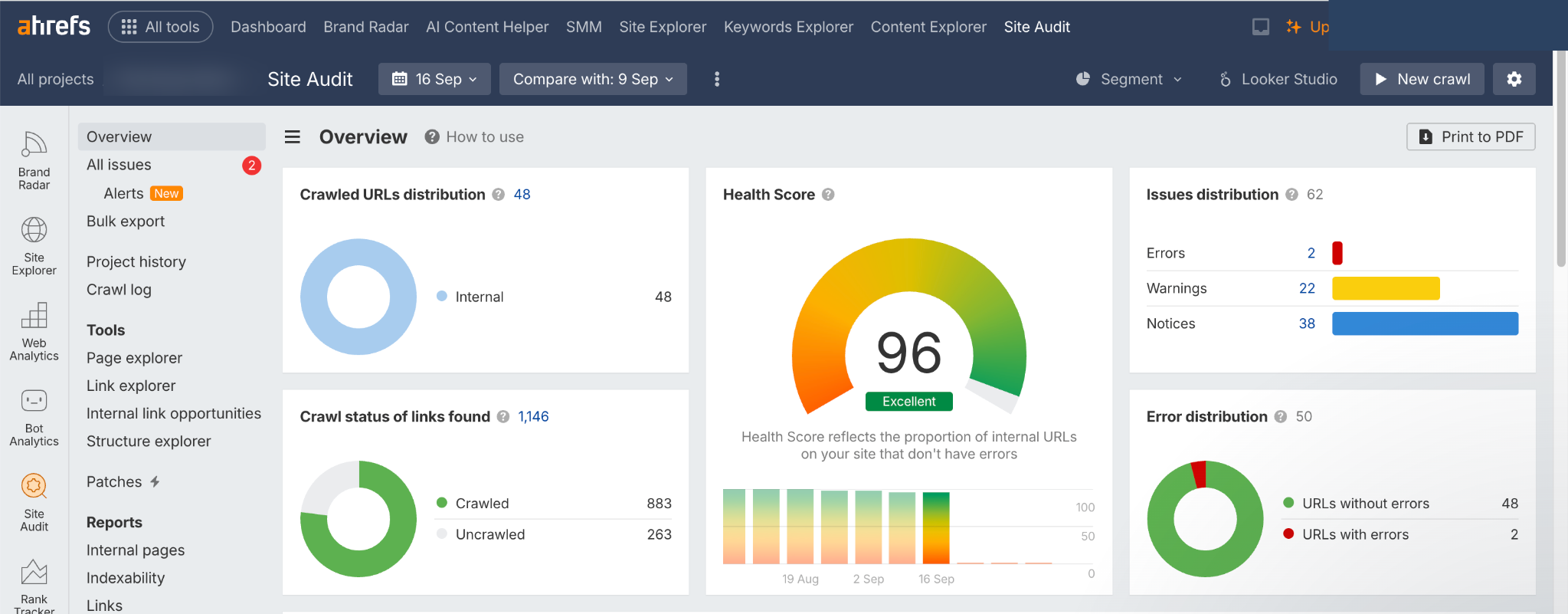
Ahrefs Webmaster Tools is closer to a recurring professional audit platform than a typical “enter your domain” SEO checker.
Ahrefs currently gives each verified project 5,000 Site Audit crawl credits every month, alongside visibility into up to 1,000 backlinks and keywords at once. Crawl credits are consumed by internal HTML pages returning a 200 response, while redirects, broken URLs and non-HTML resources do not consume that allowance in the same way.
That makes AWT particularly useful for monitoring a property over time rather than running a one-off audit and forgetting about it.
Where Ahrefs Webmaster Tools Stops
The key boundary is ownership. The strongest free functionality is intended for websites you can verify, while broader competitor and unverified-site analysis belongs to Ahrefs’ paid plans.
For your own site, that is an excellent deal. For an agency prospect you cannot verify or a competitor you want to inspect, the limitation becomes obvious.
Choose Ahrefs Webmaster Tools if: you want recurring technical checks and some backlink/search context for properties you control.
Skip it as your only platform if: competitor auditing is a core requirement.
Bottom line: The 5,000-credit monthly allowance makes AWT one of the most capable genuinely free recurring audit options in this comparison.
4. PageSpeed Insights: Best for Performance and Core Web Vitals
Best for: Performance investigation
Cost: Free
Scope: Individual URLs and available real-user performance data
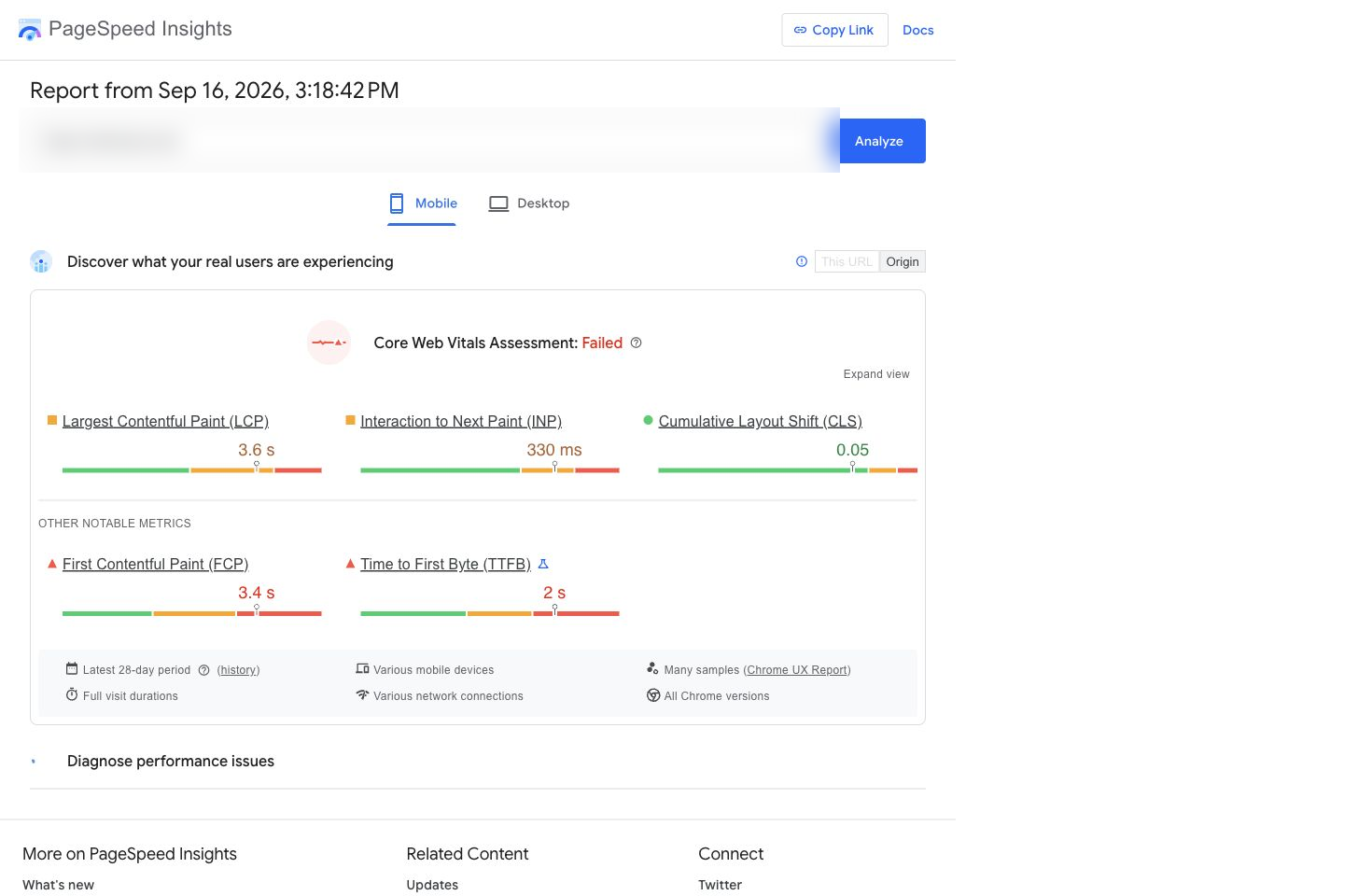
PageSpeed Insights belongs in the stack because performance requires a different form of evidence from conventional crawling.
The important distinction is between controlled lab testing and actual user experience. A Lighthouse-style test can help reproduce and diagnose performance conditions, while field data can show how real visitors experience a page where sufficient data exists.
That is why a performance score of 78 should not automatically create an objective of reaching 100. Instead, determine which metric is weak, whether the issue appears in real-user evidence, which templates are affected and whether fixing it is likely to meaningfully improve the user experience.
What PageSpeed Insights Does Not Tell You
It will not determine whether your page targets the wrong search intent, lacks internal links or needs stronger content. Use it because performance is its job, not because it provides another score.
Choose it if: page experience, speed or Core Web Vitals are part of the audit.
Skip it as a complete audit: always. It should complement crawling and Search Console evidence.
Bottom line: PageSpeed Insights owns the performance layer: it should not be expected to own the rest of SEO.
5. Semrush Site Audit: Best Free Technical Cross-Check
Best for: A second technical opinion
Free limit: 100 crawlable pages/month without SEO Toolkit
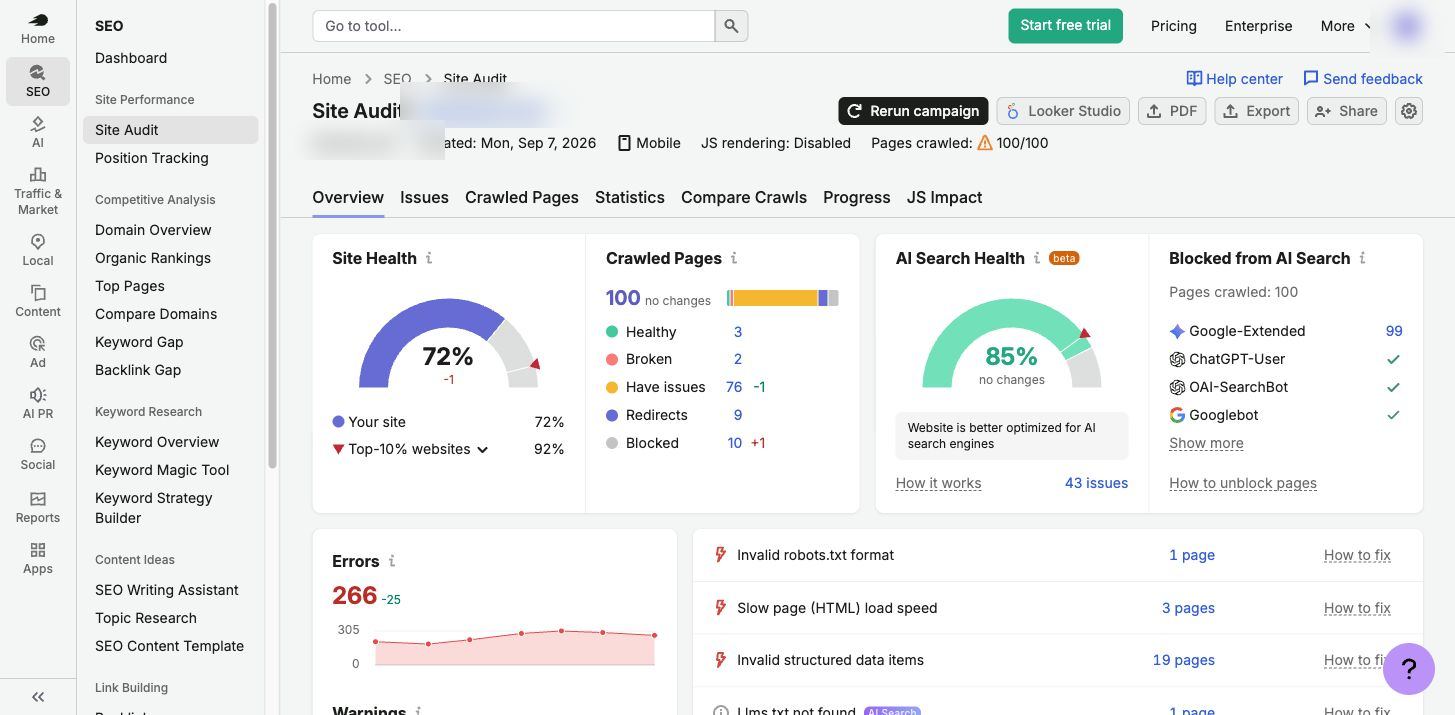
Semrush Site Audit becomes much more constrained when you are not paying for the SEO Toolkit. Semrush’s current documentation lists 100 pages per month without an SEO Toolkit subscription, versus 100,000 pages per month on Pro.
That makes the free version difficult to recommend as the primary crawler for anything beyond a very small site. It becomes more useful when you treat those 100 pages deliberately, for example, auditing a high-value section of the site or checking whether another platform identifies the same technical problem.
If Search Console, Screaming Frog and Semrush independently point toward the same serious indexing or crawl problem, confidence increases. If only one tool reports a low-impact cosmetic warning, investigate before automatically adding it to the development queue.
Choose Semrush free if: you want a targeted second opinion or are evaluating the wider Semrush workflow.
Skip it as your main free crawler if: your website comfortably exceeds 100 pages.
Bottom line: The free Site Audit is more valuable as a cross-check than as the foundation of a large audit.
6. Bing Webmaster Tools: Best Free Second Search-Engine View
Best for: Supplementary crawling, backlinks and Microsoft search evidence
Cost: Free for verified properties
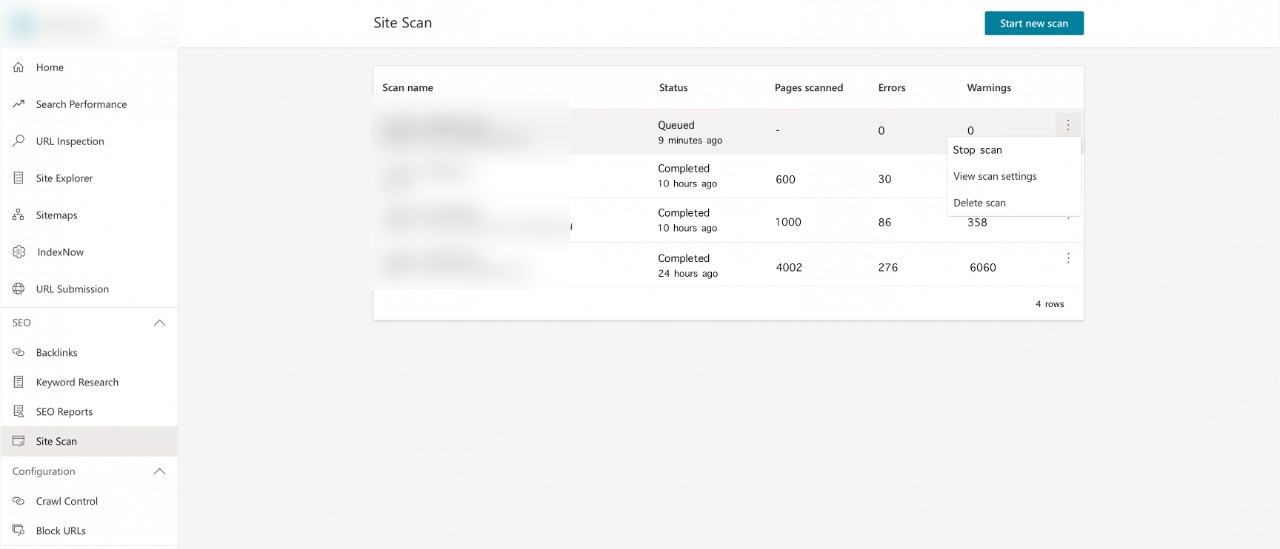
Bing Webmaster Tools deserves more attention than it gets in Google-centric SEO stacks.
Its Site Scan feature is an on-demand audit tool that crawls verified sites and reports common technical SEO issues using Error, Warning and Notice severity levels. Scan quotas are assigned according to Bing’s own signals, while the wider Webmaster Tools environment includes Search Performance, Site Explorer and backlink data.
The backlink report is particularly useful for a free product. Bing exposes referring domains, anchor text and linking-page information, although Microsoft explicitly describes the data as a representative set rather than a complete backlink profile.
Recommendations Now Go Beyond a Basic Error List
Bing’s Recommendations feature also provides severity-based, prioritised guidance for verified sites, with recommendations designed around visibility across Microsoft search and AI experiences. That makes it more useful than simply generating another technical warning list.
We still would not replace Search Console or Screaming Frog with Bing Webmaster Tools. The value is that another search engine provides a separate crawl and search perspective for free.
Choose Bing Webmaster Tools if: you can verify the site and want additional crawl, search and backlink evidence.
Skip it only if: there is genuinely no value in another free perspective, which is difficult to argue when the setup cost is low.
Bottom line: Bing is a supplementary audit source rather than the centre of our stack, but it offers more useful SEO evidence than many people realise.
7. Digimetrics: Best Integrated SEO, Content and GEO Audit Workflow to Trial
Best for: Moving from audit findings into wider SEO, content and GEO work
Free access: 7 days / 200 credits
Paid entry: $39/month Starter
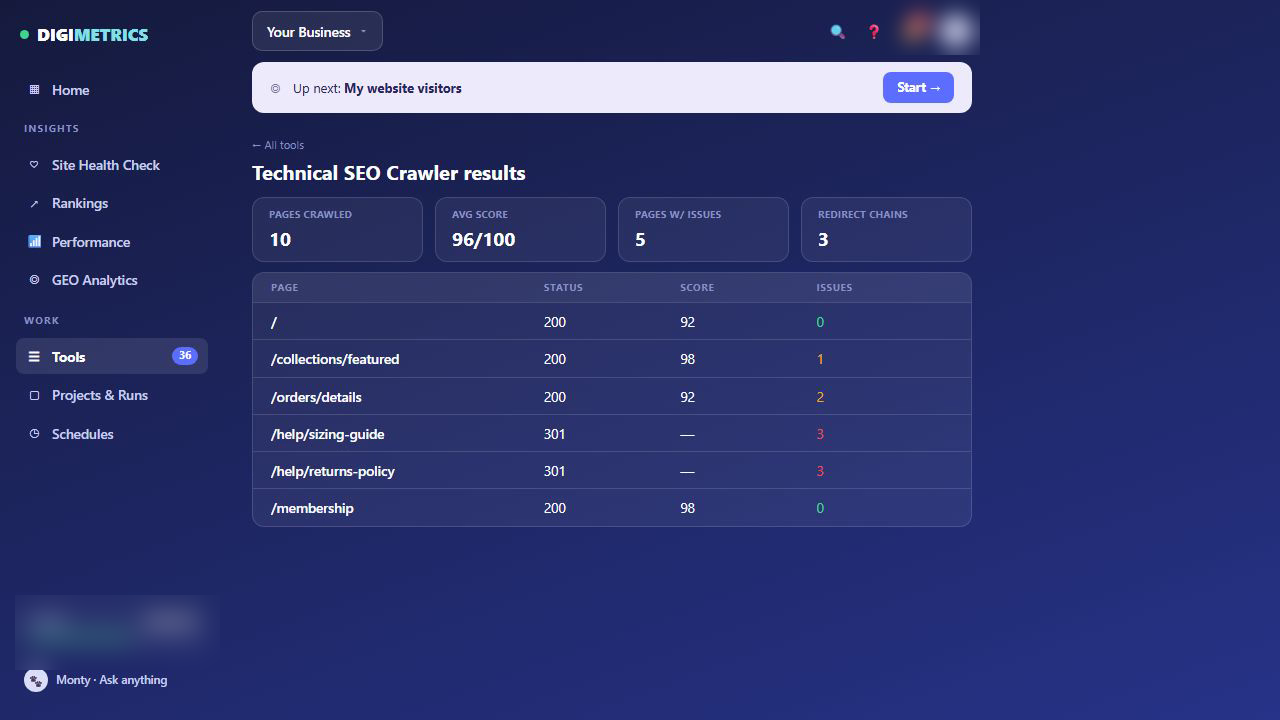
Disclosure: Digimetrics is built by our team.
Digimetrics uses a different free-access model from Search Console, Screaming Frog or Ahrefs Webmaster Tools. Its current offer gives users 200 one-time credits for seven days, one project and capped outputs, so we would classify it as a free trial of an integrated workflow, not a permanently free audit platform.
What makes it relevant here is that auditing is only one part of the workspace. Digimetrics currently provides more than 35 tools across SEO, content, AI visibility, strategy and marketing integrations. For audit work specifically, the platform includes a Technical SEO Crawler, Full Site Audit, SEO Diagnostics, On-Page Optimisation, Page Technical & Domain Analysis, Page Speed Check, Backlinks Explorer and AI Readiness tools, alongside Search Console and GA4 integrations.
What a Broader Audit Workflow Changes
A traditional free audit can leave you with several disconnected reports. Search Console might show that an important page is losing impressions, a technical crawler may flag weak internal links, PageSpeed Insights could identify poor performance, and content analysis may show that competitors satisfy the query more thoroughly.
Digimetrics is designed to keep more of those stages inside one working environment.
| Audit question | Relevant Digimetrics capability |
| What technical problems exist? | Technical SEO Crawler / Full Site Audit |
| What is holding the target keyword/page back? | SEO Diagnostics |
| What needs changing on the page? | On-Page Optimisation |
| How does the page compare with competitors? | Article Comparison |
| What content improvements are needed? | AI Content Optimiser |
| What does Google Search already show? | Search Console integration |
| What happens to that traffic? | GA4 integration |
| Is the site prepared for AI search? | AI Readiness / AI Visibility tools |
The advantage is not another health score. It is the ability to move from technical finding → page diagnosis → content/SEO action → performance validation without rebuilding the context across as many separate tools.
Where Digimetrics Still Has Limits
The wider workflow does not automatically make every individual module deeper than every specialist. Screaming Frog may still be the better choice when you need highly configurable technical crawling, while Ahrefs has a mature specialist backlink and competitive-search dataset.
The question is therefore not whether Digimetrics replaces every SEO product. It is whether consolidating several adjacent audit and optimisation jobs removes enough manual work to justify the workspace.
Choose Digimetrics if: technical SEO, content, GEO and first-party performance analysis regularly overlap in the audit.
Skip it if: all you need is an unlimited/permanent free technical check. Its free access is temporary.
Bottom line: Digimetrics makes the strongest case when an audit needs to continue into diagnosis and execution, rather than ending as an exported issue list.
Why Free SEO Scores Can Be Misleading
Imagine three platforms return these results:
| Tool | Health score |
| Tool A | 92/100 |
| Tool B | 78/100 |
| Tool C | 84/100 |
Which one is correct?
Potentially all three according to their own scoring methodologies. There is no universal Google SEO health score that every audit platform is independently measuring.
The practical problem becomes clearer when one template mistake creates 700 warnings. The report may show hundreds of affected URLs even though the remediation is one template change. Meanwhile, one accidentally noindexed revenue page may appear as a single issue and have far greater business impact.
Use health scores to monitor changes within the same platform. Do not make increasing the score the objective of the audit.
The Audit Priority Test
Once the tools have generated their findings, we evaluate issues using four factors.
| Factor | Question |
| Impact | Could this materially affect crawling, indexing, visibility, experience or conversions? |
| Scope | How many important pages or users are affected? |
| Confidence | How strong is the evidence that this is genuinely a problem? |
| Effort | How much development, content or operational work will the fix require? |
A useful directional model is:
Priority ≈ (Impact × Scope × Confidence) ÷ Effort
This is not meant to turn SEO into fake mathematical precision. It simply prevents issue count from becoming the prioritisation system.
For example, 400 images without alt attributes may affect more individual elements than a canonical configuration problem on ten revenue-driving landing pages. That does not mean the alt-text project deserves engineering attention first.
Issue count tells you scale. It does not automatically tell you priority.
What Free SEO Audit Tools Still Miss
Automated tools perform best when a problem can be expressed as a repeatable rule. A URL returning 404 can be detected reliably: deciding why a technically healthy page does not deserve to rank is much harder.
Search Intent and Content Quality
A page can have a correct canonical, clean markup, good Core Web Vitals and no crawl errors while still being the wrong result for its target query.
If Google consistently rewards comparison guides and your page is a thin commercial landing page, correcting another title-length warning is unlikely to solve the core problem. Technical auditing therefore needs to connect with SERP analysis and content optimisation.
Business Importance
A crawler does not inherently know that one URL produces 40% of your qualified leads while another produces none.
Without analytics, CRM or conversion evidence, both can appear equally important in a technical export. This is why technically severe and commercially important are not always the same thing.
Competitive Context
A technically clean page can simply be weaker than the results above it. Competitors may satisfy intent better, demonstrate greater expertise, earn stronger links or provide a more useful resource.
Technical cleanliness is a requirement, not proof that a page deserves to rank.
Root-Cause Diagnosis
Finding an issue at the same time traffic drops does not prove the issue caused the decline. Google’s guidance on debugging Search traffic drops points to multiple potential causes, including technical changes, algorithmic shifts and changing search demand.
An audit provides evidence. Diagnosis requires connecting the evidence to the timing and behaviour of the problem.
When Is a Free SEO Audit Enough?
For many smaller sites, a free audit is entirely reasonable as the first pass.
| Situation | Free stack enough initially? | Why |
| Small local-business site | Usually | 500 URLs may cover the property |
| New blog | Usually | Basic technical/indexing problems can be identified for $0 |
| Indexing investigation | Yes | Search Console provides first-party Google evidence |
| Performance investigation | Usually | PageSpeed Insights handles the performance layer |
| Large ecommerce site | Usually not | Scale and templates increase crawl complexity |
| Major unexplained traffic decline | Usually not | Requires broader root-cause analysis |
| Site migration | Usually not | Redirects, architecture and indexing need close validation |
| International SEO | Often not | Hreflang and regional structures increase complexity |
| JavaScript-heavy site | Often not | Free crawler functionality becomes restrictive |
| Competitor-wide audit | Usually not | Strong free tools focus primarily on properties you own |
The right upgrade trigger is not a popup telling you that the free plan has ended. It is when the free limit prevents you from answering a question you genuinely need answered.
If auditing is only one part of what you need, our broader best SEO tools comparison looks at complete suites alongside smaller specialist stacks.
The $0 SEO Audit Stack We’d Actually Use
For a smaller website, we would begin with Search Console to establish indexing and search-performance reality, then crawl the property with Screaming Frog. We would use PageSpeed Insights on important templates where performance deserves investigation and add Ahrefs Webmaster Tools when recurring technical, backlink and keyword monitoring would improve the diagnosis.
Semrush and Bing then become supplementary checks rather than mandatory dashboards. If one source identifies a serious problem, use another source when confirmation would materially increase confidence. There is little value in opening seven tools every week merely because they are free.
Digimetrics enters the decision differently. Because its $0 access lasts seven days rather than indefinitely, we would use that period to test whether consolidating technical audits, content checks, GEO and first-party evidence into one workspace materially reduces the manual work between diagnosis and implementation.
The objective is the minimum toolset that answers the next useful question, not the largest free SEO stack you can assemble.
How to Turn a Free SEO Audit Into an Action Plan
Once the audit is complete, group findings according to what they mean operationally rather than copying every warning into a project-management system.
| Priority | What belongs here |
| Critical | Problems preventing important pages from being crawled, indexed or accessed correctly |
| High impact | Issues affecting major templates, valuable pages or substantial visibility |
| Improvement | Useful optimisations that are not currently blocking performance |
| Monitor / ignore | Intentional, low-impact or uneconomical findings |
Then consolidate repeated warnings around their root cause. If one faulty template produces the same canonical problem on 700 URLs, you probably do not have 700 individual SEO tasks: you have one high-scope template problem.
After implementing the fix, rerun the relevant check and validate the outcome using the source that owns it. Confirm that intended pages became indexable, crawl behaviour changed, performance improved or search visibility recovered. A better health score may follow, but it should be evidence of the improvement rather than the target itself.
Final Verdict: Use the Free Limit Until It Becomes the Limitation
A useful free SEO audit in 2026 does not require one magical domain checker. Start with Google Search Console for indexing and search evidence, use Screaming Frog for technical crawling and bring in PageSpeed Insights when performance is part of the problem. Ahrefs Webmaster Tools adds substantial recurring audit capacity for verified properties, while Semrush and Bing can provide useful second opinions.
Digimetrics serves a different need. Its current seven-day free period lets you test a broader workflow in which technical SEO, diagnostics, content optimisation, GEO and connected performance evidence live closer together. That does not replace the specialist depth of every crawler or competitive database, but it can reduce the handoffs that appear once an audit moves from finding problems to deciding and implementing what happens next.
Each free option has a ceiling. A 500-URL crawler is valuable until the property has thousands of URLs: a 5,000-credit monthly audit works until crawl scale or competitive research becomes the constraint: a seven-day workspace is useful for testing a broader workflow but is not a permanent $0 solution.
Use the free tools for as long as they still answer the questions you need answered. Upgrade when you can identify the real limitation you are paying to remove, not because another health score told you to.
You can find more technical SEO testing and tool comparisons in our SEO tools section.
Frequently Asked Questions
What Is the Best Free SEO Audit Tool?
For a website you own, start with Google Search Console because it provides Google’s own indexing and search-performance evidence. Screaming Frog is our preferred free technical crawler for smaller properties, while Ahrefs Webmaster Tools provides stronger recurring auditing for verified sites.
No single tool covers every part of a complete audit.
Can I Run a Complete Website SEO Audit for Free?
For a smaller site, you can complete a substantial first-pass audit without paying. Search Console, Screaming Frog, PageSpeed Insights, Ahrefs Webmaster Tools and Bing Webmaster Tools collectively cover indexing, technical crawling, performance, backlinks and search evidence.
The harder limitation is often interpretation and prioritisation, not access to another warning.
How Many URLs Does Screaming Frog Crawl for Free?
The free Screaming Frog SEO Spider currently crawls up to 500 URLs per crawl. The paid £199 annual licence removes the limit and unlocks advanced functionality such as JavaScript rendering, crawl saving, comparison and integrations.
How Much Can Ahrefs Webmaster Tools Audit for Free?
Ahrefs Webmaster Tools currently provides 5,000 Site Audit crawl credits per verified project each month, with unlimited verified properties. It also exposes up to 1,000 backlinks and keywords at once.
How Many Pages Does Semrush Site Audit Allow for Free?
Accounts without an SEO Toolkit can currently crawl 100 pages per month through Semrush Site Audit. The Pro SEO Toolkit increases that monthly allowance to 100,000 pages.
Is Digimetrics a Free SEO Audit Tool?
Digimetrics currently provides seven days of free access with 200 credits, so we classify it as a free trial rather than a permanently free audit tool. The reason it appears in this comparison is that its audit workflow extends beyond a basic crawler into SEO Diagnostics, content optimisation, GEO and connected Search Console/GA4 data.
Can a Free SEO Audit Replace Paid SEO Software?
Sometimes, particularly for smaller websites and initial diagnosis.
Paid software becomes easier to justify when you need larger or scheduled crawls, advanced JavaScript rendering, competitor analysis, historical data, automation, multiple client projects or an integrated workflow that saves more staff time than the subscription costs.
Disclosure: digitalmarketingtools.ai is sponsored by Digimetrics.ai. Sponsored Highlights are clearly labelled advertising. Our reviews, comparisons and guides are written to be useful and fair regardless of who sponsors the site. Read the full disclosure.


