
How Many SEO Tools Does a Business Actually Need?
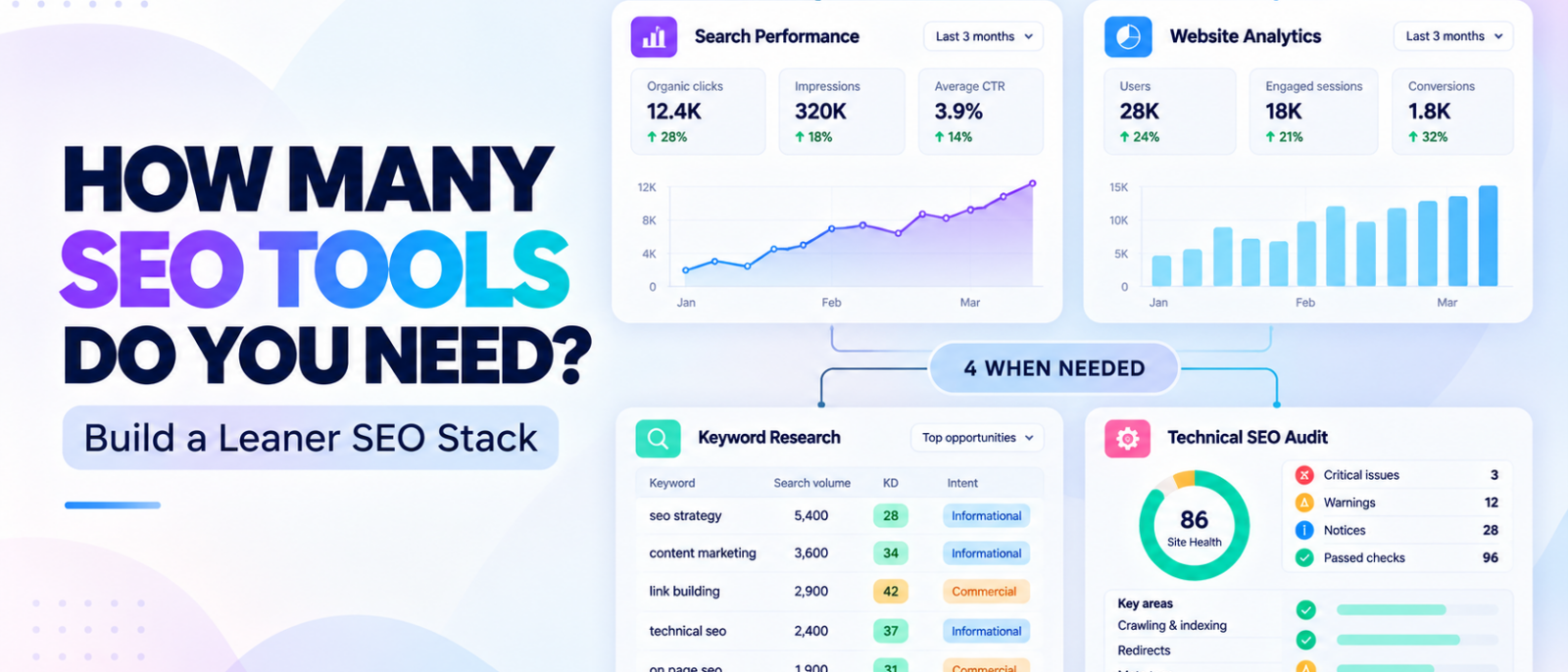
Most small businesses don’t need five SEO subscriptions, an expensive reporting dashboard, and a different platform for every marketing task. In many cases, they need just two to four tools they know how to use consistently.
The problem is knowing which ones deserve a place in that stack.
Google Search Console, Google Analytics, Semrush, Ahrefs, Screaming Frog, and dozens of other platforms promise to improve your SEO workflow. Some overlap considerably, while others perform completely different jobs.
It’s easy to end up paying for several products that provide similar information without making your SEO any more effective.
Our recommendation is to start with two free tools—Google Search Console and Google Analytics 4—then add keyword research, technical auditing, or competitor analysis software when you encounter a specific limitation.
For most smaller businesses, two to four regularly used platforms make a sensible starting framework. That’s a practical guideline rather than a strict requirement, and occasional free utilities don’t need to be part of your permanent stack.
At MediaOne, our SEO team has spent more than 10 years working with keyword research, technical SEO, competitor analysis, and performance reporting. We’ve found that having access to more data isn’t particularly useful unless someone knows what to do with it.
This guide explains how many SEO tools for business operations are actually necessary, when additional software becomes worthwhile, and how to avoid paying for overlapping features.
Key Takeaways
- Start with two free tools. Google Search Console and Google Analytics 4 provide essential search performance and website activity data.
- Two to four tools are a sensible starting point for many small businesses. The exact number depends on your website, goals, and available resources.
- Every tool should have a specific responsibility. Research, auditing, tracking, and reporting are different jobs, but one platform may cover several.
- Add software when an actual limitation appears. Don’t upgrade simply because you’ve published a certain number of pages.
- Consider all-in-one platforms before adding several specialist subscriptions. Consolidation can reduce costs and unnecessary manual work.
- Measure usefulness, not tool count. One platform that supports important decisions is worth more than several products nobody consistently uses.
How Many SEO Tools Does a Small Business Need?
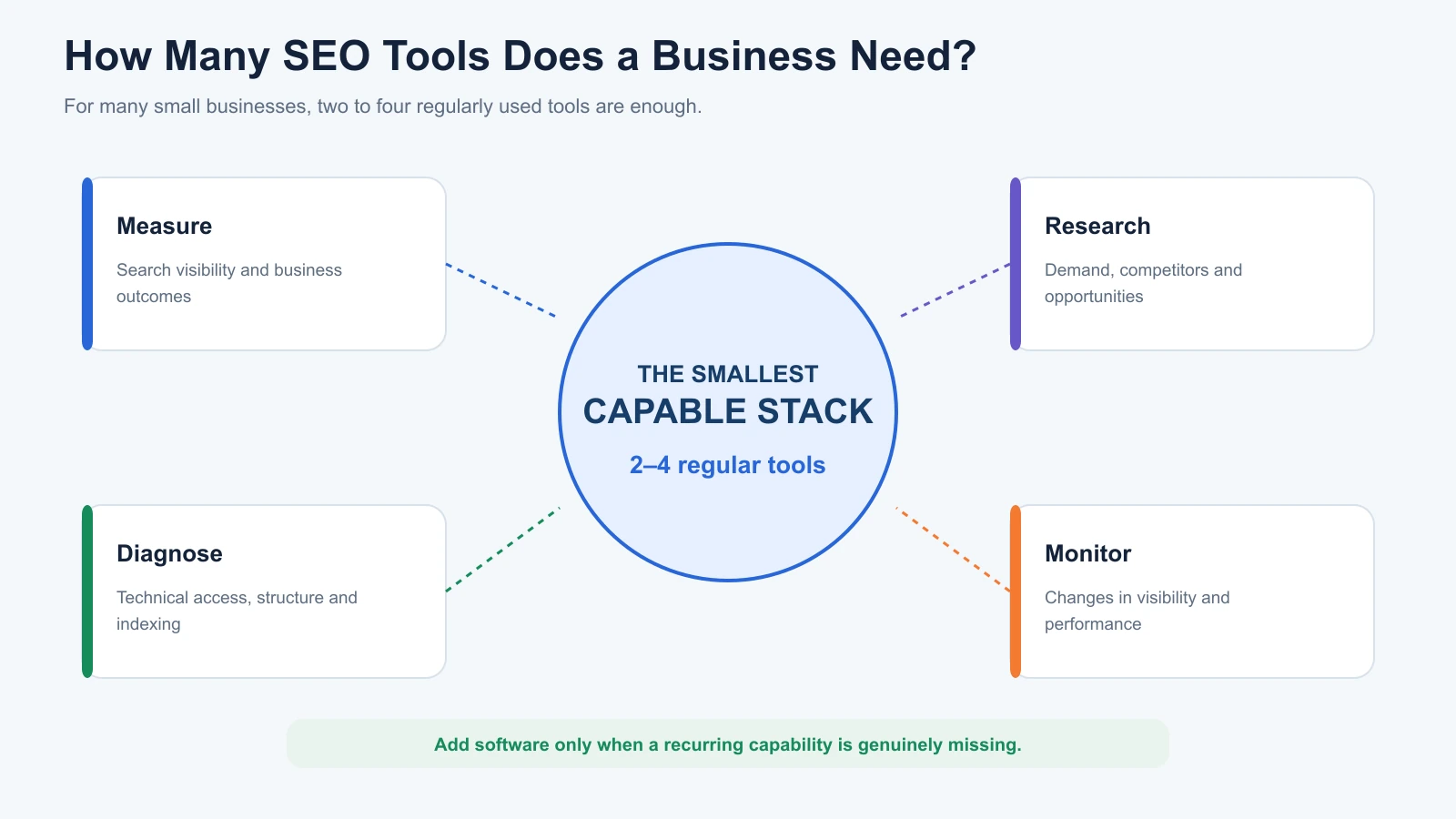
Most small businesses can begin with two tools and expand to three or four when their SEO workload requires additional capabilities.
There is no technical requirement to subscribe to a fixed number of platforms. What matters is whether your existing tools answer the questions you regularly face.
A business beginning with SEO typically needs to know whether Google can find its pages, which searches generate visibility, and whether organic visitors take meaningful actions.
Google Search Console and Google Analytics cover much of that initial measurement.
As SEO activity increases, the business may need additional information about keyword opportunities, competitors, technical issues, or ranking changes.
That’s when a third or fourth platform may become useful.
A Practical SEO Tool Count by Business Stage
| Business Stage | Suggested Core Tools | Typical Setup |
|---|---|---|
| New website or SEO beginner | 2 | Search Console + GA4 |
| Small business conducting regular SEO | 3 | Google measurement tools + keyword research |
| Growing business with recurring SEO work | 3–4 | Measurement, research, technical auditing |
| Competitive business or specialist SEO team | As needed | Integrated SEO platform + relevant specialists |
These numbers refer to tools used regularly, not every free utility opened occasionally.
For example, running a page through PageSpeed Insights once a month doesn’t necessarily mean you need another subscription or permanent reporting platform.
The objective is to maintain the smallest stack that supports your recurring SEO decisions.
Start With These Two Free SEO Tools
Before paying for additional software, make sure you can measure how your website performs.
Two free platforms provide a useful foundation.
1. Google Search Console: Understand Your Search Visibility
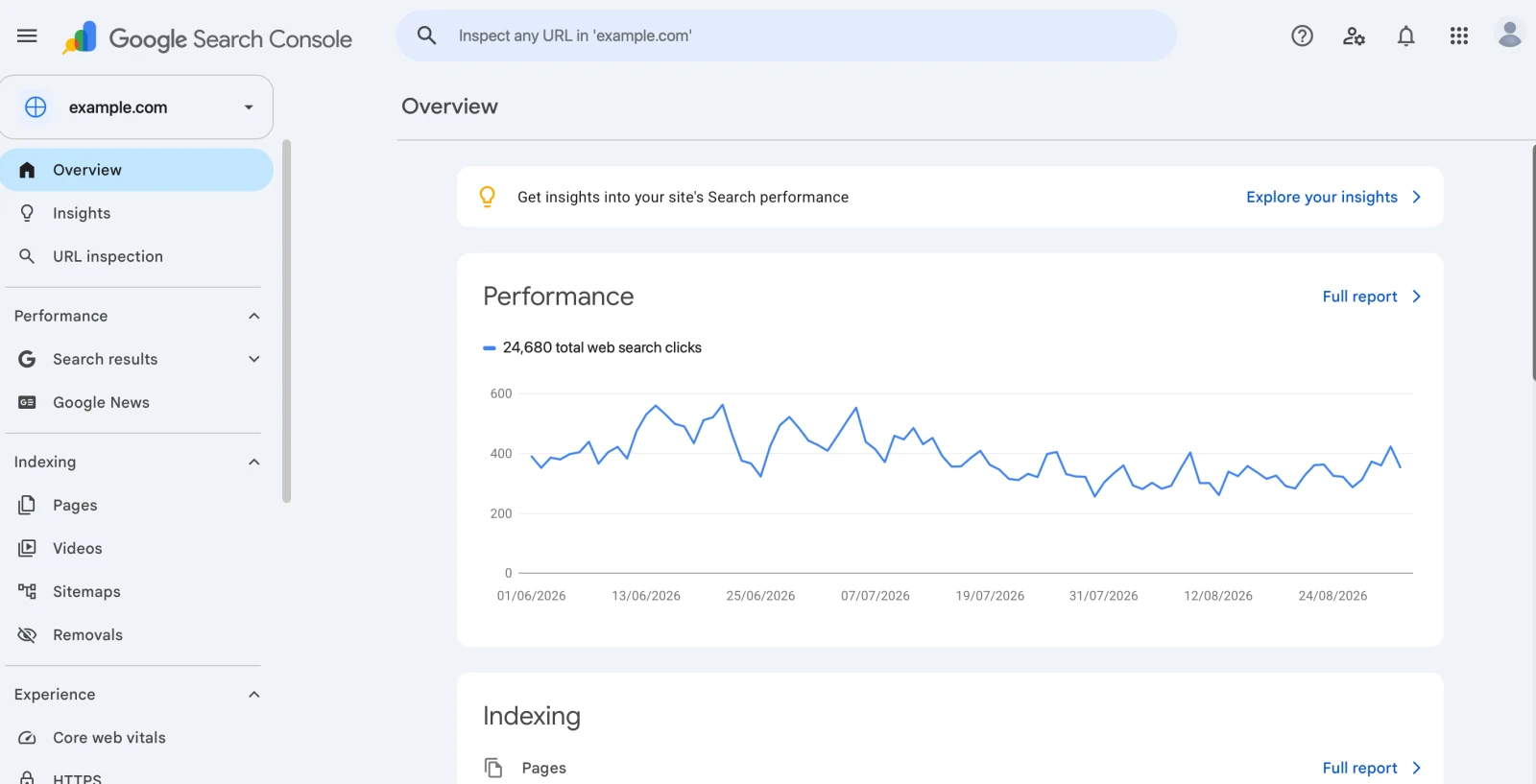
Google Search Console helps website owners monitor their performance in Google Search.
Its Performance reports include information about clicks, impressions, average position, and search queries.
It also provides indexing reports and URL Inspection, which help investigate whether important pages are available to Google.
For a small business, Search Console can answer practical questions such as:
- Which pages attract organic search clicks?
- What searches cause the website to appear?
- Are important URLs indexed?
- Which pages are gaining or losing search visibility?
These are useful starting points before investing in broader research software.
However, Search Console doesn’t provide a comprehensive database of keywords and rankings for competing websites.
Its average-position metric is also different from dedicated rank tracking under a fixed location and device.
2. Google Analytics 4: Measure What Visitors Do
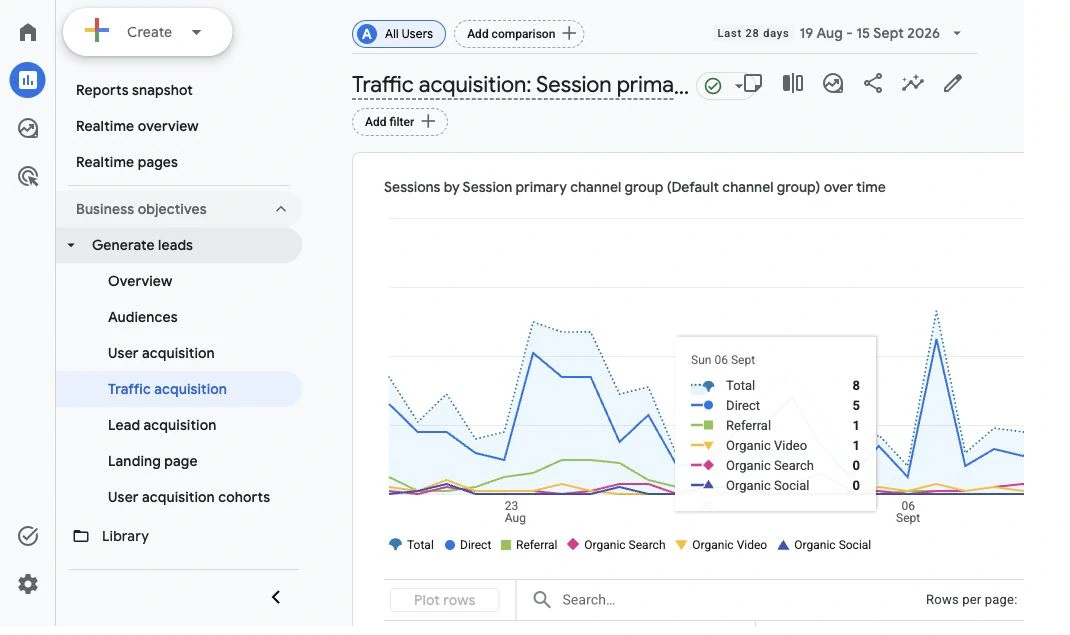
Google Analytics 4 complements Search Console by helping businesses understand website activity.
While Search Console reports how people encounter your website in Google Search, GA4 can help measure what happens after they arrive.
Depending on the setup, this includes landing-page engagement, key events, enquiries, purchases, and other important actions.
Consider a small ecommerce website receiving more organic search clicks than the previous month.
Search Console can help identify the pages and queries associated with that increase.
GA4 can help investigate whether those visits also contributed to purchases or other business outcomes.
The two systems measure different things, so their click and session totals shouldn’t be expected to match exactly.
Together, Search Console and GA4 provide a useful measurement foundation without another paid SEO subscription.
When Should You Add a Third SEO Tool?
The third tool should address your biggest recurring information gap.
For many businesses, that means keyword research.
Search Console can reveal queries associated with your existing website. However, it isn’t designed to provide a complete picture of the search opportunities your competitors are targeting.
Keyword research software can help expand that view.
Start With Google Keyword Planner
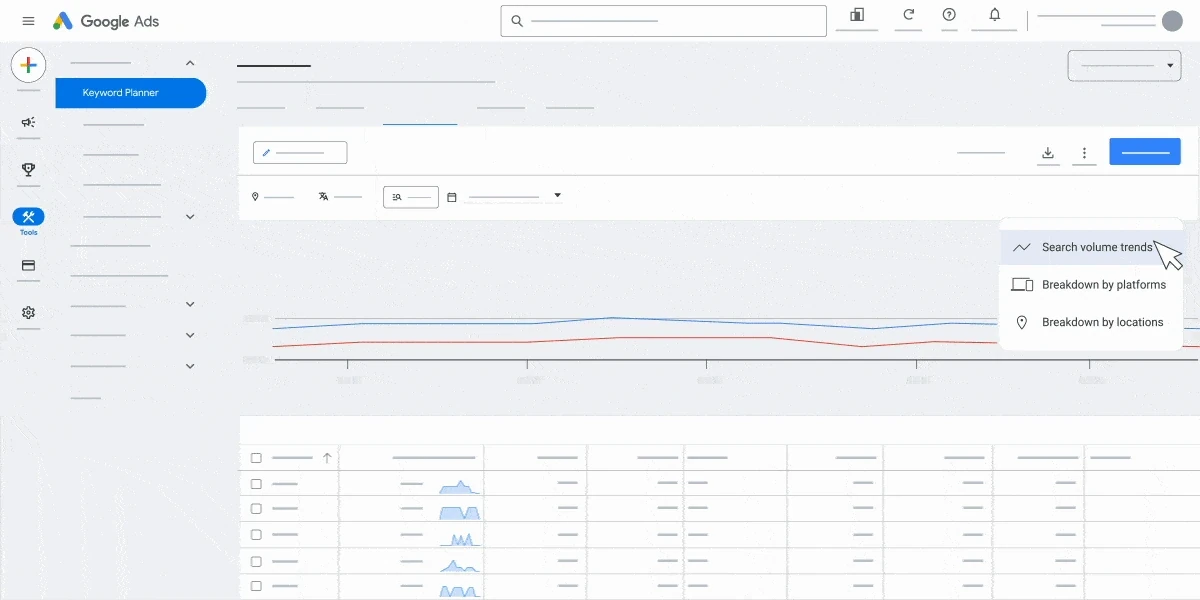
Google Keyword Planner is a reasonable starting point for discovering search terms and examining estimated demand.
It operates within Google Ads and can help identify related keyword ideas, approximate search volume, and seasonal patterns.
However, its Competition metric refers to advertising competition rather than organic ranking difficulty.
It’s important not to confuse those measurements.
Search intent describes what users are trying to accomplish when they search. Keyword Difficulty is a tool-specific estimate of how competitive an organic keyword may be.
Keyword Planner can support initial demand research, but it doesn’t replace examining the actual search results.
When Paid Keyword Research Makes Sense
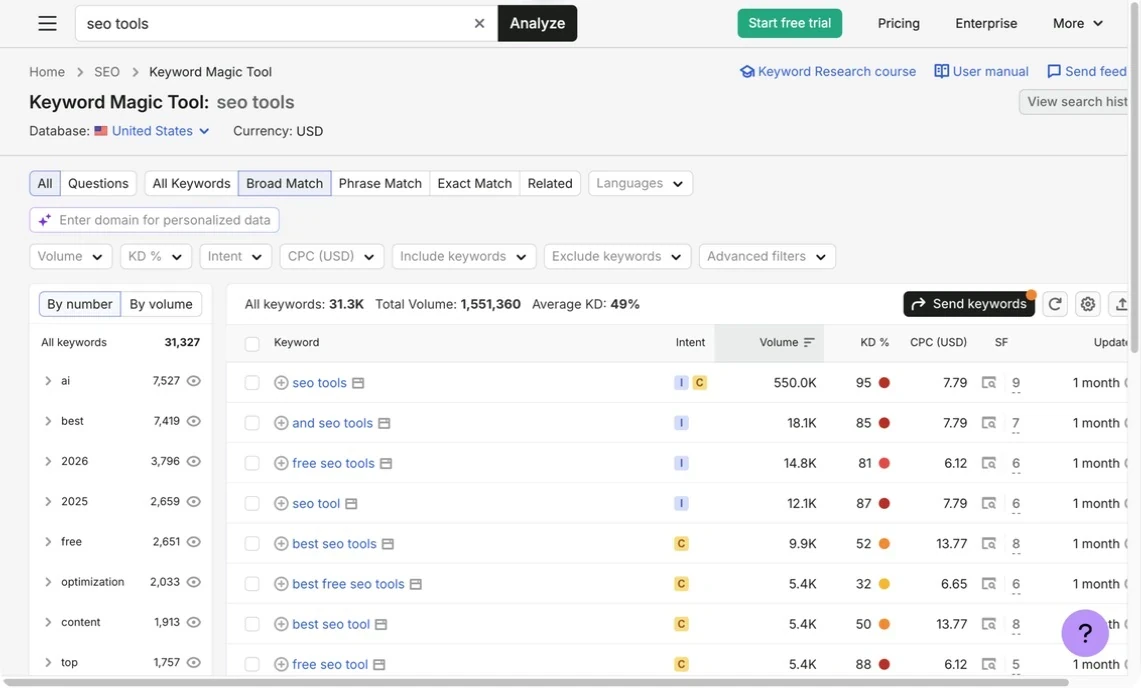
A platform such as Semrush, Ahrefs, or SE Ranking becomes more useful when your business regularly needs:
- Competitor keyword research.
- Organic Keyword Difficulty estimates.
- Content gap analysis.
- Search intent classifications.
- SERP comparisons.
- Larger research exports.
For example, a business publishing several articles every month may benefit from knowing which competing pages attract relevant searches and which opportunities remain underserved.
However, if you only update a few service pages occasionally, a premium research subscription may offer more than you need.
Our free keyword research tools comparison explains which capabilities are available without a full paid subscription.
When Does a Fourth SEO Tool Become Necessary?
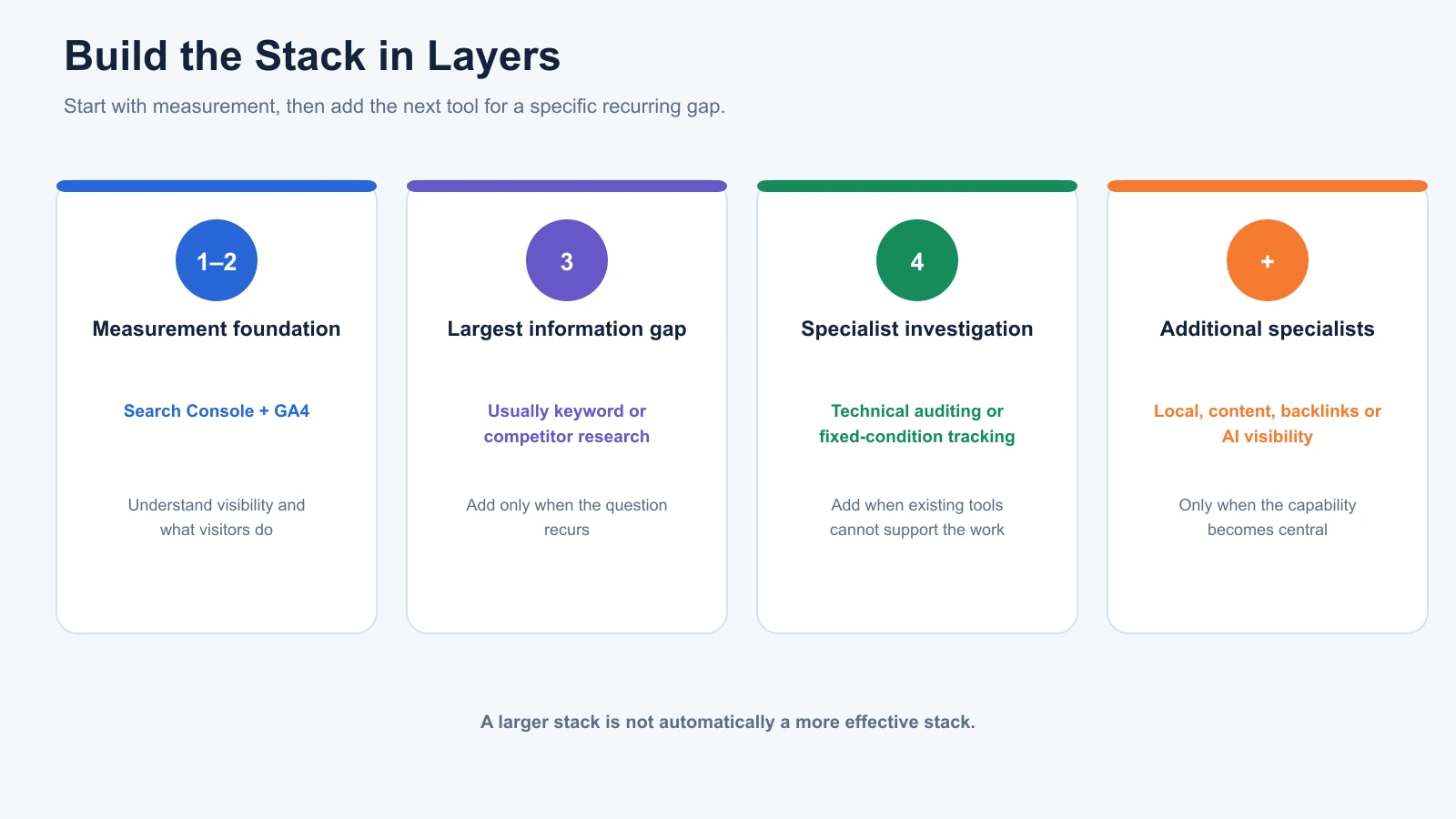
A fourth tool becomes useful when your existing stack cannot adequately investigate a recurring SEO problem.
For many businesses, that problem involves technical SEO.
Technical SEO covers website conditions that affect how search engines crawl, render, understand, and index pages.
This includes redirects, indexing directives, internal links, site structure, and other technical elements.
Technical Auditing: Screaming Frog and Similar Tools
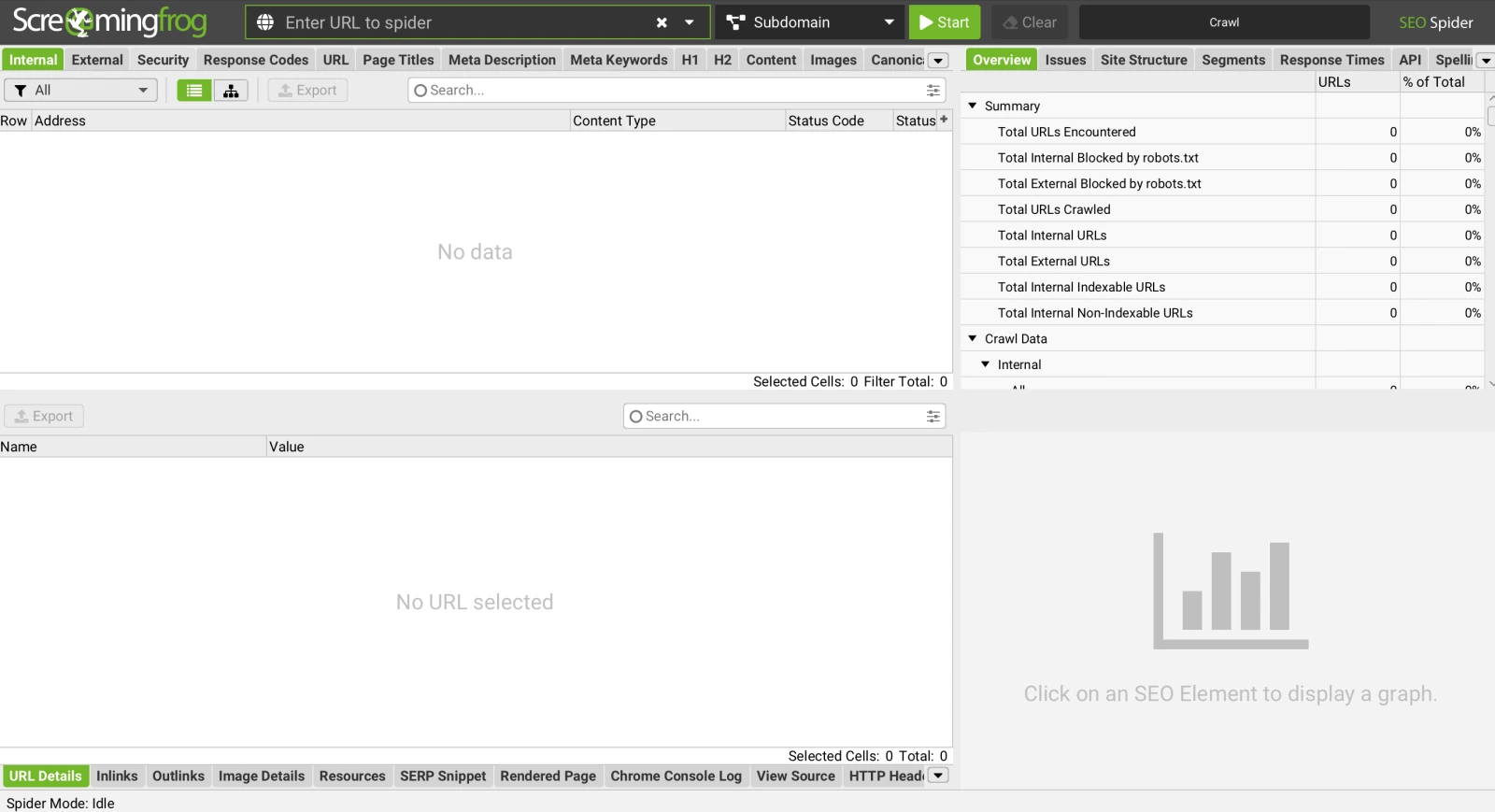
Screaming Frog SEO Spider is a desktop crawler used to investigate technical website issues.
Its free edition can crawl up to 500 URLs per crawl.
That may be enough for businesses with relatively small websites.
A crawl can identify issues such as broken internal links, redirects, missing metadata, and problematic canonical signals.
However, a crawler’s warning count shouldn’t determine what gets fixed first.
One important page accidentally marked noindex may deserve attention before hundreds of lower-priority metadata warnings.
Search Console provides additional indexing context, while PageSpeed Insights helps investigate website performance.
These sources complement one another rather than measuring exactly the same things.
For more detail, our guide to what an SEO audit tool checks explains the difference between technical detection and deciding which problems matter.
Don’t Add Tools Just Because Your Website Is Growing
A common mistake is using page count as a universal trigger for purchasing more SEO software.
A website with 100 straightforward pages may have fewer technical requirements than a JavaScript-heavy website containing only twenty important URLs.
Likewise, publishing ten articles monthly doesn’t automatically mean you need a dedicated content optimisation subscription.
The better approach is to identify the work your existing tools can no longer support efficiently.
If your current tools already cover that work, another subscription isn’t necessary.
The Four SEO Capabilities Your Stack Should Cover
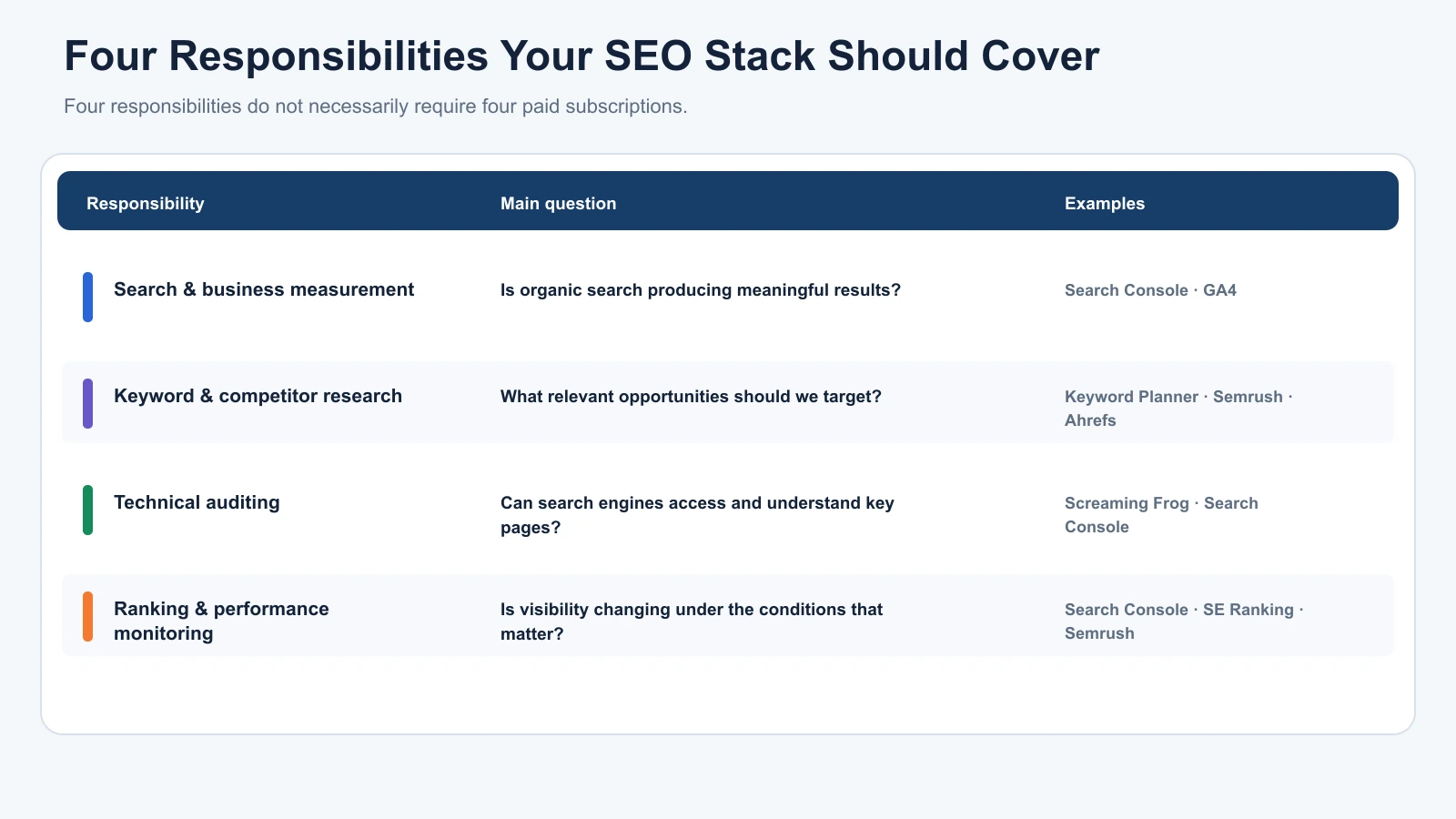
Rather than purchasing four specific products, think about four responsibilities your SEO workflow needs to handle.
One platform may cover several responsibilities, which can reduce the number of separate tools required.
| SEO Responsibility | Main Question | Examples |
|---|---|---|
| Search and business measurement | Is organic search producing meaningful results? | Search Console, GA4 |
| Keyword and competitor research | What opportunities should we target? | Keyword Planner, Semrush, Ahrefs |
| Technical auditing | Can search engines access and understand important pages? | Screaming Frog, Search Console |
| Ranking and performance monitoring | Is our visibility changing? | Search Console, SE Ranking, Semrush |
Content optimisation, local SEO, backlink analysis, and AI-search visibility may justify additional specialist software when those services become central to the business.
The important distinction is that four responsibilities do not necessarily require four paid subscriptions.
For example, an all-in-one platform may already provide keyword research, technical audits, and rank tracking.
Adding three separate products for the same functions would need a clear operational justification.
SEO Tools for Business: Which Setup Fits Your Situation?
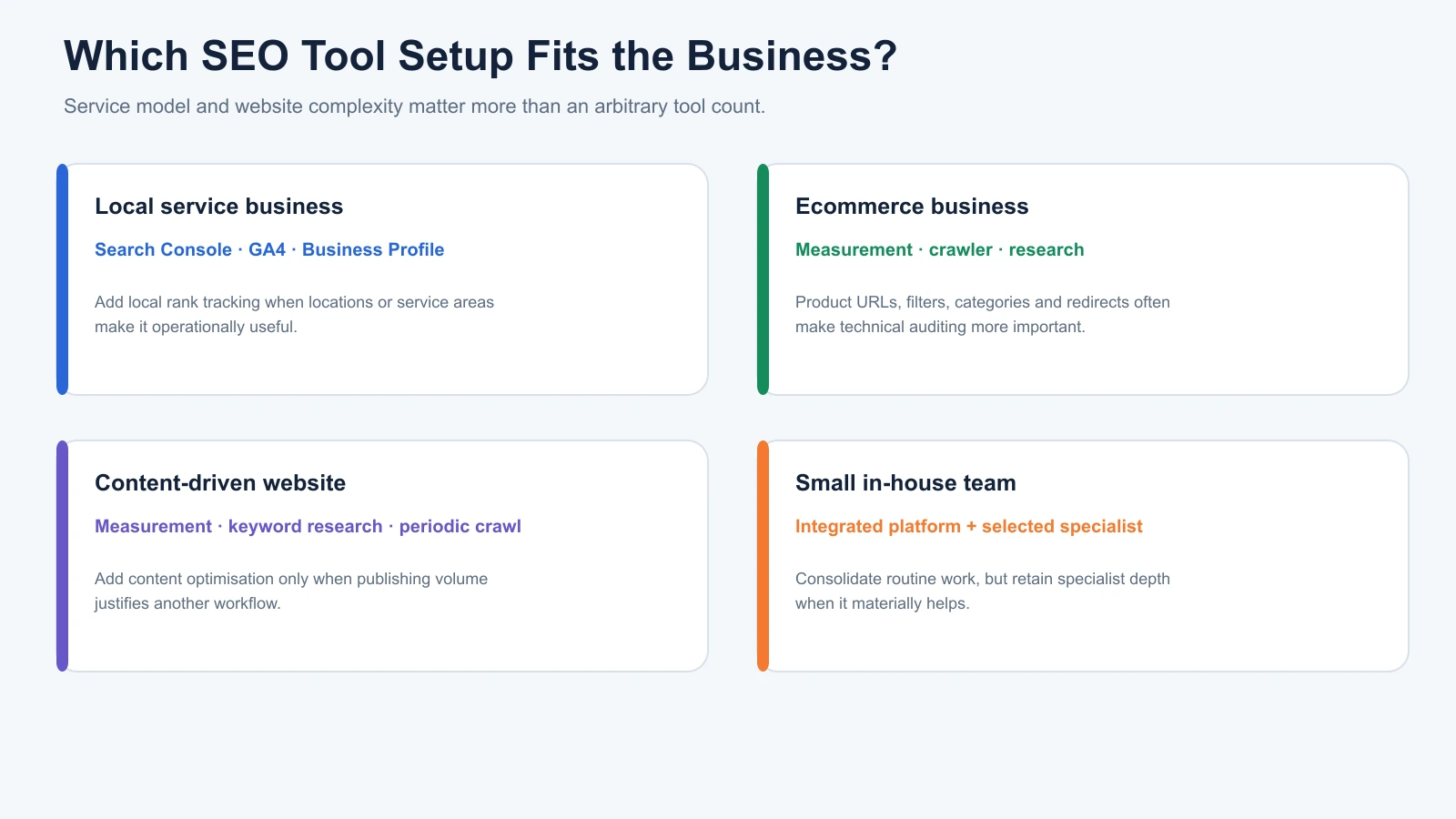
The right stack depends on what the business actually does.
A local service provider, online store, and content-driven website all face different SEO challenges.
Local Service Businesses
A plumbing company, dental clinic, or local repair business often depends on visibility for geographically relevant searches.
A useful starting setup includes Search Console, GA4, and a managed Google Business Profile.
The Business Profile isn’t a conventional keyword research tool, but it is essential to many local search workflows.
As the business expands into multiple service areas, dedicated local rank tracking may become more valuable.
BrightLocal, for example, provides location-specific rankings, Local Search Grid analysis, citation monitoring, and Google Business Profile auditing.
However, a single-location business may not need that additional subscription immediately.
Ecommerce Businesses
An ecommerce website typically needs visibility into product and category pages, technical indexing, and commercial search demand.
Search Console and GA4 provide the measurement foundation.
A technical crawler becomes particularly useful when the website includes many product URLs, filters, categories, and redirects.
Keyword and competitor research may also be valuable when deciding which categories deserve additional optimisation.
For a smaller online store, four regularly used tools could be sufficient. More complex stores may need specialist crawling or monitoring beyond that arrangement.
Blogs and Content-Driven Websites
A content-heavy website may prioritise keyword research, existing content performance, and identifying gaps in topic coverage.
Search Console and GA4 establish the starting point.
Google Keyword Planner or a dedicated keyword platform can help find new opportunities.
A technical crawler provides periodic checks of internal linking, redirects, and website structure.
A separate content optimisation platform may become worthwhile when the team produces enough content to justify another subscription.
However, content scores are proprietary recommendations, not Google ranking factors. Editorial judgement and firsthand expertise remain essential.
Small In-House Marketing Teams
A small team managing several aspects of digital marketing may prefer an integrated platform.
For example, Semrush, Ahrefs, and SE Ranking each support multiple SEO workflows, although their exact capabilities and limits differ by plan.
An integrated platform can reduce the need to open separate products for research, audits, and tracking.
Still, replacing specialist tools purely to reduce the number of subscriptions isn’t always worthwhile.
A dedicated crawler may provide functionality the integrated platform lacks.
The best setup is the one that supports the team’s actual responsibilities with the least unnecessary friction.
For product-specific recommendations, our best SEO tools for small businesses guide compares suitable options across different business requirements.
Do You Need an All-in-One SEO Platform or Several Specialist Tools?
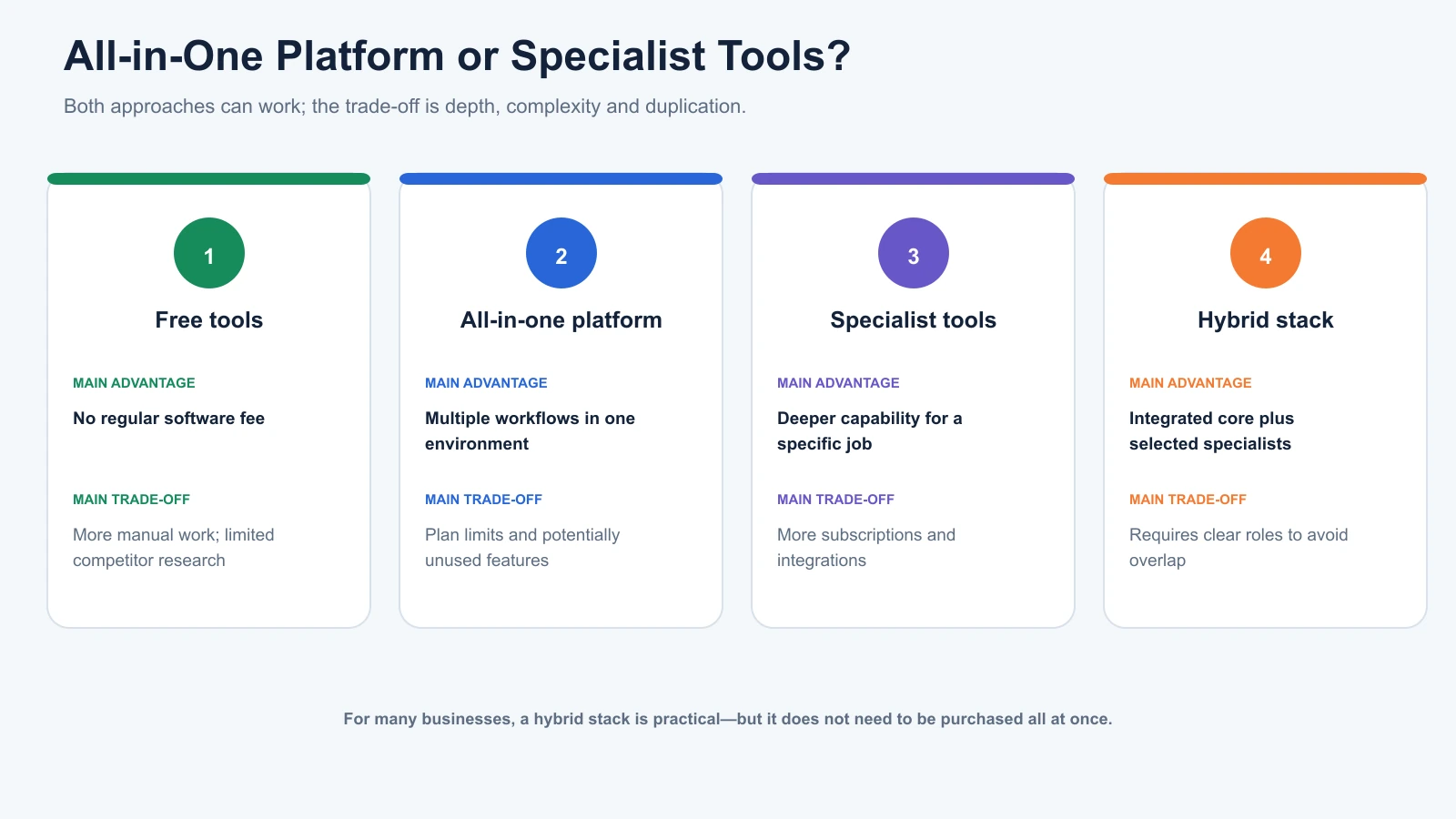
Both approaches can work.
An all-in-one platform may simplify everyday research, technical monitoring, and reporting.
Specialist tools can offer deeper capabilities for particular tasks, such as advanced crawling, local rank tracking, or content analysis.
The decision depends on whether the extra depth justifies the additional expense and complexity.
| Approach | Main Advantage | Main Trade-Off |
|---|---|---|
| Free tools | No regular SEO software fee for core features | More manual work and limited competitor research |
| All-in-one SEO platform | Multiple workflows in one environment | Subscription limits and potentially unused features |
| Specialist tools | More focused capabilities | Extra subscriptions and integrations |
| Hybrid stack | Combines integrated and specialist functionality | Requires clear responsibilities to avoid overlap |
For many businesses, a hybrid setup is practical.
That might mean using Search Console and GA4 for first-party measurement, an integrated SEO platform for research and tracking, and Screaming Frog for advanced technical investigation.
However, there’s no reason to purchase all of those immediately.
Where Digimetrics Fits
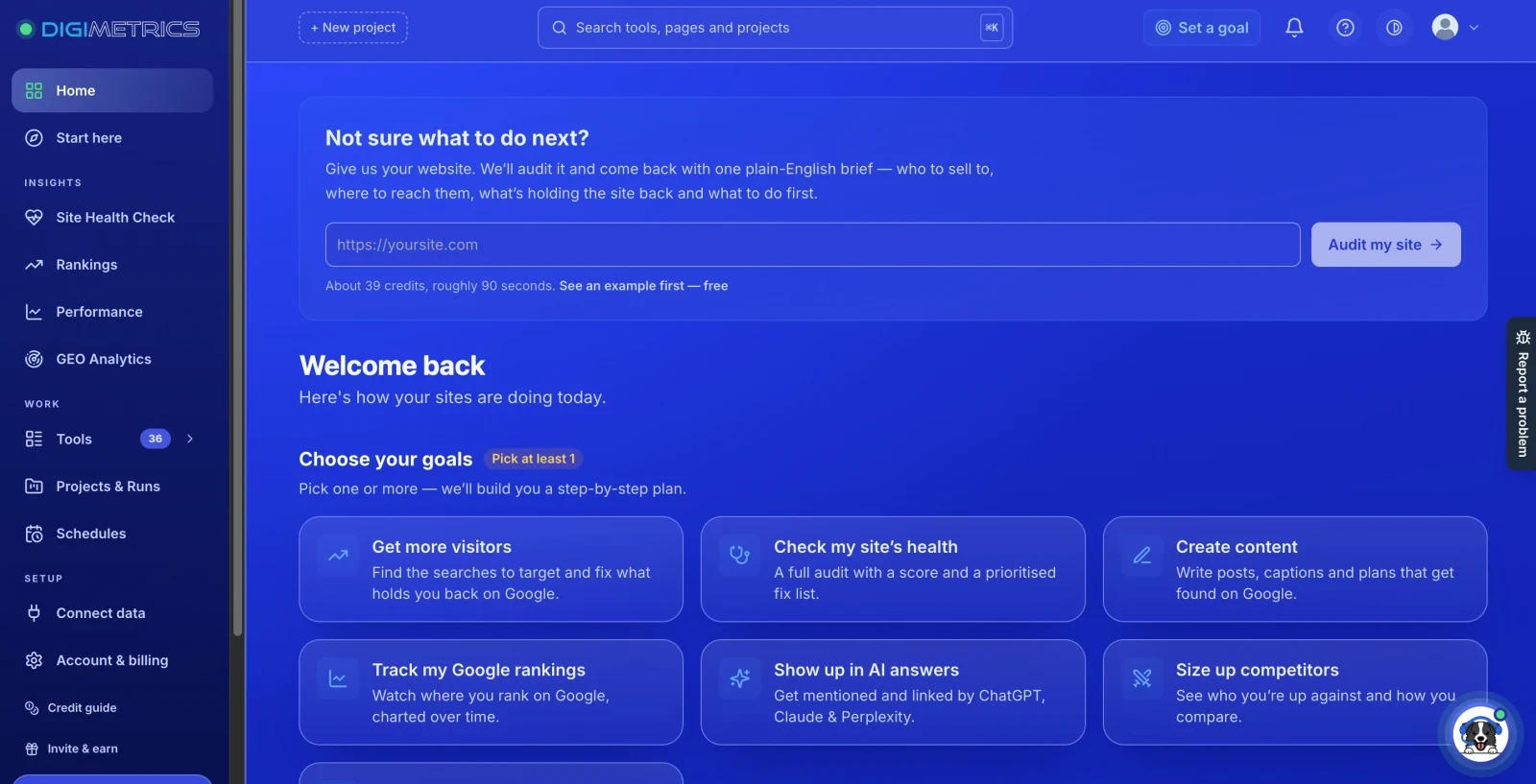
Disclosure: Digimetrics is developed by MediaOne, which sponsors DigitalMarketingTools.ai.
Digimetrics combines SEO-related research, technical diagnostics, content optimisation, and AI-search visibility capabilities within an integrated workspace.
This may appeal to businesses trying to reduce handoffs between research, auditing, and content workflows.
However, the value depends on the specific functions used, available credits, reporting requirements, and whether specialist tools are still necessary.
An integrated product shouldn’t automatically replace an existing platform simply because it offers more features.
The relevant question is whether combining those tasks makes the team’s work meaningfully easier.
How Much Should You Spend on SEO Tools for a Small Business?
A small business can begin with a $0 software budget for the core tools discussed here.
Paid SEO platforms may cost tens or hundreds of dollars monthly, depending on features and allowances.
However, the appropriate budget shouldn’t be determined by how many products are popular in the market.
It should reflect the work your business needs to complete.
For example, paying for a premium keyword platform may be justified if your team conducts extensive competitor research every week.
The same subscription may be difficult to justify when you only investigate a handful of keywords each month.
A useful rule is:
Pay for an SEO tool when the limitation it removes is worth more than the cost of using it.
That value may come from useful research, automated reporting, time saved, or functionality unavailable through existing products.
For a more detailed purchasing framework, see our guide on how to choose the right SEO tool for your business.
Five Signs You Actually Need Another SEO Tool
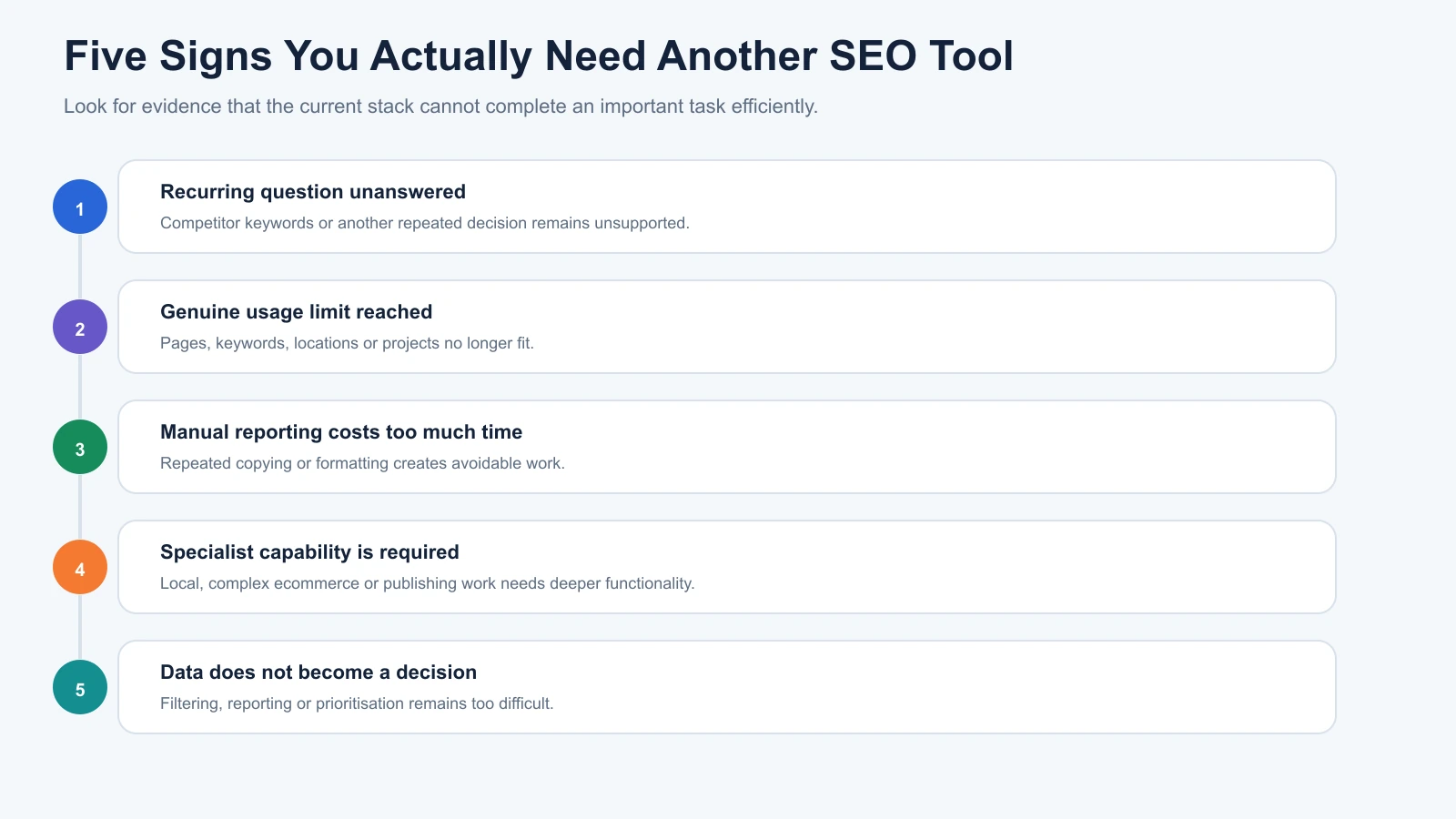
Before adding software, look for evidence that your current stack cannot complete an important task efficiently.
1. Your Current Tools Can’t Answer a Recurring Question
Perhaps you need to identify competitors’ ranking keywords, but your current setup only provides information about your own website.
That is a reasonable reason to consider competitor research software.
2. You’ve Reached a Genuine Usage Limit
Your crawler may no longer cover the required pages, or your rank tracker may not support the keywords and locations you need.
An upgrade could be justified when the limitation affects regular work.
3. Manual Reporting Is Taking Too Much Time
If your team repeatedly copies information between several systems, an integrated reporting tool may reduce unnecessary work.
However, check whether the same result is already possible through existing integrations and free dashboards.
4. Your Business Requires Specialist SEO Capabilities
Multi-location businesses, complex ecommerce websites, and large content publishers may eventually need software beyond a general SEO suite.
The need comes from the specialist task, not simply the size of the business.
5. Your Existing Tools Produce Data but Not Usable Decisions
Sometimes the issue isn’t missing data but the effort required to interpret it.
A platform with clearer filtering, reporting, or prioritisation may be valuable.
Before buying anything, confirm that the problem cannot be solved through better processes or use of the software you already own.
How to Test Whether You Need Another SEO Tool
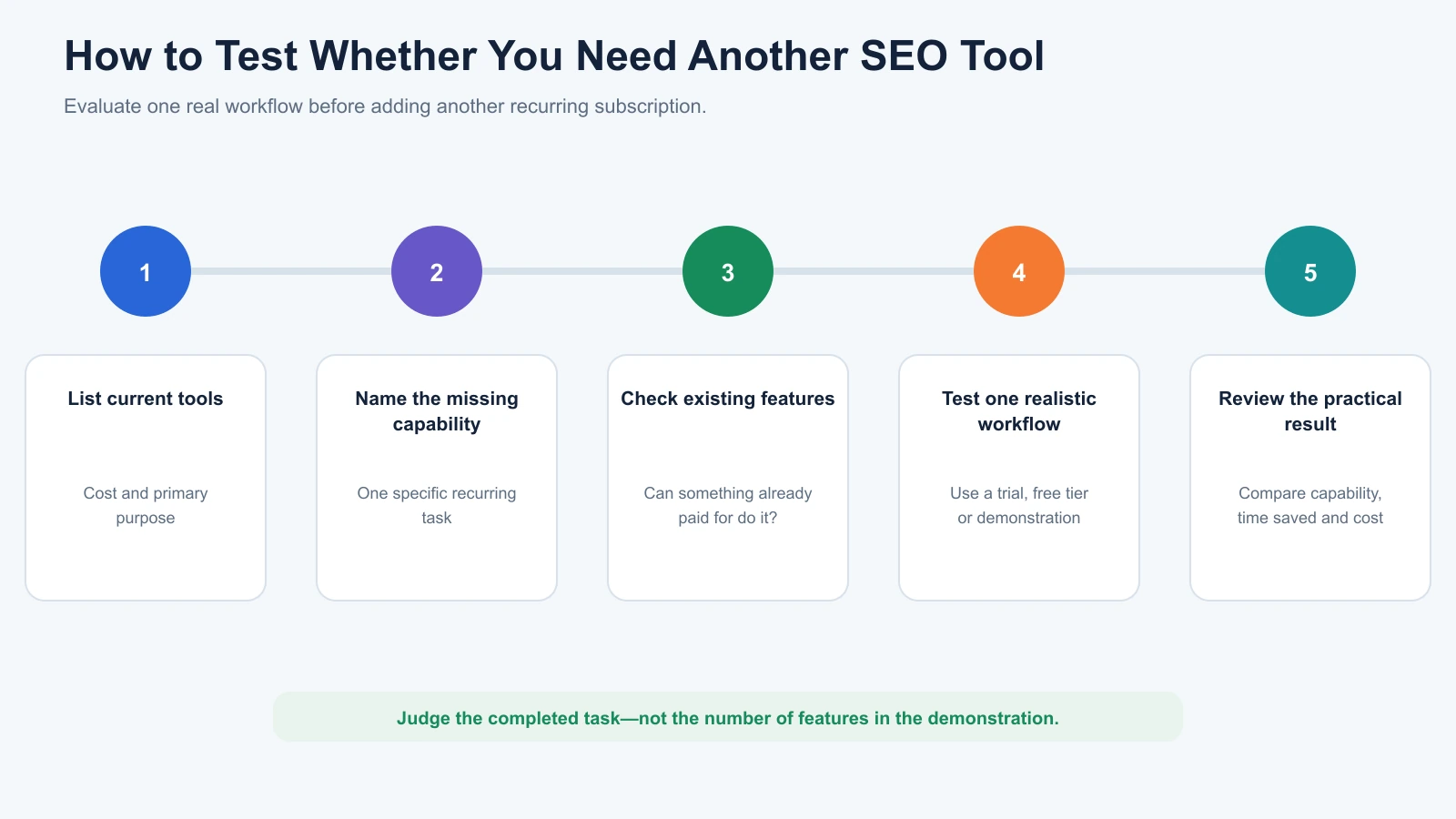
Use this five-step process before purchasing another subscription.
- List your current tools. Write down every platform, its cost, and the main reason your team uses it.
- Identify the missing capability. Describe a specific task that cannot be completed efficiently with the current setup.
- Check existing features. Determine whether another tool you already pay for can handle that task.
- Test a relevant alternative. Use a free tier, trial, or demonstration to complete one realistic workflow.
- Review the practical result. Consider whether the additional capability, time saved, or improved output justifies the cost.
Avoid judging products only by their dashboards.
A tool that looks impressive during a demonstration may be unnecessary if your team rarely uses its advanced features.
Similarly, a specialist tool with a less polished interface can still be valuable when it solves a complicated technical problem.
Common Mistakes That Lead to Too Many SEO Tools
One frequent mistake is subscribing to several products with overlapping keyword research features.
Different datasets can be useful, but paying for multiple platforms that produce nearly identical reports may not improve decision-making.
Another mistake is purchasing dedicated rank-tracking software before deciding whether Search Console already provides enough information.
Search Console’s aggregated average position is not identical to location-specific rank tracking, so specialist tracking has value when those distinctions matter.
However, it isn’t always necessary for a small website.
Businesses also sometimes buy content optimisation software before establishing a consistent publishing process.
A tool cannot replace a clear understanding of search intent, useful content, and the needs of the intended audience.
Finally, some teams upgrade to expensive plans simply because they expect their websites to grow.
That can make sense when future capacity is already required, but paying for unused functionality indefinitely is rarely efficient.
How to Keep Your SEO Tool Stack Lean
A useful software audit asks a straightforward question: what does each product contribute?
For example, Search Console may be responsible for first-party search performance. GA4 measures website activity. A research platform supports keyword and competitor analysis, while a crawler handles technical investigation.
That provides a clear division of responsibilities.
When two subscriptions appear to perform the same job, investigate whether both are necessary.
Sometimes they provide different data or specialist capabilities worth retaining.
Other times, one platform can replace the other without affecting important work.
Review software usage periodically, especially before renewals or major plan upgrades.
There’s no need to reduce your stack to an arbitrary number if additional tools genuinely support your business.
The goal is to prevent unnecessary overlap while keeping the capabilities that matter.
Final Verdict: How Many SEO Tools Does a Business Actually Need?
For many small businesses, two to four regularly used SEO tools are enough to establish an effective starting workflow.
Begin with Google Search Console and Google Analytics 4.
Add keyword research when you need a broader view of search opportunities. Introduce technical auditing or dedicated tracking when your website and ongoing work require them.
As the business grows, an integrated platform or specialist tool may make sense.
However, a larger stack isn’t automatically a more effective one.
At MediaOne, our approach is to give each tool a clear responsibility: understand demand, investigate problems, monitor performance, or support decisions.
If your existing software already answers those questions efficiently, another subscription is unlikely to be the missing piece.
The best SEO toolkit isn’t the one with the most platforms. It’s the smallest combination that gives your business the information and capabilities it actually needs.
Frequently Asked Questions
How Many SEO Tools Do Small Businesses Need?
Two to four regularly used tools are a reasonable starting point for many small businesses. Search Console and GA4 cover important measurement needs, while keyword research and technical auditing can be added when necessary. More complex websites may need additional specialist products.
Can I Do SEO Using Only Free Tools?
Yes. Google Search Console, GA4, Google Keyword Planner, Google Trends, PageSpeed Insights, and Screaming Frog’s limited free edition can support meaningful SEO work. Paid software becomes more useful when you need greater scale, competitor intelligence, advanced monitoring, or workflow automation.
Which SEO Tool Should I Start With?
Google Search Console is an excellent first tool because it helps you understand how your website appears and performs in Google Search. Pair it with GA4 when you need to connect search visibility with website activity and conversions. Additional products should address specific gaps in that baseline.
Do I Need Both Google Search Console and Google Analytics?
The two platforms complement each other. Search Console reports search visibility, queries, clicks, impressions, and indexing information. GA4 helps measure visitor activity after arrival. They use different measurements and are useful together, although some businesses may not require detailed analytics immediately.
Should Small Businesses Pay for Semrush or Ahrefs?
These platforms can be valuable when businesses regularly conduct keyword research, competitor analysis, or backlink investigations. However, smaller websites may not need their full capabilities. Compare actual research requirements, subscription limits, and cost before purchasing.
Do I Need a Separate Rank Tracking Tool?
Not always. Search Console provides useful search performance trends and average-position information. A dedicated rank tracker becomes more relevant when you need fixed-keyword tracking, specific locations, devices, competitor rankings, or scheduled monitoring. These functions aren’t identical to Search Console reporting.
When Should I Add a Technical SEO Tool?
Add a technical SEO tool when you need to investigate crawlability, redirects, canonical signals, internal linking, or website architecture more thoroughly. Screaming Frog’s free version may be sufficient for smaller websites, while larger or more complex properties may require advanced crawling features.
How Much Should Small Businesses Spend on SEO Tools?
A small business can begin with free SEO software. Paid subscriptions should be considered when they remove a recurring limitation or support valuable work. There is no universal monthly budget, since the right investment depends on the website, team, and services required.
How Long Does It Take to See ROI From SEO Tools?
There’s no guaranteed timeline. SEO tools provide information and capabilities, but results depend on what the business does with them. Measure value through useful tasks completed, operational time saved, technical problems resolved, and improvements in relevant business outcomes.
Can One SEO Tool Replace Several Others?
An all-in-one platform can combine keyword research, competitor analysis, technical auditing, and rank tracking. However, specialist products may offer more depth in certain areas. A business should evaluate whether consolidation genuinely improves its workflow before replacing existing tools.
Disclosure: digitalmarketingtools.ai is sponsored by Digimetrics.ai. Sponsored Highlights are clearly labelled advertising. Our reviews, comparisons and guides are written to be useful and fair regardless of who sponsors the site. Read the full disclosure.


