
What Is an SEO Audit Tool? What It Checks, What It Misses and How to Use One in 2026
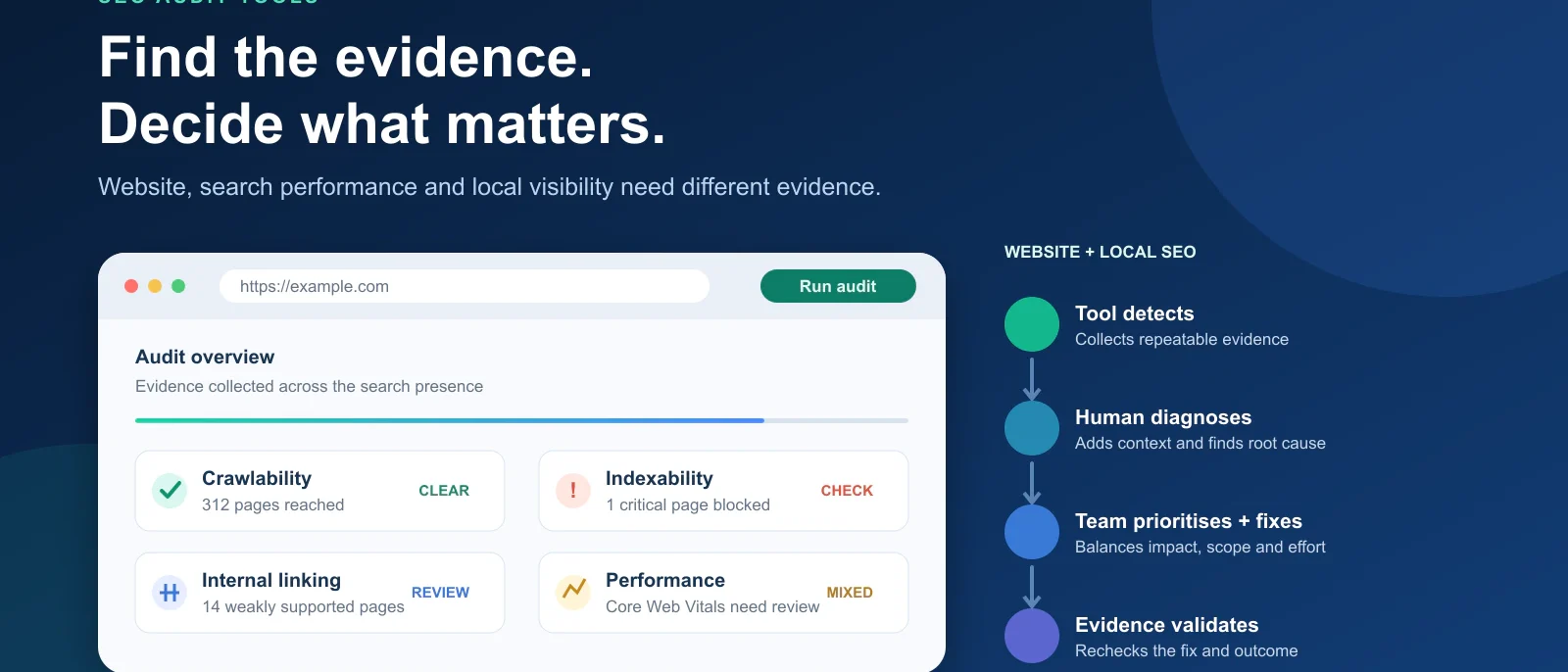
An SEO audit tool can crawl a website and surface technical, content and search issues. The harder part is knowing which findings matter, what the tool cannot see and what should happen next.
An SEO audit tool is software that examines a website or search presence for conditions that may affect organic visibility.
Depending on the platform, that can mean crawling URLs, checking indexing signals, identifying technical errors, analysing internal links, measuring page performance, reviewing backlinks, inspecting content or evaluating local-search signals.
The important distinction is that an SEO audit tool is not the same thing as an SEO audit.
The tool collects evidence. The audit requires someone to interpret that evidence, understand which findings matter and decide what should actually be fixed.
That distinction becomes important very quickly.
A crawler might report 700 missing alt attributes, 80 duplicated title tags and one accidentally noindexed revenue page. The first issue affects the most elements, but the single noindexed page may deserve attention first because it prevents an important page from appearing in Google at all.
Our rule is simple:
Detection is not diagnosis, and issue count is not priority.
This guide explains how SEO audit tools work, what a website SEO audit tool actually checks, how local SEO auditing differs and how to turn an automated report into a useful action plan.
If you are already comparing individual products rather than learning how auditing works, see our Best SEO Audit Tools comparison. If your priority is completing as much of the process as possible for $0, start instead with our Free SEO Audit Tools guide.
What Is an SEO Audit Tool?
An SEO audit tool is software designed to identify conditions that may affect how a website is crawled, indexed, understood or discovered through search.
Some audit tools are primarily website crawlers. They visit pages in a similar way to a search bot and record technical information such as status codes, canonical tags, redirects, internal links and directives.
Others are broader SEO platforms. They may combine crawling with search rankings, backlink data, keyword research, competitor analysis and reporting.
There are also specialist tools that audit only one layer of the problem. PageSpeed Insights, for example, focuses on performance rather than attempting to act as a complete SEO audit platform.
This is why “SEO audit tool” is better understood as a category of evidence-gathering tools rather than one specific kind of software.
| Audit layer | What the tool is trying to answer |
| Crawlability | Can search engines reach important URLs? |
| Indexability | Are important pages eligible to appear in search? |
| Technical SEO | Are redirects, canonicals, directives and architecture configured correctly? |
| On-page SEO | Are important page elements missing or inconsistent? |
| Internal linking | Can important pages be discovered and supported internally? |
| Performance | Are speed and Core Web Vitals creating problems? |
| Structured data | Is markup present and valid? |
| Backlinks | What external links and domains point to the site? |
| Search performance | Which pages and queries are gaining or losing visibility? |
| Local SEO | How strong is the business’s local-search presence? |
| AI visibility | Can AI/search systems access and understand important content? |
No single tool necessarily covers all of these layers well.
That is why choosing an audit tool should begin with the question you need answered, not the length of the feature list.
SEO Audit Tool vs SEO Audit: What’s the Difference?
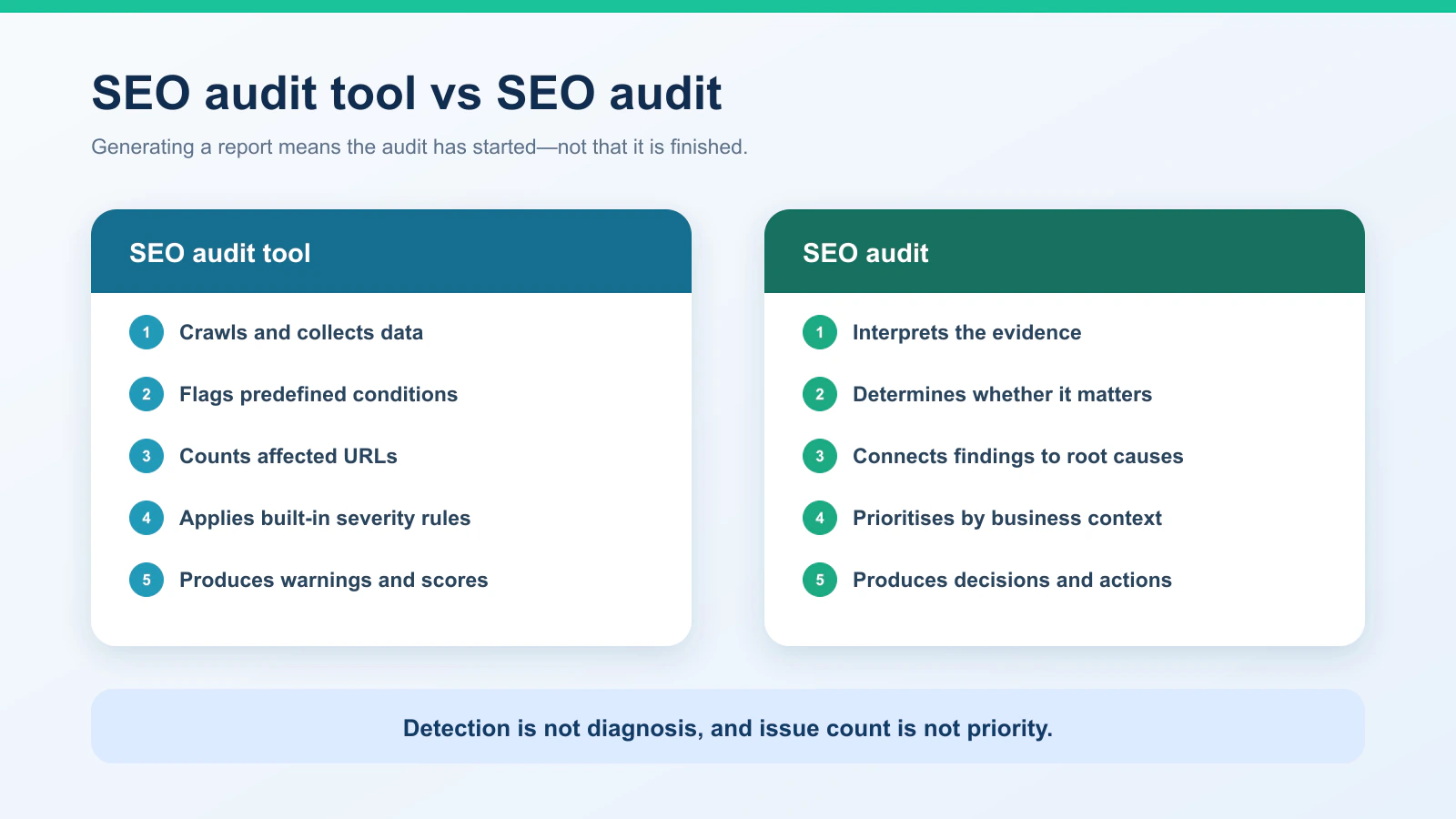
The easiest mistake to make is assuming that generating an automated report means the audit is finished.
It usually means the audit has started.
| SEO audit tool | SEO audit |
| Crawls and collects data | Interprets the evidence |
| Flags predefined conditions | Determines whether the condition matters |
| Counts affected URLs | Evaluates business and search impact |
| Uses built-in severity rules | Prioritises according to context |
| Produces warnings and scores | Produces decisions and actions |
| Can often run automatically | Still requires judgement |
Consider a website where an audit tool reports:
742 images missing alt attributes
91 duplicated titles
14 redirected internal links
1 important service page set to noindex
A dashboard may make the first number look dramatic because hundreds of elements are affected.
An experienced SEO may prioritise the single noindexed service page because its potential impact is much greater.
This is one reason we do not recommend treating the number of issues in an audit as a prioritisation system.
Issue count tells you scale. It does not automatically tell you impact.
How Does a Website SEO Audit Tool Work?
A website SEO audit tool usually begins by crawling a website from one or more starting URLs.
The crawler follows internal links, requests pages and resources, records what it receives and evaluates the resulting data against predefined conditions.
A simplified workflow looks like this:
Starting URL → crawl discovery → page analysis → issue classification → affected URLs → recommendations → validation after fixes
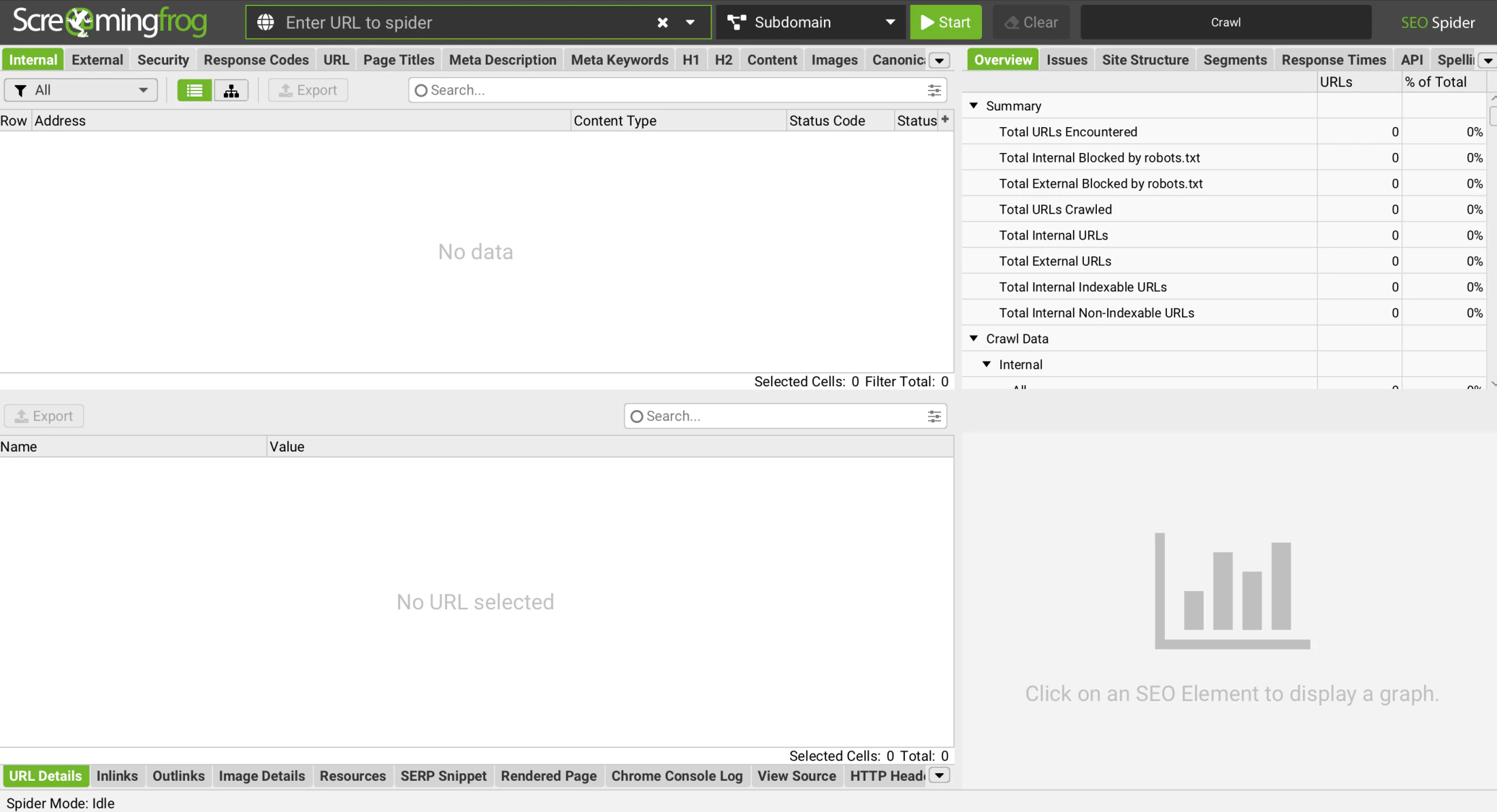
Screaming Frog SEO Spider is a clear example of the crawler approach. It can collect technical information across URLs and expose data such as response codes, metadata, canonicals, directives and internal-link relationships.
Platforms such as Semrush Site Audit and Ahrefs Site Audit take that crawling process and place it inside a broader SEO environment.
The important limitation is that a crawler only sees what it is able and configured to crawl.
Authentication, robots rules, JavaScript, URL parameters, rendering settings, crawl ceilings and internal architecture can all affect what is discovered.
So if a website SEO audit tool returns an 85/100 health score, that does not necessarily mean it has perfectly evaluated every SEO condition across the entire business.
It means the product analysed the data it could collect according to its own rules and scoring model.
What Does an SEO Audit Tool Actually Check?
Different tools check different things, but most website audits cover several recurring areas.
Crawlability and Indexability
The first question is whether search engines can reach and potentially index the pages that matter.
A tool may identify blocked pages, noindex directives, broken URLs, canonical inconsistencies, redirects or pages receiving little internal support.
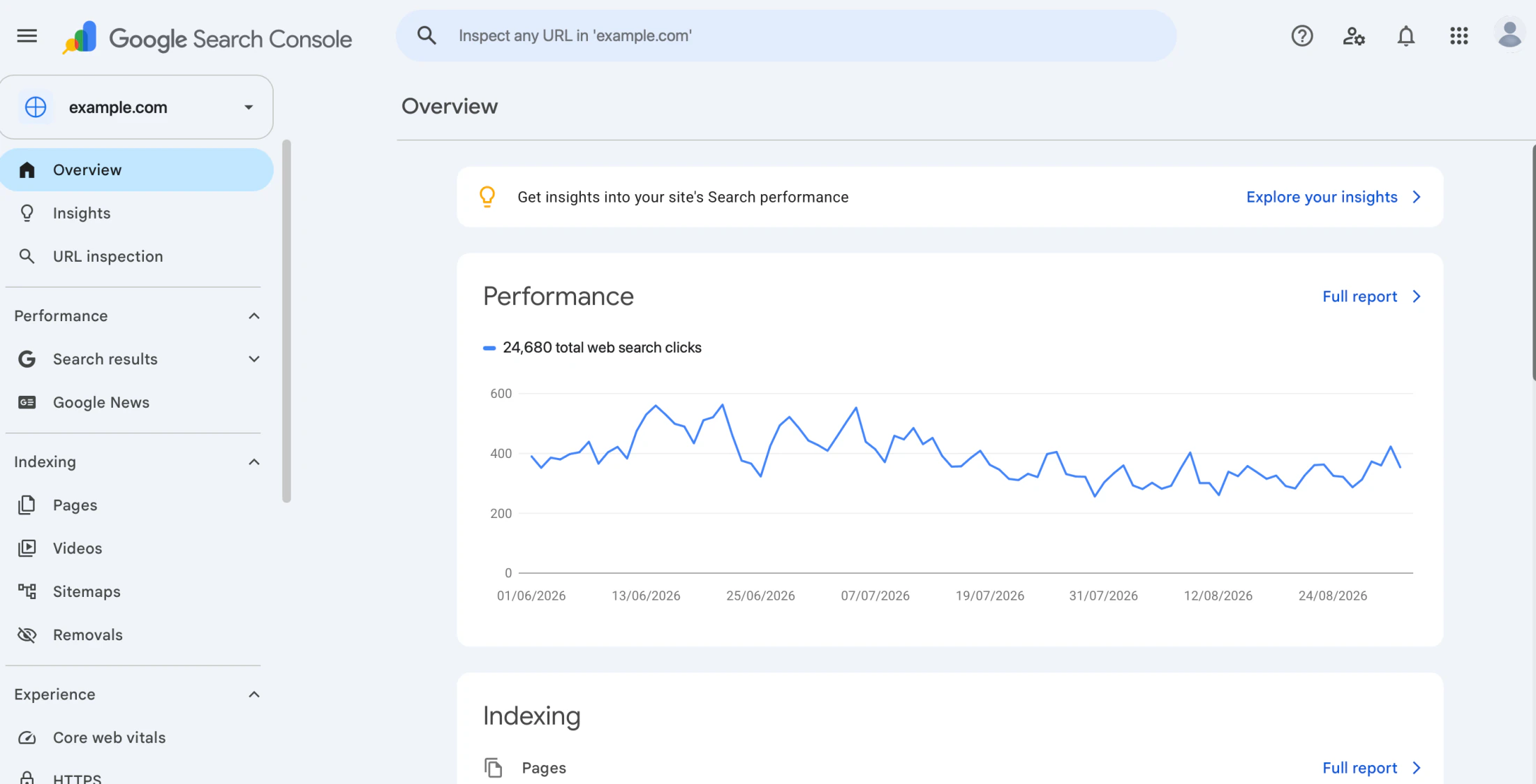
This is also where Google Search Console becomes especially valuable.
Search Console is not a conventional crawler, but Google’s own documentation describes it as a tool for monitoring and troubleshooting how Google finds, crawls and indexes a site. Its Page Indexing and URL Inspection reports can provide first-party evidence about what Google itself sees.
That evidence should often carry more weight than another generic health score when the question is specifically “Does Google know about and index this page?”
Technical SEO
A technical audit may inspect status codes, redirects, canonical tags, hreflang, robots directives, duplicate URLs, sitemaps, metadata and site architecture.
This is where dedicated crawlers tend to offer more granular control.
A broad SEO suite may make the findings easier to understand and prioritise, while a specialist crawler may give an experienced practitioner much more flexibility over what is crawled and how the data is filtered.
Internal Linking
Internal links affect discovery, navigation and how authority moves through a website.
An audit tool can identify orphaned or weakly linked pages, excessive crawl depth, broken internal links and architectural patterns that make important URLs difficult to reach.
However, the software does not inherently know which pages are commercially important.
A page five clicks from the homepage may be a serious problem if it is a major service page. The same depth may matter much less for an old archive page.
Performance
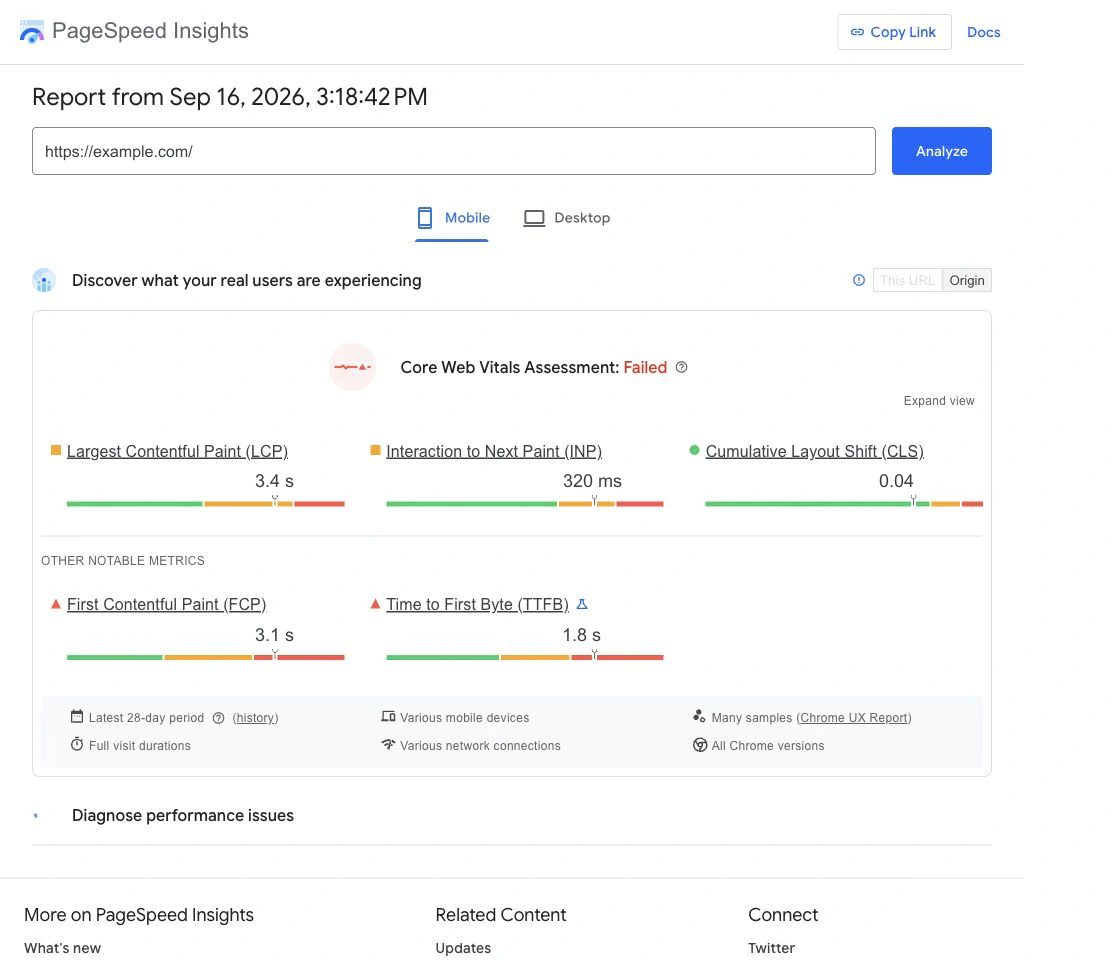
Performance requires a different form of evidence from conventional crawling.
PageSpeed Insights can help investigate page performance and Core Web Vitals, but it should not be confused with a complete website SEO audit.
A technically valid page can still have the wrong search intent, poor internal support or weak content. Likewise, a crawler can find clean metadata without telling you whether real users are experiencing poor performance.
Audit tools are most useful when each one is given the layer it is actually designed to investigate.
What Is a Local SEO Audit Tool?
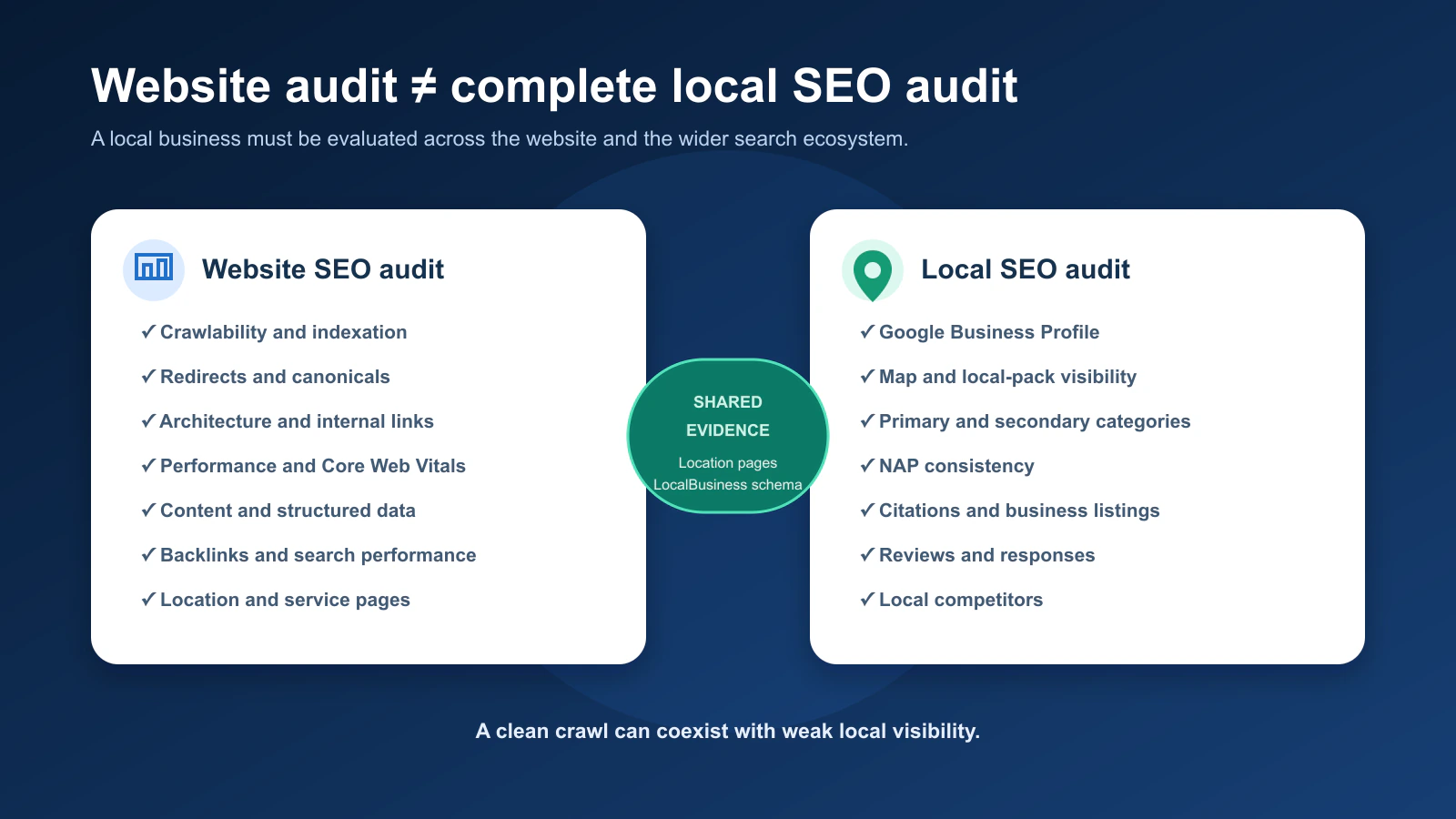
A local SEO audit tool evaluates more than the website itself.
A conventional website audit asks whether the site’s technical and content foundations are healthy. A local SEO audit also examines how a physical or service-area business appears across local search ecosystems.
That can include Google Business Profile information, map visibility, business categories, reviews, citations, location pages and consistency of business information across the web.
| Website SEO audit | Local SEO audit |
| Crawlability | Google Business Profile |
| Indexation | Local pack / map visibility |
| Canonicals | Business categories |
| Site architecture | NAP consistency |
| Internal links | Citations and listings |
| Performance | Reviews and responses |
| Content | Location/service pages |
| Structured data | LocalBusiness schema |
| Backlinks | Local competitors |
This is why a technical crawler by itself cannot perform a complete local SEO audit.
BrightLocal’s Local Search Audit, for example, explicitly evaluates both SEO and local SEO factors rather than treating the website as the entire local-search presence.
For a local business, this creates a wider audit question:
Is the website technically healthy, and does the business present enough consistent local evidence for search engines and customers to understand who it is, where it operates and what it does?
Why Local SEO Audits Need Different Evidence
Imagine a local dental clinic with an excellent website.
Its pages load quickly, internal links work, canonicals are correct and no important technical issues appear in the crawl.
But its Google Business Profile uses the wrong primary category, several prominent listings show an old address and its most important location page barely mentions the service area.
A standard website audit can come back looking healthy while the local-search system is still weak.
That is why the phrase “local SEO audit tool” should not simply mean “website crawler with a local keyword entered.”
The Main Types of SEO Audit Tools
Instead of trying to find one product that owns every layer, it is more useful to understand the different jobs.
Website Crawlers
Tools such as Screaming Frog specialise in direct crawling and technical evidence.
They are particularly useful when the question is:
What is actually happening across these URLs?
The trade-off is that direct crawl data still needs interpretation.
All-in-One SEO Audit Platforms
Platforms such as Semrush, Ahrefs and SE Ranking combine auditing with other SEO datasets.
Their advantage is context. A technical issue can be investigated alongside keywords, rankings, links or competitor information rather than treated as an isolated warning.
If this is the kind of workflow you need regularly, our Best SEO Audit Tools in 2026 comparison goes deeper into the major platforms and the limitations each paid upgrade removes.
First-Party Search Tools
Google Search Console belongs in almost every audit of a website you control.
Google says Search Console can help site owners confirm that Google can find and crawl their site, troubleshoot indexing problems and analyse Search traffic.
That is different from what a third-party crawler provides.
A crawler tells you what it observed.
Search Console can show what Google observed about your property.
Neither replaces the other.
Performance Tools
Performance auditing has its own specialist layer.
PageSpeed Insights can provide performance evidence that a conventional crawler may not fully capture, particularly when investigating Core Web Vitals and page-level experience.
Again, the important idea is metric ownership.
Use the performance tool to investigate performance. Do not ask it to own the entire SEO diagnosis.
Local SEO Audit Platforms
Local SEO tools add evidence around business listings, reviews, local rankings and profiles that a conventional crawler does not own.
The need for this category depends entirely on the business model. A SaaS company targeting a global audience has very different local-audit requirements from a dentist, restaurant, hotel or multi-location retailer.
What SEO Audit Tools Can Tell You
At their best, audit tools answer four very useful questions:
What was detected? Where is it happening? How widespread is it? What evidence should we investigate next?
Those questions can dramatically reduce manual work.
Instead of inspecting 2,000 pages individually for broken internal links, a crawler can identify the affected URLs in one report. Instead of checking whether every page is indexed manually, Search Console can show broader indexing patterns and help investigate individual URLs.
But that still does not answer:
Which finding deserves our time first?
That is where an audit moves from data collection into diagnosis.
What SEO Audit Tools Cannot Tell You Reliably
Automated tools perform best when a condition can be expressed as a repeatable rule.
A URL returns 404. A canonical points elsewhere. A title is missing. A page is set to noindex.
Those are relatively straightforward conditions.
The harder questions are contextual.
A tool does not inherently know whether the page affected by a problem generates half of your qualified leads. It cannot automatically know whether a technically valid page satisfies search intent. It cannot prove that one technical warning caused a traffic decline simply because both appeared during the same period.
It also does not know your engineering capacity.
A serious technical issue that affects three low-value archive pages may still deserve less immediate attention than a simpler problem affecting an important revenue template.
This is why a useful SEO audit combines tool evidence with business context.
Why SEO Health Scores Can Be Misleading
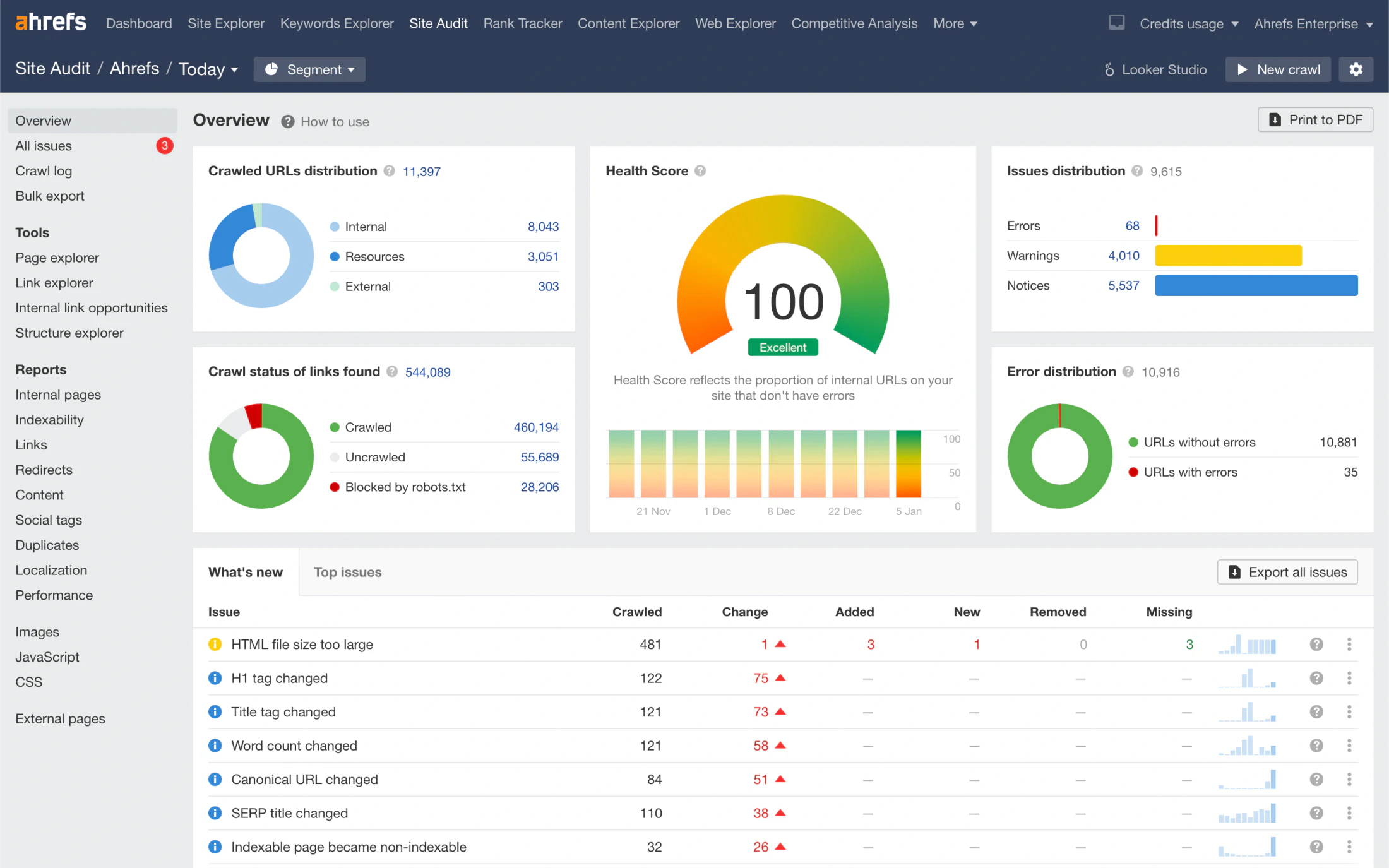
Imagine three SEO audit tools return these scores:
| Tool | Site health |
| Tool A | 93/100 |
| Tool B | 84/100 |
| Tool C | 77/100 |
Which one is correct?
Potentially all three according to their own methodology.
There is no universal Google-issued SEO health score that every platform independently measures.
One tool may place greater weight on duplicate metadata. Another may care more about broken links. Another may classify warnings differently or crawl a different set of URLs.
That does not make health scores useless.
They can be helpful for monitoring the same property inside the same platform over time.
If a site’s health score drops sharply after a deployment, that change can be a useful signal.
The mistake is turning “increase our audit score from 82 to 100” into the SEO objective.
A healthier score is useful only when it reflects meaningful improvements to the website.
How to Turn an Audit Report Into an Action Plan
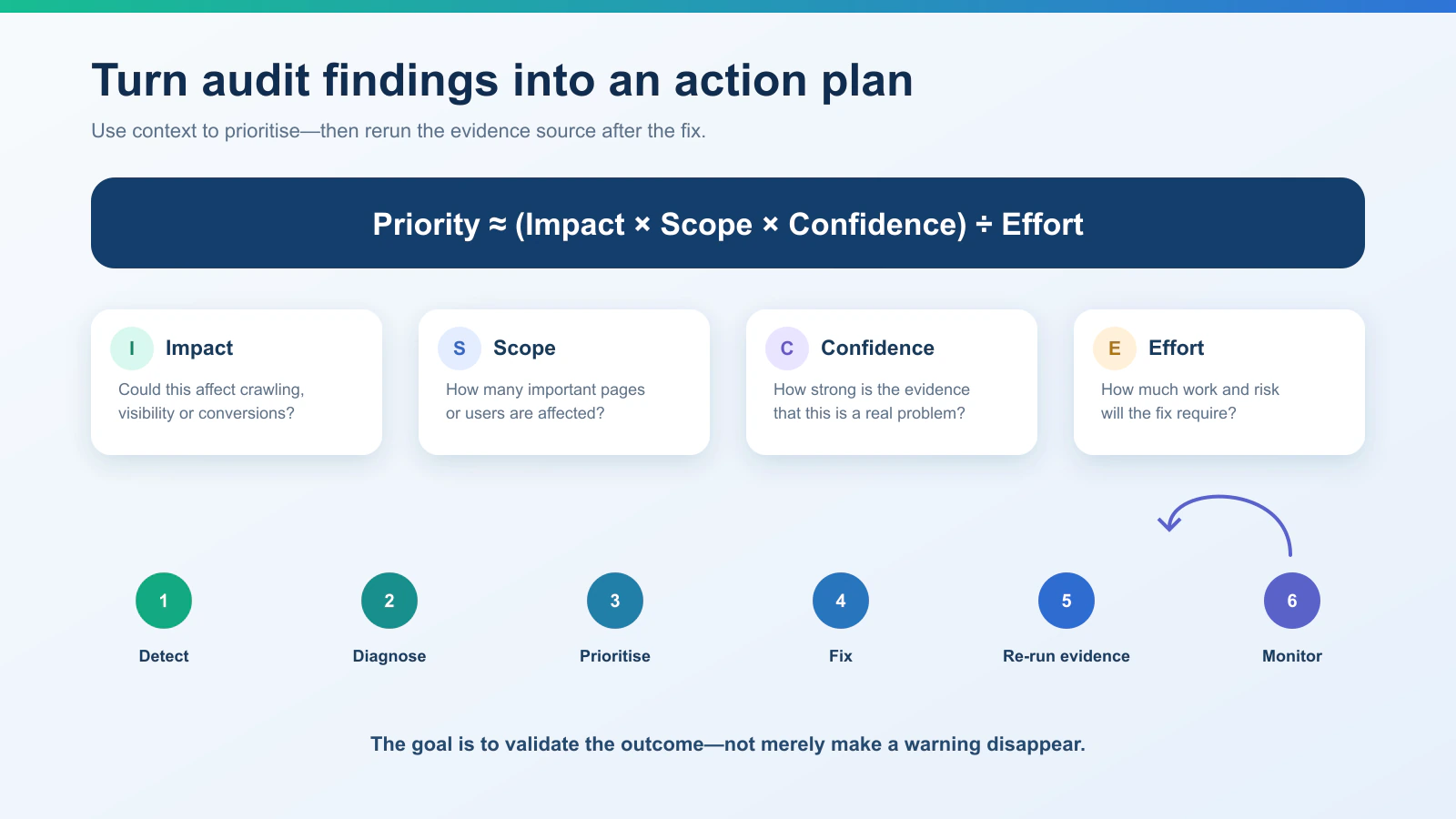
Once a website SEO audit tool finishes crawling, do not automatically copy every warning into a project-management system.
Start by grouping findings around their likely root cause.
If one faulty template creates the same canonical warning on 800 URLs, you probably do not have 800 separate SEO tasks. You have one high-scope template problem.
We find it useful to prioritise findings using four factors:
| Factor | Question |
| Impact | Could this materially affect crawling, indexing, visibility, experience or conversions? |
| Scope | How many important pages or users are affected? |
| Confidence | How strong is the evidence that this is genuinely a problem? |
| Effort | How much work will the fix require? |
A simple directional model is:
Priority ≈ (Impact × Scope × Confidence) ÷ Effort
This is not meant to turn SEO into fake mathematical precision.
The purpose is to stop warning count from becoming the prioritisation method.
A problem affecting ten high-value landing pages may deserve attention before a cosmetic warning repeated across hundreds of low-value URLs.
How to Validate an SEO Fix
An audit should not end when the recommendation is sent to a developer.
After the change is implemented, rerun the evidence source that identified the problem.
If a crawler found broken internal links, crawl again.
If the problem concerned indexing, use Search Console and URL Inspection. Google’s URL Inspection tool provides indexing information for specific URLs and can also be used to request indexing after a change, although Google notes that a request does not guarantee inclusion in the index.
If the problem concerned organic performance, monitor Search Console’s Performance report and the relevant analytics data. Google’s Performance report exposes metrics such as impressions, clicks, CTR and search position.
The goal is to validate the outcome, not merely confirm that a warning disappeared.
When Is One SEO Audit Tool Enough?
Sometimes one tool is enough because the question is narrow.
If you are investigating page speed, PageSpeed Insights may provide the evidence you need.
If the problem is whether Google has indexed one important URL, Search Console may be the most relevant source.
If you need to inspect internal redirects and canonicals across a 200-page website, a technical crawler may be enough for the first diagnosis.
A broader SEO audit usually becomes multi-source because different tools own different parts of the problem.
For smaller websites, you can cover a substantial part of that workflow without paying for another suite. Our Free SEO Audit Tools in 2026 comparison looks at how Search Console, Screaming Frog, Ahrefs Webmaster Tools, PageSpeed Insights, Semrush, Bing and Digimetrics fit together before the free limits become the constraint.
Where Digimetrics Fits: From Audit Findings to SEO Action
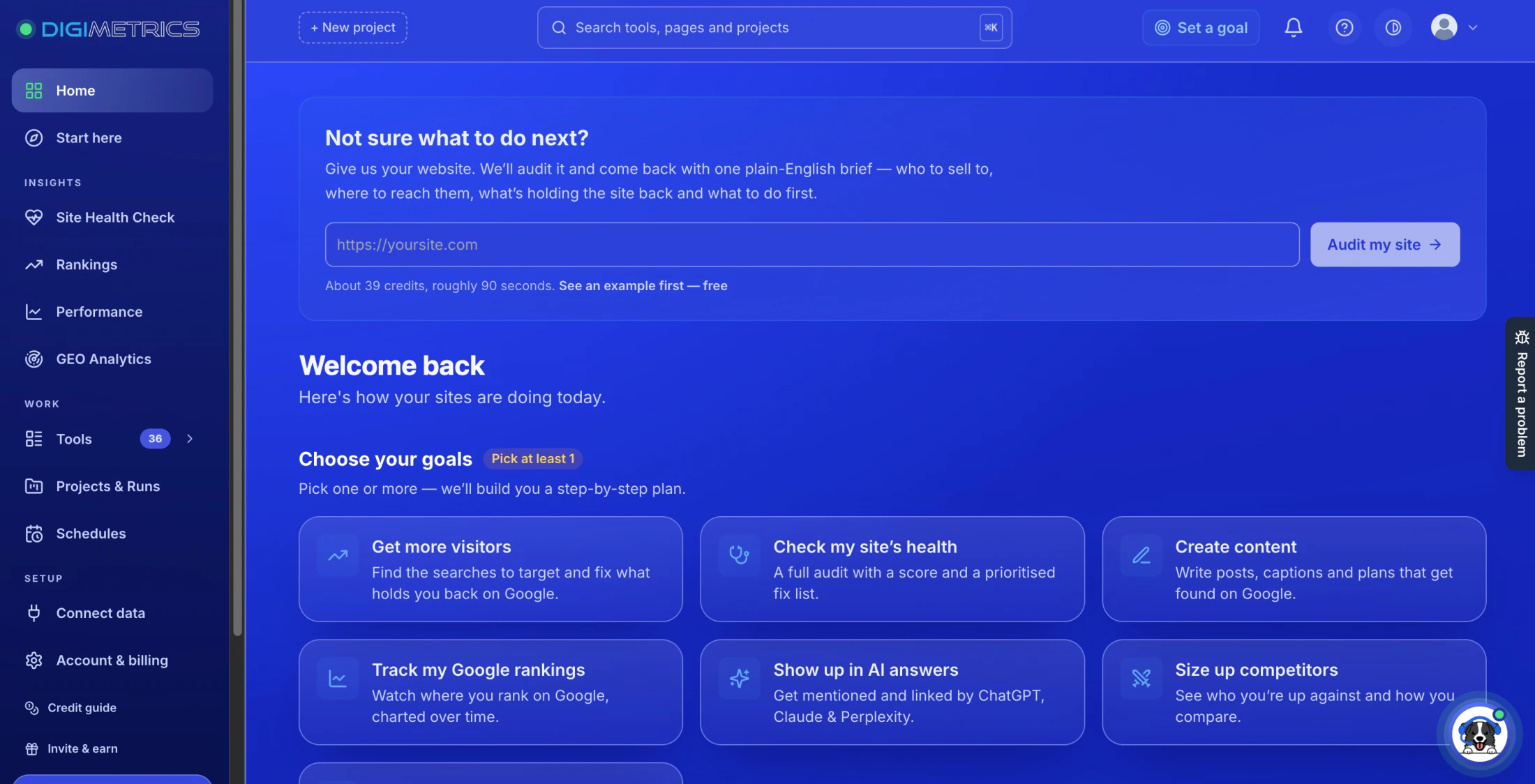
Disclosure: Digimetrics is built by our team.
From Audit Finding to Diagnosis
Digimetrics approaches auditing as one part of a wider SEO workflow rather than an isolated report.
Its SEO toolkit includes capabilities such as Technical SEO Crawler, Full Site Audit, SEO Diagnostics, On-Page Optimisation, Page Technical & Domain Analysis and Page Speed Check alongside keyword, ranking, backlink and competitor workflows.
The useful distinction is what happens after an issue is found.
A technical audit may identify a weak page. The next question could be whether the problem is technical, competitive, content-related or a combination of several factors.
From Diagnosis to Action
This is where integrated tooling can become useful.
An audit finding can move into SEO diagnostics, on-page optimisation, content analysis, competitor comparison or connected first-party data without rebuilding the entire investigation somewhere else.
That does not mean every integrated module is automatically deeper than every specialist.
Screaming Frog may still be the better tool for a highly configurable technical crawl. A specialist backlink platform may provide greater depth for intensive link research.
When an Integrated Workflow Makes Sense
The value of consolidation appears when the handoffs become part of the problem.
If your workflow repeatedly looks like:
crawl → export → analyse elsewhere → compare content elsewhere → check Search Console elsewhere → build another report
then reducing those transitions can save meaningful time.
The question is not whether one platform can replace every specialist tool.
It is whether keeping adjacent audit, diagnosis and optimisation tasks closer together removes enough manual work to improve the process.
How to Choose an SEO Audit Tool
The right audit platform depends on what you are actually trying to investigate.
A small brochure website does not require the same crawl infrastructure as a 500,000-URL ecommerce property. A local restaurant has different audit requirements from a global SaaS platform. An agency running recurring client audits needs different reporting and automation from someone investigating one indexing problem.
Before comparing features, define the constraint.
| Question | Why it matters |
| What kind of audit are you running? | Technical, local, content or full-site |
| How large is the website? | Determines crawl capacity |
| Do you control the property? | Verification can unlock first-party/free data |
| One-off or recurring? | Determines monitoring requirements |
| Is the site JavaScript-heavy? | Rendering capability may matter |
| Is local SEO important? | Website crawling alone is insufficient |
| Do you need competitor evidence? | Requires external datasets |
| Do several people need the report? | Collaboration and reporting become important |
Once those requirements are clear, product comparisons become much more useful.
If your audit is recurring and you are evaluating paid platforms, see our Best SEO Audit Tools in 2026 comparison.
Common SEO Audit Tool Mistakes
The most common mistake is trying to fix everything simply because the software flagged it.
A warning is a reason to investigate, not an automatic development ticket.
Another mistake is trusting one platform’s severity label without context. “Critical” inside an audit dashboard may describe how the product categorises a condition, but business priority depends on the affected pages, actual search impact and how confidently the issue is connected to performance.
The third mistake is relying on one evidence source for every SEO question.
A crawler cannot replace Search Console for first-party Google indexing evidence. Search Console cannot replace a configurable technical crawler. PageSpeed Insights cannot replace either one.
A good audit gives each source the job it is best equipped to do.
Final Verdict: The Tool Finds the Evidence, the Audit Decides What Matters
SEO audit tools are extremely useful because they can inspect websites at a scale that would be unrealistic to handle manually.
They can find broken URLs, crawl problems, indexing signals, canonical mistakes, weak internal links, performance issues and hundreds of other conditions much faster than someone checking every page individually.
But producing more warnings does not automatically produce a better audit.
The real value comes from connecting those findings to impact, scope, confidence, business importance and implementation effort.
A website SEO audit tool can show you what happened technically. Search Console can help show what Google observed. A local SEO audit tool can expand the investigation beyond the website into listings, reviews and local visibility.
The job of the audit is to connect those pieces into a decision.
That is the difference between a report containing 500 SEO issues and an audit that tells the team what to fix first, why it matters and how to verify that the fix worked.
Frequently Asked Questions
What Is an SEO Audit Tool?
An SEO audit tool is software that examines a website or search presence for conditions that may affect organic visibility.
Depending on the platform, it may analyse crawlability, indexing, technical configuration, internal linking, page performance, content, backlinks, rankings or local-search signals.
What Does a Website SEO Audit Tool Do?
A website SEO audit tool typically crawls pages and collects technical information such as response codes, redirects, canonical tags, metadata, internal links and directives.
Some platforms add keyword, ranking, backlink and competitor data around the crawl.
What Is a Local SEO Audit Tool?
A local SEO audit tool evaluates factors that affect local-search visibility in addition to the website itself.
That can include Google Business Profile information, local rankings, reviews, business listings, citations, NAP consistency, location pages and local competitors.
Are SEO Audit Tools Accurate?
They can be very accurate at detecting rule-based conditions such as broken URLs, redirects, missing tags or directives.
Interpretation is more difficult.
A tool may correctly detect hundreds of warnings without knowing which ones matter most to the business.
Is Google Search Console an SEO Audit Tool?
Search Console is not a conventional website crawler, but it is one of the most important audit sources for websites you control.
Google provides information about crawling, indexing and Search performance through Search Console, making it especially valuable for validating what Google itself sees.
Can I Audit My Website for Free?
For many smaller websites, yes.
Search Console, Screaming Frog’s free edition, PageSpeed Insights and other limited or free tools can cover a substantial first-pass technical and search audit.
Our Free SEO Audit Tools guide compares the main $0 options and where their limits begin to matter.
What Is the Best SEO Audit Tool?
There is no universal answer because the best choice depends on the website, audit type and workflow.
A specialist crawler may be best for technical investigation, an all-in-one suite may be more useful when auditing needs to connect with competitor and keyword research, and a local SEO platform may be required when Google Business Profile and listings are part of the problem.
Our Best SEO Audit Tools comparison covers those differences in more depth.
Disclosure: digitalmarketingtools.ai is sponsored by Digimetrics.ai. Sponsored Highlights are clearly labelled advertising. Our reviews, comparisons and guides are written to be useful and fair regardless of who sponsors the site. Read the full disclosure.


