
How to Choose a Rank Tracking Tool for Your SEO Workflow
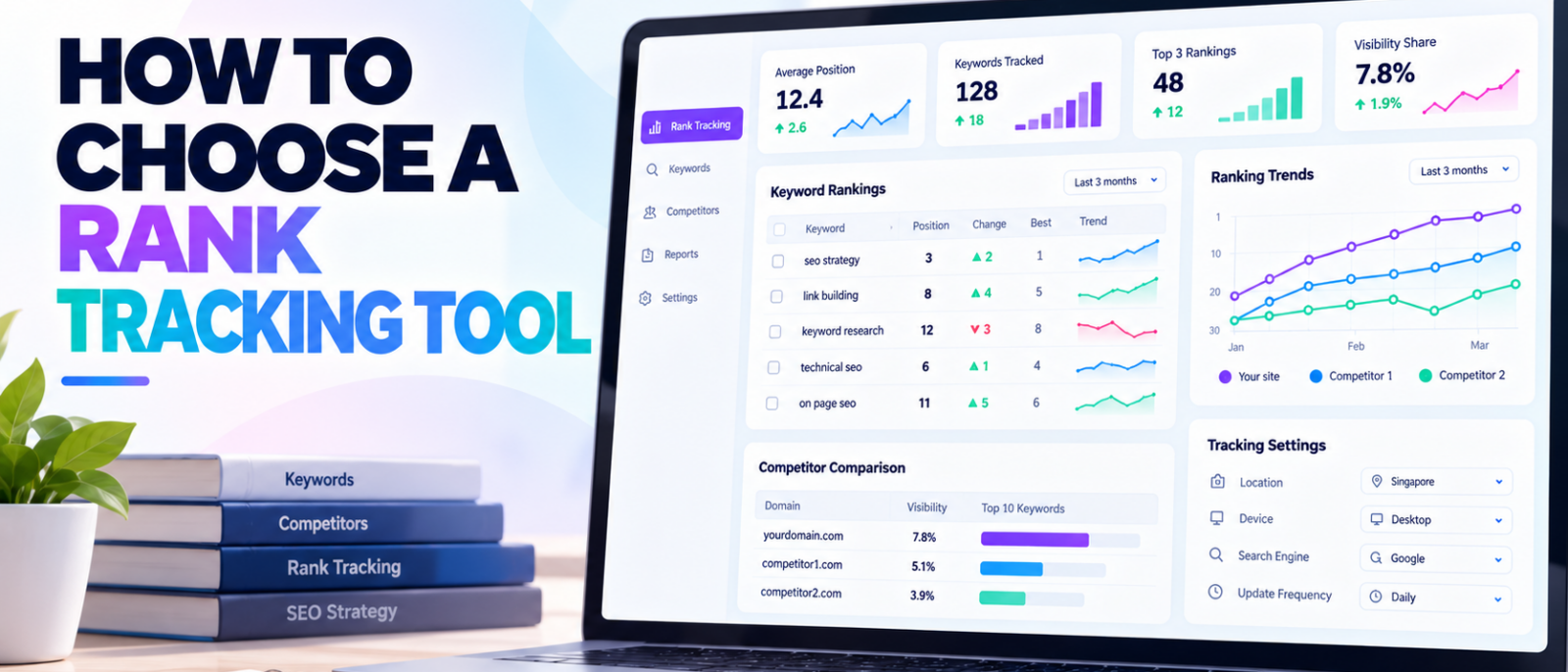
A rank tracking tool can tell you that a keyword moved from position 12 to position 6. But what happens next?
You still need to know whether the change happened on mobile or desktop, which location was measured, whether a different page started ranking, and whether the improvement led to more organic traffic.
Without that context, a ranking report is just another spreadsheet.
Choosing the right SEO keyword ranking tool isn’t about finding the platform with the most features or the fastest updates. It’s about finding one that measures the searches your business cares about, gives you reliable historical context, and helps you decide what to investigate.
Some businesses only need occasional ranking checks. Others require daily location-specific monitoring, competitor comparisons, and automated reporting across dozens of websites.
At MediaOne, our SEO work involves keyword research, technical analysis, performance monitoring, and competitor intelligence. These workflows make one distinction particularly important: ranking data should support SEO decisions, not become the objective of SEO itself.
This guide explains what to look for in a rank tracking tool, how popular platforms differ, and how to test your shortlisted options before committing to a subscription.
Key Takeaways
- Match the tool to your tracking requirements. Location, device, search engine, and keyword coverage matter more than feature count.
- Choose an update frequency you’ll actually use. Daily monitoring suits many active campaigns, but weekly updates may be sufficient for slower reporting cycles.
- Look beyond ranking positions. Useful tools also show landing pages, historical trends, competitors, and search result features.
- Don’t confuse rank tracking with Search Console. Both measure search visibility, but they collect and report different information.
- Test real keywords before purchasing. A small trial using consistent settings reveals more than a long feature comparison.
- Compare the actual tracking cost. Keyword allowances, locations, devices, reporting, and additional users can affect what you pay.
What Does a Rank Tracking Tool Actually Do?
A rank tracking tool monitors where your website appears in search results for a selected set of keywords.
Instead of checking those queries manually, the software records positions at scheduled intervals and lets you examine changes over time.
For example, imagine an ecommerce business tracking the query “waterproof hiking boots.”
A rank tracker can show whether the category page moved from position 9 to position 5, whether a competitor overtook it, and how positions differed between desktop and mobile.
That information becomes useful when the business needs to investigate the change.
Perhaps the ranking URL changed, a competitor updated its category page, or Google started displaying a different search result feature.
The tracker doesn’t necessarily explain why these events happened. It provides evidence that helps narrow the investigation.
Rank Tracking vs Keyword Research

Although the two features frequently appear in the same SEO platform, they serve different purposes.
| Keyword Research | Rank Tracking |
|---|---|
| Helps discover search opportunities | Monitors selected keywords over time |
| Estimates keyword demand | Records ranking positions |
| Provides Keyword Difficulty and intent information | Shows ranking gains, losses, and history |
| Investigates competing pages | Monitors performance against selected competitors |
| Supports content planning | Supports SEO monitoring and reporting |
A keyword research platform helps answer what your business might target.
A rank tracker helps explain what happens after you’ve selected those targets.
Some products combine both functions, which can reduce the need for separate subscriptions.
For a broader explanation of these categories, see our complete guide to SEO tools.
Start With the Rankings You Actually Need to Monitor

Before comparing software, define the information your team needs.
A local service business monitoring five important services has different requirements from an ecommerce company tracking thousands of product-related keywords.
The first decision isn’t which platform to buy. It’s what you need to measure.
Choose Keywords That Represent Business Priorities
You don’t need to track every keyword your website might rank for.
Start with queries connected to your main services, products, content topics, and customer journeys.
For example, a local accounting firm might monitor:
- Its primary accounting services.
- Location-specific searches.
- High-value commercial queries.
- Branded searches.
- Important informational topics.
This creates a more useful tracking set than importing every keyword suggested by a research platform.
Some keywords matter because they generate enquiries. Others help you monitor brand visibility or emerging content opportunities.
Organising them by purpose makes ranking reports easier to interpret.
Decide Whether You Need Local, National, or International Tracking
Geographic targeting is one of the most important rank tracking features.
Search results can vary depending on location, even when users enter the same query.
A business offering services in several cities may need separate tracking for each market.
An international ecommerce website may need country-specific rankings, different languages, and separate mobile and desktop measurements.
These requirements should be confirmed before purchasing.
A platform offering US-wide rankings isn’t necessarily sufficient for a business that needs to understand visibility in individual ZIP codes.
If local search is a major part of your business, our local SEO tools comparison examines specialist options for location-specific monitoring and Google Business Profile workflows.
How Often Should Your Rank Tracking Tool Update?

Update frequency should match how quickly your team needs to react to ranking changes.
Some platforms collect new positions daily, while others use weekly updates by default. Specialist trackers may also provide on-demand or more frequent monitoring.
Faster updates create more data, but they don’t automatically improve SEO performance.
Daily Tracking
Daily updates are useful when you’re actively publishing content, managing competitive pages, or monitoring important ranking changes.
For example, an ecommerce business preparing for a seasonal promotion may want to know whether its commercial category pages are gaining or losing visibility.
Daily snapshots provide more detail about when a movement occurred.
However, not every daily fluctuation requires immediate action.
Google rankings can change naturally, and reacting to minor movements without additional evidence can lead to unnecessary edits.
Weekly Tracking
Weekly monitoring may be enough when the business mainly reviews rankings during weekly or monthly reporting cycles.
It provides a broader view of movement without encouraging constant reactions to small fluctuations.
Ahrefs, for example, documents weekly updates as the default frequency for Rank Tracker.
That isn’t automatically a disadvantage.
If your team doesn’t need daily ranking snapshots, weekly updates may support its workflow adequately.
On-Demand and High-Frequency Tracking
Some specialist products offer more flexible schedules.
AccuRanker provides daily updates and options to refresh keywords or domains when more recent information is needed.
Nozzle advertises flexible tracking schedules, including intervals as frequent as five minutes for selected keywords.
These capabilities can help teams monitoring fast-changing search results or conducting detailed SERP research.
However, high-frequency tracking isn’t necessary for every campaign, and availability may depend on subscription terms.
| Tracking Frequency | When It May Be Useful |
|---|---|
| Occasional checks | Small websites with limited monitoring needs |
| Weekly | Routine SEO reviews and broad progress tracking |
| Daily | Active campaigns, competitive keywords, regular reporting |
| On-demand | Investigating a particular ranking change |
| Hourly or more frequent | Specialised monitoring and volatile search results |
For most businesses, consistent tracking conditions matter more than collecting the maximum number of updates.
Accuracy: Can You Trust the Ranking Data?

Rank tracking accuracy is more complicated than checking whether two platforms display the same position.
A search result can vary by device, location, time, search context, and the type of result being measured.
One tool might report position 4 on desktop in New York, while another reports position 7 on mobile across the United States.
Those results aren’t directly comparable.
Check the Measurement Conditions
A useful rank tracking tool should clearly identify the settings behind its reports.
These include:
- Search engine.
- Country and local area.
- Device.
- Language, where supported.
- Collection date.
- Ranking URL.
- Search result type.
Without those details, diagnosing discrepancies becomes much harder.
A useful evaluation should test the same keywords under matching conditions wherever possible.
Why Manual Google Searches Aren’t a Perfect Benchmark
Searching for a keyword yourself can help investigate a surprising ranking report.
However, it shouldn’t be treated as definitive proof that a tracker is right or wrong.
Google explains that search results and reported positions can differ depending on factors such as location and search history.
A manual search also captures one moment.
A scheduled tracker may have collected its data earlier.
If your browser shows position 8 while the tracker reports position 6, investigate the settings and timing before concluding that either measurement is incorrect.
Check Whether the Tool Records the Ranking URL
Position numbers alone don’t always reveal what happened.
Suppose an article ranks for a commercial keyword, but a product page later takes its place.
The website might maintain a similar position while the ranking URL changes.
This can matter when the pages serve different search intents or compete for the same query.
Choose a tool that identifies which URL ranks and, ideally, helps investigate URL changes across the reporting period.
This makes the tracking data more useful for diagnosing potential keyword cannibalisation and changes in landing-page visibility.
Rank Tracking vs Google Search Console: Do You Need Both?

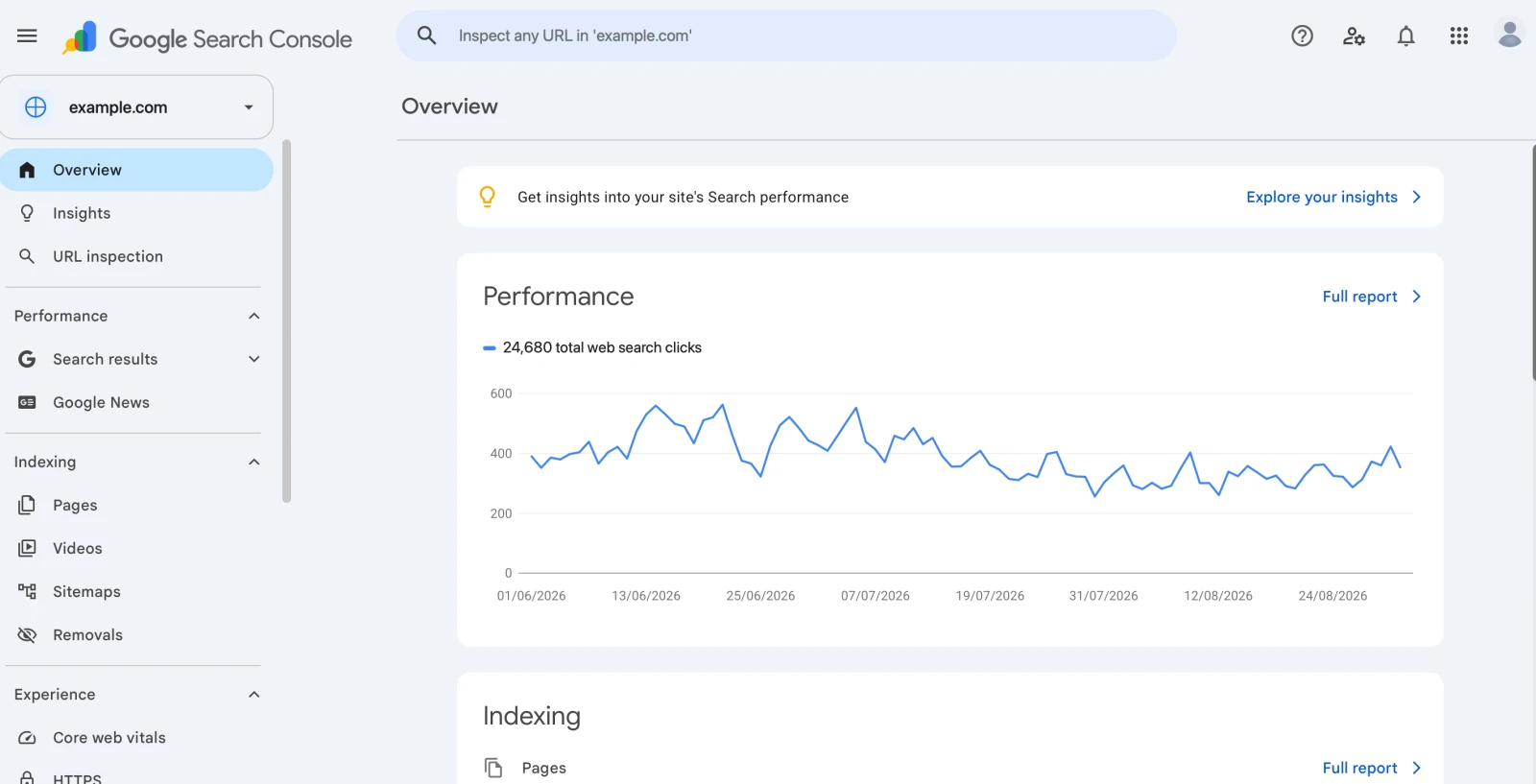
Google Search Console and dedicated rank trackers complement each other, but they measure search performance differently.
Google’s Search Console documentation explains that average position is calculated from search impressions.
A dedicated tracker generally checks a selected keyword under defined search conditions.
That difference matters.
For example, Search Console might show an average position of 7.2 for a query.
A rank tracker might report position 5 for that same keyword on desktop in a particular city.
Both results can be valid.
Search Console’s figure reflects the relevant impressions included in its reporting period and filters. The rank tracker reflects its configured observation.
| Google Search Console | Dedicated Rank Tracker |
|---|---|
| First-party Google Search performance data | Scheduled monitoring of selected queries |
| Clicks, impressions, CTR, average position | Positions, movements, and historical tracking |
| Data for your verified property | Often supports competitor monitoring |
| Aggregated across reporting dimensions | Configurable device and geographic targets |
| Free | Free and paid options, depending on platform |
| Useful for assessing actual search exposure | Useful for consistent keyword-level monitoring |
Search Console is particularly valuable for understanding which searches generate impressions and clicks.
A rank tracker adds value when you need competitor monitoring, consistent local measurements, or recurring reports for a defined keyword set.
Don’t buy a dedicated rank tracker solely because Search Console and a manual search show different positions.Understand the measurements first.
Why Historical Ranking Data Matters
Ranking history helps distinguish lasting changes from temporary fluctuations.
A position improvement observed today may disappear tomorrow.
A longer trend provides more context about whether visibility is generally improving, declining, or remaining stable.
Check When Historical Data Begins
Not all historical rankings are the same.
Some tools preserve positions collected after you create a tracking project.
Others offer historical estimates from their existing databases, even for keywords you haven’t previously configured.
These records may have different collection methods and levels of detail.
A product advertising several years of historical rankings doesn’t necessarily provide daily measurements for every keyword during that period.
Before choosing a tool, check:
- How far back tracked data is available.
- Whether historical records are included in your plan.
- Whether the tracking history can be exported.
- What happens if you remove and later restore a keyword.
- Whether historical positions are newly collected or sourced from an existing database.
Look for Annotations and Event Tracking
Annotations allow teams to mark important events on ranking charts.
For example, you may record when a page was rewritten, a site migration launched, or a technical indexing issue was resolved.
These notes make it easier to compare ranking trends with changes to the website.
However, a ranking increase following a content update doesn’t prove the update caused it.
Competitor activity, seasonality, algorithm changes, and other factors may also contribute.
A good tracker provides the history needed for investigation without presenting correlation as guaranteed causation.
Choose a Tool That Understands Modern Search Results
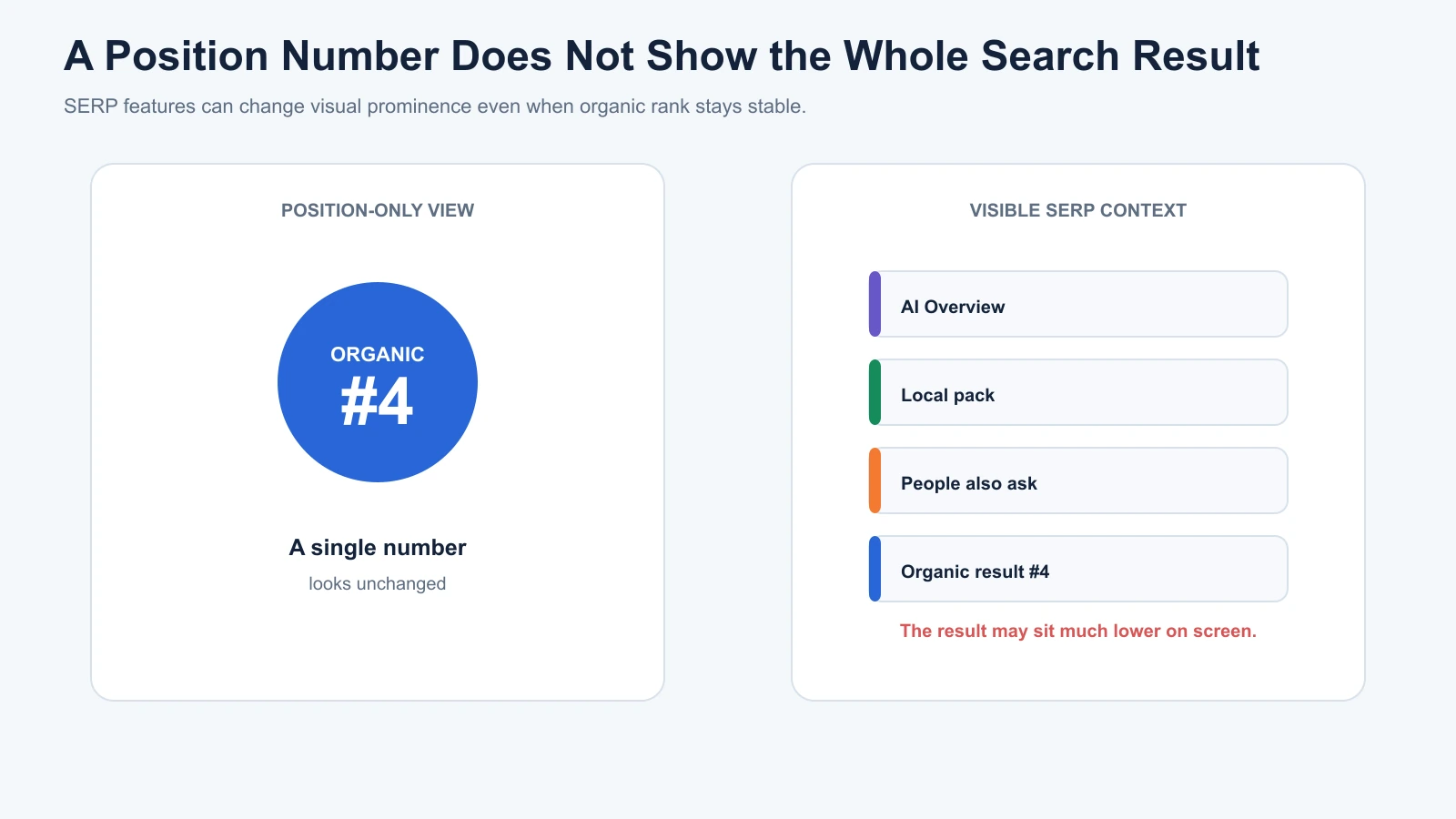
Organic rankings no longer tell the complete story of what users see on a search results page.
Featured snippets, shopping features, local packs, video results, and AI-generated summaries can affect the prominence of traditional organic listings.
A page’s numerical position may remain stable while its visibility or click-through rate changes.
SERP Feature Tracking
A useful tool should identify relevant search result features where supported.
For example, a business might track whether its pages appear in featured snippets, whether local competitors dominate map results, or whether shopping features are present for important commercial queries.
Some platforms also provide pixel-position measurements that estimate where a listing appears visually on the results page.
These measurements can add context beyond traditional ranking positions.
They are particularly useful when the business relies on queries where SERP features occupy significant space.
AI Overviews and AI Search Visibility
Google’s AI Overviews introduce another reason to examine the surrounding search results rather than rankings alone.
A conventional rank tracker may report that your website ranks in the top five organic listings.
However, that number doesn’t tell you everything about whether the brand appears in an AI-generated answer or receives a citation.
Some SEO platforms now offer separate AI-search monitoring.
For example, Semrush Position Tracking documents AI Overview and other SERP feature monitoring alongside traditional rankings.
Other AI visibility products monitor brand mentions, citations, prompts, or visibility across supported AI platforms.
Those are related but distinct measurements.
A traditional keyword position shouldn’t be treated as equivalent to an AI citation.
If AI-search visibility is important to your organisation, investigate whether the tool provides meaningful evidence or merely adds another proprietary visibility score.
Competitor Tracking: More Than Watching Who Ranks First
Competitor monitoring adds context to your own ranking changes.
Imagine a priority keyword falls from position 4 to position 7.
Without competitor information, the movement appears to be a problem with your website.
However, the surrounding results might reveal that several competing pages gained positions while a new search feature also appeared.
That doesn’t automatically explain why the change occurred, but it provides a more useful starting point for investigation.
A rank tracker should ideally support:
- Selecting relevant competing domains.
- Comparing rankings for the same keyword set.
- Viewing changes over time.
- Identifying new competitors.
- Monitoring the URLs that rank.
- Grouping keywords by topic or commercial importance.
Not every business needs extensive competitor monitoring.
For a small website tracking a few branded queries, the additional functionality may not justify its cost.
For an agency managing multiple clients, competitor reporting can become an important part of the workflow.
Compare Keyword Limits and the Actual Cost of Tracking
The number of keywords included in a subscription is one of the easiest details to misunderstand.
Vendors may count tracked keywords, projects, locations, devices, or keyword-location combinations differently.
A plan advertising 1,000 tracked keywords doesn’t always mean it supports 1,000 terms across unlimited markets and devices.
Calculate Your Tracking Requirements First

Consider a hypothetical business that wants to monitor:
- 100 priority keywords.
- Two locations.
- Desktop and mobile results.
That creates 400 keyword-location-device combinations if every keyword is monitored in every configuration.
Some vendors may count these combinations separately, while others structure allowances differently.
The relevant question is how the platform calculates usage under its subscription terms.
Before purchasing, ask whether adding another location, device, search engine, or project affects your allowance.
Don’t Compare Subscription Prices Without Comparing Capacity
A cheaper plan may be suitable for one website but expensive for an agency managing many properties.
Likewise, a specialist tracker may cost more than an integrated SEO suite while providing functionality the broader platform doesn’t match.
Consider the full workflow, including:
- Number of tracked keywords.
- Locations and devices.
- Update frequency.
- User seats.
- Competitor monitoring.
- Data exports.
- API access.
- Reporting requirements.
This gives a more useful cost comparison than simply dividing the monthly price by an advertised keyword limit.
For broader software budget planning, our SEO tool selection guide explains how to evaluate subscription allowances alongside business requirements.
Rank Tracking Tools Worth Comparing

Several established platforms approach rank tracking differently.
The following comparison focuses on their publicly documented capabilities rather than presenting an untested ranking of the best products.
| Tool | Documented Tracking Approach | Particularly Relevant For |
|---|---|---|
| Google Search Console | First-party, aggregated search performance reporting | Website owners needing free performance data |
| Semrush Position Tracking | Daily tracking with geographic, device, and competitor options | Teams using a broader SEO research platform |
| Ahrefs Rank Tracker | Weekly default tracking with competitor and historical reporting | Teams already using Ahrefs research workflows |
| SE Ranking | Daily rank monitoring across configurable search environments | Businesses and agencies managing multiple projects |
| AccuRanker | Daily tracking with on-demand refresh options | Dedicated ranking analysis and reporting |
| Nozzle | Flexible schedules, including high-frequency monitoring | Advanced SERP research and specialised monitoring |
Semrush Position Tracking
Semrush combines rank tracking with its wider SEO research platform.
Its tracking functionality supports location and device configurations, competitor comparisons, and monitoring of relevant SERP features.
This makes it worth considering when your team already uses Semrush for keyword research, competitor analysis, and reporting.
Check the tracked-keyword allowance and supported configurations under the plan you’re evaluating.
Ahrefs Rank Tracker

Ahrefs Rank Tracker provides keyword position monitoring, historical charts, SERP information, and competitor comparisons.
Its documented default update schedule is weekly.
This may suit teams that place greater importance on broader research and backlink analysis than daily keyword monitoring.
However, organisations requiring more frequent ranking snapshots should confirm whether the available update options meet their needs.
SE Ranking

SE Ranking provides daily keyword monitoring across supported search engines, locations, and devices.
Its rank tracking capabilities sit alongside wider keyword research, auditing, and competitor analysis features.
This can be useful for agencies that prefer managing several SEO responsibilities within one platform.
Project limits, user seats, and tracking allowances should still be compared against actual client requirements.
AccuRanker

AccuRanker specialises in rank tracking, reporting, and detailed search visibility analysis.
Its official documentation describes daily updates, on-demand refresh functionality, and pixel-position measurements.
This makes it a relevant option for organisations whose primary need is detailed rank monitoring rather than an all-in-one research suite.
Nozzle
Nozzle places particular emphasis on detailed SERP data and flexible monitoring schedules.
Its published capabilities include custom update intervals and measurements related to the visible position of results on the search page.
Those features may be useful for advanced monitoring.
However, businesses should consider whether their workflows genuinely require that level of detail before paying for it.
Where Digimetrics Fits
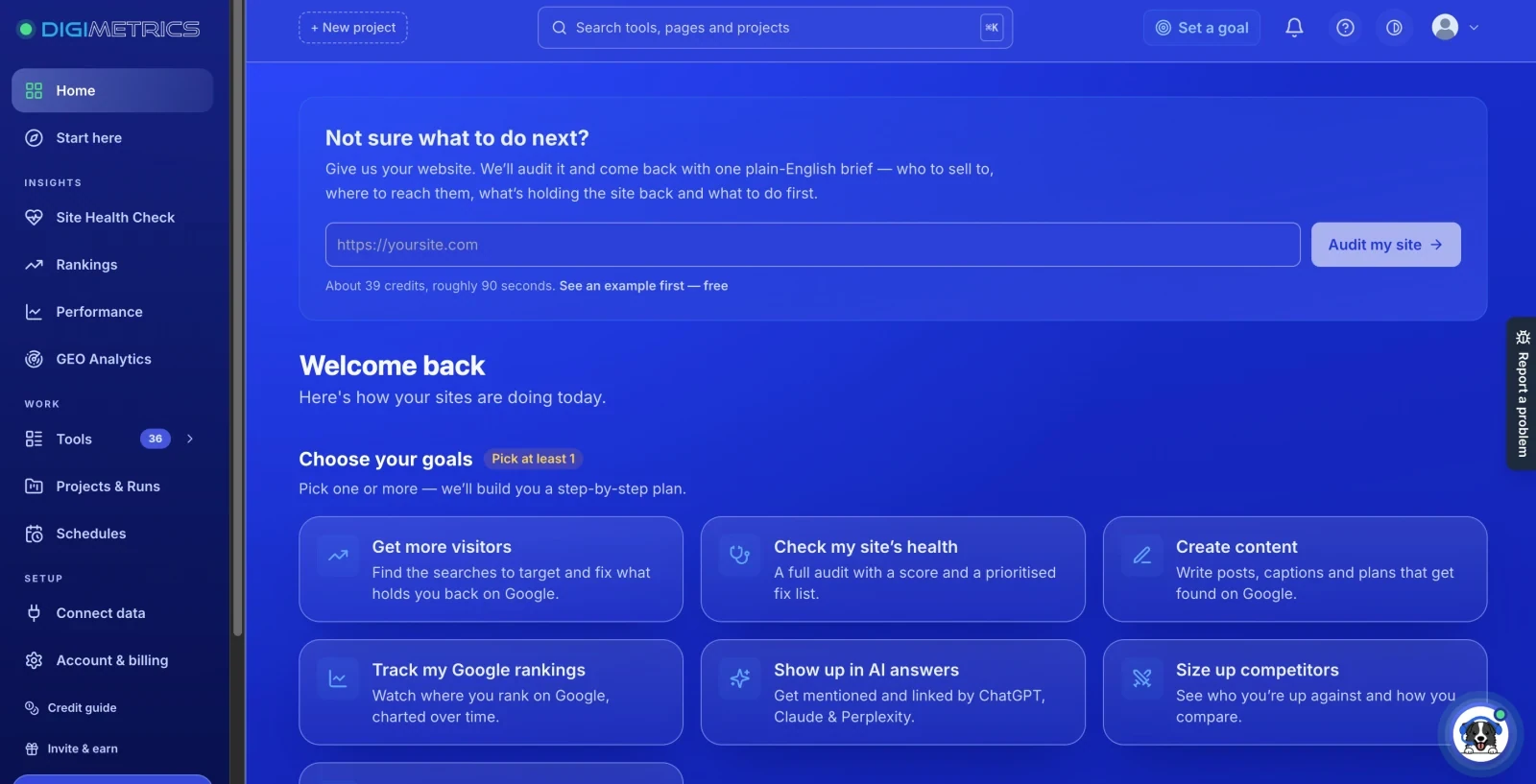
Disclosure: Digimetrics is developed by MediaOne, which sponsors DigitalMarketingTools.ai.
Digimetrics combines SEO analysis, ranking-related tools, technical diagnostics, content optimisation, and AI-search visibility workflows.
An integrated workspace may be useful when keyword monitoring regularly leads into technical or content investigations.
However, its suitability should be determined by the ranking frequency, locations, history, data access, and capacity available in the relevant plan.
It shouldn’t automatically be treated as equivalent to a dedicated rank tracker without testing those requirements.
How to Test a Rank Tracking Tool Before Buying
A free trial is more useful when you evaluate a real workflow rather than browsing the interface.
Start with a small but representative set of keywords.
The goal is to find out whether the software fits your work—not to manufacture an accuracy score from one afternoon of testing.
A Practical Rank Tracker Trial

Step 1: Choose a representative keyword set.
Select around 10–20 keywords covering your important services, content topics, and competitive searches.
Include branded and non-branded queries where relevant.
Step 2: Fix the tracking conditions.
Use the same search engine, country, location, device, and language wherever each platform supports them.
Record the collection dates.
Step 3: Check the ranking URLs.
Confirm that the software identifies which page appears for each keyword.
Investigate unexpected URL changes rather than relying on positions alone.
Step 4: Examine updates over several collection periods.
Compare what each platform reports over several days or scheduled updates, depending on the subscription.
Check whether the reported update frequency matches the product documentation.
Step 5: Review the surrounding search results.
Investigate a sample of keywords manually.
Look for important SERP features, local differences, and competitor movements.
Treat manual checks as diagnostic evidence rather than a perfect benchmark.
Step 6: Test reporting and exports.
Build the type of report your business actually needs.
Can you filter by keyword group? Does the export identify tracking settings? Can other team members understand the findings?
Step 7: Check the true subscription requirement.
Calculate the plan needed for your keywords, projects, locations, devices, and users.
Don’t base the decision on the cheapest advertised tier if that plan cannot support your workflow.
Simple Rank Tracker Evaluation Scorecard
Use the following checklist during your trial.
| Evaluation Area | What to Check |
|---|---|
| Tracking accuracy and context | Are position, URL, location, device, and date clearly identified? |
| Update frequency | Does the schedule support your monitoring needs? |
| Historical data | Can you review and export useful ranking trends? |
| Geographic coverage | Does it support your target markets? |
| SERP features | Does it show relevant non-traditional results? |
| Competitor tracking | Can you investigate movements against relevant competitors? |
| Reporting | Can your team produce a useful report without unnecessary manual work? |
| Cost and capacity | Does the subscription cover the required configuration? |
Record observations instead of assigning arbitrary passing percentages.
A tool may perform well for national tracking but poorly for a business requiring precise neighbourhood-level monitoring.
That doesn’t make it universally inaccurate. It makes it unsuitable for that particular requirement.
Which Type of Rank Tracker Should You Choose?
The most suitable category depends on your actual monitoring requirements.
| Business or Team | Main Priority | Practical Starting Point |
|---|---|---|
| Small website | Search performance and occasional checks | Google Search Console |
| Local service business | Geographic and mobile tracking | Local-capable rank tracker |
| Content-focused website | Keyword groups and historical movement | Integrated SEO platform |
| SEO agency | Multiple projects, competitors, and reporting | Scalable tracking platform |
| Enterprise SEO team | Large keyword sets, automation, detailed SERP data | Specialist tracker with suitable data access |
This is a starting framework, not a universal product ranking.
A small business may need advanced local tracking despite having a limited website.
An enterprise may already have adequate ranking visibility through its existing software.
The right choice follows the workload, not the company’s size alone.
Common Mistakes When Choosing a Rank Tracking Tool
Paying for Faster Updates Without a Use Case
Hourly updates may sound impressive, but they provide little benefit when nobody reviews the results until the end of the month.
Choose the frequency that supports your decision-making cycle.
Tracking Every Possible Keyword
A large tracked-keyword allowance isn’t useful if most of the terms have no strategic importance.
Group keywords by business relevance and prioritise the terms associated with actual services, products, and important content.
Comparing Different Locations
A ranking from one city isn’t automatically comparable with a national or international result.
Always check geographic and device settings before interpreting discrepancies.
Treating Position Improvements as Proof of ROI
Moving up in search results can be encouraging, but a ranking increase doesn’t automatically establish more leads or revenue.
Connect ranking trends with Google Search Console, website analytics, and relevant business outcomes.
Ignoring Historical Data Ownership
Before changing rank trackers, confirm whether you can export existing records and how the new platform handles historical information.
Losing useful tracking history can complicate long-term comparisons and client reporting.
Final Verdict: Choose the Rank Tracker That Fits the Decision
The best SEO keyword ranking tool isn’t necessarily the platform with the fastest refresh rate, largest keyword allowance, or most detailed dashboard.
It’s the one that monitors your important searches under the right conditions and provides enough context to understand what changed.
For some businesses, Search Console and occasional keyword checks may be sufficient.
Others need daily local tracking, competitor comparisons, historical analysis, or automated reporting.
A specialist tracker may justify its cost when those features are central to the workflow. An integrated SEO platform may make more sense when ranking analysis is only one part of a broader research process.
Before purchasing, define your keyword set, locations, devices, reporting requirements, and available budget.
Then test the software against those requirements.
A good rank tracker doesn’t simply tell you where you rank. It helps you understand which changes matter, which deserve investigation, and where your SEO effort should go next.
For a broader comparison of keyword research, auditing, competitor analysis, and monitoring capabilities, see our SEO tools guide.
Frequently Asked Questions
What Is the Best SEO Keyword Ranking Tool?
The best tool depends on your monitoring requirements. Semrush and SE Ranking offer rank tracking within broader SEO platforms, while AccuRanker and Nozzle focus more heavily on dedicated tracking and SERP analysis. Ahrefs provides ranking history alongside competitor and backlink research. Compare location, frequency, history, and cost before choosing.
Can I Track Keyword Rankings for Free?
Yes. Google Search Console provides first-party search performance data, including average position. Some SEO vendors also offer free individual keyword checks or limited trials. However, free options may not provide scheduled competitor monitoring, detailed local rankings, or the historical reporting available in paid platforms.
How Often Should I Check Keyword Rankings?
Weekly monitoring may be adequate for routine reporting, while daily tracking can help active SEO campaigns. More frequent monitoring may be useful for specialised work. The correct frequency depends on how often your team needs to investigate changes, not simply how quickly the software can collect data.
How Accurate Are SEO Rank Tracking Tools?
Accuracy depends on the data collection method and settings used. Location, device, search engine, timing, and SERP features can produce different results for the same keyword. Evaluate tools under comparable conditions, investigate discrepancies, and avoid treating one manual Google search as a definitive benchmark.
Is Google Search Console Better Than a Rank Tracker?
Neither replaces the other in every situation. Search Console provides first-party search performance metrics for verified properties. Dedicated trackers can offer scheduled monitoring for selected keywords, competitor comparisons, and configurable geographic or device settings. Many SEO teams benefit from using both sources together.
Do I Need Daily Rank Tracking?
Not necessarily. Daily updates provide useful detail for active campaigns, but weekly tracking can be sufficient for slower reporting cycles. Choose daily monitoring when your team needs that level of visibility and has a clear process for acting on meaningful changes.
How Much Ranking History Do I Need?
The required history depends on your reporting cycle. Year-over-year analysis benefits from at least twelve months of comparable data, while shorter campaigns may need less. Check whether the platform stores your own tracked rankings or provides historical estimates from its wider database.
Should I Track Desktop and Mobile Rankings Separately?
Yes, when both devices are important to your audience. Search results can differ between desktop and mobile, and a platform may count them as separate tracking configurations. Confirm how the subscription handles device-specific monitoring.
Can Rank Tracking Tools Monitor AI Overviews?
Some platforms report the presence of AI Overviews and other SERP features. However, tracking an organic position is different from measuring whether a brand or page appears as an AI-generated citation. Businesses interested in AI-search visibility should examine those capabilities separately.
How Many Keywords Should I Track?
Start with keywords associated with your most important products, services, pages, and business goals. There is no universal minimum. A focused list of twenty commercially relevant keywords can be more useful than hundreds of low-priority terms. Expand tracking when additional queries support meaningful decisions.
Disclosure: digitalmarketingtools.ai is sponsored by Digimetrics.ai. Sponsored Highlights are clearly labelled advertising. Our reviews, comparisons and guides are written to be useful and fair regardless of who sponsors the site. Read the full disclosure.


