
How Much Should Agencies Spend on GEO Tools in 2026?

If your agency is planning to offer GEO (Generative Engine Optimization) services, one of the first questions you’ll face is how much to spend on the tools.
You’ll find GEO platforms starting below $50 per month, others charging hundreds, and enterprise solutions that require a custom quote. The expensive platforms often promise deeper insights, more AI search coverage, and advanced reporting, but does your agency actually need all of that?
For most small agencies, $100–$300 per month is a reasonable starting budget for GEO software. Growing agencies managing multiple paying GEO clients may need $300–$800, while larger operations could spend $800–$2,000 or more.
These aren’t industry averages or fixed requirements. They’re suggested planning ranges based on the types of monitoring and reporting agencies typically need as their client portfolios grow.
The important thing is knowing what you’re paying for, how much it costs to serve each client, and whether the software helps your agency deliver a service that’s worth the investment.
Let’s break it down.
How Much Should Agencies Budget for GEO Tools?
Your GEO software budget should depend more on your clients’ needs than the size of your agency.
A three-person team serving international brands may require more advanced tracking than a ten-person agency working with local businesses. The number of prompts, AI search platforms, locations, and reports you need will all influence the price.
Here’s a practical starting point.
| Agency type | Suggested monthly GEO budget | What to prioritise |
|---|---|---|
| Agency testing GEO services | $0–$100 | Free trials, limited prompt tracking, manual research |
| Small agency (1–5 GEO clients) | $100–$300 | One monitoring platform, competitor tracking, basic reports |
| Growing agency (6–15 GEO clients) | $300–$800 | Multiple client workspaces, additional prompts, automated reporting |
| Established agency (16+ GEO clients) | $800–$2,000+ | More extensive tracking, API access, advanced reporting and integrations |
These estimates cover software subscriptions, not the complete cost of delivering GEO services. Your team may still need to conduct research, improve content, resolve technical issues, and manage client campaigns.
You also don’t need to spend the maximum amount in your category. If your existing SEO platform already covers some AI visibility monitoring, you may be able to start with a smaller budget.
Before buying, compare the features and limitations in our Best GEO Tools for Agencies in 2026 guide.
What Do GEO Tools Actually Cost in 2026?
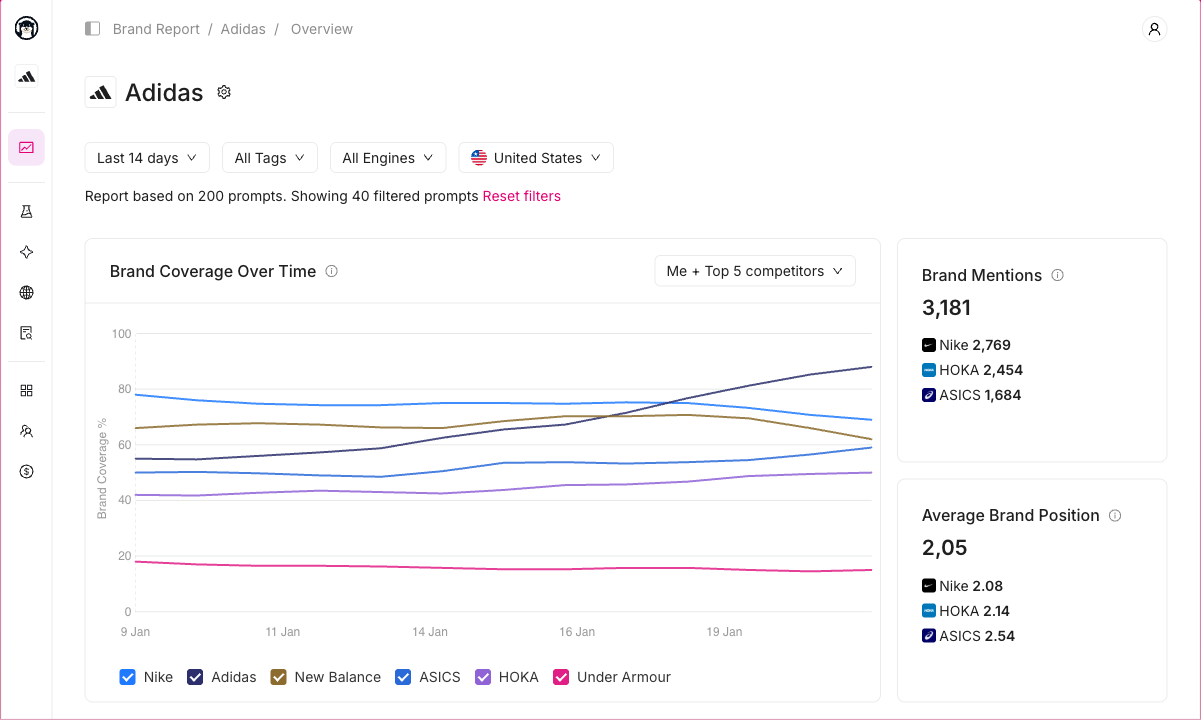
Not every GEO tool does the same job.
Some focus on monitoring how often brands appear in AI-generated responses. Others track citations, compare competitors, identify content opportunities, or combine GEO functionality with traditional SEO tools.
That makes comparing subscription prices alone somewhat misleading.
Here’s an overview of several options agencies may consider.
| GEO tool | Public pricing reference | Best reason for an agency to consider it |
|---|---|---|
| Otterly.AI | From $29/month; higher plans at $189 and $489/month | Entry-level monitoring with options for larger tracking requirements |
| Peec AI | Agency plans from approximately $245/month | Multi-brand monitoring and agency-focused workflows |
| Semrush AI Visibility Toolkit | Approximately $99/month per domain | AI visibility analysis alongside existing SEO workflows |
| Ahrefs Brand Radar | Pricing depends on subscription and AI index access | AI visibility research for teams already using Ahrefs |
| Profound | Custom pricing for enterprise requirements | Advanced AI visibility analysis and enterprise workflows |
| Digimetrics | Check current plans and subscription limits | Agencies evaluating SEO and AI visibility-related workflows together |
Pricing references are based on publicly advertised vendor information checked in October 2026. Billing terms, add-ons, availability, and agency-specific arrangements can change. Confirm current pricing directly with each vendor before purchasing.
The biggest differences aren’t always obvious from the pricing page.
For example, a platform may support multiple clients but provide only a fixed number of tracked prompts. Another may have generous prompt allowances but charge by domain. Some subscriptions include reporting, while others reserve advanced exports or integrations for higher tiers.
An inexpensive entry-level plan can be useful for testing GEO services, but it may not be practical for an agency managing several clients.
Meanwhile, a more expensive agency plan could offer better value if it replaces multiple tools or reduces the time your team spends preparing reports.
The question isn’t simply which GEO tool is cheapest. It’s which one offers the features your agency needs at a sustainable cost.
How Much Does a GEO Tool Cost Per Client?
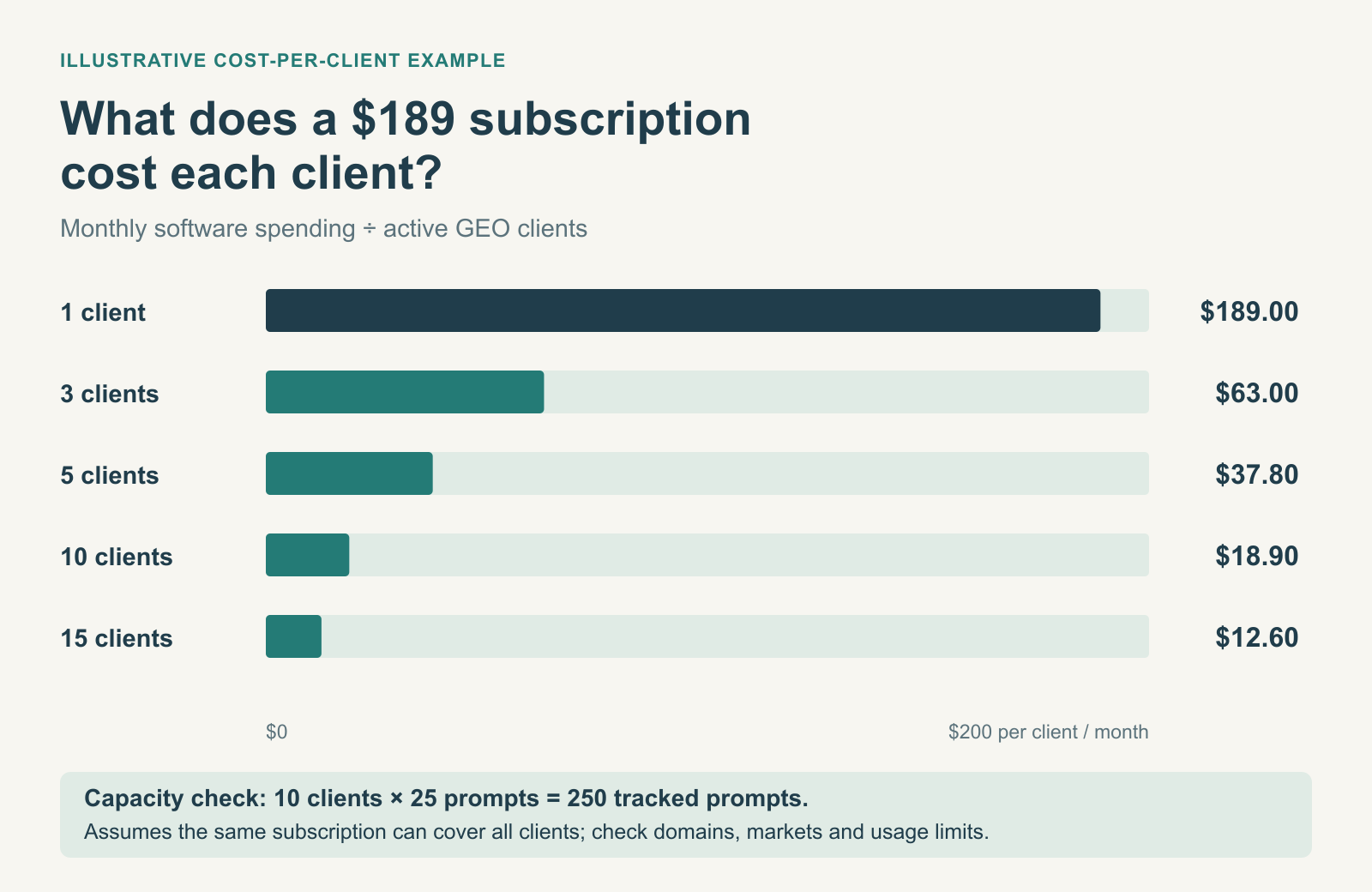
This is the calculation agency owners should make before purchasing any GEO software.
Instead of asking whether a $189 subscription is expensive, consider how much that subscription costs for every client using it.
The formula is simple:
Monthly GEO software cost per client = Total monthly GEO software spending ÷ Number of active GEO clients
Let’s say your agency subscribes to a monitoring platform costing $189 per month.
Here’s how the average cost changes as you add clients.
| Number of GEO clients | Monthly software cost | Cost per client |
|---|---|---|
| 1 | $189 | $189.00 |
| 3 | $189 | $63.00 |
| 5 | $189 | $37.80 |
| 10 | $189 | $18.90 |
| 15 | $189 | $12.60 |
At first glance, adding clients makes the subscription increasingly affordable.
However, this example assumes your existing subscription has enough capacity for every client. That isn’t always the case.
Why the number of clients isn’t the only factor
Imagine your agency manages ten clients and wants to monitor 25 AI search prompts for each.
That’s already 250 tracked prompts.
If you also need separate tracking for multiple countries or AI platforms, your requirements could grow further, depending on how the vendor calculates usage.
A tool advertised as supporting unlimited brands won’t necessarily provide unlimited tracking.
Before purchasing, calculate how many prompts you’ll realistically need across your client portfolio, then check the vendor’s limits.
Don’t forget to account for future clients, either. A subscription that covers your current workload but requires an expensive upgrade after adding two more accounts could become a problem.
The Hidden Costs of GEO Tools Agencies Should Know About
The monthly subscription fee is only part of the expense.
Depending on the platform, agencies may encounter additional charges for tracking capacity, search engines, client access, reporting, or integrations.
Here’s what to look out for.
1. Prompt tracking limits
GEO tools typically monitor selected prompts to understand how brands appear in AI-generated answers.
For example, a client selling accounting software might want to track searches such as:
- Best accounting software for small businesses
- What accounting software should freelancers use?
- Alternatives to QuickBooks for startups
Each prompt represents a topic or question that could influence a customer’s purchasing decision.
But agencies need to consider the total number of prompts across all clients, not just one account.
For instance, monitoring 20 prompts for each of 15 clients means tracking 300 prompts.
Some platforms pool their prompt allowances across all projects. Others use different limits or billing structures.
Check whether adding prompts, markets, or AI search engines increases your subscription cost.
2. Additional AI search platforms
Tracking ChatGPT alone won’t necessarily tell you how a brand performs across AI search.
Depending on your client’s audience, you may also need data from Google AI Overviews, Gemini, Perplexity, or other AI-powered search experiences.
However, not every tool supports the same platforms, and some may charge extra for broader coverage.
Before paying for additional engines, ask which platforms matter most to your clients.
A local business focused on Google Search may have different requirements from a software company whose customers frequently compare products through conversational AI tools.
3. Client reporting
Most agencies need to explain GEO performance to clients who aren’t familiar with AI search terminology.
That means translating brand mentions, citations, and visibility data into understandable reports.
A platform with simple reporting features could save your team hours every month. On the other hand, one that requires manually exporting charts, combining spreadsheets, and preparing presentations could create additional work.
Suppose your team spends two hours preparing each client’s monthly report.
For ten clients, that’s 20 hours every month.
If a higher-tier subscription reduces that workload significantly, the upgrade may be worth considering.
Just make sure the reporting features actually meet your needs before paying more.
4. Additional users and client accounts
Some tools let you create multiple projects but limit how many people can access them.
Others charge for additional seats, client dashboards, domains, or workspaces.
This matters if your agency has account managers, SEO specialists, content writers, and clients who all need access to the same information.
Always confirm the difference between unlimited projects, unlimited users, and unlimited tracking. They’re not necessarily included together.
5. The work required after collecting the data
This is the expense agencies tend to overlook.
A GEO tool might identify that your client’s competitors are mentioned more frequently in AI-generated answers.
But that insight alone doesn’t improve the client’s visibility.
Your agency still needs to investigate why competitors are appearing, decide what improvements are appropriate, and implement those changes.
That could involve updating existing content, improving product information, publishing original research, strengthening relevant third-party coverage, or fixing technical issues.
A $500 platform won’t necessarily deliver more value than a $200 one if your team doesn’t have the resources to act on its recommendations.
GEO software should support your strategy, not consume the budget needed to execute it.
Recommended GEO Tool Budgets for Different Agency Sizes
Now that you understand the costs, let’s look at what a realistic GEO software setup could look like for different agencies.
Small Agencies: $100–$300 Per Month
If you’re managing one to five GEO clients, you probably don’t need an enterprise platform.
Your priority should be learning which GEO metrics matter, establishing a repeatable monitoring process, and showing clients useful findings.
A practical setup might include one paid AI visibility monitoring platform combined with your existing SEO tools.
Focus on tracking relevant prompts, recording competitor appearances, identifying citations, and preparing straightforward monthly reports.
For example, if you’re managing four clients and spending $200 per month on GEO software, your average software cost is $50 per client.
That’s much easier to justify than paying for an expensive enterprise subscription before you have enough clients to use it.
When should you upgrade? When you consistently reach tracking limits, spend too much time on reports, or need features that support additional paying clients.
If you’re just getting started, consider the options in our Best GEO Tools With Free Trials in 2026 comparison.
Growing Agencies: $300–$800 Per Month
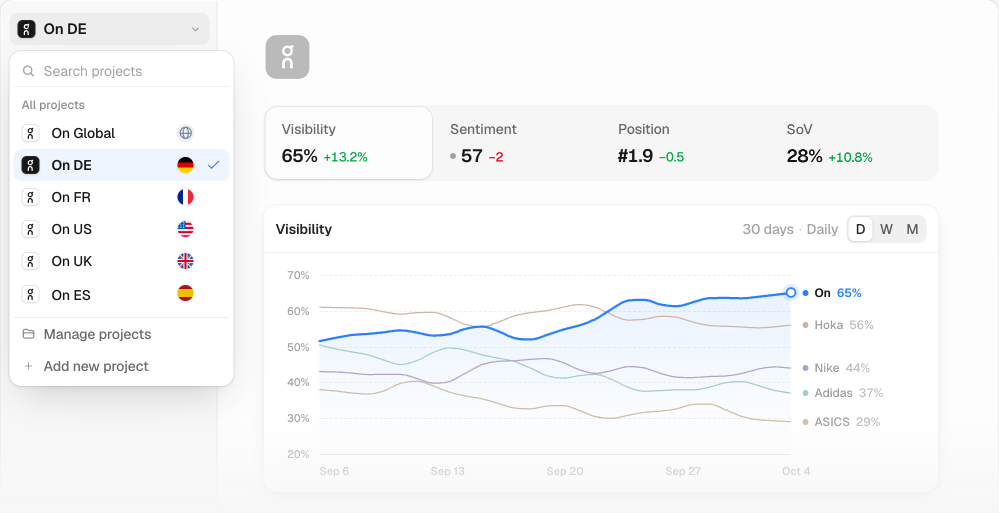
Once you’re handling six to fifteen GEO clients, your biggest challenge becomes managing multiple campaigns efficiently.
At this stage, you may need more tracked prompts, separate client workspaces, better competitor comparisons, and automated reporting.
Let’s say your agency manages ten clients and spends $500 per month on GEO software.
That’s an average cost of $50 per client.
If each client pays $750 per month for GEO services, your agency generates $7,500 in monthly GEO revenue. Software represents approximately 6.7% of that amount.
That could be a sustainable arrangement, provided your other delivery costs remain manageable.
This is also when dedicated agency features become more valuable. Instead of manually preparing reports across several platforms, your team could benefit from centralised dashboards and repeatable workflows.
When should you upgrade? When additional tracking capacity or automation saves meaningful time, supports new client requirements, or improves the quality of your work.
Established Agencies: $800–$2,000+ Per Month
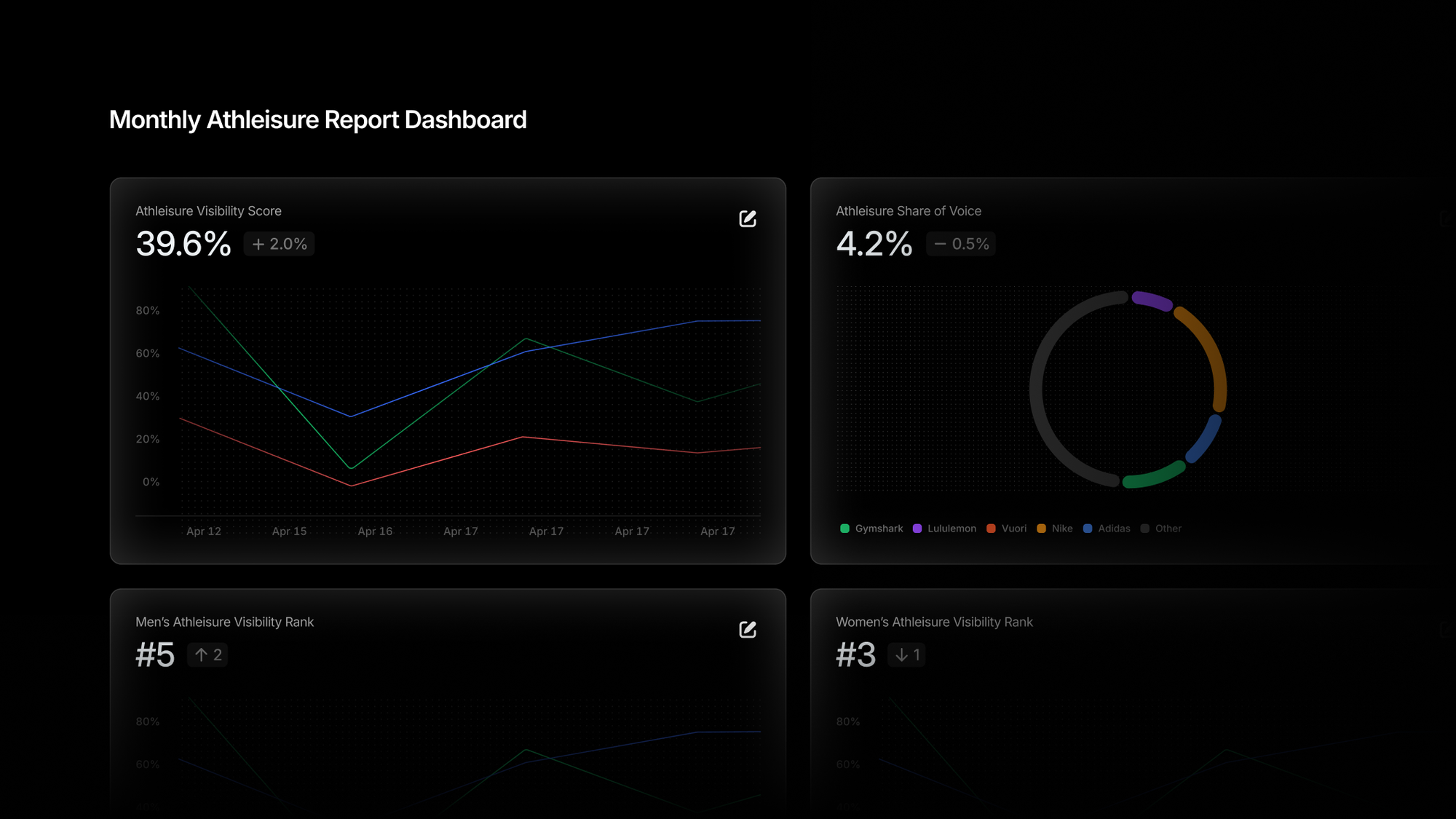
Larger agencies frequently manage more complicated GEO campaigns.
You may work with clients operating across multiple countries, languages, product categories, and competitive markets.
For example, an international e-commerce brand might need to monitor AI recommendations for dozens of product categories across several countries.
That requires considerably more tracking than monitoring a handful of prompts for one local service business.
Larger agencies may therefore need platforms offering extensive tracking capacity, custom reporting, APIs, more sophisticated account permissions, or integrations with existing marketing systems.
However, enterprise features aren’t automatically necessary because you have a large number of clients.
If your agency’s accounts have relatively simple monitoring requirements, a mid-tier platform may still be sufficient.
When should you upgrade? When a higher-tier plan addresses a specific operational limitation or client requirement that your current software cannot handle.
Should Agencies Use an All-in-One AI SEO Tool or a Dedicated GEO Platform?
Another important budgeting decision is whether to buy a dedicated GEO platform or use an AI SEO tool that combines traditional SEO and AI visibility functionality.
Both approaches can make sense.
| Feature | All-in-one AI SEO tool | Dedicated GEO tool |
|---|---|---|
| Traditional SEO workflows | Usually a major focus | May be limited |
| AI brand visibility tracking | Depends on platform and subscription | Usually a core feature |
| Competitor monitoring | Often includes SEO competitors | Often focuses on AI-generated answers |
| Content optimisation | Frequently available | Varies by platform |
| Client reporting | Depends on subscription | Depends on agency features |
| Best suited for | Agencies combining SEO and GEO | Agencies offering specialised AI visibility services |
When an all-in-one platform makes sense
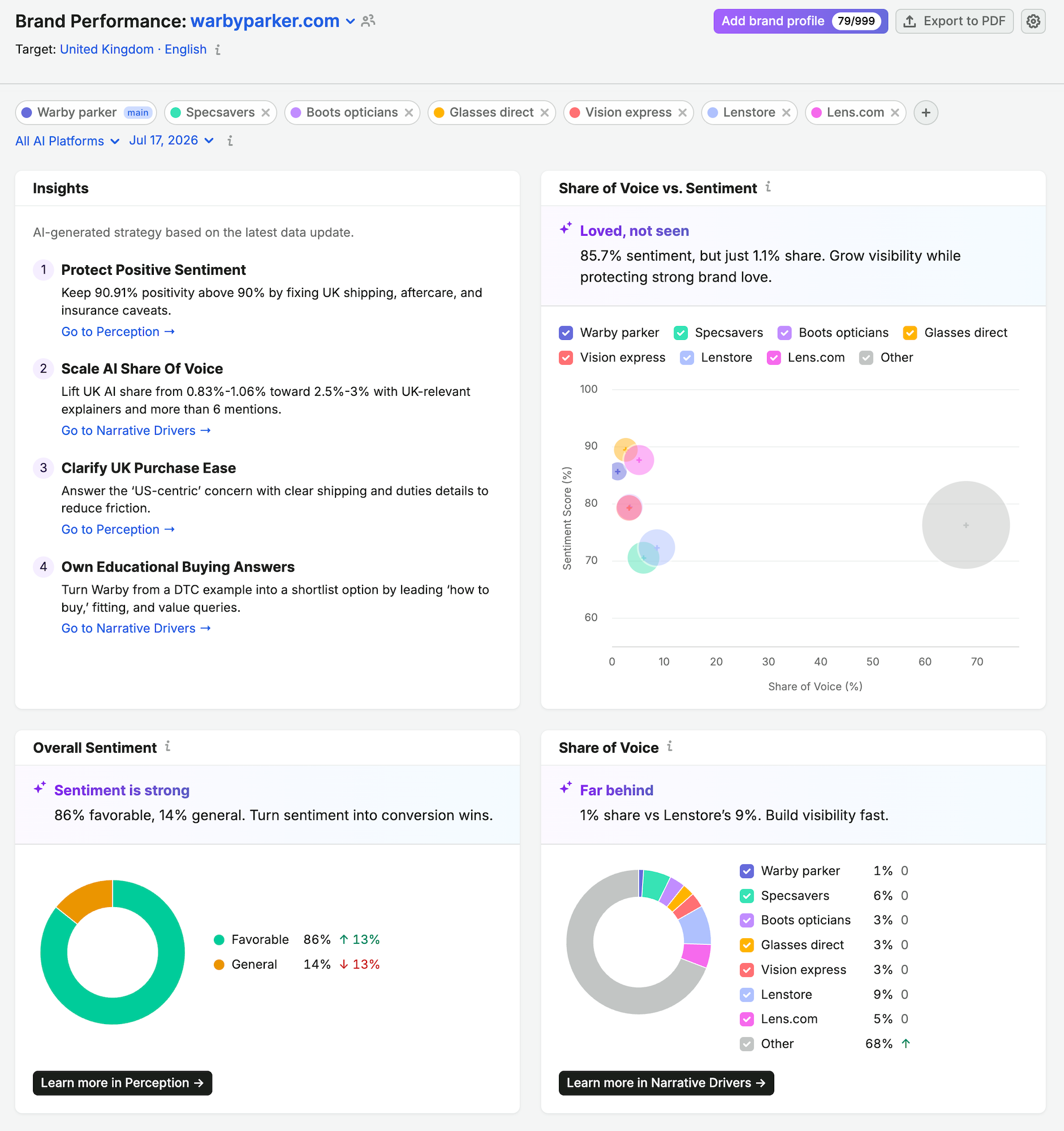
If your agency already relies heavily on traditional SEO services, an all-in-one platform may be more practical.
You can potentially manage keyword research, organic performance, content analysis, and some AI visibility workflows without purchasing several separate subscriptions.
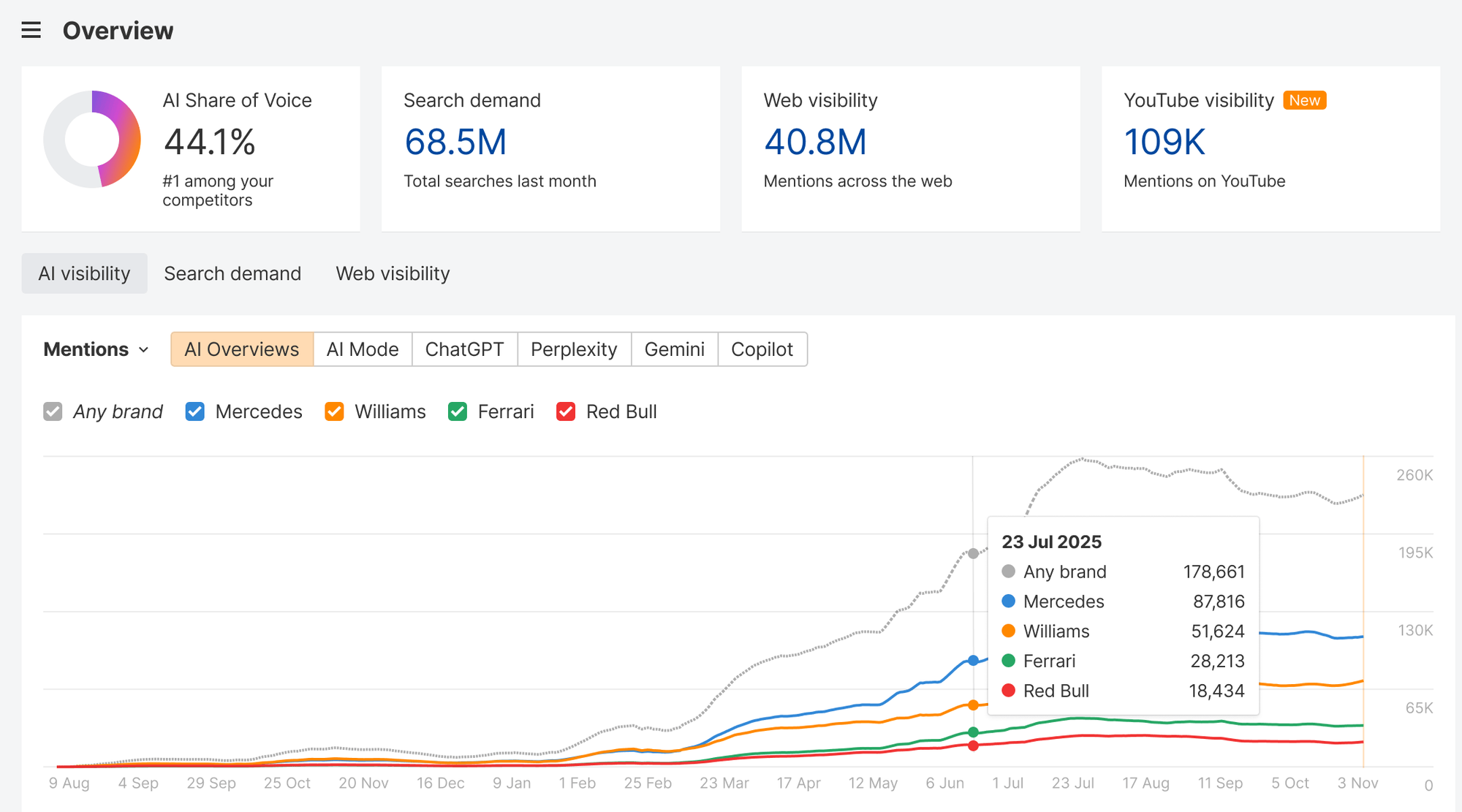
For example, platforms such as Semrush and Ahrefs offer AI visibility-related functionality alongside their broader SEO ecosystems, although availability and pricing vary.
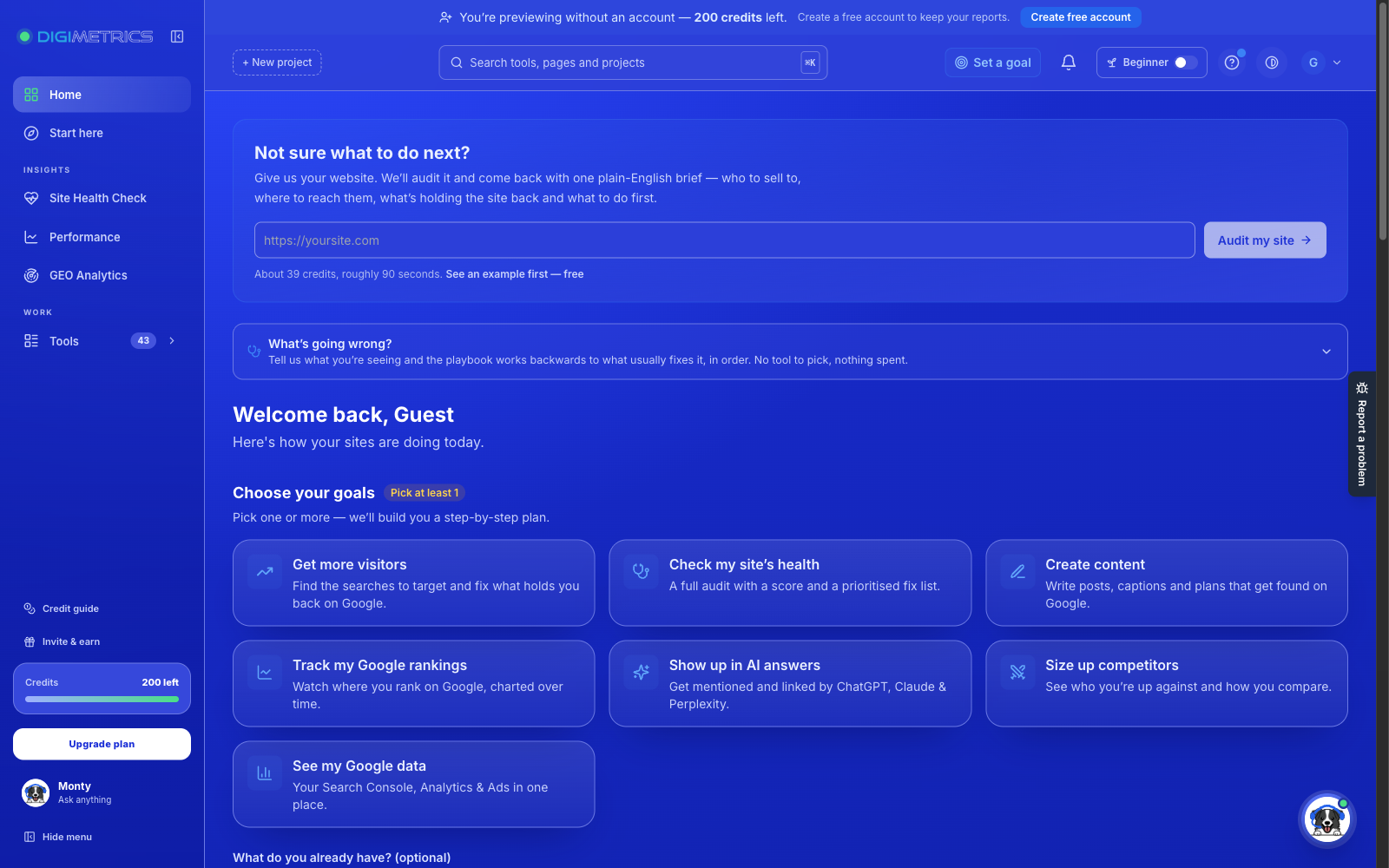
Digimetrics is also an option to evaluate for agencies interested in SEO and AI visibility-related workflows.
Before choosing a platform, confirm which GEO capabilities are included, how client accounts are managed, and whether additional subscriptions are required.
When a dedicated GEO platform makes sense
A dedicated platform becomes more appealing when AI search monitoring is a major part of your agency’s services.
You may need more specialised prompt tracking, citation monitoring, competitive comparisons, or multi-client reporting features than your existing SEO software provides.
However, there’s no reason to pay for two platforms that deliver substantially the same information.
Compare your current SEO tool’s capabilities against the dedicated GEO platform before adding another recurring expense.
For a more detailed comparison, see our Comprehensive Guide to GEO Tools.
How Much of Your GEO Revenue Should Go Toward Software?
One useful way to manage spending is to calculate software costs as a percentage of your GEO service revenue.
As an initial budgeting guideline, you might aim to spend roughly 5–15% of your monthly GEO revenue on software.
This isn’t an established industry standard. It’s a planning target that can help prevent subscriptions from consuming too much of your service revenue.
Let’s say your agency charges $500 per client each month.
| GEO clients | Monthly service revenue | Illustrative software budget at 5–15% |
|---|---|---|
| 3 | $1,500 | $75–$225 |
| 5 | $2,500 | $125–$375 |
| 10 | $5,000 | $250–$750 |
| 20 | $10,000 | $500–$1,500 |
These figures aren’t strict limits.
A small agency testing its first GEO service might temporarily spend more than 15%. Meanwhile, an established agency could spend less than 5% if it already has an efficient monitoring setup.
What matters is whether the service remains profitable after accounting for everything else.
Remember to include labour costs
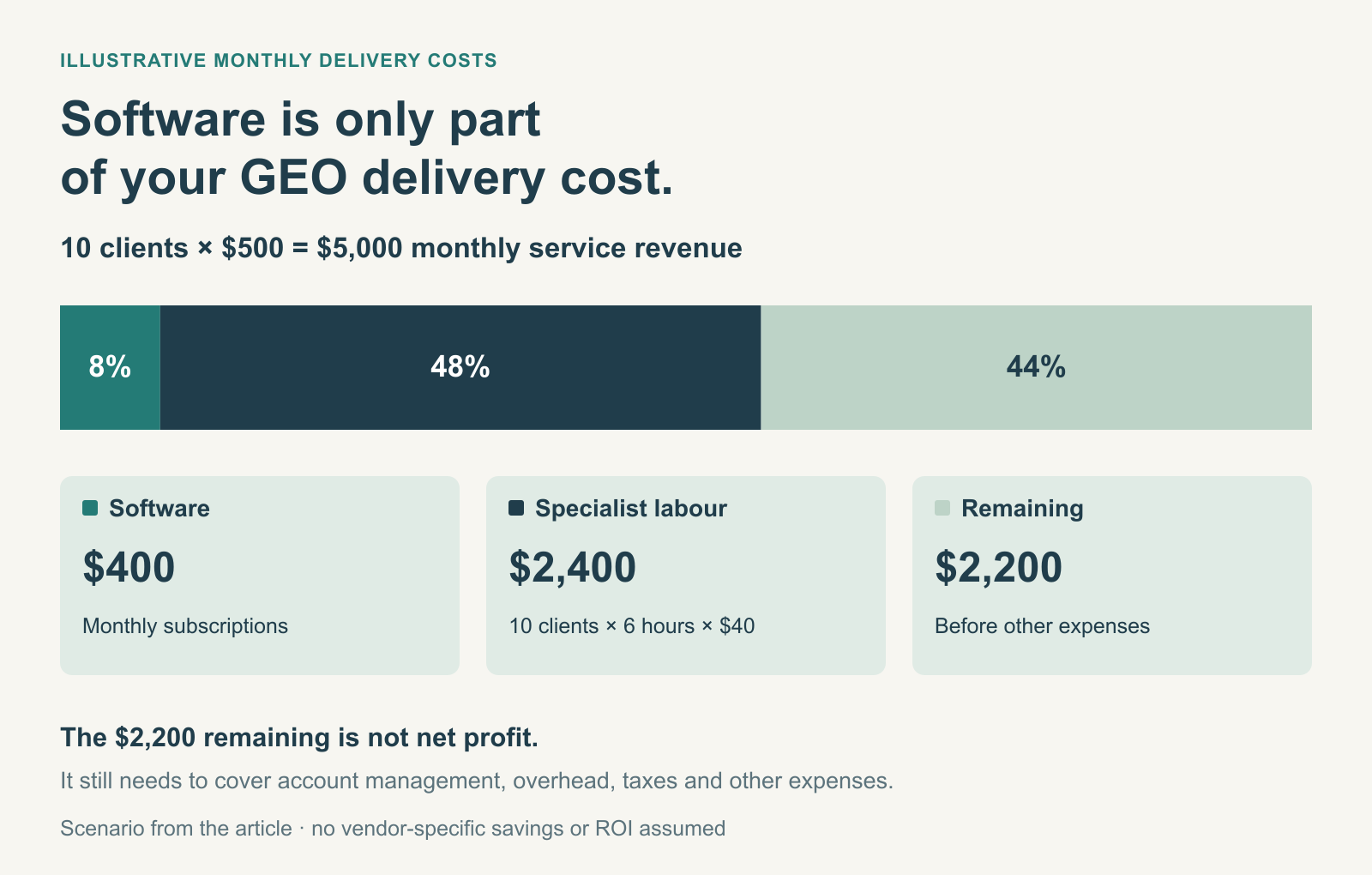
Consider an agency with ten GEO clients paying $500 each.
That’s $5,000 in monthly revenue.
Suppose the agency spends $400 on GEO software. That leaves $4,600 before other expenses.
Now assume each client requires six hours of specialist work per month, at an internal cost of $40 per hour.
That’s another $2,400 in labour.
The agency now has $2,200 remaining before account management, overhead, taxes, and other expenses.
This example shows why software cost alone doesn’t determine whether GEO is a profitable service.
A slightly more expensive tool that saves employee hours may deliver better overall value than a cheaper platform that requires extensive manual work.
Five Signs Your Agency Is Spending Too Much on GEO Tools
Not every subscription delivers enough value to justify keeping it.
Here are some signs that your GEO software budget deserves another look.
1. You’re paying for overlapping features
If several subscriptions provide nearly identical AI visibility reports, you may not need all of them.
Compare what each platform contributes before renewing. A tool should provide useful capabilities or data you can’t reasonably get from the rest of your stack.
2. Your team rarely acts on the data
Tracking AI visibility can be useful, but collecting reports isn’t the same as improving performance.
If your team consistently reviews dashboards without making recommendations or taking action, additional tracking capacity probably isn’t your biggest priority.
3. You’re paying for features your clients don’t need
Some subscriptions include advanced analytics, extensive geographic coverage, or integrations that your current clients may never use.
Pay for capabilities that support actual client requirements, not features that simply look impressive during a demo.
4. Your subscription keeps getting more expensive
If you regularly need more prompts, domains, or additional users, compare your current subscription’s total cost against alternative plans.
Sometimes upgrading is more economical. Other times, moving to a different vendor provides better value.
5. You can’t explain the software’s value
Your agency should be able to explain how a tool contributes to its work.
Does it save reporting time? Reveal useful competitive opportunities? Improve the consistency of monitoring? Help your team make better recommendations?
If you can’t identify a practical benefit, reconsider whether that subscription is necessary.
How to Test a GEO Tool Before Committing to an Expensive Plan
You don’t need to buy an annual subscription immediately.
A short pilot can help you understand whether a platform fits your agency’s workflow before you commit more money.
Here’s a simple 30-day evaluation process.
Week 1: Establish a baseline
Choose two or three clients with different needs.
Select relevant AI search prompts for each one and record their current visibility, competitor appearances, and citations.
This gives you a baseline for assessing the usefulness of the tool’s data.
Week 2: Look for useful insights
Review the platform’s findings.
Can you identify relevant competitors, frequently cited sources, or content gaps worth investigating?
More importantly, can your team use those findings to recommend specific improvements?
A useful GEO tool should help you make decisions, not simply generate large amounts of data.
Week 3: Test the reporting workflow
Prepare actual client reports using the platform.
Record how long the process takes, whether the reports are easy to understand, and how much manual work is necessary.
Compare this against your existing workflow to determine whether the tool genuinely saves time.
Week 4: Calculate the cost and decide
Review the subscription price, tracking limits, reporting features, and time spent using the tool.
Then calculate the likely monthly software cost per client if you scale the platform across your portfolio.
Remember that a 30-day pilot can evaluate usability, monitoring consistency, and operational efficiency. It usually cannot establish whether GEO changes caused a lasting increase in revenue or AI visibility.
What Should Agencies Check Before Purchasing a GEO Tool?
Before signing up, make sure you understand what your subscription actually includes.
Here’s a checklist worth using during vendor demos or free trials.
| Question | Why it matters |
|---|---|
| How many client projects or domains are included? | Helps determine whether the subscription can cover your portfolio |
| How many prompts can we track? | Prevents unexpected upgrades as clients are added |
| Which AI search engines are supported? | Ensures you’re monitoring the platforms relevant to your clients |
| Can we generate or export client reports? | Reduces manual reporting work |
| Are there additional charges for users or workspaces? | Helps calculate the true monthly cost |
| Can we monitor different countries and languages? | Important for agencies serving international clients |
| How frequently is the data updated? | Determines whether monitoring is suitable for ongoing reporting |
| Can we export historical data if we leave? | Reduces the risk of losing important records |
Also consider how the platform collects its data.
GEO tools generally monitor selected prompts and AI-generated responses. That doesn’t mean they’re observing every search or conversation taking place across an AI platform.
Answers can change between runs, and visibility metrics may depend heavily on the prompts being monitored.
For that reason, avoid presenting a single visibility score as definitive proof that a client’s brand is performing better across all AI search experiences.
Final Verdict: How Much Should Your Agency Actually Spend?
For most agencies starting to offer GEO services, $100–$300 per month is a sensible initial software budget.
That should give you room to experiment with dedicated monitoring while learning what your clients genuinely need.
As your client portfolio grows, spending $300–$800 may become reasonable if it provides more tracking capacity, better reporting, and less manual work. Larger agencies may justify $800–$2,000 or more when managing complex campaigns across multiple markets.
But don’t spend more simply because your agency is growing.
Calculate your cost per client, compare the capabilities of your existing tools, and pay attention to how much time your team spends turning GEO data into useful recommendations.
The best GEO tool for your agency isn’t necessarily the cheapest or the one with the longest list of features. It’s the one that helps you deliver valuable work consistently without making your services unnecessarily expensive.
If you’re ready to compare your options, start with our Best GEO Tools for Agencies in 2026 comparison to find a platform that fits your budget and client requirements.
Frequently Asked Questions
How much should a small agency spend on GEO tools?
A small agency can use $100–$300 per month as an initial GEO software budget. Start with one monitoring platform and increase spending as your client requirements grow. Agencies still testing GEO services may be able to spend less by using free trials and manual research.
What is the best GEO tool for agencies?
The best GEO tool depends on your client portfolio and reporting needs. Otterly.AI and Peec AI are options worth evaluating for AI visibility monitoring, while Semrush, Ahrefs, and other broader SEO platforms may appeal to agencies that want to combine SEO and GEO workflows. Compare pricing limits, tracking coverage, reporting features, and client management before deciding.
Can one GEO tool manage multiple clients?
Yes, many GEO tools support multiple brands, projects, or client workspaces. However, the subscription may still limit the number of domains, prompts, users, or AI search engines. Check these restrictions before assuming one plan will cover your entire agency.
Do agencies need separate GEO and SEO tools?
Not always. Some SEO platforms already offer AI visibility features. If those features meet your clients’ needs, a separate GEO subscription may be unnecessary. Dedicated GEO platforms are worth considering when you need more specialised monitoring and reporting.
Should agencies charge clients separately for GEO tools?
You can include GEO software costs in your monthly service retainer or charge separately for specialised tracking requirements. Either approach can work as long as your pricing covers the software, labour, and other resources needed to deliver the service.
Are free GEO tools enough for an agency?
Free tools and trials can be useful for learning GEO concepts, testing prompts, and evaluating platforms. However, agencies managing ongoing client campaigns may eventually need paid software for historical monitoring, recurring reports, and larger tracking allowances.
How can agencies calculate GEO tool ROI?
Start by measuring software spending per client, reporting time saved, and the usefulness of the findings generated. Then assess client outcomes using relevant visibility trends, citations, traffic where measurable, and business performance. Avoid assuming that an increase in AI mentions directly caused an increase in revenue.
Disclosure: digitalmarketingtools.ai is sponsored by Digimetrics.ai. Sponsored Highlights are clearly labelled advertising. Our reviews, comparisons and guides are written to be useful and fair regardless of who sponsors the site. Read the full disclosure.


