
How Much Should You Spend on SEO Tools? A 2026 Agency Budget Guide
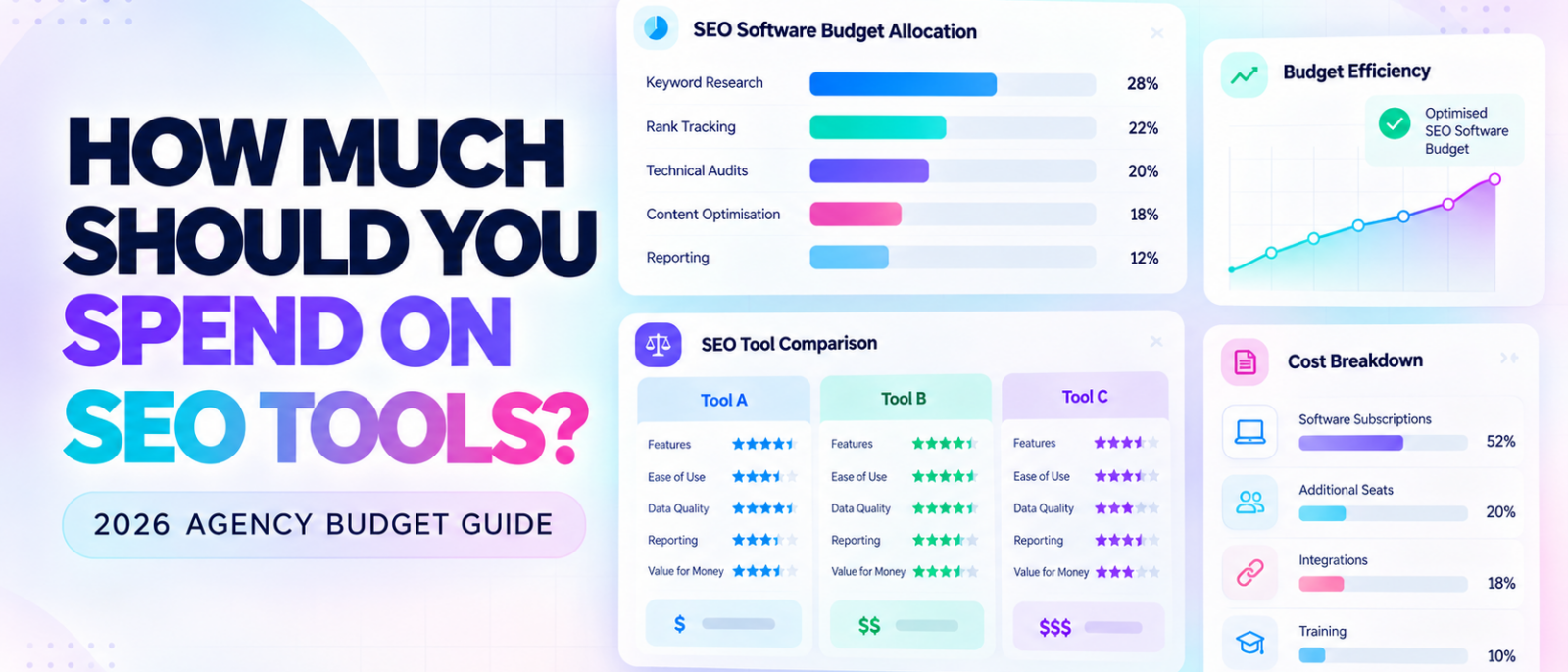
How much should you spend on SEO tools in 2026?
For a freelancer managing a few websites, the answer might be almost nothing. An agency handling several clients may justify a few hundred dollars per month, while larger teams could need considerably more for rank tracking, technical audits, competitor research, and automated reporting.
However, there’s no universal SEO software budget that works for every agency.
The right amount to spend on SEO tools depends on the services you deliver, the number of websites you manage, your team’s workload, and how much time the software actually saves.
A $300 monthly subscription can be excellent value for an agency using it every day. The same platform becomes an unnecessary expense if someone only opens it twice a month to check keyword volumes.
At MediaOne, our SEO team has more than 10 years of experience working with tools such as Semrush, Ahrefs, Google Search Console, Google Analytics, and Screaming Frog. One consideration consistently matters when evaluating software: whether its capabilities justify the money and time required to use them.
This guide breaks down SEO tools cost in 2026, compares current software prices, and explains how freelancers, small agencies, and growing teams can build a cost-effective SEO stack without paying for overlapping features.
Key Takeaways
- There’s no fixed percentage of revenue agencies must spend on SEO tools. Build your budget around clients, deliverables, and actual software requirements.
- Start with free tools. Google Search Console, GA4, Google Keyword Planner, and limited technical crawlers can cover important SEO tasks.
- One paid platform may be enough. An integrated tool can reduce overlapping subscriptions when it supports your recurring work.
- Compare the full cost. User seats, tracked keywords, research credits, reporting, and annual billing affect what you actually pay.
- Calculate cost per client and the value of time saved. A subscription is worthwhile when it delivers useful capabilities or measurable operational benefits.
- Review spending regularly. Software that no longer supports important client work deserves another look.
How Much Should Agencies Spend on SEO Tools in 2026?
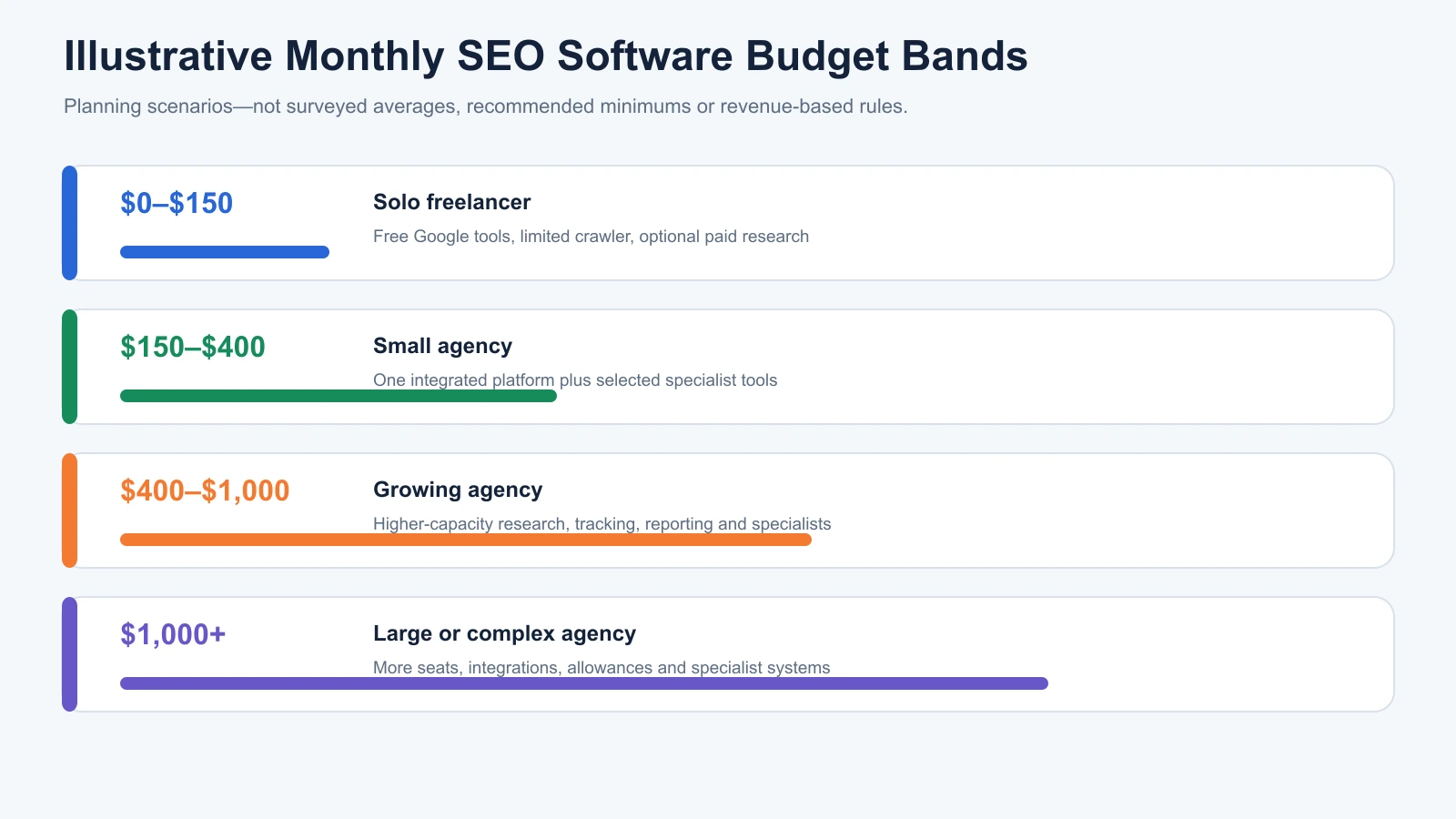
A practical SEO tool budget can range from $0 for a lean workflow to several thousand dollars monthly for a large, specialised agency.
However, agency size alone doesn’t determine the necessary investment.
A small technical SEO consultancy may need advanced crawling software and log analysis, while a larger content-focused agency might spend more on keyword research, content optimisation, and reporting.
Instead of relying on unsupported industry averages, the following ranges are useful starting scenarios for budget planning, not surveyed spending benchmarks.
| Agency Profile | Illustrative Monthly Budget | Likely Software Setup |
|---|---|---|
| Solo freelancer | $0–$150 | Free Google tools, limited crawler, optional paid research |
| Small agency | $150–$400 | One integrated SEO platform and selected specialist tools |
| Growing agency | $400–$1,000 | Higher-capacity research, tracking, reporting, and specialist software |
| Large or complex agency | $1,000+ | Multiple seats, advanced integrations, larger tracking allowances, specialised tools |
These are flexible planning bands, not recommended minimum expenditures.
An agency could spend less while delivering excellent work. Another might reasonably spend more because of its technical requirements or the volume of client data it handles.
The important question is whether every subscription supports work the business actually performs.
Why Client Workload Matters More Than Revenue
Consider two hypothetical agencies.
Agency A generates $500,000 annually and manages five large ecommerce websites.
Agency B generates the same revenue but serves twenty smaller local businesses.
Agency A may need advanced crawling and competitor research across large websites. Agency B may place greater importance on local rank tracking, Google Business Profile reporting, and managing multiple projects.
Their revenue is identical, but their software requirements are different.
This is why a flat rule such as spending 5% of annual revenue on SEO tools is unreliable.
Budget according to the work required, then check whether that expenditure makes sense relative to client revenue.
For a deeper overview of how keyword research, technical SEO, competitor analysis, and reporting fit together, see our complete guide to SEO tools.
SEO Tools Price Comparison: What Does Software Actually Cost?
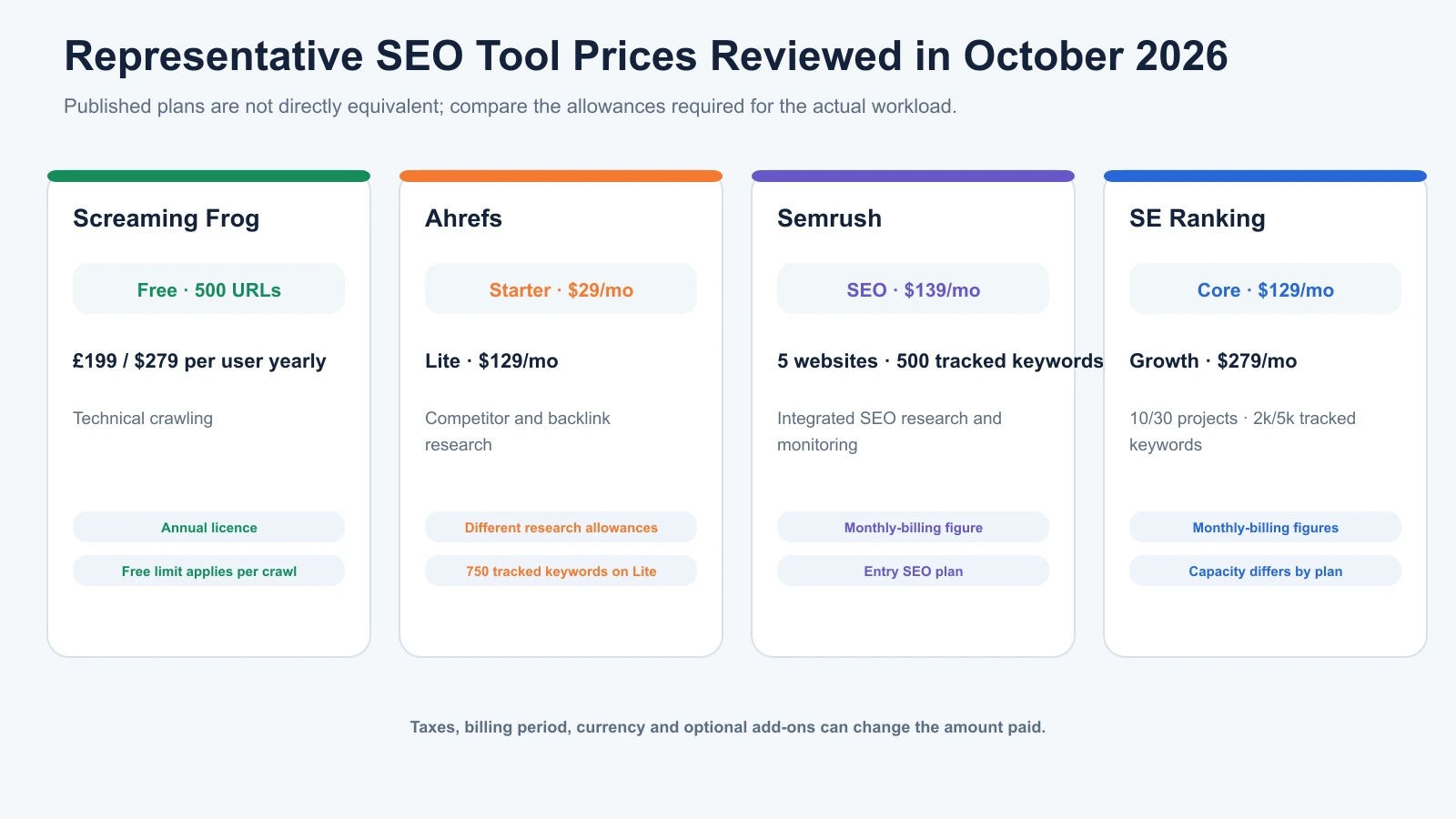
The advertised SEO tools price is a useful starting point, but it rarely tells the full story.
Different platforms include different project allowances, tracked keywords, research credits, and user permissions.
Below are representative pricing options from official vendor pages reviewed in October 2026.
| SEO Tool | Published Price | Main Use | Important Limitations |
|---|---|---|---|
| Google Search Console | Free | Search performance and indexing | No comprehensive competitor keyword database |
| Google Analytics 4 | Free standard service | Website traffic and conversions | Not a dedicated SEO research platform |
| Screaming Frog SEO Spider | Free; £199/user/year paid | Technical website crawling | Free version limited to 500 URLs per crawl |
| Ahrefs Starter | $29/month | Limited keyword and competitor research | 200 credits/month and restricted access |
| Ahrefs Lite | $129/month | Keyword, backlink, and competitor research | 750 tracked keywords and plan-based credits |
| Semrush SEO | $139/month | Integrated keyword research, audits, tracking | Five monitored websites and 500 tracked keywords |
| SE Ranking Core | $129/month | Integrated SEO monitoring and research | Ten projects, one manager seat, 2,000 tracked keywords |
| SE Ranking Growth | $279/month | Larger SEO and GEO workflows | Thirty projects, three manager seats, 5,000 tracked keywords |
These are published prices for the indicated plans, not directly equivalent packages. Prices may vary by billing period, currency, location, and applicable taxes. Screaming Frog uses an annual per-user licence; the other displayed paid prices are monthly-billing amounts.
Semrush: Broad SEO Functionality
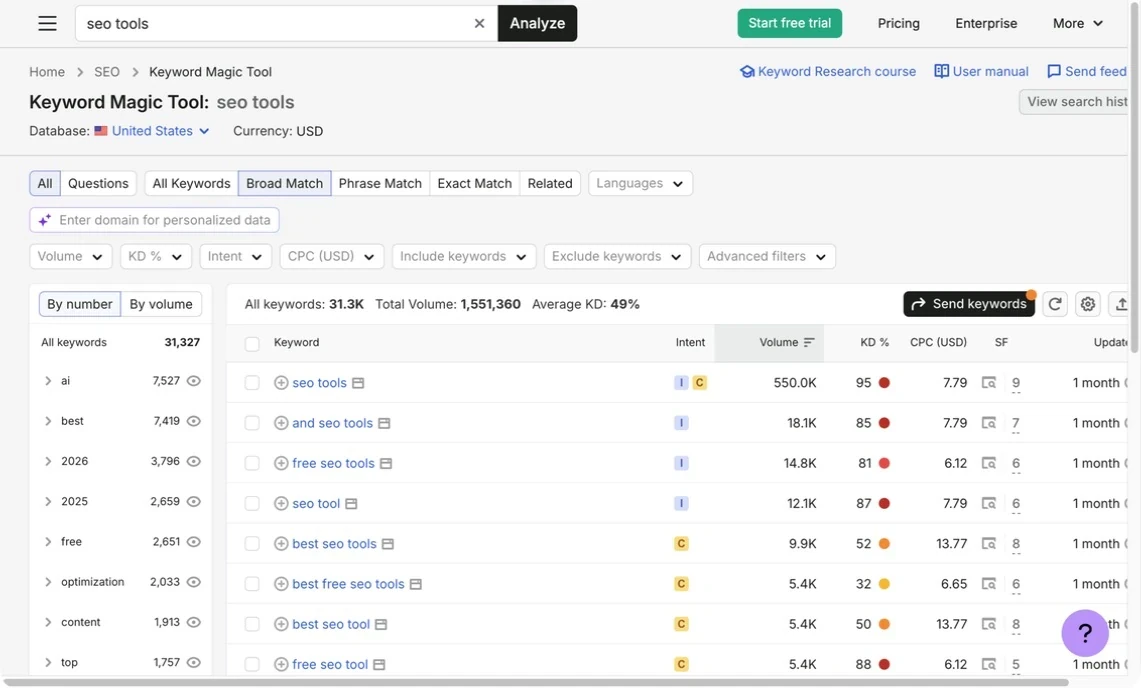
Semrush’s official SEO pricing lists its entry SEO subscription at $139 per month.
It includes keyword and competitor research, Position Tracking, and Site Audit, with allowances for five monitored websites and 500 tracked keywords.
Higher plans increase capacity and add functionality.
For agencies conducting research, tracking, and technical monitoring regularly, that integration can be valuable.
However, a broad platform becomes less cost-effective when most of its modules remain unused.
Ahrefs: Competitor and Backlink Research
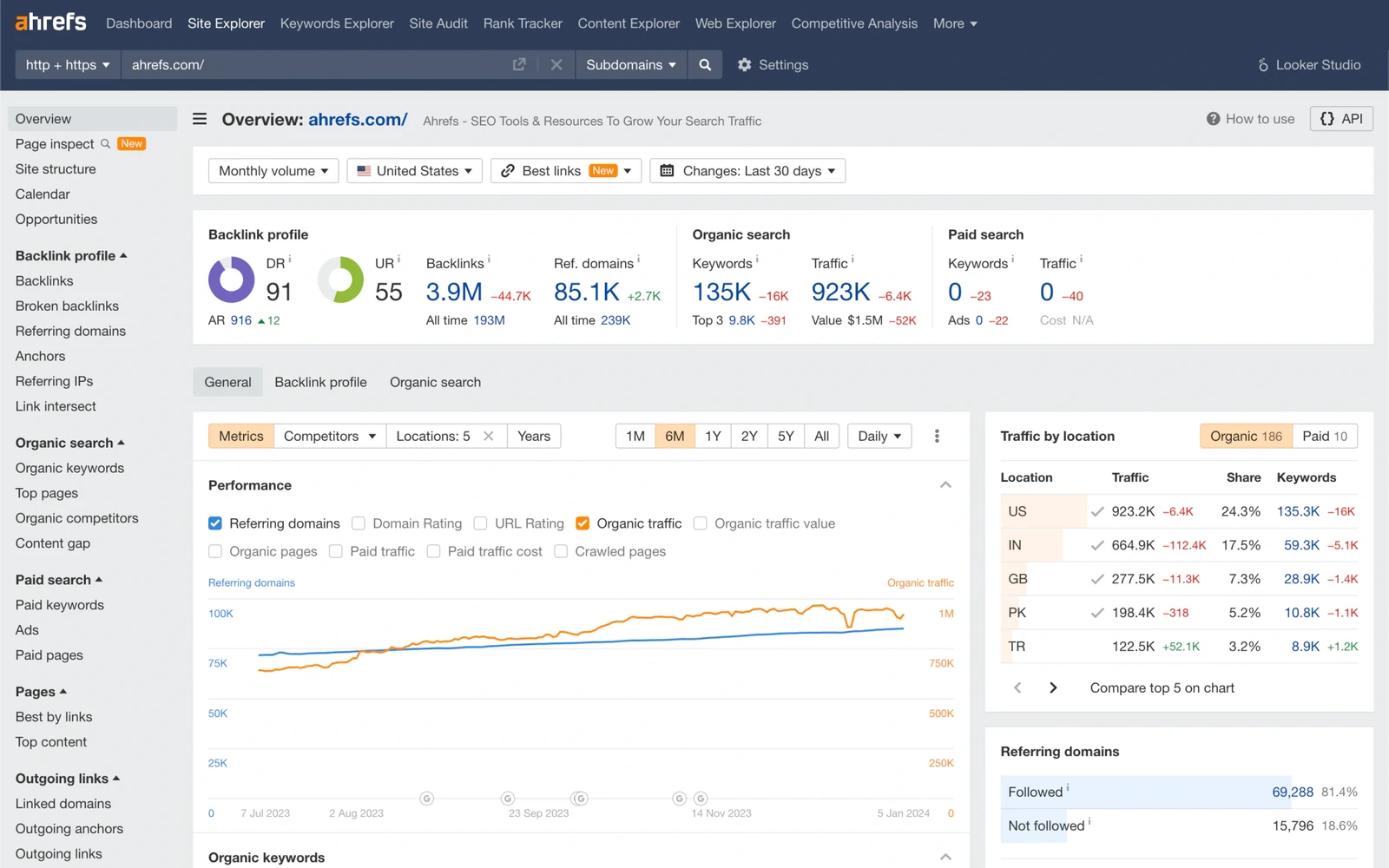
Ahrefs currently advertises a $29 Starter plan alongside its Lite subscription at $129 monthly.
Starter offers limited access to products such as Site Explorer and Keywords Explorer. It isn’t equivalent to a full professional research subscription.
Lite includes 750 tracked keywords, 100,000 monthly crawl credits, and additional research allowances.
For agencies conducting regular competitor and backlink analysis, Ahrefs may justify its cost through access to deeper research workflows.
However, the subscription should be evaluated against the volume of work actually performed.
SE Ranking: Projects and Tracking Capacity

SE Ranking offers Core at $129 monthly and Growth at $279 monthly.
Core includes ten projects and 2,000 tracked keywords, while Growth provides thirty projects and 5,000 tracked keywords.
These allowances make the platform relevant to agencies comparing multiple client accounts.
However, tracked keywords, users, exports, and additional functionality still need to be assessed separately.
A platform supporting thirty projects doesn’t necessarily include enough keyword capacity for every one of those projects.
Screaming Frog: Annual Technical SEO Licensing
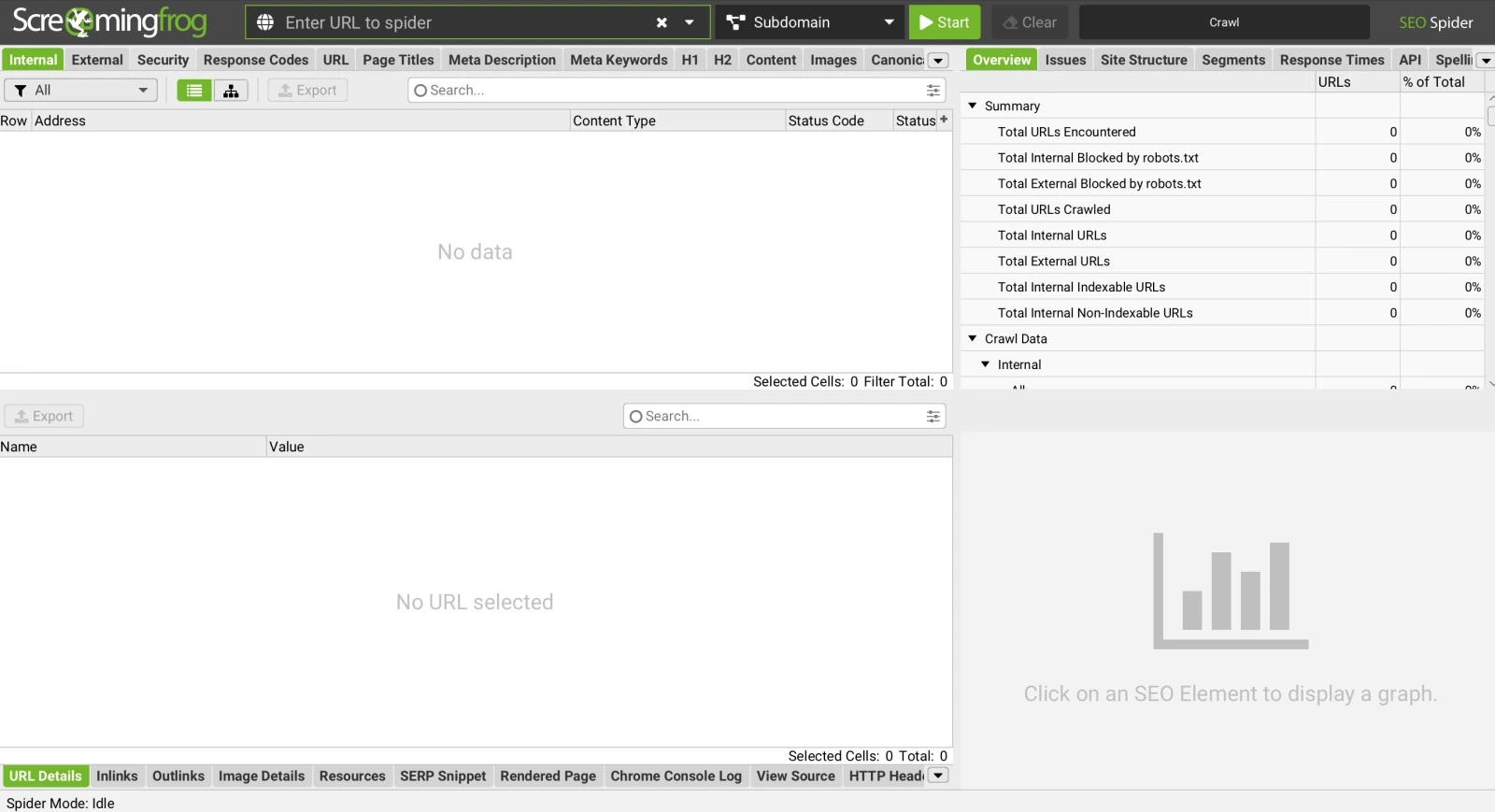
Screaming Frog SEO Spider offers a free edition that crawls up to 500 URLs.
The paid edition costs £199 per user annually. The vendor also provides pricing in other supported currencies.
Unlike a monthly cloud subscription, Screaming Frog uses annual user licensing.
That distinction is important when comparing recurring costs.
A freelancer conducting technical audits may find a specialist crawler valuable without needing a second comprehensive SEO suite.
For businesses choosing between different research and monitoring platforms, our best SEO tools comparison explores the strengths and trade-offs of the major options.
The Total Cost of Ownership Framework for SEO Tools
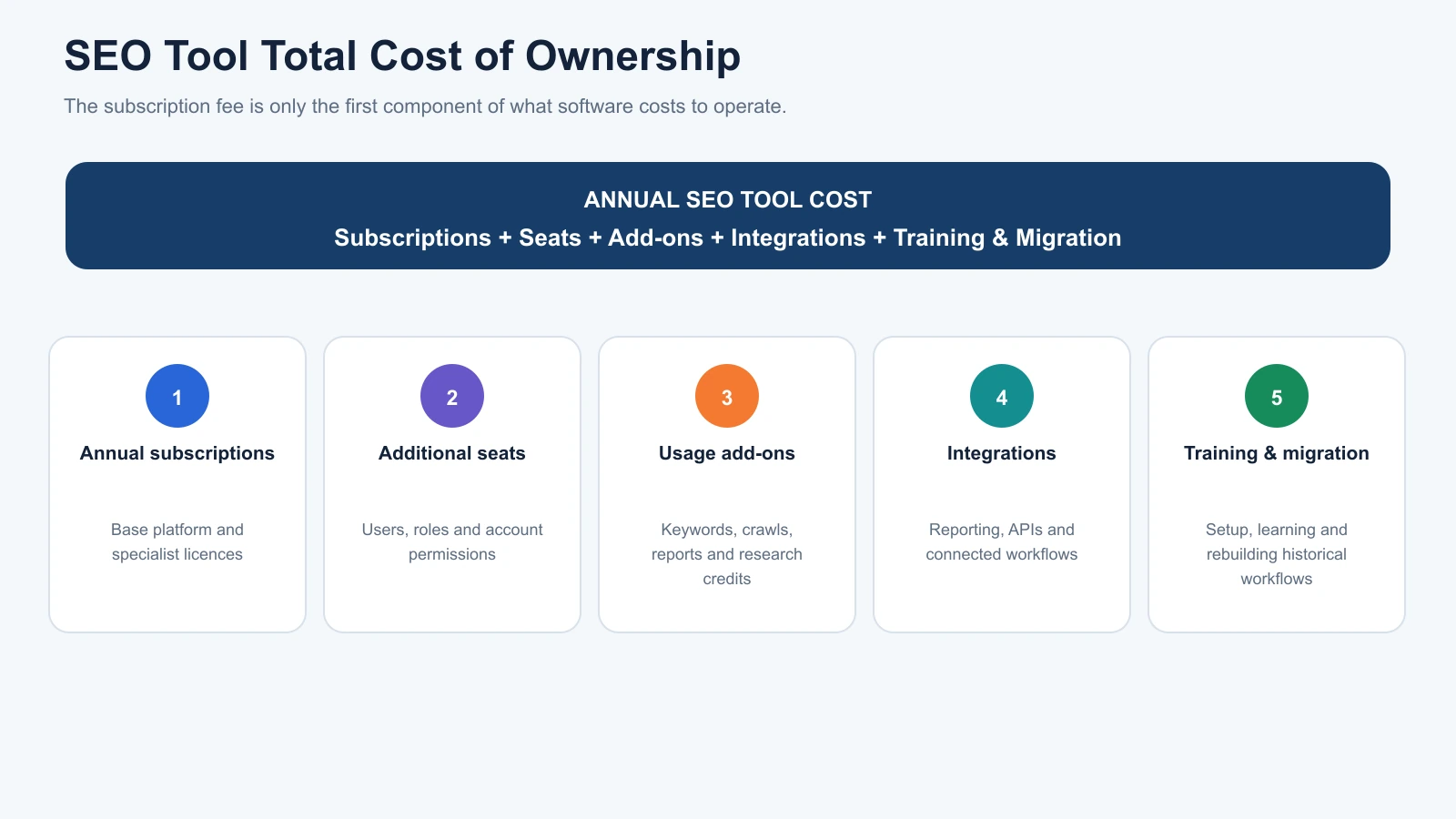
Total cost of ownership, or TCO, measures what software actually costs to operate.
The subscription fee is only one component.
A useful budgeting formula is:
Annual SEO Tool Cost = Annual Subscriptions + Additional Seats + Usage Add-ons + Integrations + Training and Migration Costs
For example, a platform may advertise a $129 monthly subscription.
That works out to $1,548 annually if you pay the same amount every month.
However, adding team members, expanding tracking limits, or purchasing separate reporting software could increase the total.
1. Additional Users and Team Access
Some platforms include only one user on lower plans.
Agencies with several analysts must check whether additional seats cost extra and what permissions they provide.
Avoid assuming that a single-user subscription can be shared freely.
Always follow the vendor’s licensing and account-access terms.
2. Tracking and Research Limits
SEO tools often measure usage in different ways.
A tracked keyword is monitored for ranking changes over time.
A keyword research request is a separate action used to investigate search demand or competitors.
Similarly, crawl credits determine how much website auditing a platform allows.
An inexpensive subscription can become restrictive when an agency exceeds one of these limits.
Before purchasing, estimate the number of keywords, websites, audits, and reports required each month.
3. Reporting and Integration Costs
Agency reporting can create additional expenses.
Some SEO platforms provide built-in reporting, while others require external dashboards or integration tools.
A business may also need staff time to connect data sources, prepare report templates, or maintain custom workflows.
These costs matter when software must support regular client deliverables.
However, don’t assume every agency needs a separate paid reporting subscription.
Google Search Console, GA4, Looker Studio, and existing platform exports may already cover the requirements.
4. Training and Switching Costs
Changing SEO software can require more than cancelling one subscription and activating another.
The team may need to recreate projects, reconfigure keyword tracking, rebuild reporting dashboards, and learn a new interface.
Historical data may not transfer completely.
These are genuine operational costs, but their size depends on the complexity of the migration.
A useful comparison should estimate actual staff hours rather than applying an unsupported standard migration fee.
Which SEO Tool Stack Fits Your Agency?
The most cost-effective setup depends on client volume, service focus, and whether the agency needs specialist research.
The following examples illustrate realistic ways to structure the budget without claiming that every agency should purchase the same products.
Solo Freelancers: Start With Free Tools
A freelancer managing one or two websites can begin with:
- Google Search Console for search performance.
- Google Analytics 4 for website activity.
- Google Keyword Planner for keyword ideas.
- PageSpeed Insights for performance diagnostics.
- Screaming Frog’s free edition for limited technical crawling.
This stack requires no paid SEO software subscription.
Its limitations become more noticeable when researching competitors, auditing larger websites, or tracking many keywords across several projects.
At that point, a limited paid research subscription or a specialist tool may be appropriate.
Small Agencies: Add One Primary Platform
An agency managing five to ten clients often benefits from one paid research and monitoring platform.
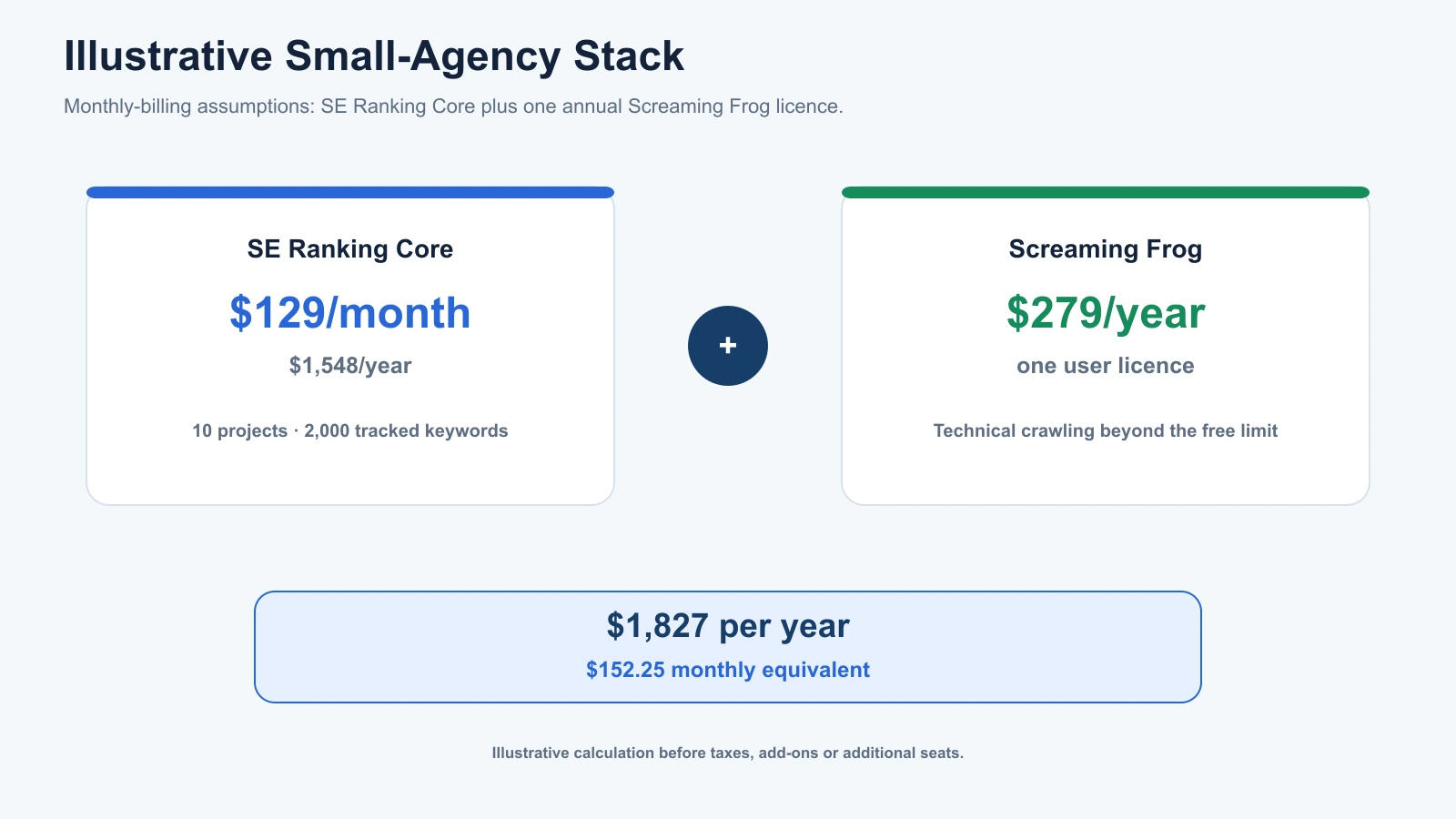
For example, SE Ranking Core includes ten projects and 2,000 tracked keywords.
An agency requiring additional technical crawling could supplement that platform with a Screaming Frog licence.
Using the published US-dollar pricing of $129 monthly for SE Ranking Core and $279 annually for one Screaming Frog licence, the illustrative software cost would be:
| Subscription | Annual Cost |
|---|---|
| SE Ranking Core | $1,548 |
| Screaming Frog licence | $279 |
| Total | $1,827/year |
| Monthly equivalent | $152.25 |
This example assumes twelve months of SE Ranking at the monthly rate, one Screaming Frog licence, and no add-ons or taxes. It isn’t a recommendation that every small agency needs both products.
The value depends on whether these tools cover the agency’s actual services.
Growing Agencies: Budget for Capacity, Not Just Features
Consider an agency managing twenty client websites and monitoring 4,000 keywords.
A lower-tier platform might have enough features but insufficient tracking capacity.
SE Ranking Growth, for example, supports thirty projects and 5,000 tracked keywords at its currently advertised $279 monthly rate.
That provides enough stated project and keyword capacity for this hypothetical workload.
The next question is whether the agency needs additional users, specialist content tools, local SEO software, or customised reporting.
Those requirements should drive further purchases.
Larger Agencies: Consolidate Where It Makes Sense
Large agencies may need multiple specialist platforms, API integrations, dedicated reporting systems, and additional user seats.
However, growth doesn’t automatically justify buying every major SEO suite.
Paying for Semrush, Ahrefs, a dedicated rank tracker, and several content platforms can be worthwhile when each contributes a distinct capability.
It becomes wasteful when they repeatedly produce the same reports without changing any important decision.
The goal is not to minimise the number of subscriptions at all costs.
It’s to ensure each platform contributes value that the remaining stack cannot deliver efficiently.
How to Calculate SEO Tool Cost Per Client
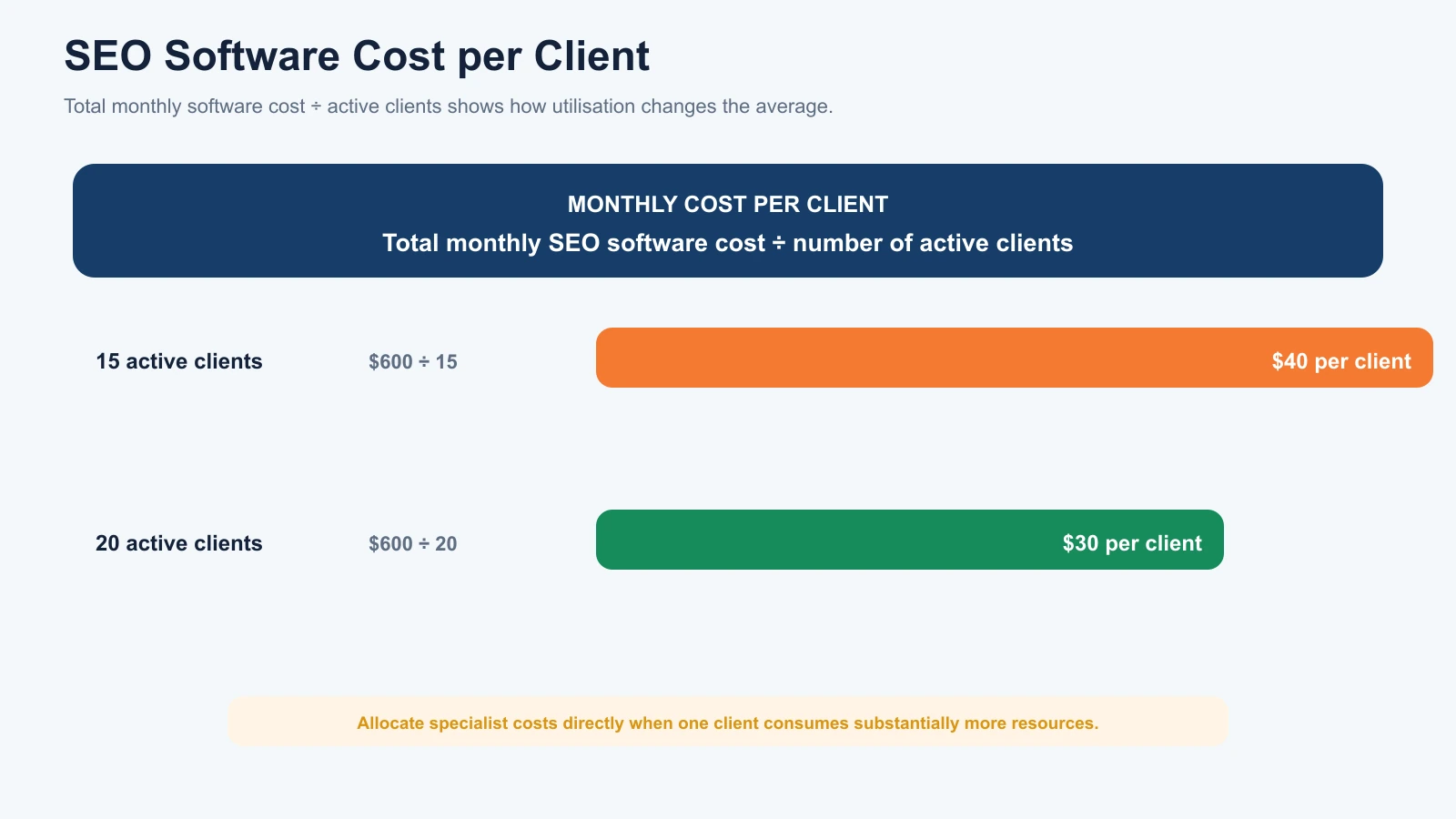
Cost per client is one of the simplest measures agencies can use to understand software spending.
Calculate:
Monthly SEO Tool Cost per Client = Total Monthly SEO Software Cost ÷ Number of Active Clients
Suppose an agency spends $600 per month on SEO tools and manages fifteen active clients.
Its average software cost per client is:
$600 ÷ 15 = $40 per client per month.
If the agency grows to twenty clients without increasing software costs, the average becomes $30 per client monthly.
This helps explain how shared software can become more cost-efficient as utilisation increases.
However, the average doesn’t reveal whether every client uses the same resources.
One large ecommerce client may require substantially more crawling and research than a smaller local business.
For more accurate budgeting, agencies can allocate specialist software costs to the clients or services that actually use them.
Example: Allocating Software Costs by Service
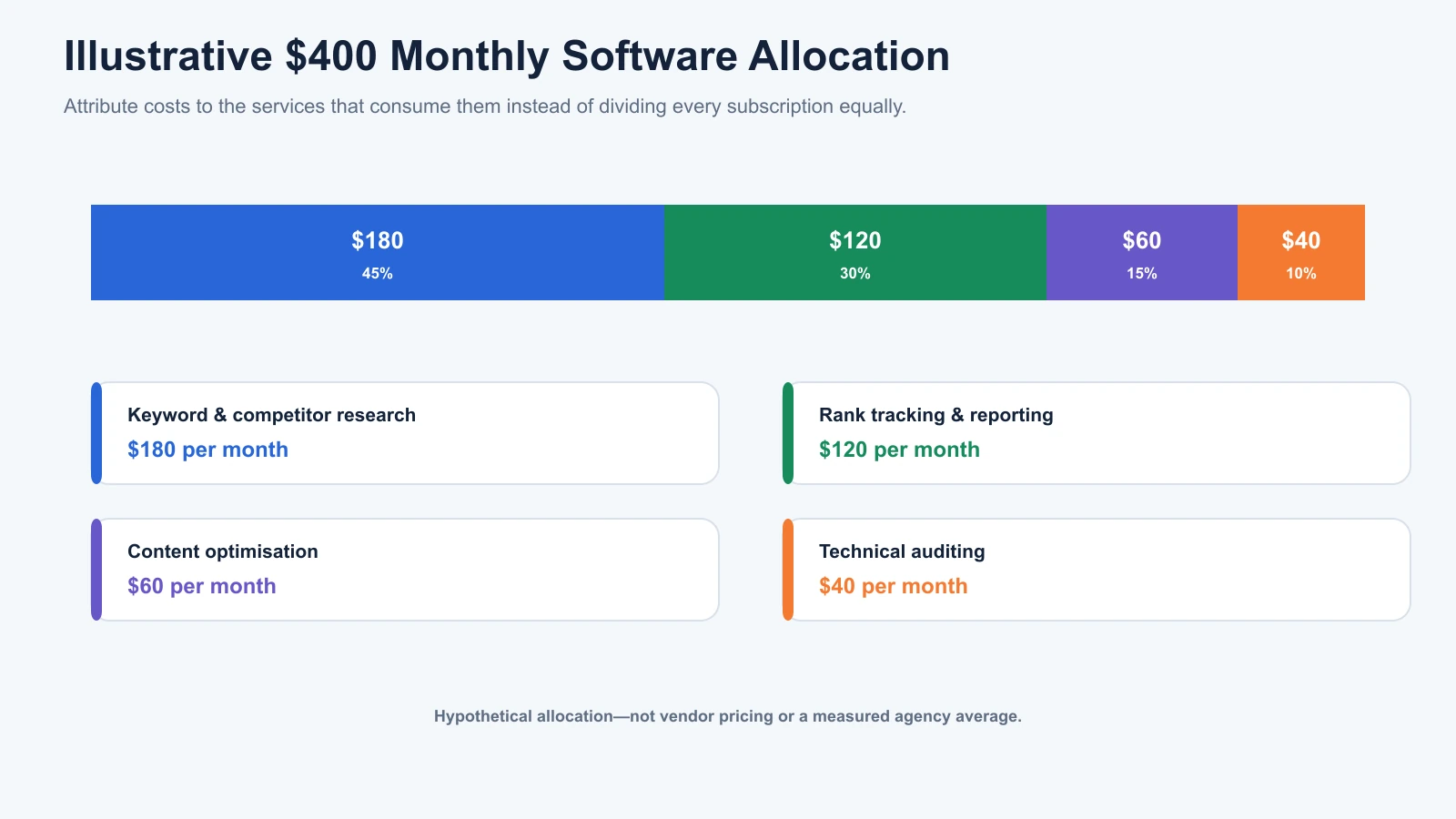
Imagine an agency spending $400 monthly on software.
Its work includes technical auditing, content strategy, competitor research, and monthly reporting.
Rather than dividing every cost equally, the agency could attribute subscriptions based on their primary purpose.
| Cost Category | Illustrative Monthly Allocation |
|---|---|
| Keyword and competitor research | $180 |
| Rank tracking and reporting | $120 |
| Content optimisation | $60 |
| Technical auditing | $40 |
| Total | $400 |
These are hypothetical budget allocations, not vendor prices or measured agency averages.
This framework helps identify which services consume the most software resources.
If only two clients require specialised content optimisation, that cost may be more relevant to their service pricing than to the agency’s entire client base.
How to Calculate Whether an SEO Tool Is Worth Paying For
A useful ROI calculation should consider both financial returns and operational benefits.
However, SEO tool ROI is often overstated because agencies confuse billable rates, actual labour costs, and hypothetical time savings.
Start With the Value of Time Saved
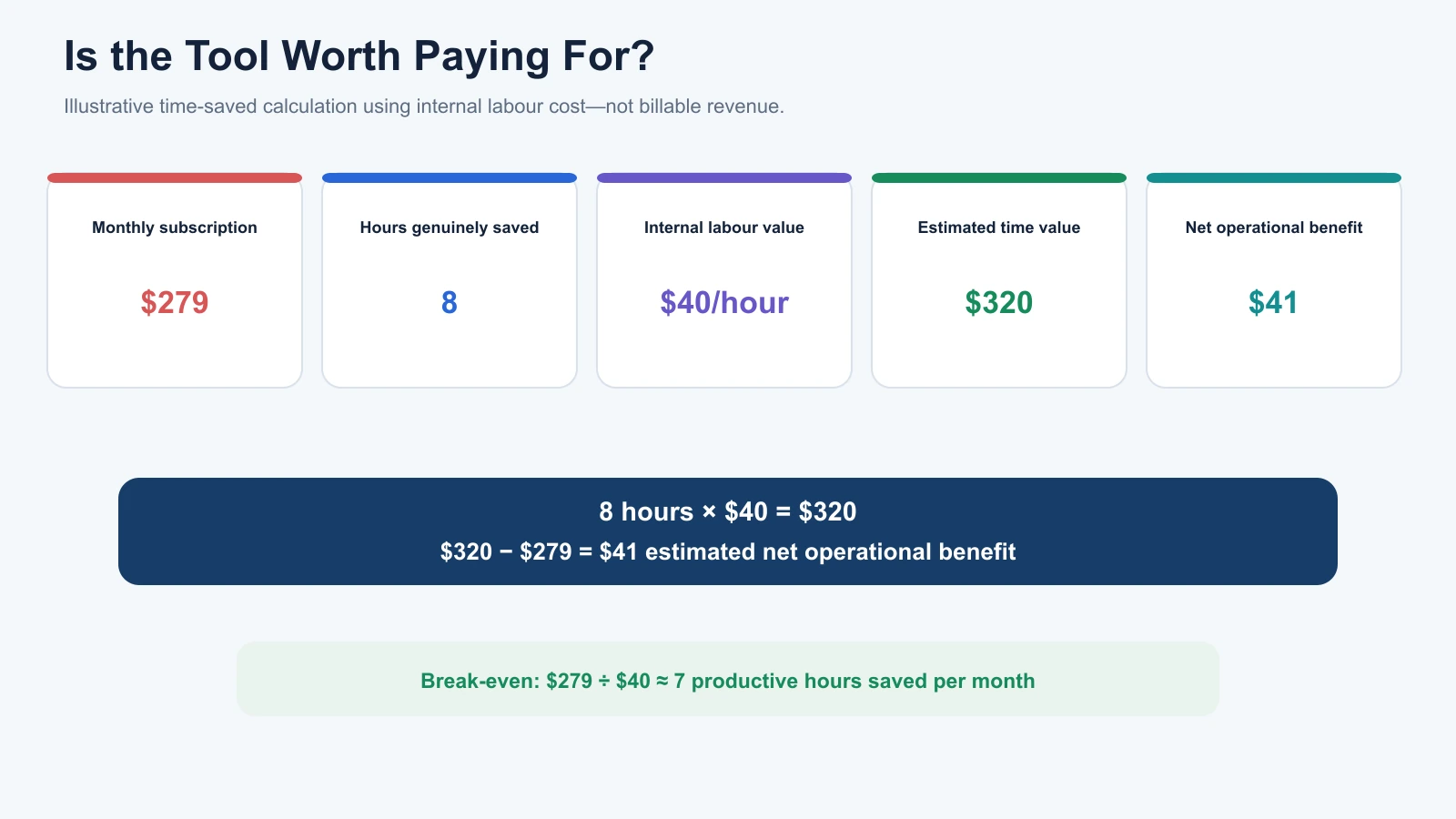
Suppose a reporting platform costs $279 per month.
It saves your team eight hours of manual work monthly.
If the relevant internal labour cost is $40 per hour, the estimated value of that time is:
8 hours × $40 = $320 per month.
Subtracting the subscription cost gives an estimated net operational benefit of $41 monthly.
| Calculation | Value |
|---|---|
| Monthly subscription | $279 |
| Hours saved | 8 |
| Internal labour cost per hour | $40 |
| Estimated time value | $320 |
| Estimated net operational benefit | $41 |
This example is hypothetical.
It also assumes that the saved hours genuinely reduce labour expenses or can be used for other productive work.
If the team simply spends the freed time on activities that create no additional value, the savings shouldn’t automatically be treated as cash profit.
Calculate the Break-Even Point
You can also determine how many hours a tool needs to save before its monthly fee is covered.
Break-Even Hours = Monthly Subscription Cost ÷ Value per Staff Hour
At $279 monthly and $40 per hour, the tool needs to save approximately seven hours each month to cover its fee through productive staff time.
This offers a more practical purchasing threshold than claiming every platform should pay for itself within thirty days.
Compare Revenue and Software Costs
Another useful measure is the relationship between SEO service revenue and software spending.
SEO Revenue-to-Tool-Cost Ratio = Annual SEO Service Revenue ÷ Annual SEO Software Cost
Suppose an agency generates $300,000 annually from SEO services and spends $18,000 on software.
Its ratio is approximately 16.7 to 1.
That means the agency generates about $16.70 in SEO service revenue for every dollar spent on software.
However, this isn’t a profit margin or an ROI figure.
It doesn’t account for wages, overhead, subcontractors, or other expenses.
Use the ratio to track spending efficiency over time, not as a universal benchmark that every agency must achieve.
Where Agencies Waste Money on SEO Tools
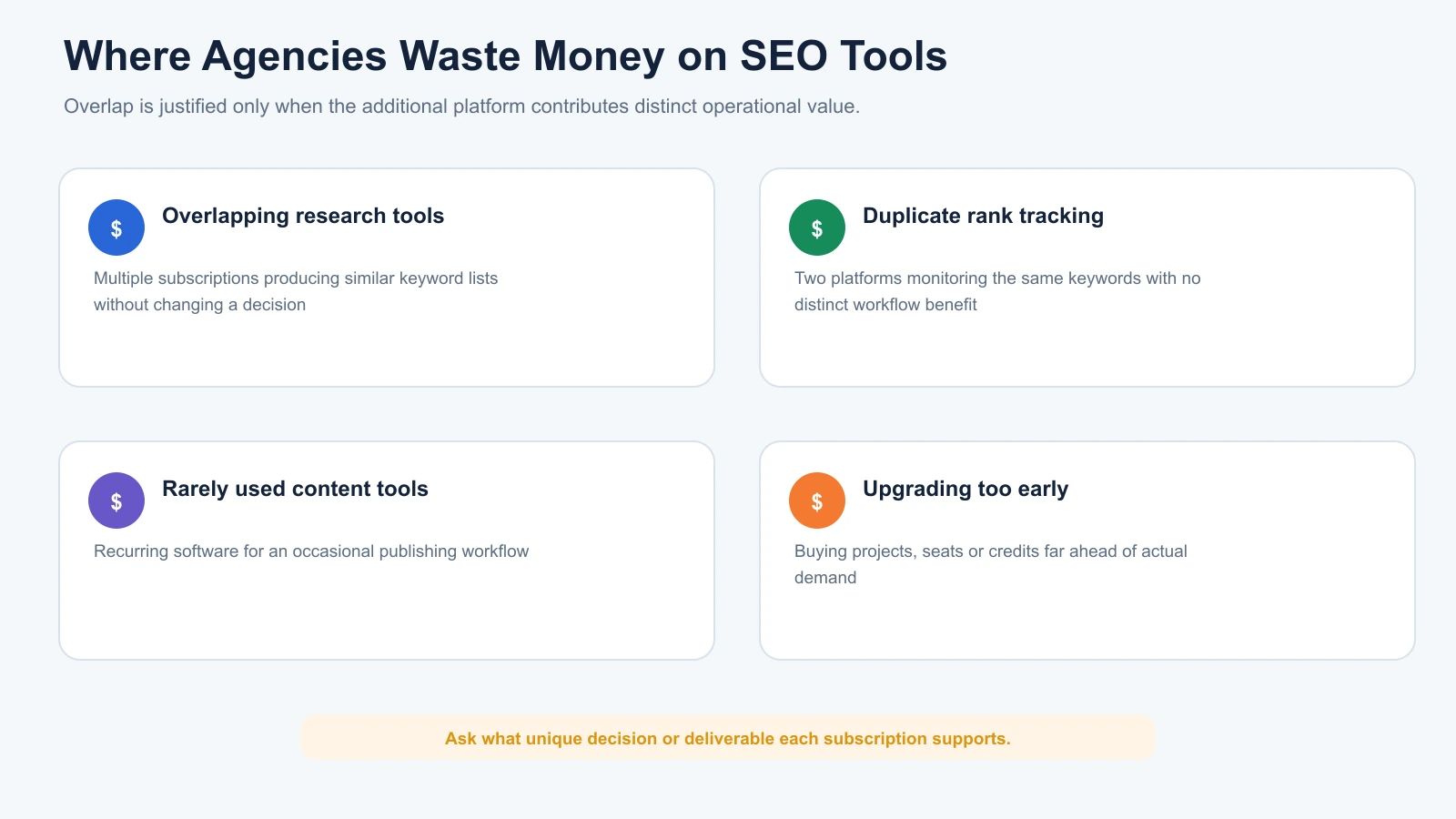
The most common source of wasted software spending is paying for capabilities without a clear operational need.
This can happen through overlapping platforms, unnecessary plan upgrades, forgotten subscriptions, and software purchases that never become part of the team’s workflow.
Overlapping Keyword Research Platforms
An agency may subscribe to multiple SEO suites for keyword discovery.
Different datasets can be valuable, especially for extensive competitor research.
However, if the team only checks approximate search volume and downloads similar lists from every platform, some subscriptions may be redundant.
Review whether each tool contributes information that changes a meaningful decision.
Duplicate Rank Tracking
An agency might use an integrated SEO platform and a separate rank tracker.
That arrangement can make sense when the specialist tracker offers better geographic coverage, reporting, or update frequency.
But if the two platforms monitor identical keywords and produce essentially the same reports, the additional cost deserves review.
Content Tools That Rarely Get Used
Content optimisation software may be valuable for agencies producing large volumes of articles.
For teams publishing only a few pieces monthly, a recurring subscription could be difficult to justify.
Review how frequently the platform is used and whether its recommendations meaningfully improve the editorial process.
A proprietary content score alone isn’t evidence of better rankings.
Paying for Higher Plans Too Early
A growing agency may purchase a larger subscription in anticipation of future clients.
Some additional capacity is sensible.
However, paying for substantially more projects, seats, or credits than the team needs can create unnecessary recurring expenses.
Consider whether the vendor offers upgrades as requirements increase.
How to Reduce SEO Software Spending Without Losing Capabilities
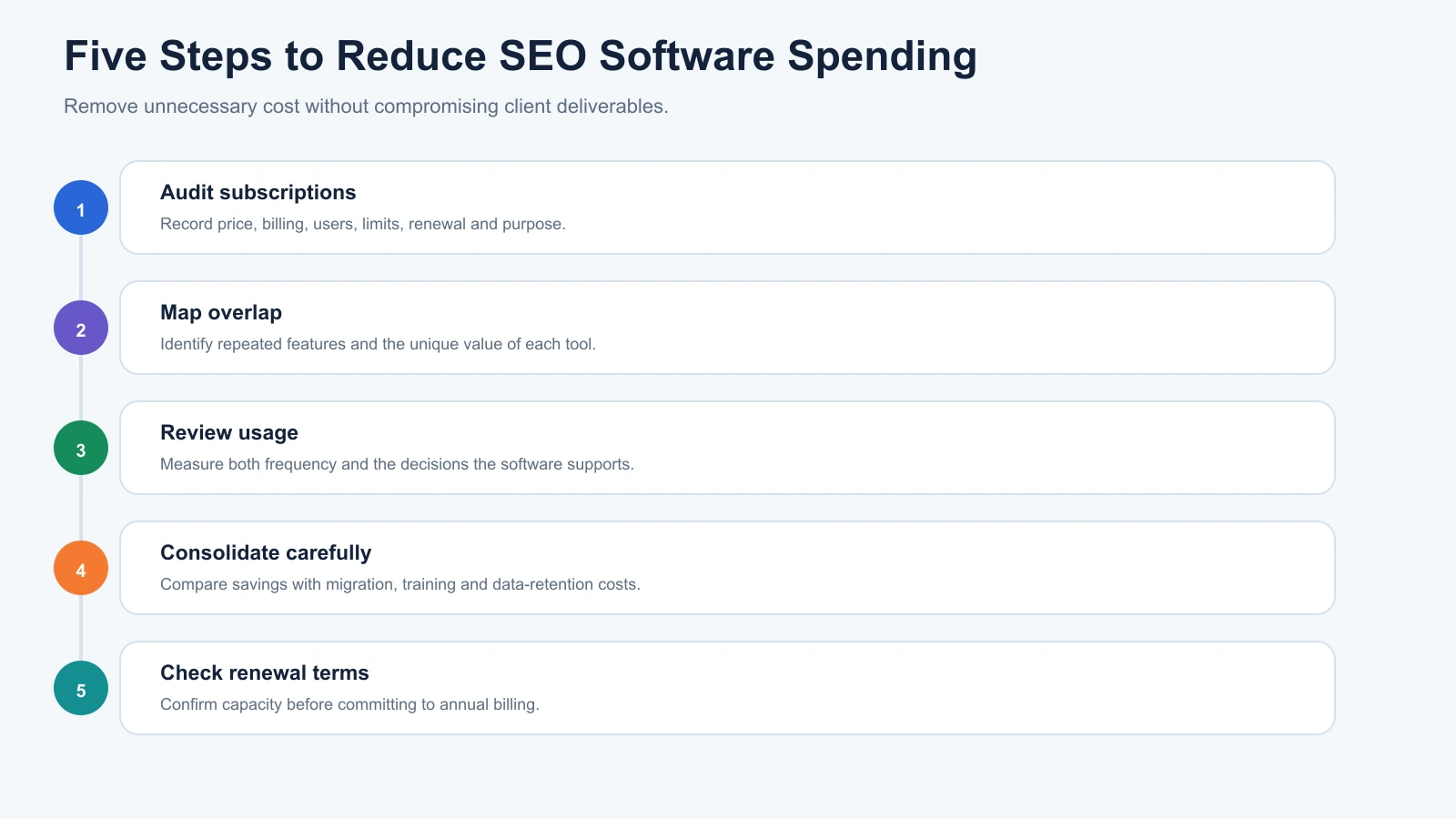
Cost reduction works best when agencies remove unnecessary spending without compromising client deliverables.
A practical review process involves five steps.
Step 1: Audit Every Subscription
Create an inventory of paid SEO tools.
Record each product’s subscription cost, billing period, users, project allowances, renewal date, and primary purpose.
Include smaller subscriptions and add-ons.
These often go unnoticed when spending is spread across several cards or team members.
Step 2: Identify Overlapping Features
Map every subscription to the tasks it supports.
For example, several platforms might provide rank tracking, basic technical audits, and keyword research.
The question isn’t whether those functions overlap.
It’s whether each additional platform offers enough unique value to justify the duplication.
Step 3: Review Actual Usage
Investigate how often each tool is used and what decisions it supports.
A specialist crawler used intensively during quarterly technical audits may still be worth keeping even if it isn’t opened daily.
Likewise, software used every day might offer little value if it produces reports that nobody acts on.
Frequency matters, but relevance matters more.
Step 4: Consolidate or Downgrade Where Appropriate
If one platform adequately replaces several overlapping functions, consolidation may simplify the workflow.
However, moving between tools can create migration, training, and data-retention costs.
Compare these costs against the expected savings before cancelling existing subscriptions.
Step 5: Review Billing and Renewal Terms
Annual subscriptions can reduce the effective monthly price, but they also increase commitment.
Confirm that the tool supports your needs before switching to annual billing.
Where custom pricing is available, ask whether the vendor offers a plan that better fits your required projects, user seats, and tracking capacity.
Don’t assume every provider offers negotiated discounts.
Free SEO Tools That Can Reduce Your Budget
Free SEO tools remain valuable even when an agency uses paid software.
In many cases, they provide information that premium platforms cannot replace directly.
Google Search Console
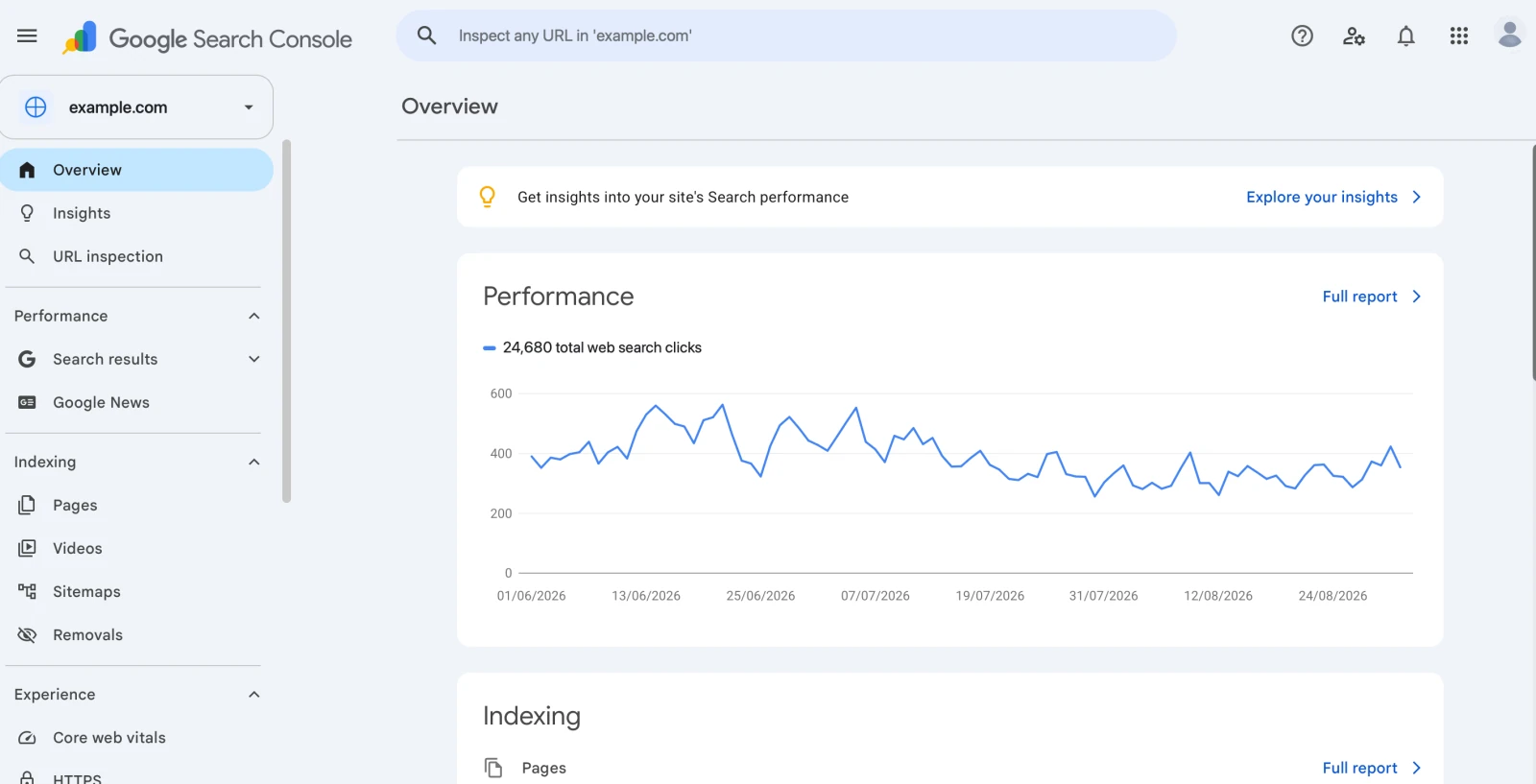
Google Search Console provides first-party information about a website’s performance in Google Search.
It can show queries, clicks, impressions, average position, and indexing information.
This makes it valuable for ongoing monitoring and content improvement.
However, it isn’t a complete competitor research platform or a dedicated rank tracker.
Google Analytics 4
Google Analytics helps investigate website traffic, engagement, and conversions.
For SEO agencies, it adds the business-performance context that ranking reports alone cannot provide.
For example, a page may generate more organic visits without producing additional enquiries.
That distinction matters when evaluating campaign results.
Google Keyword Planner and Google Trends
Google Keyword Planner provides keyword ideas and advertising-oriented search-demand estimates.
Google Trends helps investigate relative search interest over time.
Together, they support useful early-stage keyword research.
However, Keyword Planner’s Competition metric relates to advertising competition, not organic ranking difficulty.
For additional options, see our free keyword research tools comparison.
Screaming Frog Free Edition
Screaming Frog’s free edition can crawl up to 500 URLs.
It is useful for investigating common technical issues on smaller websites without purchasing an annual licence.
Larger websites or more advanced technical workflows may require the paid version.
Our free SEO audit tools guide explains how free crawling and monitoring tools can complement one another.
PageSpeed Insights
Google PageSpeed Insights provides performance diagnostics and relevant Core Web Vitals information.
It is useful for investigating loading performance, responsiveness, and visual stability.
However, PageSpeed Insights is not a replacement for a complete technical site crawler.
A cost-effective SEO workflow gives every tool a defined responsibility rather than expecting one product to handle everything.
Should Agencies Pay Extra for AI SEO and GEO Tools?
AI-assisted SEO and Generative Engine Optimisation have introduced new software capabilities and potential expenses.
Some platforms now offer AI-generated content recommendations, brand mention monitoring, AI-search visibility analysis, and workflow automation.
These features may be valuable when agencies already provide those services.
However, a new AI capability doesn’t automatically justify a new subscription.
If an existing platform includes suitable AI-search monitoring or content analysis, adding another tool may create unnecessary overlap.
Agencies should also evaluate the reliability of AI-generated recommendations.
Automated findings still require appropriate fact-checking, interpretation, and editorial review.
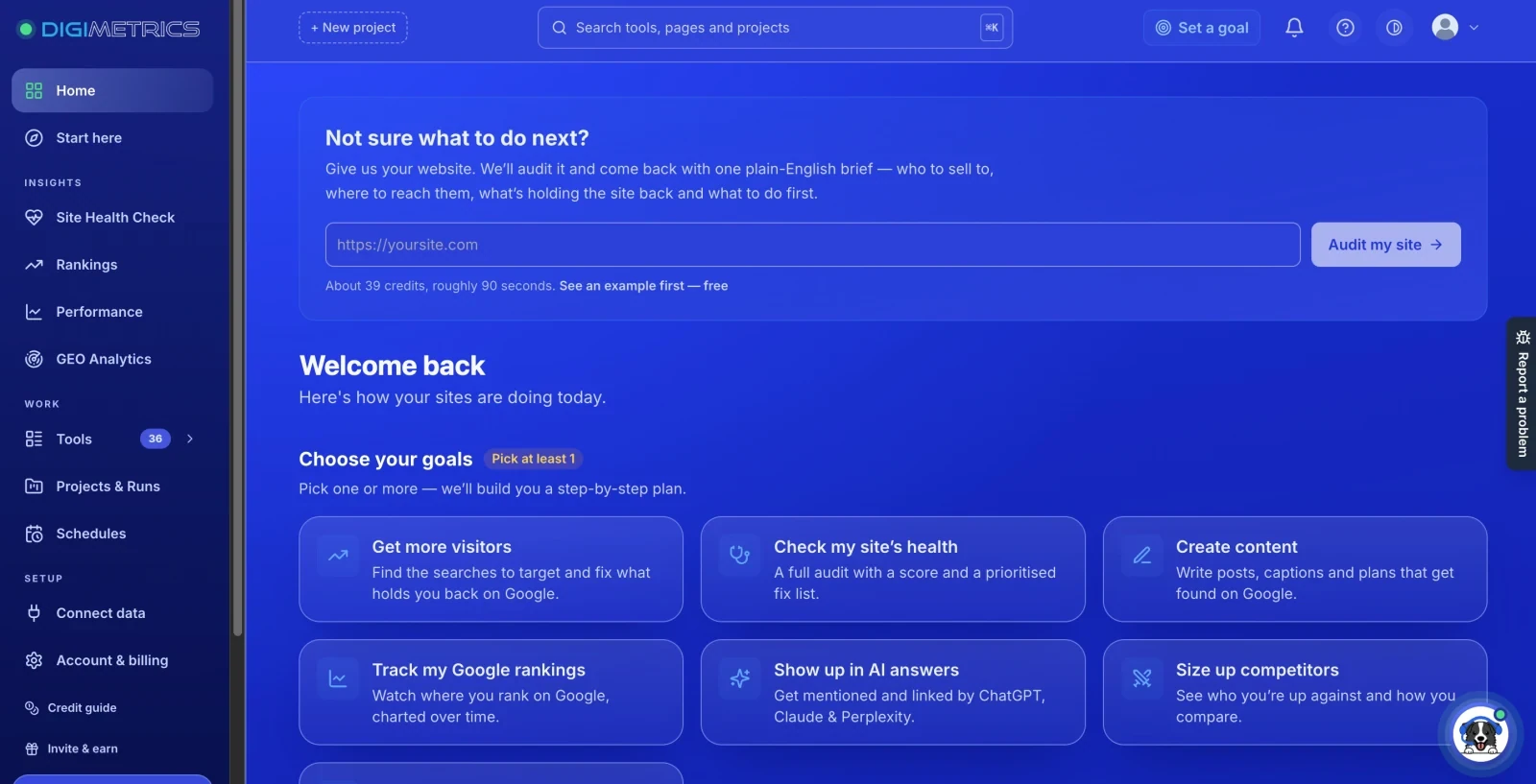
Disclosure: Digimetrics is developed by MediaOne, which sponsors DigitalMarketingTools.ai.
Digimetrics combines SEO analysis, content optimisation, technical diagnostics, and AI-search visibility within an integrated platform.
For teams whose work spans several of these areas, a connected workspace may reduce the number of separate products required.
However, that potential saving should be tested against the agency’s existing tools, usage requirements, and costs.
A newer integrated platform isn’t automatically a substitute for every specialist crawler, rank tracker, or backlink database.
When Should You Upgrade Your SEO Tool Budget?
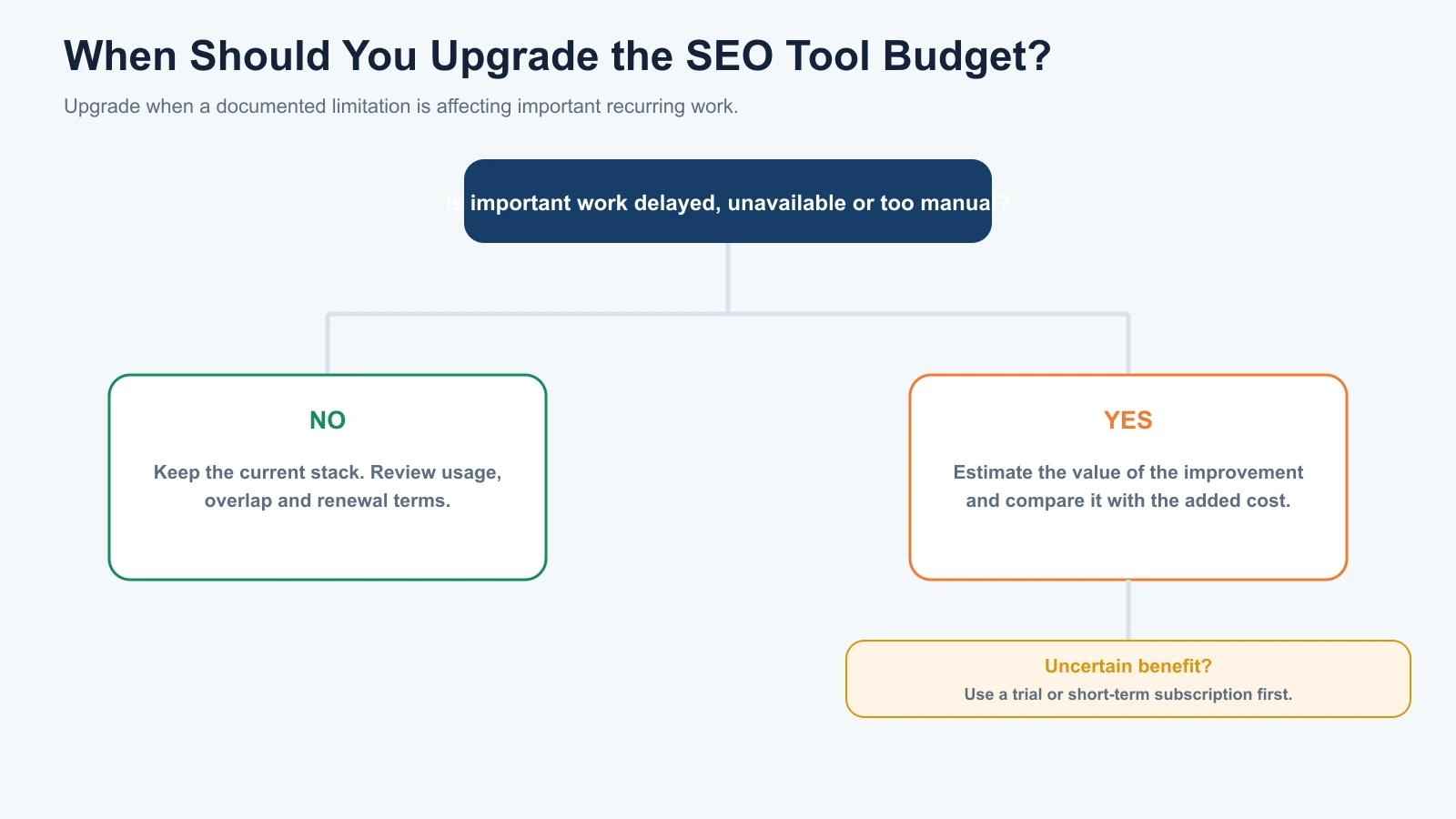
Increasing software spending makes sense when an existing limitation begins affecting important work.
For example, an agency may outgrow its tracked-keyword allowance as new clients are added.
A technical team may need to audit websites that exceed the free crawl limit.
A content team may require more research capacity, or a reporting process may become difficult to maintain manually.
These are specific reasons to reconsider the budget.
In contrast, a new software feature or a competitor’s recommendation is not enough on its own.
Before upgrading, ask whether the additional expense unlocks work that is currently delayed, unavailable, or unnecessarily difficult.
If the answer is yes, estimate the value of that improvement and compare it with the additional cost.
If the benefit is uncertain, a limited trial or short-term subscription may provide better evidence before making a longer commitment.
Final Verdict: How Much Should You Spend on SEO Tools?
SEO software spending should reflect the work an agency actually performs.
There isn’t a single monthly figure or revenue percentage that guarantees an efficient tool stack.
A freelancer managing a few websites may be well served by free Google tools and a limited crawler.
A growing agency could justify one integrated platform alongside a specialist tool.
Larger organisations may need advanced rank tracking, APIs, reporting infrastructure, and additional user seats.
The important distinction is whether those costs support valuable work.
At MediaOne, our approach is to treat SEO tools as resources for research, diagnosis, optimisation, and measurement rather than subscriptions to collect.
Start by mapping your services and recurring tasks. Then compare software capabilities, identify overlapping functions, and calculate the total cost at the scale your agency needs.
Review whether each paid tool helps save meaningful time, improve important decisions, or support client deliverables.
The goal isn’t to have the cheapest SEO tool stack. It’s to spend as little as reasonably possible while maintaining the capabilities your clients actually need.
For more on selecting platforms around your business requirements, read our guide to choosing the right SEO tool.
Frequently Asked Questions
How Much Do SEO Tools Cost Per Month?
SEO tools range from free platforms to subscriptions costing hundreds or thousands of dollars monthly. Google Search Console and GA4 are available without a standard subscription fee, while paid platforms such as Ahrefs, Semrush, and SE Ranking offer plans with different research, project, and tracking allowances.
How Much Should a Small SEO Agency Spend on Tools?
A small agency can start with free software and add one paid platform when its workload requires it. An illustrative planning budget of $150–$400 monthly may cover a primary SEO subscription and selected specialist functionality, but actual requirements depend on clients, users, and deliverables.
What Are the Cheapest SEO Tools for Beginners?
Google Search Console, Google Analytics 4, Google Keyword Planner, Google Trends, and PageSpeed Insights are useful free options. Screaming Frog also offers limited free technical crawling. Ahrefs Starter provides a lower-cost paid entry point, but its research allowances are substantially more restrictive than larger subscriptions.
Are Free SEO Tools Enough for Agencies?
Free tools can cover important tasks, especially for freelancers and smaller agencies. However, they generally offer less comprehensive competitor intelligence, dedicated rank tracking, and workflow automation. Agencies should upgrade when these gaps prevent them from delivering required services efficiently.
Is Semrush or Ahrefs More Cost-Effective?
Neither platform is automatically the better value. Semrush may appeal to agencies using integrated keyword research, site auditing, and ranking reports. Ahrefs can be valuable for teams conducting extensive backlink and competitor analysis. Compare the subscription required for your workload rather than entry-level prices alone.
Should I Pay for Multiple SEO Tools?
Multiple subscriptions can be justified when different platforms provide important specialist capabilities. However, paying several tools to perform essentially the same task may create unnecessary spending. Review functional overlap, data requirements, and the extra decisions each platform supports.
How Do I Calculate SEO Tool ROI?
Start by identifying measurable benefits, such as useful staff time saved, reduced reporting work, or additional service capacity. Compare their realistic value with subscription and operating costs. Avoid treating hypothetical hours saved or gross client revenue as guaranteed profit.
When Should I Upgrade My SEO Software?
Upgrade when your existing tools can no longer support important recurring work. Common triggers include project limits, tracked-keyword capacity, crawl restrictions, reporting requirements, and missing competitor data. Check whether the additional subscription cost is justified before committing.
Is Annual Billing Better Than Monthly Billing?
Annual billing may lower the effective monthly price, but it creates a longer commitment. Monthly billing can provide flexibility while evaluating new software. Before choosing, compare the total annual cost, cancellation terms, and whether the platform consistently meets your requirements.
Disclosure: digitalmarketingtools.ai is sponsored by Digimetrics.ai. Sponsored Highlights are clearly labelled advertising. Our reviews, comparisons and guides are written to be useful and fair regardless of who sponsors the site. Read the full disclosure.


