
GEO Tools for Agencies vs In-House Teams: What’s the Difference?

A marketing agency managing 15 client websites and an in-house team managing one brand might use the same GEO tool. But they probably shouldn’t pay for the same features.
Agencies need to manage multiple brands, prepare client reports, and keep different accounts organised. In-house teams usually care more about understanding their own brand’s AI visibility, tracking competitors, and turning those findings into marketing improvements.
Both want to know how their brands appear in ChatGPT, Google AI Overviews, Perplexity, and other AI search experiences. The difference is what happens after they collect that information.
The best GEO tools for agencies prioritise multi-client management, scalable tracking, and reporting. In-house teams should prioritise deeper brand insights, collaboration, and integration with existing marketing workflows.
That doesn’t mean you need entirely different software. Many GEO platforms serve both groups, but the right subscription, setup, and features can look very different.
Here’s how to choose.
GEO Tools for Agencies vs In-House Teams: Quick Comparison
The biggest differences come down to how many brands you manage and what you need to do with the information.
| Feature | GEO tools for agencies | GEO tools for in-house teams |
|---|---|---|
| Primary goal | Manage GEO campaigns for multiple clients | Improve one company’s AI search visibility |
| Brand management | Multiple client domains and workspaces | One brand or a group of related brands |
| Reporting | White-label and client-facing reports | Internal dashboards and performance summaries |
| Competitor tracking | Different competitor sets for each client | Deeper analysis of direct competitors |
| Team collaboration | Account managers, specialists, clients | SEO, content, PR, product, and leadership teams |
| Pricing priorities | Cost per client, prompt allowances, scalability | Depth of analysis, integrations, business value |
| Data access | Client-specific permissions and separation | Shared access across internal departments |
| Key requirement | Repeatable workflows across clients | Turning findings into business decisions |
Consider a practical example.
An agency managing ten clients might monitor 20 prompts for each client. That’s 200 prompts across ten different brands, each with its own competitors and reporting requirements.
An in-house team might monitor the same 200 prompts for one business, covering several product categories, customer segments, and international markets.
The total number of prompts is identical, but the way each team needs to organise and analyse the data is completely different.
That’s why choosing a GEO tool based on the number of supported AI models or the lowest subscription price can lead to the wrong decision.
What Does a GEO Tool for Agencies Actually Need?
Agencies typically need to deliver consistent GEO services across multiple client accounts without multiplying the administrative work.
A tool that works perfectly for one website can become difficult to manage when your agency adds several more clients.
Here are the features worth prioritising.
1. Multi-client workspaces
Imagine managing 15 client websites in a GEO platform that doesn’t support separate workspaces.
Your team might have to create individual accounts, switch between logins, or organise data manually to prevent client information from getting mixed up.
That’s inconvenient for a small agency and increasingly difficult as your portfolio grows.
A suitable agency GEO tool should let you manage different brands from one account while keeping each client’s prompts, competitors, historical data, and reports separate.
For example, Peec AI offers agency-focused plans that include multi-brand workflows and prospecting features, while Otterly.AI’s agency programme provides workspace-related capabilities for eligible partners.
These features are especially useful when multiple account managers work on different campaigns.
2. White-label and client-ready reporting
Clients generally don’t want to learn how to navigate a complicated GEO dashboard.
They want answers to questions such as:
- Is our brand appearing more frequently in relevant AI answers?
- Which competitors are being recommended instead of us?
- What websites are AI tools citing?
- What improvements should we prioritise next?
Agencies need to turn that information into reports that are easy to understand.
White-label reporting can help because it allows agencies to deliver reports using their own branding. But branding alone isn’t enough. You also want useful charts, exportable data, and clear explanations of what the results mean.
A platform that produces visually impressive reports but leaves your team interpreting every metric manually may not save much time.
3. Predictable pricing as clients increase
One of the biggest challenges for agencies is understanding how software costs change as they add clients.
Some GEO tools charge per domain. Others use tracked prompts, credits, workspaces, or custom usage allowances.
For example, Semrush’s AI Visibility Toolkit offers domain-based AI visibility functionality. That pricing structure deserves attention when you’re managing several client websites.
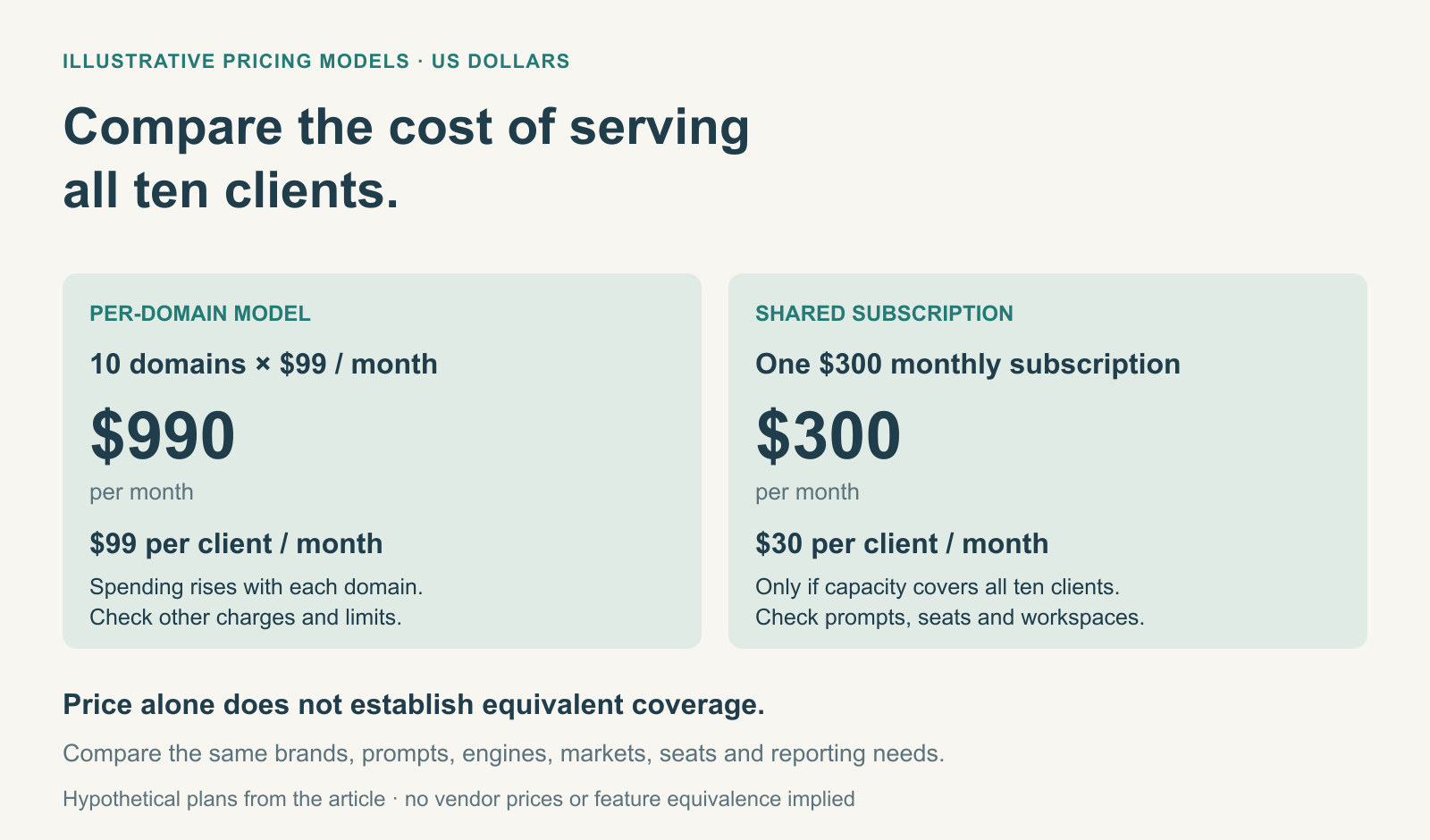
Consider two hypothetical plans:
| Pricing model | Agency with 10 clients | Potential issue |
|---|---|---|
| $99 per tracked domain/month | $990/month | Costs rise directly with client count |
| $300/month shared subscription | $300/month initially | Prompt or usage limits may require an upgrade |
These are illustrations, not a quote for equivalent vendor plans. They show why comparing starting prices alone isn’t enough.
An agency should calculate the effective cost per client and determine whether its subscription has enough capacity for every account.
For a detailed breakdown, see our guide on How Much Agencies Should Spend on GEO Tools.
4. Efficient campaign setup
Agencies regularly onboard new clients.
That means creating tracking projects, selecting prompts, identifying competitors, establishing baselines, and preparing reports.
A tool that takes hours to configure for each new client creates unnecessary work.
Look for reusable workflows, easy project creation, consistent reporting settings, and integrations that reduce repetitive tasks.
Some agency-oriented platforms also provide prospecting or pitch environments, allowing agencies to demonstrate AI visibility opportunities before a client signs a contract.
For example, Profound’s agency-focused platform highlights client workspaces and pitch environments as part of its agency offering.
These capabilities are useful when GEO becomes a service you regularly sell rather than something you occasionally test.
What Should In-House Marketing Teams Look for in GEO Tools?
In-house teams have different priorities because they’re usually responsible for improving the performance of their own company.
They may still need sophisticated monitoring, but they generally don’t need to generate separate white-label reports for unrelated clients.
Their challenge is connecting GEO insights to existing marketing decisions.
1. Deeper insights into one brand
An in-house team might track hundreds of prompts across several products, customer segments, and locations.
For example, a software company could monitor questions about its product category, alternatives to competitors, pricing comparisons, and specific use cases.
The team doesn’t just want to know whether the brand appears in AI-generated answers.
It wants to understand why it appears, which sources are cited, and where competitors are more visible.
A GEO platform that supports detailed competitor analysis, citation research, and historical tracking may be more useful than one focused primarily on creating multiple client accounts.
2. Integration with existing SEO and content workflows
In-house marketing teams often already use Google Search Console, Google Analytics, SEO software, and content management systems.
Adding GEO data should improve their existing workflow, not create another dashboard that nobody checks.
For example, suppose a GEO platform identifies that a competitor appears frequently in AI-generated comparisons while your brand rarely gets mentioned.
Your content team can investigate whether the competitor has more complete product comparisons, useful original information, or relevant third-party coverage.
Your SEO team can review technical accessibility, while your PR team examines opportunities for legitimate industry coverage.
This is where broader platforms can become useful.
Semrush documents its AI visibility features, while Digimetrics.ai combines AI visibility-related functionality with SEO, content, technical analysis, and other marketing workflows.
The right choice depends on whether your team needs standalone AI monitoring or a broader system to investigate and act on its findings.
3. Collaboration between departments
GEO isn’t necessarily the responsibility of one person.
An AI-generated answer might contain incorrect product information, outdated pricing, or an inaccurate description of your company’s services.
Fixing those issues could require input from product marketing, SEO, content, web development, or communications.
An in-house team benefits from software that makes findings easy to share and translate into tasks.
For example, if AI-generated answers repeatedly misunderstand a product feature, the team should be able to investigate the source of that information and coordinate appropriate corrections.
The goal is to move from identifying a problem to deciding who should address it.
4. Reporting that connects to business outcomes
Agencies frequently report on deliverables and campaign progress. In-house teams also need to understand how GEO contributes to broader business goals.
Leadership may care less about the total number of tracked prompts and more about whether the company is being discovered by relevant buyers.
That makes it important to connect GEO monitoring with other available information, including search performance, referral traffic, qualified leads, and conversions.
However, AI visibility data shouldn’t be treated as a direct measure of revenue.
A brand appearing more frequently in selected AI responses doesn’t necessarily mean more customers visited its website or purchased its products.
In-house teams should use GEO metrics alongside existing business data rather than replacing traditional performance measurement.
Which GEO Tools Are Better for Agencies and In-House Teams?
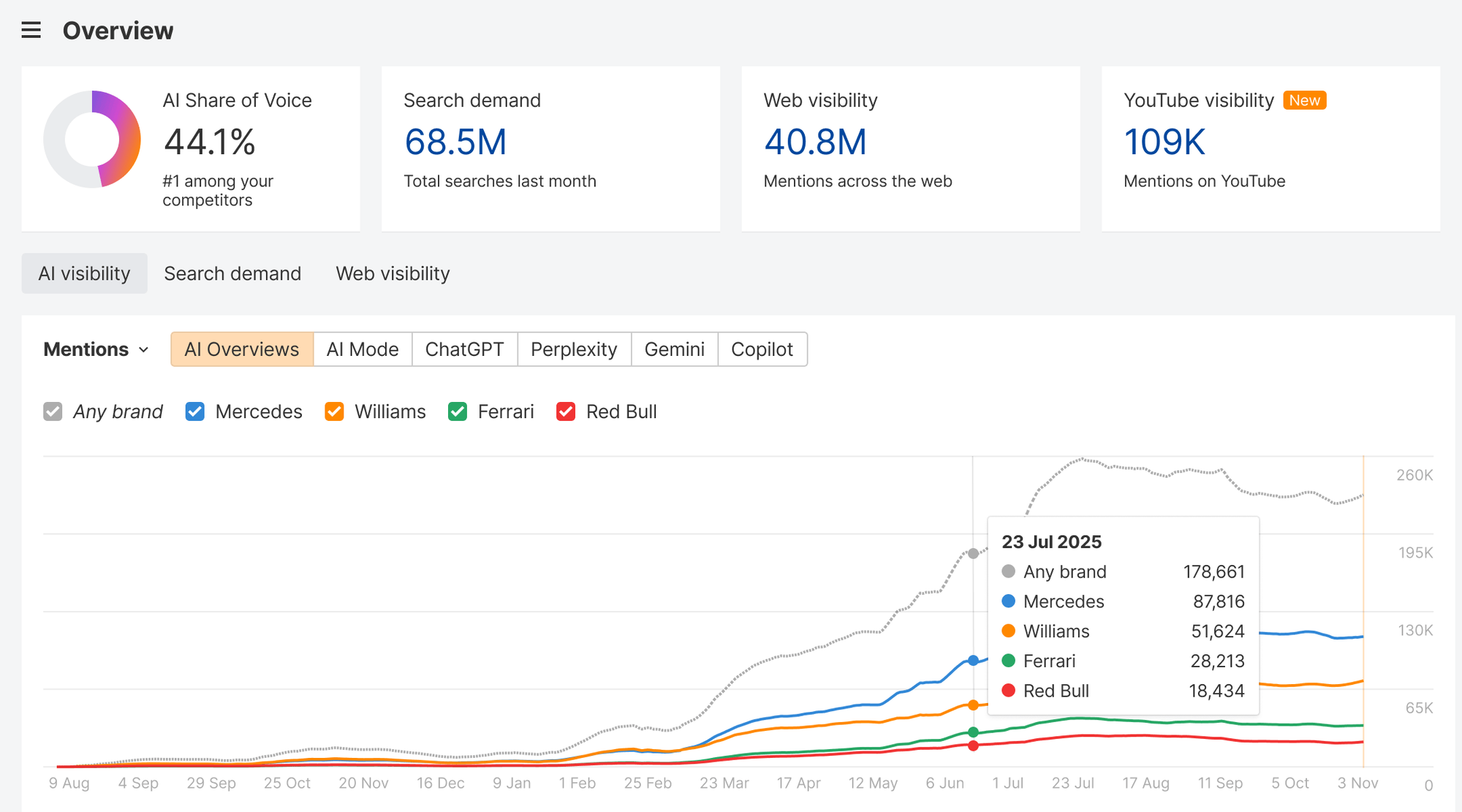
Several platforms can work for both groups. The better choice depends on the problems you’re trying to solve.
Here’s a practical shortlist.
| GEO tool | Agency suitability | In-house suitability | Main consideration |
|---|---|---|---|
| Peec AI | Strong for multi-brand workflows | Useful for brand and competitor monitoring | Agency plans and reporting needs |
| Otterly.AI | Useful for small agencies and consultants | Useful for teams starting AI visibility monitoring | Tracking allowances and plan features |
| Profound | Suitable for larger agencies with complex accounts | Suitable for larger brands needing advanced analysis | Enterprise requirements and pricing |
| Semrush | Useful for agencies offering SEO and GEO | Useful for existing SEO teams | Domain costs and available AI features |
| Ahrefs Brand Radar | Useful for agencies already using Ahrefs | Useful for SEO teams conducting brand research | Subscription and AI index coverage |
| Digimetrics.ai | Worth evaluating for repeatable agency audits | Worth evaluating for combined marketing workflows | Credits, project limits, and feature coverage |
These are suitability assessments based on published product capabilities, not results from identical hands-on tests of every platform.
Peec AI: Worth considering for agencies managing multiple brands
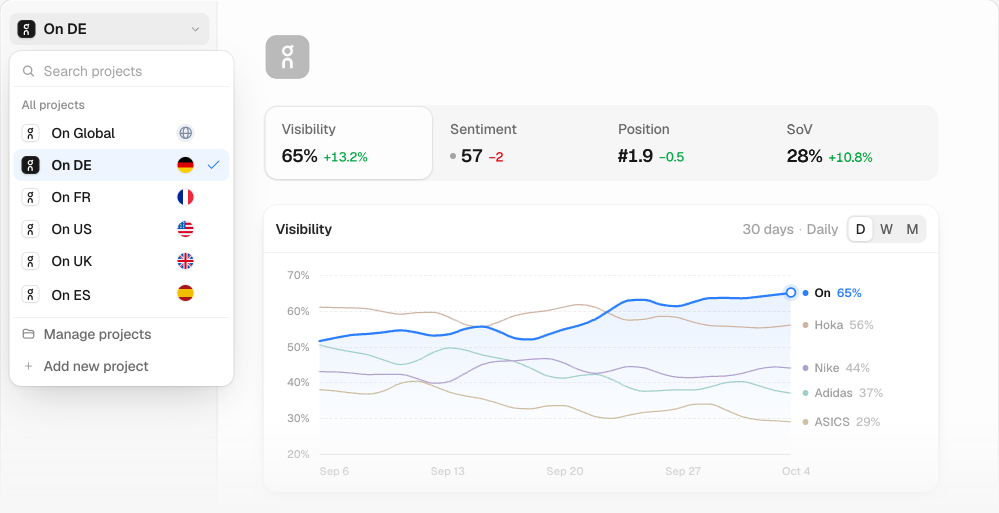
Peec AI offers AI visibility monitoring, competitor comparisons, and agency-oriented workflows.
Its dedicated agency plans make it worth examining if you manage several client accounts or regularly need to demonstrate GEO opportunities to prospective clients.
In-house teams can also use its monitoring capabilities, although they may not need the agency-specific features.
Best fit: Agencies that need organised multi-brand tracking and repeatable reporting.
Otterly.AI: A starting point for smaller teams
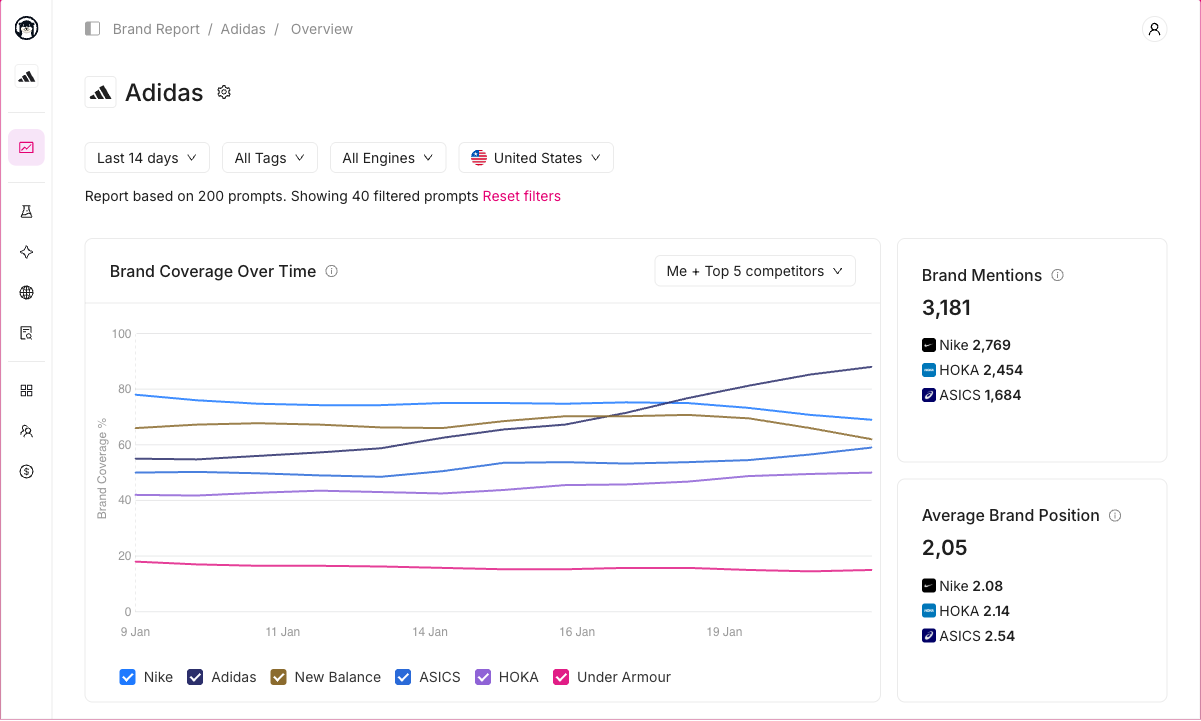
Otterly.AI offers AI search monitoring through subscription tiers with different tracking allowances.
Its entry-level pricing makes it worth considering for consultants, smaller agencies, and in-house marketers experimenting with GEO.
However, a low-cost subscription isn’t automatically enough for a multi-client agency.
Check how many prompts, workspaces, and AI platforms are included before choosing a plan.
Best fit: Small agencies and in-house teams that need relatively straightforward AI visibility monitoring.
Profound: For organisations with more demanding requirements
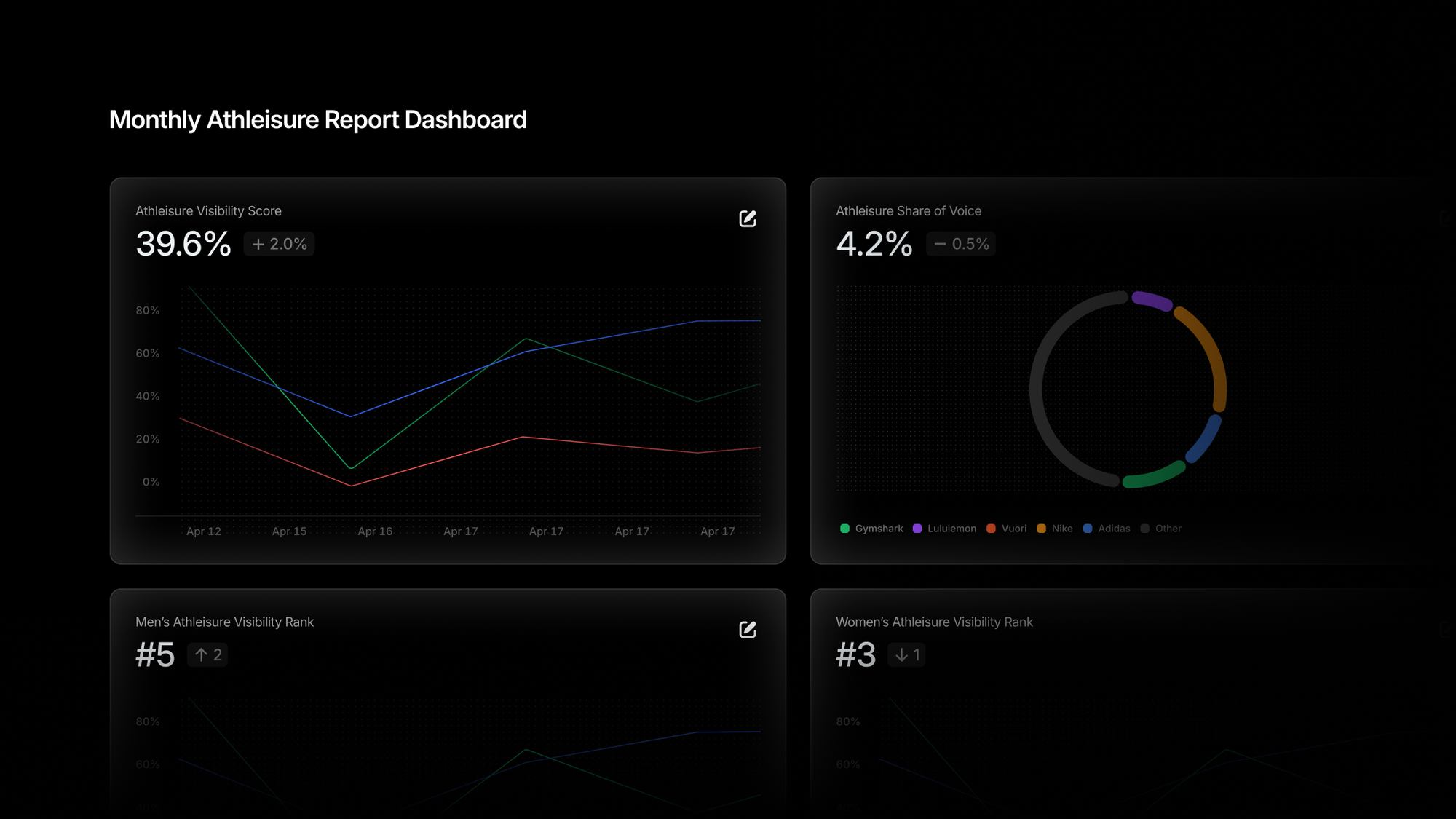
Profound offers advanced AI visibility capabilities and has published material specifically addressing marketing agencies.
Its agency offering includes capabilities such as client workspaces and pitch environments, while its broader platform targets organisations requiring more extensive monitoring and analysis.
For smaller teams that only need basic prompt tracking, this level of functionality may be unnecessary.
Best fit: Larger agencies and established in-house teams requiring more advanced AI visibility workflows.
Semrush: For teams combining SEO and GEO
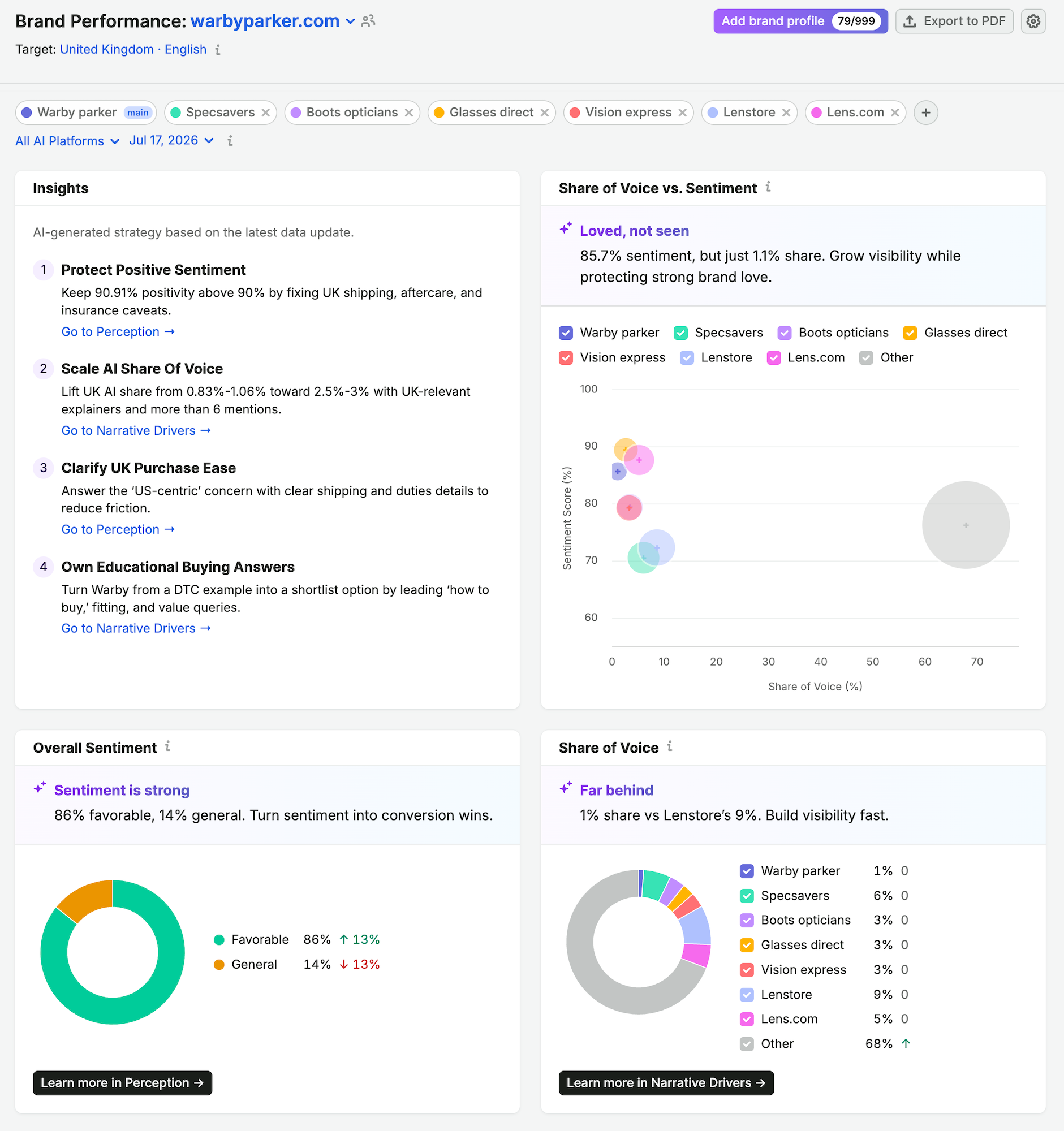
Semrush is worth considering when traditional SEO remains an important part of your team’s work.
Its AI Visibility Toolkit provides brand visibility analysis alongside a broader SEO ecosystem.
For agencies, the important consideration is how domain-based costs increase across multiple clients.
For in-house teams, the advantage may be maintaining familiar SEO and AI visibility workflows within the same ecosystem.
Best fit: SEO agencies and in-house marketing teams that want AI visibility analysis alongside existing search workflows.
Digimetrics.ai: For teams wanting broader marketing workflows
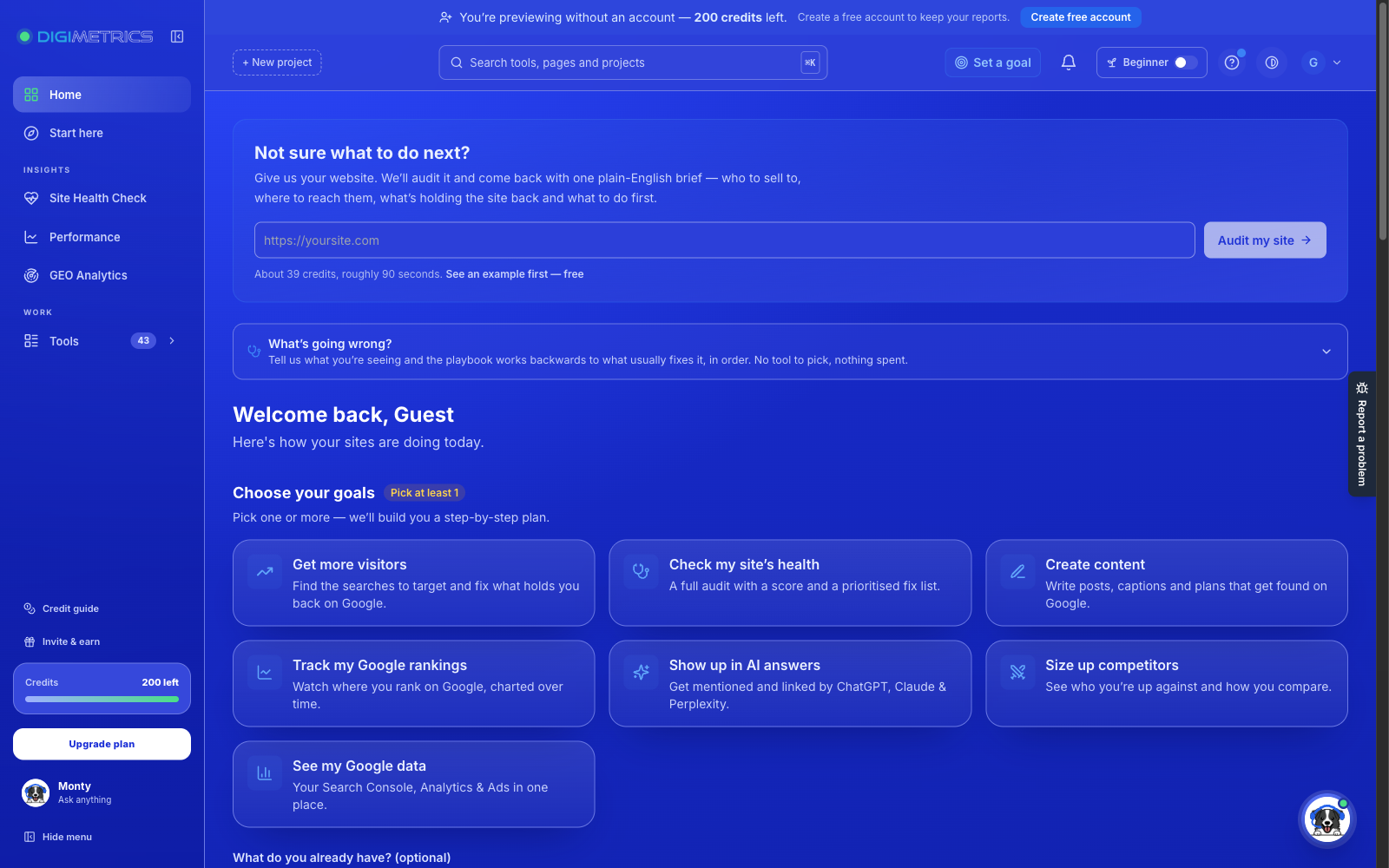
Digimetrics.ai combines SEO, GEO-related analysis, content, technical health, and other digital marketing capabilities in one platform.
For agencies, the potential benefit is creating repeatable audit and analysis workflows across clients.
For in-house teams, the appeal is having different marketing activities available within one workspace instead of using separate tools for every task.
However, agencies should evaluate project limits, available credits, supported AI visibility functions, and reporting requirements before choosing a subscription.
Best fit: Agencies and in-house teams interested in combining GEO with wider marketing analysis rather than using a standalone tracker.
Agency vs In-House GEO Tool Costs: Which Is More Affordable?
There’s no universal answer because agencies and in-house teams use GEO software differently.
An agency may have a subscription covering several clients but need fewer prompts per brand.
An in-house team might have only one brand yet require extensive tracking across markets, products, and customer segments.
Let’s compare two hypothetical situations.
Example A: Agency managing 10 clients
Assume an agency needs:
- 10 separate client projects
- 25 prompts per client
- Competitor tracking for each client
- Monthly client reports
That’s 250 monitored prompts across ten brands.
If its software subscription costs $500 per month and includes sufficient capacity, the average software expense is $50 per client.
However, if it chooses a platform charging $99 per domain, the total could reach $990 per month before other relevant charges.
Example B: In-house team managing one brand
Now consider an in-house marketing team monitoring:
- 1 main brand
- 250 prompts across products and customer segments
- Multiple competitors
- Monthly internal reporting
It also needs 250 prompts, but it doesn’t require ten separate client environments.
The team may be able to use a different subscription structure that prioritises monitoring depth over workspace count.
The lesson: Don’t choose a GEO tool based on the number of prompts alone. Compare total costs using the exact number of brands, prompts, AI engines, markets, and reports you need.
For additional guidance, see our GEO tools pricing guide and Best GEO Tools for Agencies.
How GEO Workflows Differ Between Agencies and In-House Teams
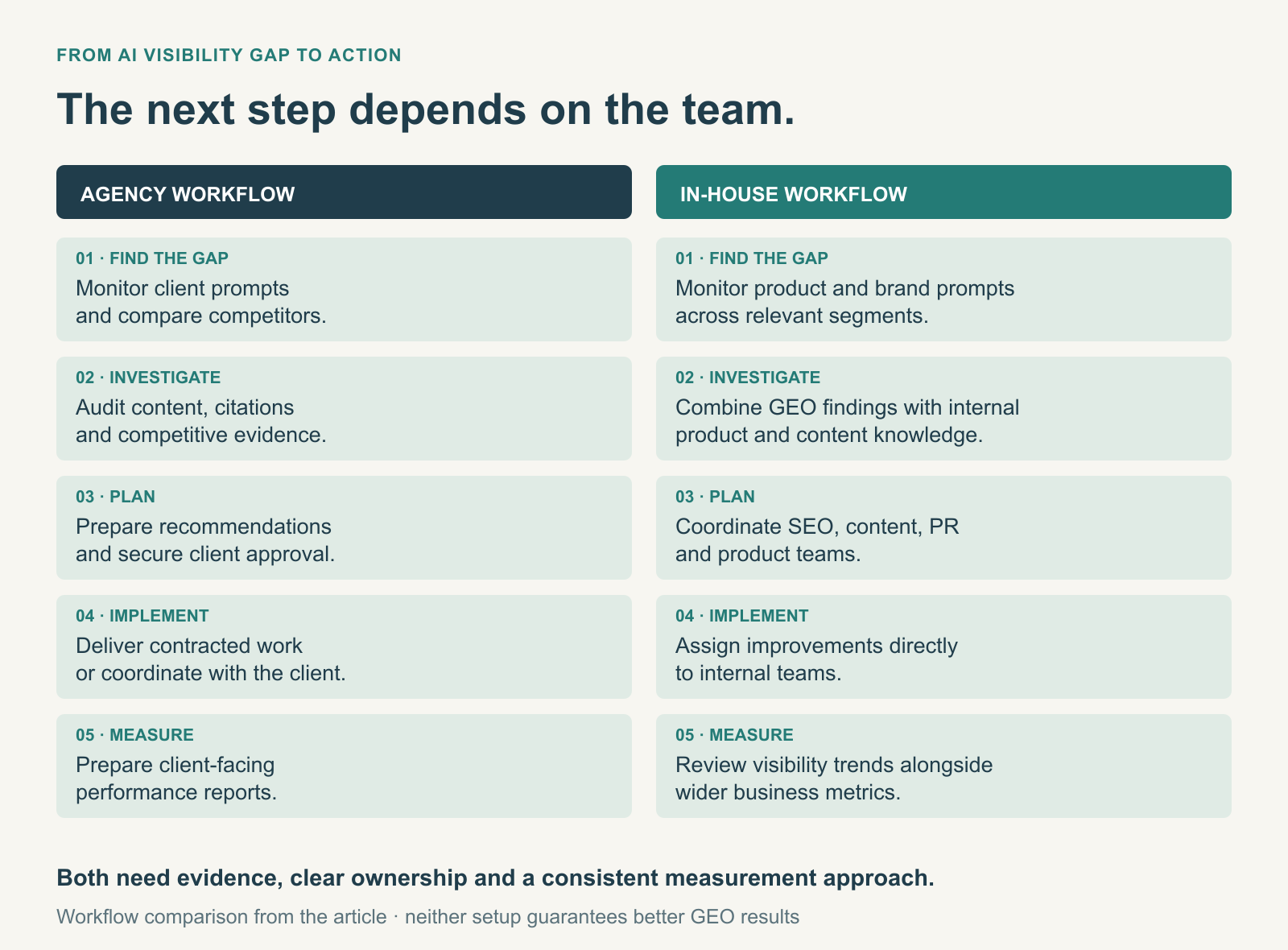
The software isn’t the only difference. Agencies and in-house teams also work differently after identifying opportunities.
Consider a company that rarely appears when users ask AI assistants for recommendations in its product category.
Here’s how each team might respond.
| Step | Agency workflow | In-house workflow |
|---|---|---|
| Identify visibility gap | Monitor client prompts and compare competitors | Monitor relevant product and brand prompts |
| Investigate causes | Audit content, citations, and available competitive evidence | Combine GEO findings with internal product and content knowledge |
| Plan improvements | Prepare recommendations and secure client approval | Coordinate with SEO, content, PR, and product teams |
| Implement changes | Complete contracted work or coordinate with the client | Assign work directly to internal teams |
| Measure results | Prepare client-facing performance reports | Review visibility trends alongside wider business metrics |
Agencies often have more external approval requirements, while in-house teams may have better access to product knowledge and internal data.
Neither approach automatically produces better GEO results.
What matters is whether the team can move efficiently from identifying an issue to investigating, improving, and measuring it.
Can Agencies and In-House Teams Use the Same GEO Tool?
Yes, and in some situations, that may be the better arrangement.
For example, a company might hire an agency to manage its GEO strategy while retaining an internal SEO and content team.
Both groups need visibility into the same findings, but they may require different permissions and responsibilities.
A shared GEO platform can work when it supports controlled access, consistent reporting, and clear ownership of data.
Before choosing a shared setup, agree on who will manage the prompts, who can access reports, who can make changes, and what happens when the agency relationship ends.
Who should own the GEO data?
This is particularly important for businesses hiring outside agencies.
Ideally, the client should have a way to retain or export its relevant historical data, prompt lists, and reports if it changes providers.
An agency may reasonably manage the subscription, but clients should understand what access they’ll retain after the contract ends.
A tool with good export capabilities and clearly defined ownership arrangements can make transitions easier.
How to Choose Between Agency-Focused and In-House GEO Tools
Rather than comparing every feature on a vendor’s website, start with your actual workflow.
Choose an agency-focused GEO tool if:
- You manage multiple unrelated client brands.
- You need individual reporting and workspaces.
- Your team regularly onboards new clients.
- You want predictable software costs as your client portfolio grows.
- You need to demonstrate GEO opportunities to prospective clients.
Choose an in-house-focused GEO setup if:
- You primarily manage one brand or related business units.
- You need detailed tracking for products, locations, or customer segments.
- Your SEO, content, and PR teams collaborate on improvements.
- You want to connect AI visibility findings with existing marketing data.
- You don’t require white-label client reporting.
Some organisations need both capabilities, particularly larger businesses working with outside agencies.
In that case, prioritise data sharing, permissions, integrations, and a consistent measurement approach.
How to Evaluate a GEO Tool Before Buying
Whether you’re buying for an agency or an in-house team, don’t make the decision based on the product demo alone.
Set up a trial using realistic prompts and workflows.
First, choose a representative tracking project. Agencies should test more than one client workspace. In-house teams should test different product categories or audience segments.
Next, check whether the tool provides useful evidence. Look beyond visibility scores. Can you inspect actual AI-generated answers, identify cited sources, and compare competitors?
Then, test the reporting process. Agencies should prepare a client-ready report, while in-house teams should create an internal performance summary. Note how much manual work each requires.
Finally, calculate the full subscription cost. Account for prompts, domains, users, AI search engines, and potential upgrades.
A platform that performs well during a limited demo may behave differently once you scale to a larger number of prompts or projects.
Also, remember that GEO tools measure samples of AI-generated answers. They cannot guarantee that users will see identical responses or that changes in tracked visibility will directly produce more traffic.
Google’s official guidance on AI features in Search confirms that established SEO practices remain relevant for Google AI Overviews and AI Mode. That means technical accessibility, useful content, and overall website quality remain important regardless of which GEO platform you use.
For more detailed evaluation criteria, read our guide on How We Review GEO Tools.
Frequently Asked Questions
What is the main difference between GEO tools for agencies and in-house teams?
Agency GEO tools focus on managing multiple client brands, producing separate reports, and scaling services efficiently. In-house teams usually prioritise detailed monitoring of their own brand, integration with existing marketing tools, and collaboration across departments.
Can an in-house team use an agency GEO tool?
Yes. Agency-focused platforms often provide useful monitoring and reporting features for in-house teams. However, a company managing one brand may not need white-label reporting, prospecting workspaces, or extensive multi-client functionality.
Are GEO tools for agencies more expensive?
Not necessarily. Agency subscriptions can cost more because they support additional clients, prompts, or reporting features. However, agencies may benefit from sharing subscription costs across multiple clients. An in-house company with extensive tracking requirements could spend just as much or more.
Which GEO tool is best for a small agency?
A small agency should prioritise affordable monitoring, straightforward reporting, and enough tracking capacity for its existing clients. Otterly.AI and Peec AI are options worth comparing, depending on the agency’s budget and reporting requirements.
What GEO features matter most for in-house teams?
In-house teams should focus on relevant AI platform coverage, competitor analysis, historical tracking, integrations, and the ability to turn findings into actionable marketing improvements. White-label reports are usually less important.
Can agencies and in-house teams share one GEO platform?
Yes, provided the platform supports appropriate permissions, reporting access, and data management. A shared setup can help both teams work from consistent information, although responsibilities and data ownership should be agreed upon beforehand.
Do GEO tools replace traditional SEO software?
No. GEO tools provide additional visibility into AI-generated search experiences, but they don’t automatically replace technical SEO, search analytics, keyword research, or other established workflows. Some broader platforms combine these capabilities.
Final Verdict: Which GEO Tool Setup Should You Choose?
The difference between GEO tools for agencies and in-house teams isn’t necessarily the technology. It’s how the technology supports their work.
Agencies should prioritise scalability. Multi-client management, white-label reporting, predictable pricing, and efficient onboarding become increasingly important as their client portfolio grows.
In-house teams should prioritise depth and integration. Detailed brand analysis, cross-department collaboration, and connections to existing marketing workflows are generally more valuable than features designed primarily for client management.
Neither group needs to purchase the most expensive platform available.
Start by identifying the questions your team needs answered, the number of brands and prompts you intend to monitor, and the work you’ll do after reviewing the results.
Then choose a GEO platform that supports those requirements without adding unnecessary complexity or cost.
If you’re evaluating platforms for a client portfolio, explore our Best GEO Tools for Agencies in 2026 comparison. For a broader understanding of GEO functionality, see our Comprehensive Guide to GEO Tools.
Disclosure: digitalmarketingtools.ai is sponsored by Digimetrics.ai. Sponsored Highlights are clearly labelled advertising. Our reviews, comparisons and guides are written to be useful and fair regardless of who sponsors the site. Read the full disclosure.


