
GEO Tools Pricing in 2026: What Features Should You Expect at Each Price?
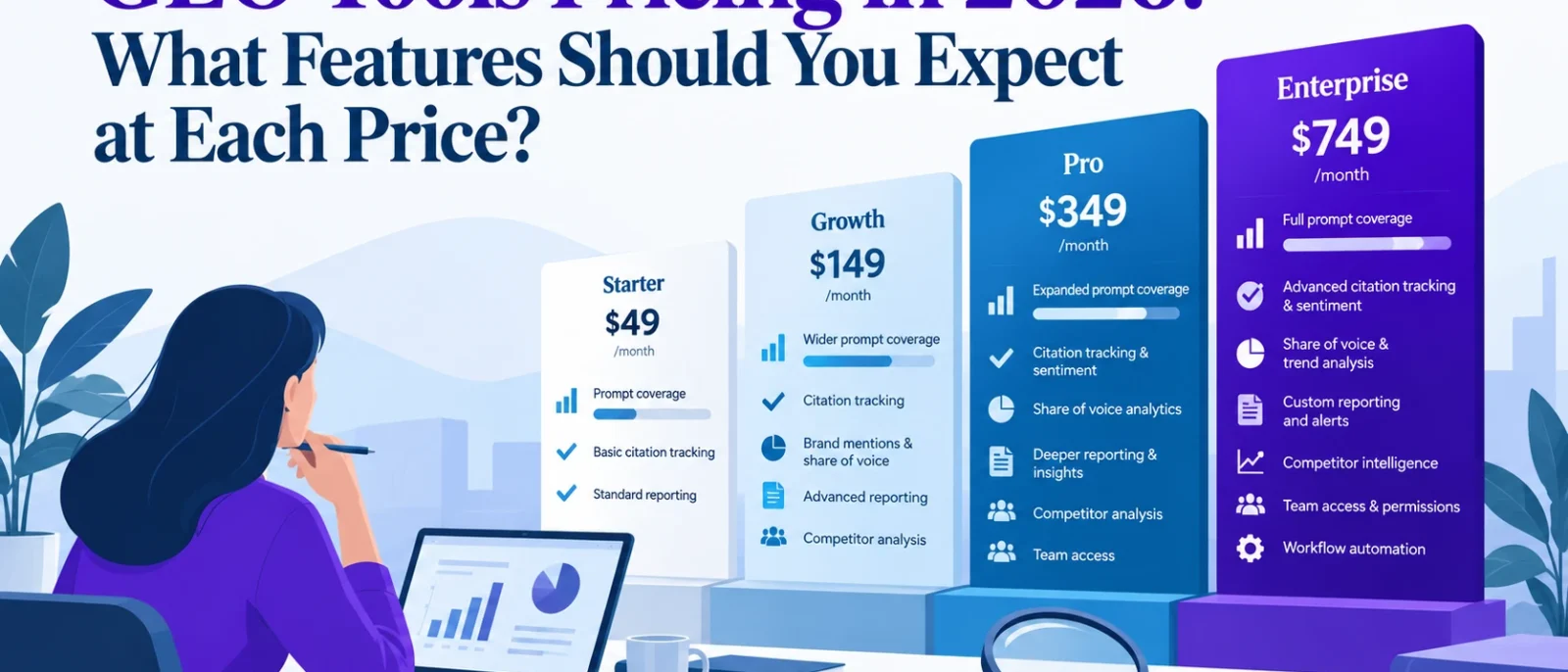
A GEO tool costs $29 a month. Another charges $99. A third starts at nearly $400, while some enterprise platforms require you to speak with sales before revealing the price.
So, what exactly are you paying for?
At first glance, most GEO tools seem to offer similar features. They promise to monitor your visibility in ChatGPT, Google AI Overviews, Perplexity, and other AI search platforms. You’ll see mentions, citations, competitor comparisons, and colourful dashboards showing whether your brand is becoming more visible.
But dig into their pricing pages and the differences become obvious.
A $29 plan might track 15 prompts across four AI engines, while a $99 subscription could include 25 custom prompts but charge per domain. Another $99 product might monitor only ChatGPT. Some platforms offer hundreds of prompts, but limit the number of models, countries, or projects you can use.
And then there’s credit-based pricing, where the real cost depends on how often your questions are checked.
The cheapest GEO tool isn’t necessarily the most affordable option for your actual workload.
In this guide, we’ll break down what you should expect from free, entry-level, mid-range, and enterprise GEO tools pricing in 2026. We’ll also compare published prices from leading platforms and show you how to calculate the real cost before committing to a subscription.
The goal is simple: help you pay for the GEO capabilities you’ll actually use without overspending on features or monitoring allowances you don’t need.
How Much Do GEO Tools Cost in 2026?
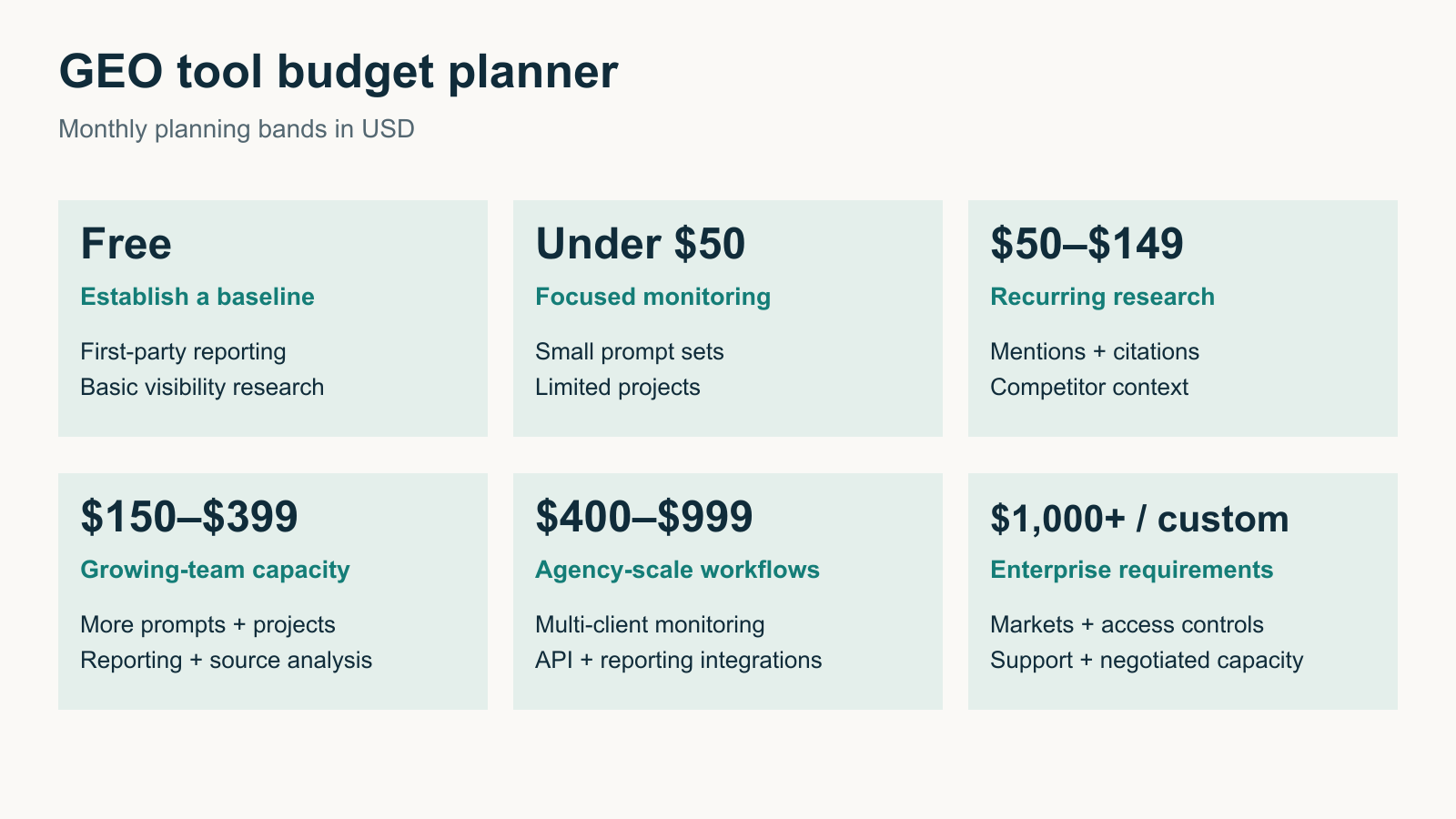
GEO software ranges from free first-party reporting tools to enterprise platforms costing hundreds or thousands of dollars a month.
However, there’s no industry-standard GEO package. What you receive depends on whether the software focuses on AI visibility monitoring, citation tracking, content optimisation, technical SEO, or a combination of these activities.
Here’s a practical breakdown of the main budget levels.
| Monthly Budget | Features You Should Look For | Best Suited For |
|---|---|---|
| Free | First-party AI search reporting, limited brand checks, basic visibility research, or introductory credits | Beginners and businesses establishing a baseline |
| Under $50 | Small prompt allowances, basic AI visibility monitoring, limited projects, or integrated SEO/GEO workflows with credits | Freelancers, solo marketers, and small websites |
| $50–$149 | More custom prompts, citation monitoring, competitor comparisons, recurring tracking, and historical reporting | Small businesses and in-house marketers |
| $150–$399 | Larger monitoring allowances, multiple AI platforms, more projects, deeper source analysis, and stronger reporting options | Growing marketing teams and smaller agencies |
| $400–$999 | Higher prompt volumes, multi-client monitoring, API or reporting integrations, and more advanced research workflows | Established agencies and larger marketing departments |
| $1,000+ or custom | Enterprise monitoring, multi-market requirements, advanced permissions, integrations, dedicated support, and negotiated capacity | Enterprises and large agencies |
These are suggested budgeting categories, not guaranteed feature bundles. Some products provide advanced functionality at lower prices, while others reserve essential features for more expensive tiers.
For example, Otterly.AI advertises daily tracking across four AI search engines on its $29 Lite plan. Profound, meanwhile, advertises a $99 Starter plan with 50 tracked prompts, but the entry-level tracking covers ChatGPT only.
Those are different products with different limitations. Comparing the monthly price without examining the included workload would be misleading.
Why GEO Software Pricing Is More Complicated Than It Looks
Traditional SEO subscriptions already have several usage limits, including tracked keywords, projects, crawled pages, and reporting credits.
GEO tools introduce additional pricing variables because monitoring AI-generated answers requires repeated queries across potentially different platforms and locations.
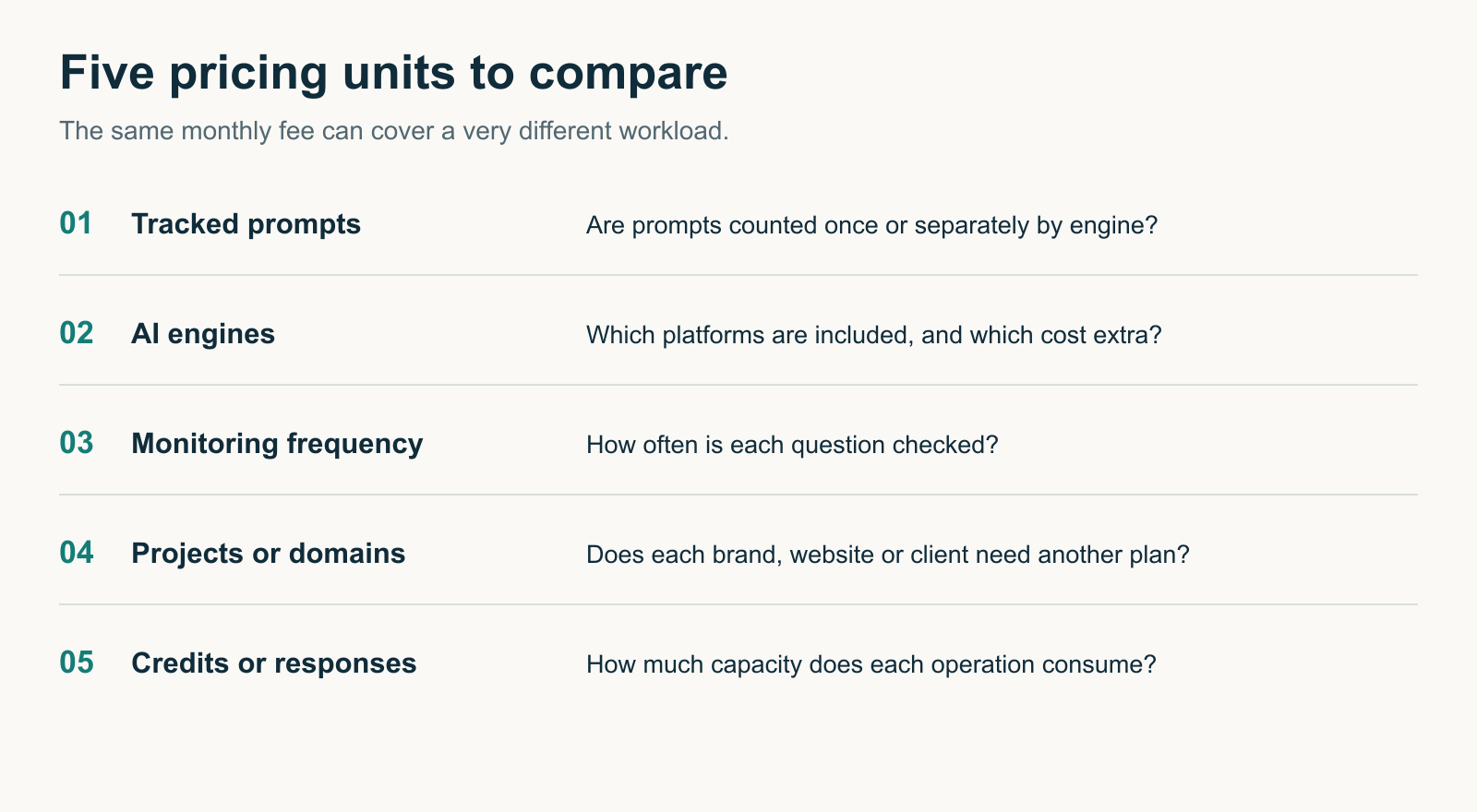
Before comparing subscriptions, understand these five pricing units.
| Pricing Unit | What It Usually Means | What to Check |
|---|---|---|
| Tracked prompts | Questions monitored by the software | Whether the allowance is shared or counted separately by platform |
| AI engines or models | ChatGPT, Perplexity, Google AI Mode, Gemini, and others | Which platforms are included and which cost extra |
| Monitoring frequency | How often the tool repeats a question | Daily, weekly, or monthly tracking and credit consumption |
| Projects or domains | Separate websites, brands, or client workspaces | Whether an additional client requires another subscription |
| Credits or response allowances | Usage capacity for monitoring or other tool operations | How much each action costs and when credits reset |
These limits can change the effective value of a subscription substantially.
For example, a plan with 100 tracked prompts may sound generous. But does that cover 100 questions across four AI engines, or does each question-engine combination consume an additional allowance?
Does monitoring the same questions in Singapore and the United States require separate prompt slots?
And if the tool uses credits, will those credits cover daily tracking throughout the month?
The answers vary by provider.
That’s why GEO software should be compared using the same intended workload, not just the advertised subscription price.
Free GEO Tools: What Should You Expect at $0?
You don’t necessarily need a paid GEO subscription to begin measuring AI search performance.
In 2026, some of the most useful starting information comes from first-party tools operated by Google and Microsoft.
Google Search Console
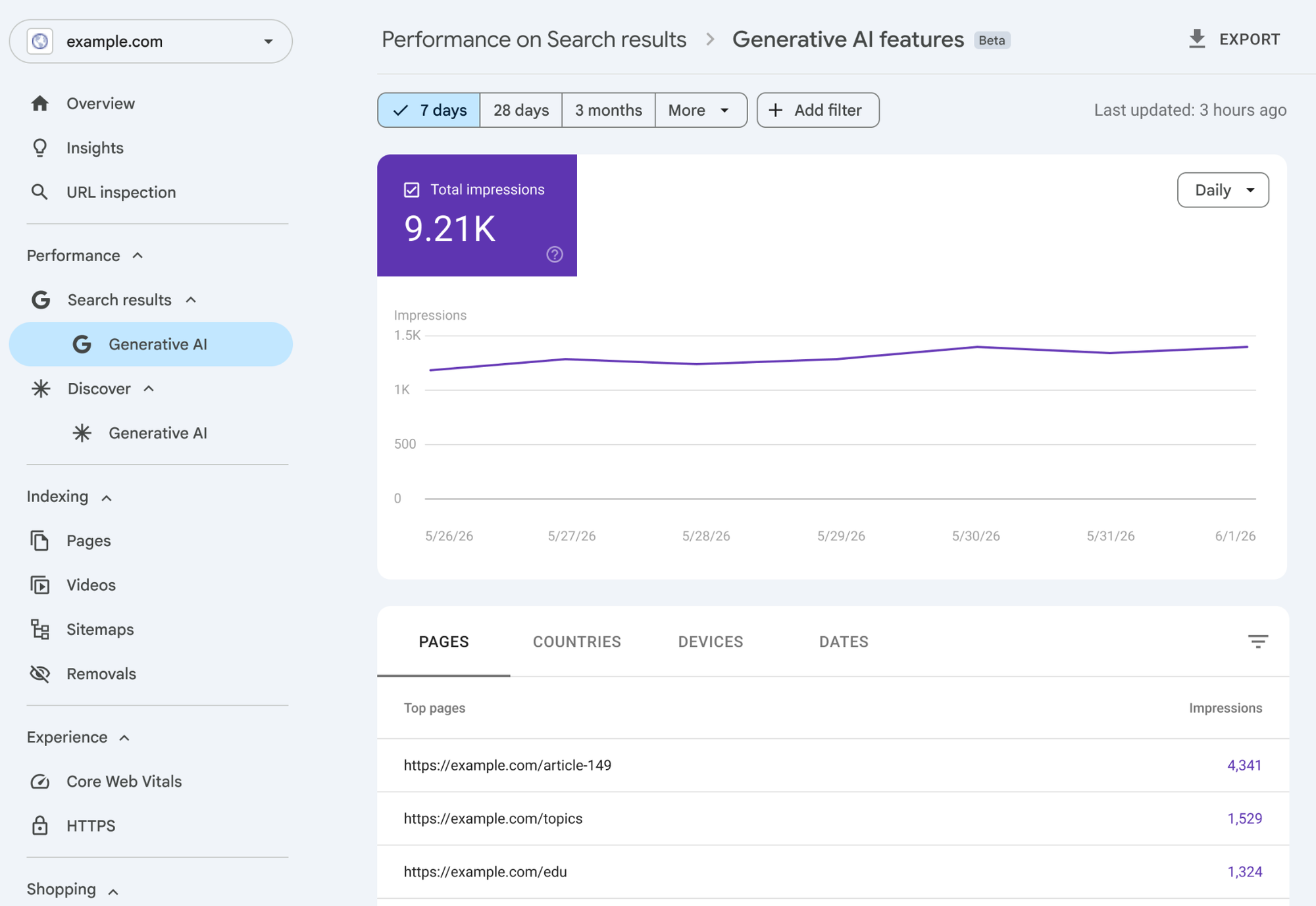
Google Search Console provides performance information for verified websites.
In June 2026, Google introduced dedicated generative AI performance reporting, with worldwide availability by the end of August.
The reports provide impression information for supported AI search experiences, including Google AI Overviews and AI Mode.
This allows site owners to investigate how their pages appear in Google’s generative search features.
For example, you can examine relevant page and date information to identify where AI search impressions are being recorded.
However, Search Console doesn’t give you a complete picture of how competing brands appear across ChatGPT, Perplexity, Gemini, and other AI platforms.
It also doesn’t replace custom prompt monitoring.
Bing Webmaster Tools
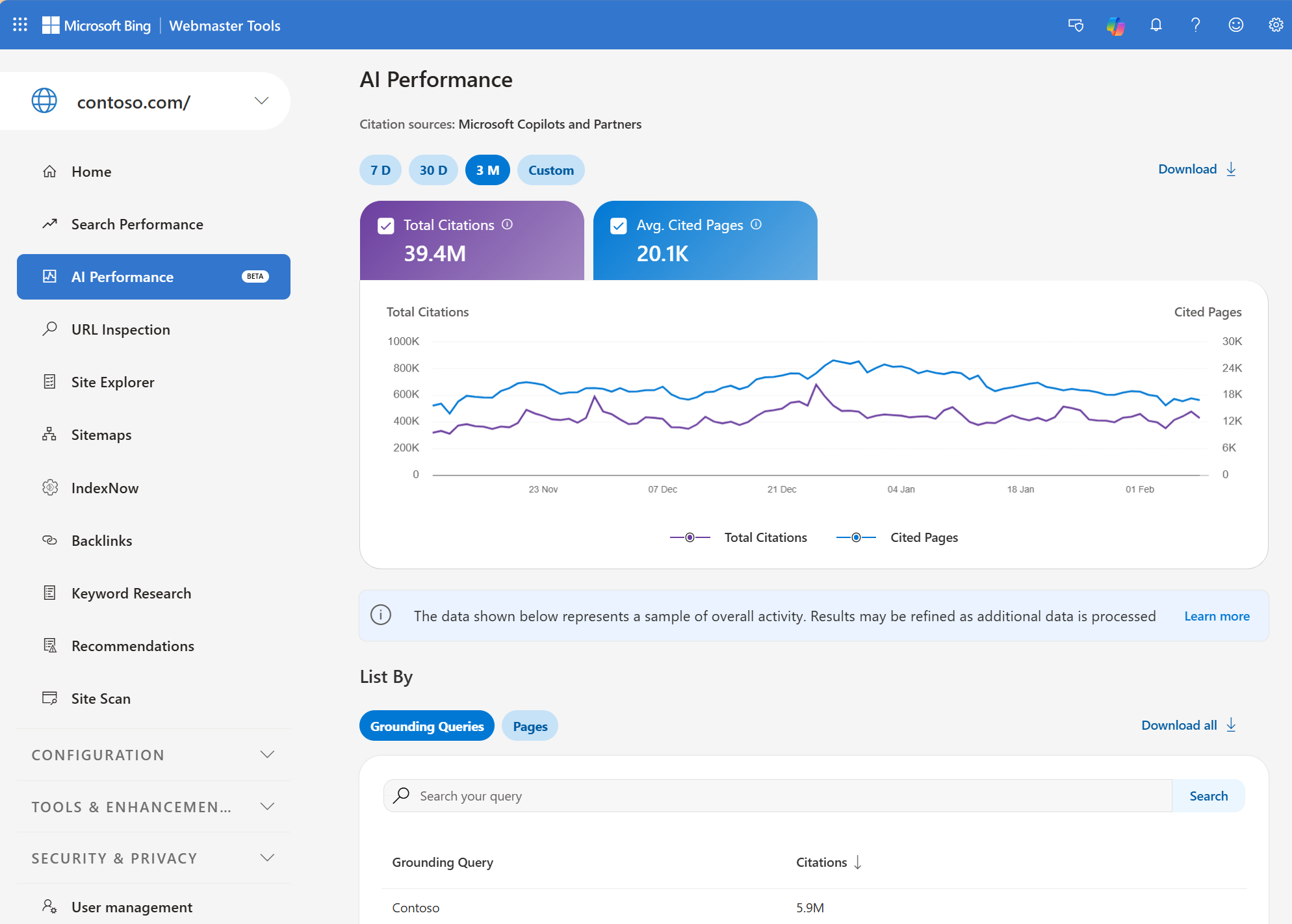
Bing Webmaster Tools introduced AI Performance reporting in February 2026.
The reporting provides information about how website content is cited in supported Microsoft AI experiences.
Microsoft subsequently expanded the available insights, including topics, citation-related information, and its Topics Portfolio beta.
This makes Bing Webmaster Tools another useful free starting point, especially if you want to investigate which website pages appear as sources in Microsoft’s AI ecosystem.
What Free GEO Tools Usually Lack
Free reporting is valuable, but it may not cover all the questions a business wants to answer.
For example, Search Console can report exposure for your verified website without telling you how often your competitors appear in ChatGPT recommendations.
Likewise, Bing AI citation data doesn’t establish your share of brand mentions across unrelated AI platforms.
Commercial GEO tools can fill some of those gaps through custom prompt tracking and competitor research.
Our recommendation: Begin with Search Console and Bing Webmaster Tools before buying another subscription. They provide useful first-party evidence and help you identify whether more extensive AI monitoring is necessary.
For additional starting options, see our best free GEO tools comparison.
Under $50 per Month: Entry-Level GEO Tools
At this budget, you should expect a focused monitoring allowance or access to broader SEO and GEO functions with usage limits.
This price range is appropriate for a freelancer, small business owner, or marketer experimenting with AI visibility measurement.
Two products illustrate different approaches.
Otterly.AI Lite — $29 per Month
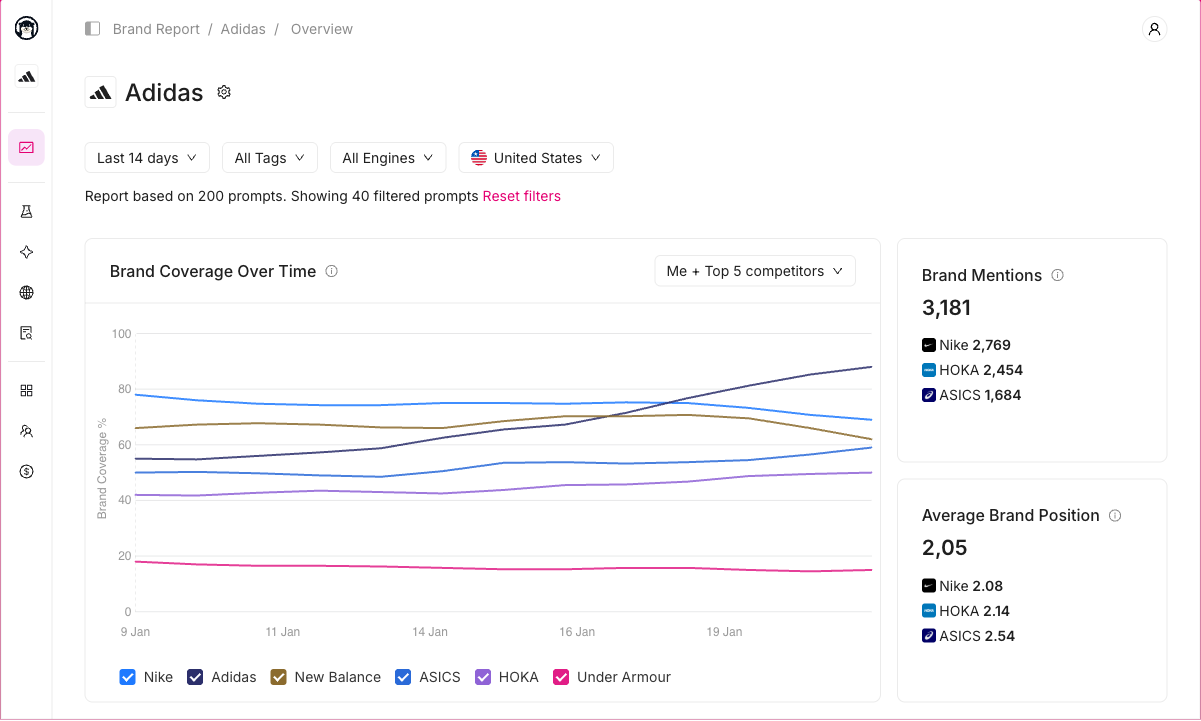
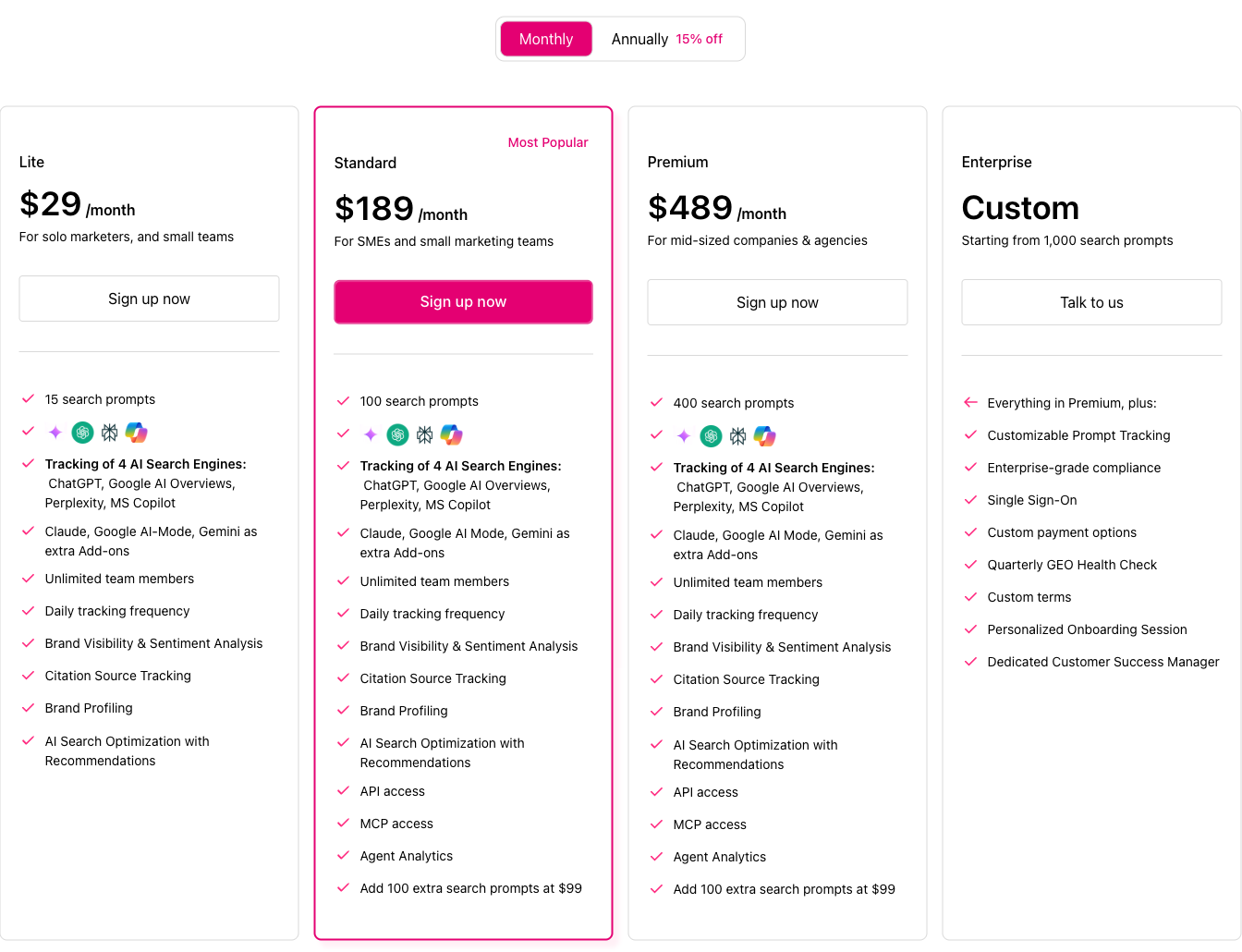
Otterly.AI advertises its Lite plan at $29 per month.
The package includes:
- 15 tracked search prompts.
- Daily monitoring.
- ChatGPT, Google AI Overviews, Perplexity, and Microsoft Copilot.
- Brand visibility and citation-related reporting.
- One workspace, with unlimited team members advertised.
The plan is positioned for solo marketers and small teams.
Fifteen prompts can be enough to begin monitoring a specific product category or a handful of important customer questions.
For example, a local accounting firm might track searches involving accounting services, bookkeeping, tax support, and competitor comparisons.
However, the allowance may become restrictive if the business operates across several services or markets.
Otterly also advertises Google AI Mode, Gemini, and Claude as separately priced engine add-ons.
That means its $29 starting price shouldn’t be interpreted as including every AI platform the software supports.
Digimetrics Starter — $39 per Month
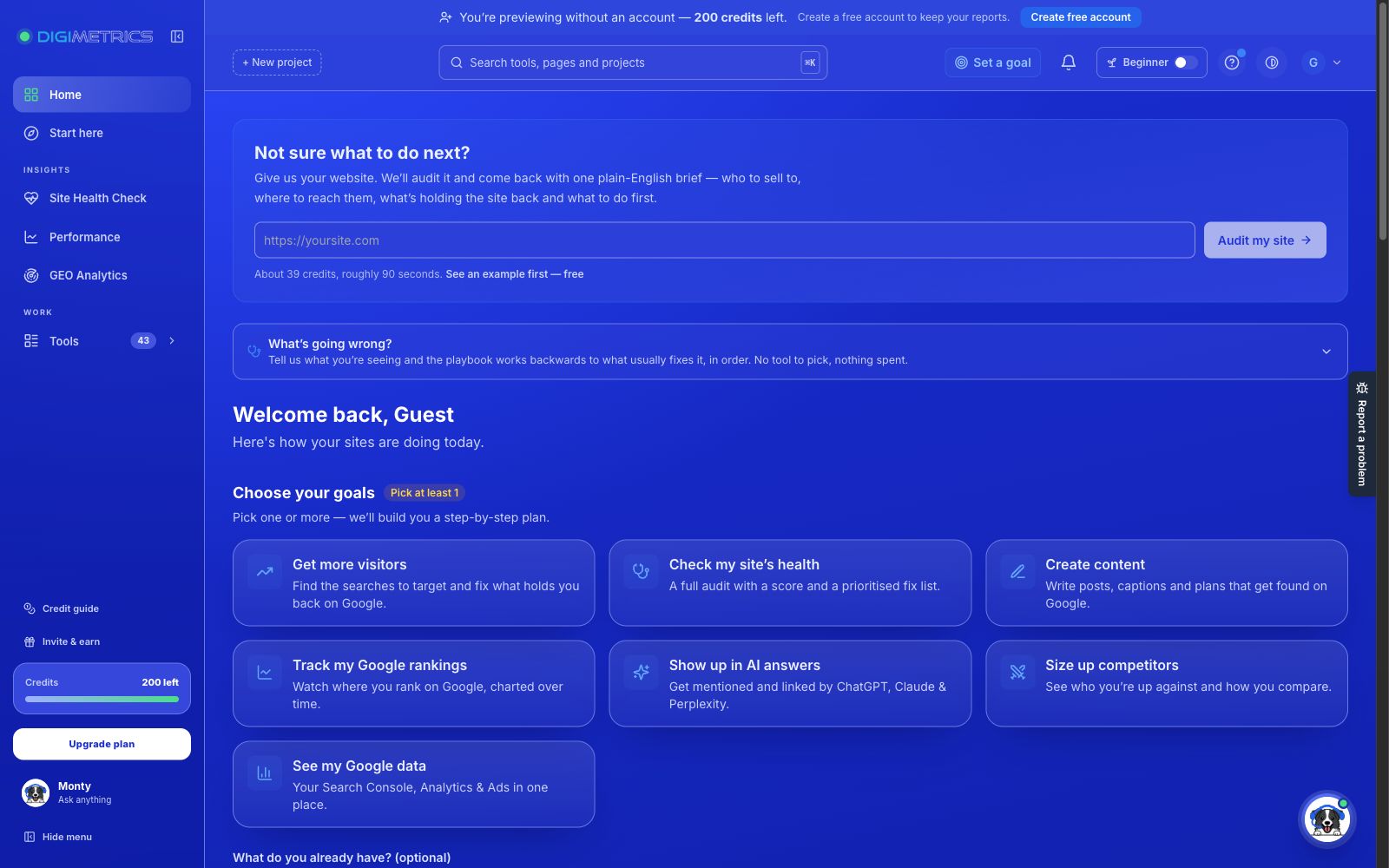
Digimetrics advertises a Starter plan at $39 per month, billed monthly.
Unlike a dedicated prompt-monitoring product, Digimetrics combines GEO functionality with broader SEO, content, technical auditing, and marketing workflows.
Its published Starter package includes:
- 500 shared credits per month.
- Access to its advertised tool collection.
- Three projects.
- 25 traditionally tracked keywords, checked weekly.
- Three scheduled runs.
- Keyword research, content, and technical marketing functions.
The key distinction is its shared-credit model.
Credits can be used across eligible tools rather than being reserved exclusively for GEO monitoring.
This may be useful if you want one workspace for different marketing tasks, but it also means the advertised 500 credits aren’t equivalent to 500 GEO prompts.
The amount of GEO work you can complete depends on the credit cost of the specific tool or operation.
Disclosure: Digimetrics is developed by MediaOne, which sponsors DigitalMarketingTools.ai.
What Should You Expect Under $50?
At this level, focus on getting a useful baseline.
The software should help you answer where your brand appears, which important questions are being monitored, and whether you can inspect enough information to understand the results.
Don’t expect extensive multi-market monitoring or enterprise reporting at this budget.
More importantly, avoid paying for a broad subscription if you only need one specific function.
Best fit: A single website, a limited prompt set, or an individual marketer combining SEO and GEO work.
$50–$149 per Month: More Serious GEO Monitoring
This is where GEO subscriptions become more practical for businesses that want recurring visibility measurement rather than occasional checks.
At this budget, you should look for meaningful custom prompt allowances, competitor analysis, source citations, historical information, and a reporting workflow you can maintain every month.
Several well-known platforms have published offerings around this range.
Semrush AI Visibility — $99 per Month per Domain
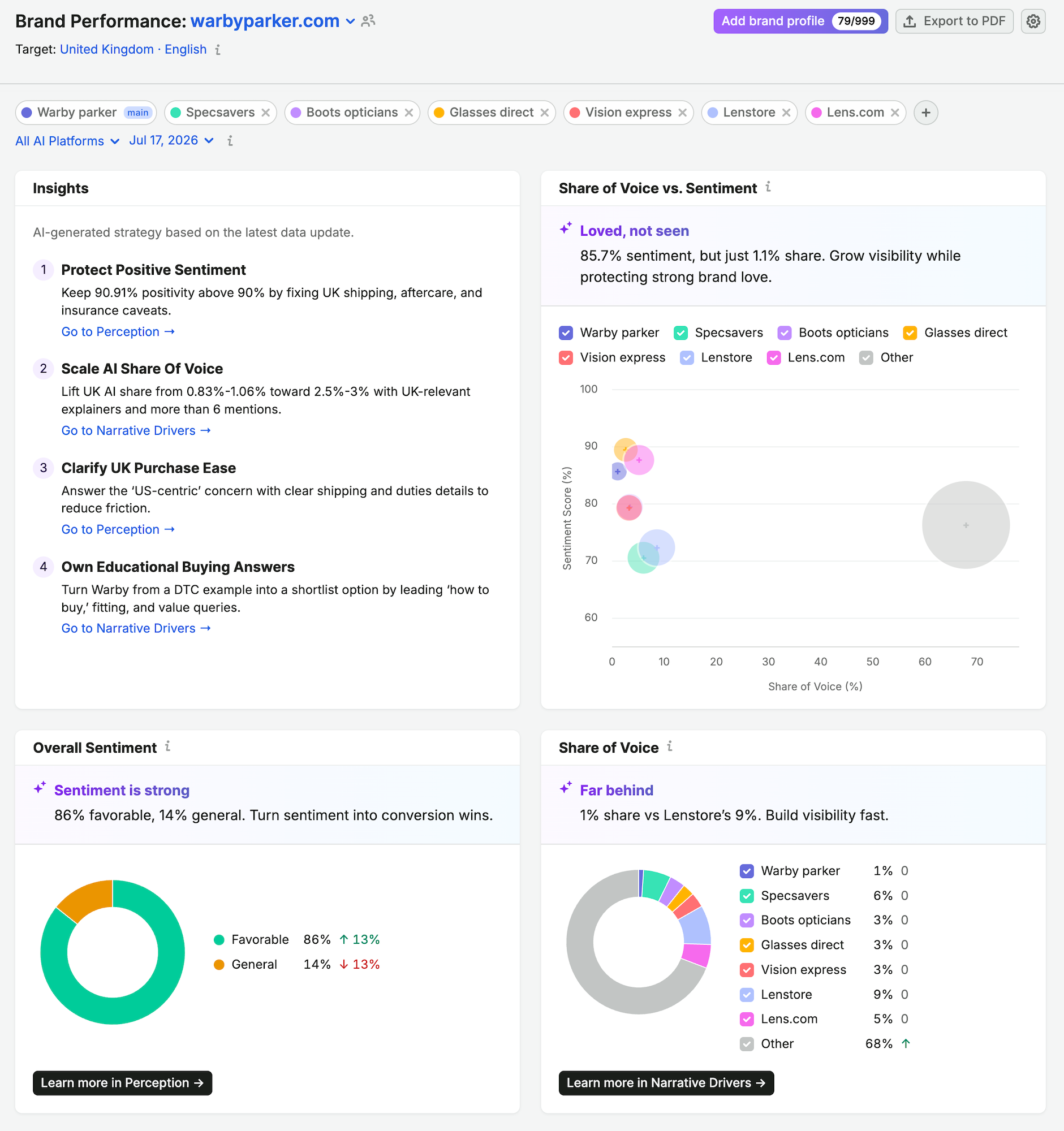
Semrush AI Visibility advertises a Base plan at $99 per month per domain, billed annually.
The published plan includes:
- AI visibility reporting.
- 25 custom prompts with daily monitoring.
- One domain for Brand Performance analysis.
- Coverage involving ChatGPT, Google AI, Gemini, and Perplexity.
- Competitor analysis and prompt research.
- AI-readiness site auditing.
That makes Semrush worth investigating if your main requirement is tracking one company’s visibility alongside broader competitor research.
However, $99 per month per domain is not the same as a $99 subscription covering unlimited client websites.
If you’re an agency, domain allowances can materially affect the total cost.
Annual billing also matters. At a displayed $99 monthly equivalent, the annual subscription cost is $1,188 before applicable taxes or additional services.
Check the current monthly-billing price and other subscription conditions before committing.
Profound Starter — $99 per Month With Annual Billing
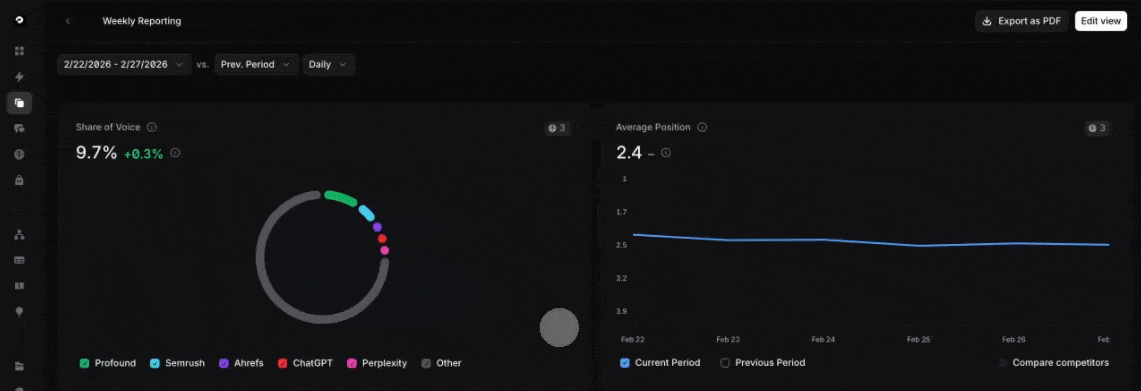
Profound also publishes a $99 monthly-equivalent Starter plan, with annual billing.
Its advertised entry-level package includes:
- 50 tracked prompts.
- ChatGPT tracking.
- 100 monthly Agents credits.
- Email support.
This makes an interesting comparison with Semrush.
Profound offers a larger stated prompt allowance on its entry plan, but the advertised AI visibility coverage is limited to ChatGPT.
Semrush offers a smaller custom-prompt allowance, but describes broader AI platform coverage.
Neither package is automatically better.
If you primarily care about ChatGPT, Profound’s entry-level approach may be relevant.
If you need several AI experiences monitored from the beginning, the platform coverage may matter more than the prompt count.
Rankscale Pro — $99 per Month
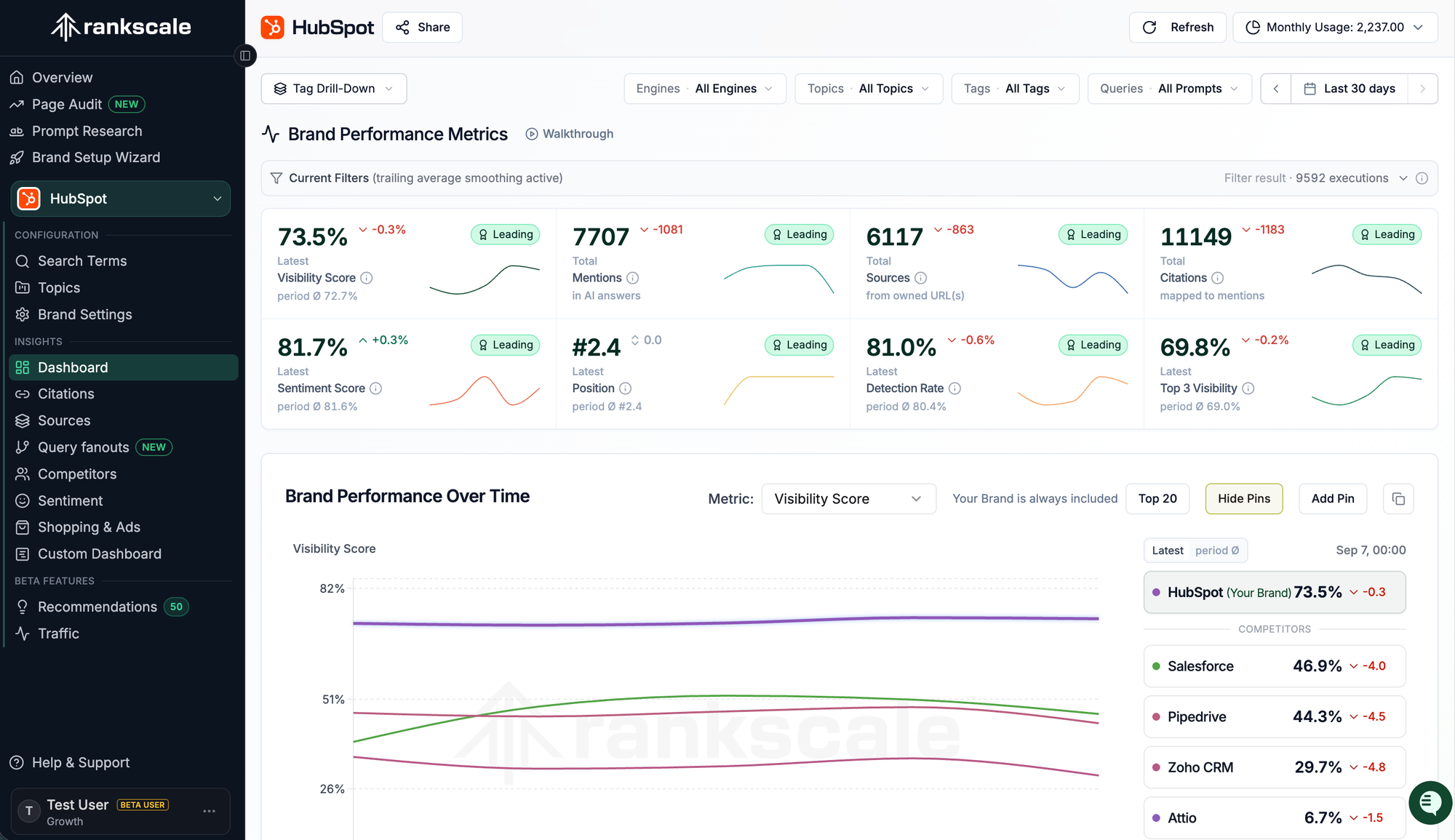
Rankscale offers another pricing model.
Its Pro plan advertises $99 per month with 1,200 monitoring credits.
Rankscale uses credits for AI engine queries. The cost of an individual observation depends on the selected engine and collection method.
The vendor provides a calculator so buyers can estimate the credits required by their monitoring configuration.
For example, selected AI engines may cost a fraction of one credit per prompt execution, while others require more.
This makes Rankscale potentially flexible, but it also requires some planning.
A 1,200-credit plan doesn’t automatically represent 1,200 prompts or 1,200 complete monthly tracking campaigns.
You need to calculate the actual number of engine checks.
Peec AI Starter — Check the Current Subscription Quote
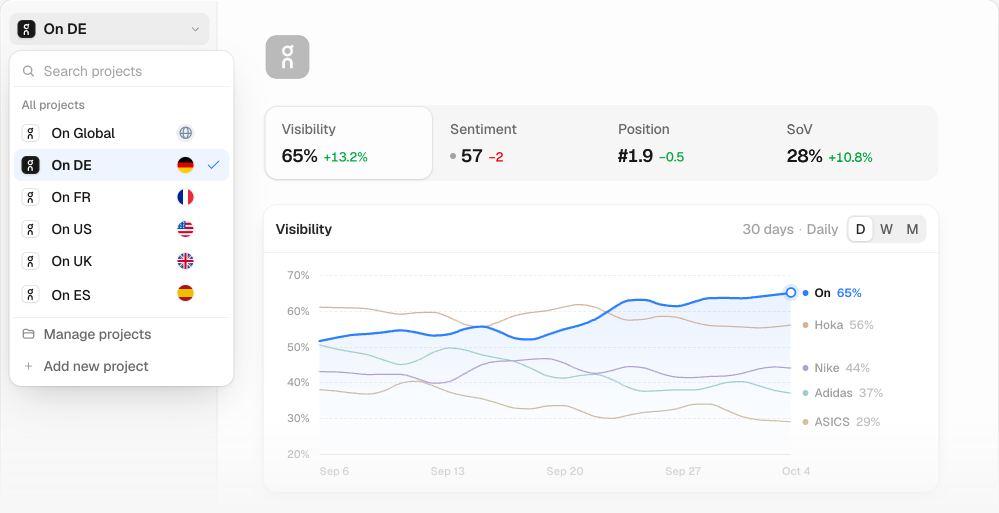
Peec AI publishes a Starter plan designed for SEO and content managers beginning AI visibility monitoring.
Its official plan information includes:
- 50 prompts.
- Three AI models of the customer’s choice.
- Daily tracking.
- One project.
- Unlimited users.
Peec’s July 2026 vendor pricing reference listed Starter at $95 per month. However, its current pricing page does not expose a reliably readable checkout amount in the public page text we reviewed.
We therefore recommend confirming the current subscription price before treating $95 as an active October 2026 quotation.
The important buying consideration is that Peec’s allowances are structured around the number of prompts and models.
A buyer needs to check whether the selected plan includes the relevant AI engines, regions, and projects.
What Should You Expect Around $100?
At this budget, you should start demanding more than a basic visibility score.
Look for access to the actual prompts, brand appearances, cited sources, timestamps, and competitor observations.
The reporting should make it possible to investigate why your visibility appears to be changing.
Best fit: Businesses that want recurring monitoring for a defined set of important customer questions.
$150–$399 per Month: Growing Teams and Deeper Research
Once your monthly budget reaches several hundred dollars, the main benefit should be additional monitoring capacity or a more efficient team workflow.
A larger subscription doesn’t necessarily improve the accuracy of individual AI responses.
It may instead provide more tracked questions, projects, engine coverage, exports, historical data, or collaboration features.
Otterly.AI Standard — $189 per Month
Otterly’s Standard plan is advertised at $189 per month.
It increases the prompt allowance from 15 to 100 and includes features such as:
- Daily tracking across its four included AI search engines.
- Multiple workspaces.
- API and MCP access.
- Additional reporting and integration options.
- Google Looker Studio connectivity.
- Higher allowances for GEO-related website audits.
This represents a different proposition from the $29 Lite plan.
A small marketing team might use 100 prompts to separate its monitoring into product categories, customer problems, competitor comparisons, and location-based topics.
However, supported add-on engines still need to be considered when calculating the full cost.
Peec AI Pro — Historically Advertised at $245 per Month
Peec’s July 2026 vendor pricing reference listed its Pro plan at $245 per month.
Its current public plan description includes 150 prompts, three selected AI models, two projects, daily tracking, and unlimited users.
Those allowances may be useful for a team managing two products, markets, or brands.
However, the public pricing page we reviewed did not establish a fresh October checkout price, so the historical $245 amount should be treated as a reference rather than a confirmed current charge.
Ahrefs Brand Radar — Published Platform Options From $398 per Month
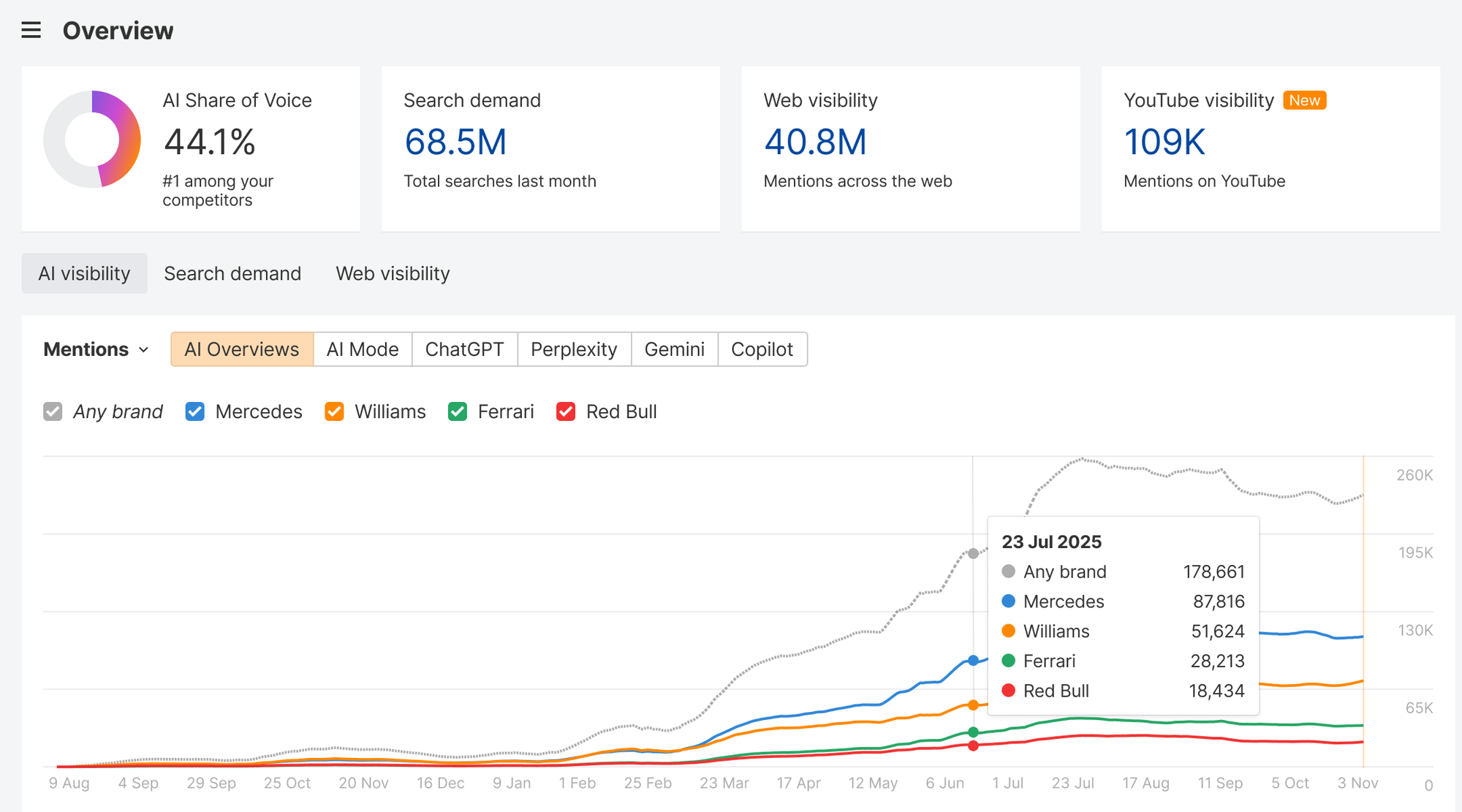
Ahrefs Brand Radar uses a different pricing structure from basic custom prompt trackers.
Its current public page advertises selected-platform access from $398 per month and an all-platforms option at $699 per month.
Brand Radar provides access to a large database of AI-generated search responses, allowing users to research brand mentions, citations, and competitor visibility.
That is different from simply entering 20 questions and monitoring them daily.
A business may find this broader research valuable when exploring unfamiliar competitors, topics, and source patterns.
However, if the requirement is only to monitor a small fixed list of customer questions, an extensive research index may offer more breadth than necessary.
What should you expect at this level? Enough capacity to monitor a meaningful collection of topics and investigate the underlying sources, with exports and reports suitable for regular use.
$400–$999 per Month: Agency and Advanced Monitoring Plans
At this level, you’re generally paying for scale.
The main questions shift from whether the tool can monitor a brand to whether it can manage several brands, products, markets, or teams efficiently.
A subscription should help reduce the operational work involved in recurring reports and research.
Otterly.AI Premium — $489 per Month
Otterly advertises its Premium plan at $489 per month, with 400 tracked prompts.
It also lists higher allowances for API requests, GEO audits, and other reporting functions.
This may be more appropriate for agencies or businesses with extensive product categories.
However, 400 prompts shouldn’t automatically be interpreted as enough for every large marketing team.
If you’re monitoring multiple countries, products, or competitors, you still need to confirm how the available capacity is allocated.
Profound Growth — $399 per Month With Annual Billing
Profound’s Growth plan sits around the boundary between mid-range and advanced GEO pricing.
At an advertised $399 monthly equivalent with annual billing, it includes:
- Three AI engines.
- 100 tracked prompts.
- 400 Agents credits per month.
- More extensive monitoring and workflow capabilities than Starter.
This may suit a marketing team seeking both visibility information and AI-assisted operational features.
However, content or automation credits should not be confused with tracked prompts.
If you don’t intend to use the additional workflow features, the overall value may be lower than the feature list suggests.
Rankscale Growth — $385 per Month
Rankscale publishes a Growth plan at $385 per month with 5,500 monitoring credits.
The vendor positions it for agencies scaling AI visibility services, with additional dashboards, integrations, and reporting-related capabilities.
The actual monitoring capacity still depends on which AI engines you query and how frequently.
This is an important distinction.
A credit-based plan can offer flexibility when you want different collection schedules for different topics, but the number of usable observations isn’t fixed across every engine.
Digimetrics Expert — $199 per Month
Not every platform needs to reach $400 before offering substantial workflow capacity.
Digimetrics publishes an Expert tier at $199 per month, alongside its $39 Starter and $109 Pro options.
The Expert tier advertises 6,000 shared credits monthly across eligible marketing tools.
This may appeal to agencies or in-house teams that want to combine technical SEO auditing, content work, keyword research, and GEO-related functions.
However, shared credits are not the same as a dedicated AI prompt-monitoring allowance.
An agency running content generation, SEO audits, and GEO monitoring in the same workspace should calculate the total consumption across those activities.
What Should You Expect at $400–$999?
Look for meaningful improvements in project capacity, team reporting, API access, and workflow efficiency.
A higher price is easier to justify when it reduces time spent switching accounts, preparing client reports, investigating source data, or managing separate subscriptions.
Best fit: Agencies managing multiple clients or companies with several markets and products.
$1,000+ per Month: Enterprise GEO Software
Enterprise GEO subscriptions are less about monitoring a handful of prompts and more about managing AI visibility across a large organisation.
A multinational company might have hundreds of products, several country websites, different languages, and multiple teams responsible for marketing, SEO, content, and analytics.
Its requirements are substantially different from those of a small business tracking 15 customer questions.
Enterprise packages may include customised monitoring capacity, additional workspaces, advanced integrations, access controls, single sign-on, dedicated support, and negotiated service terms.
For example, Otterly advertises enterprise arrangements starting from $1,000 per month, while Profound provides customised enterprise pricing.
Other providers offer tailored packages when clients exceed their standard prompt, region, project, or reporting allowances.
What Makes Enterprise Pricing Worthwhile?
At this level, the subscription should solve meaningful organisational problems.
For example, an enterprise may need to compare AI visibility across multiple languages while keeping reporting consistent between regional teams.
An agency may need to separate several client accounts, manage access permissions, and produce recurring reports without rebuilding each analysis manually.
These requirements can justify higher prices.
But if your organisation only needs a monthly report covering 30 prompts, an enterprise subscription may be unnecessary.
Our recommendation: Ask for a clearly scoped proposal showing the monitoring capacity, supported AI platforms, implementation requirements, and support services included in the price.
GEO Tool Pricing Comparison: What Major Platforms Advertise
Here’s a consolidated comparison of selected GEO platforms based on their published October 2026 information.
| GEO Tool | Published Starting Price | Main Pricing Model | Key Limitation or Buying Consideration |
|---|---|---|---|
| Google Search Console | Free | Verified website reporting | Google-specific first-party visibility, not cross-platform prompt tracking |
| Bing Webmaster Tools | Free | Verified website reporting | Microsoft AI and search ecosystem coverage |
| Otterly.AI | $29/month | Prompt-based subscription | 15 prompts at entry level; some AI engines cost extra |
| Digimetrics | $39/month | Shared credits across marketing tools | GEO usage competes with other credit-based tasks |
| Peec AI | $95/month in July 2026 vendor reference; verify checkout | Prompts, models, and projects | Current public checkout price not independently confirmed |
| Semrush AI Visibility | $99/month per domain, annually | Domain-based AI visibility subscription | 25 custom prompts and one Brand Performance domain |
| Profound | $99/month equivalent, annually | Tiered monitoring and workflow credits | Starter monitors ChatGPT only |
| Rankscale | Essentials from $20/month, annual billing; Pro $99/month | Credit-based AI engine monitoring | Actual observations depend on engine costs |
| Ahrefs Brand Radar | From $398/month on the checked official page | Platform access and custom prompt capacity | Broader research products aren’t equivalent to basic monitoring plans |
All prices in USD unless otherwise stated. Annual monthly equivalents are not necessarily available as month-to-month subscriptions. Prices, billing conditions, allowances, and supported platforms may change. These are agency- and vendor-published details, not independently tested performance rankings.
The table demonstrates why comparing only starting prices is insufficient.
A $99 plan could mean one domain, 50 ChatGPT prompts, or 1,200 usage credits depending on the platform.
Those products may all be useful, but they aren’t directly interchangeable.
For a broader product comparison, see our best GEO tools in 2026 guide.
How to Calculate the Real Cost of GEO Monitoring
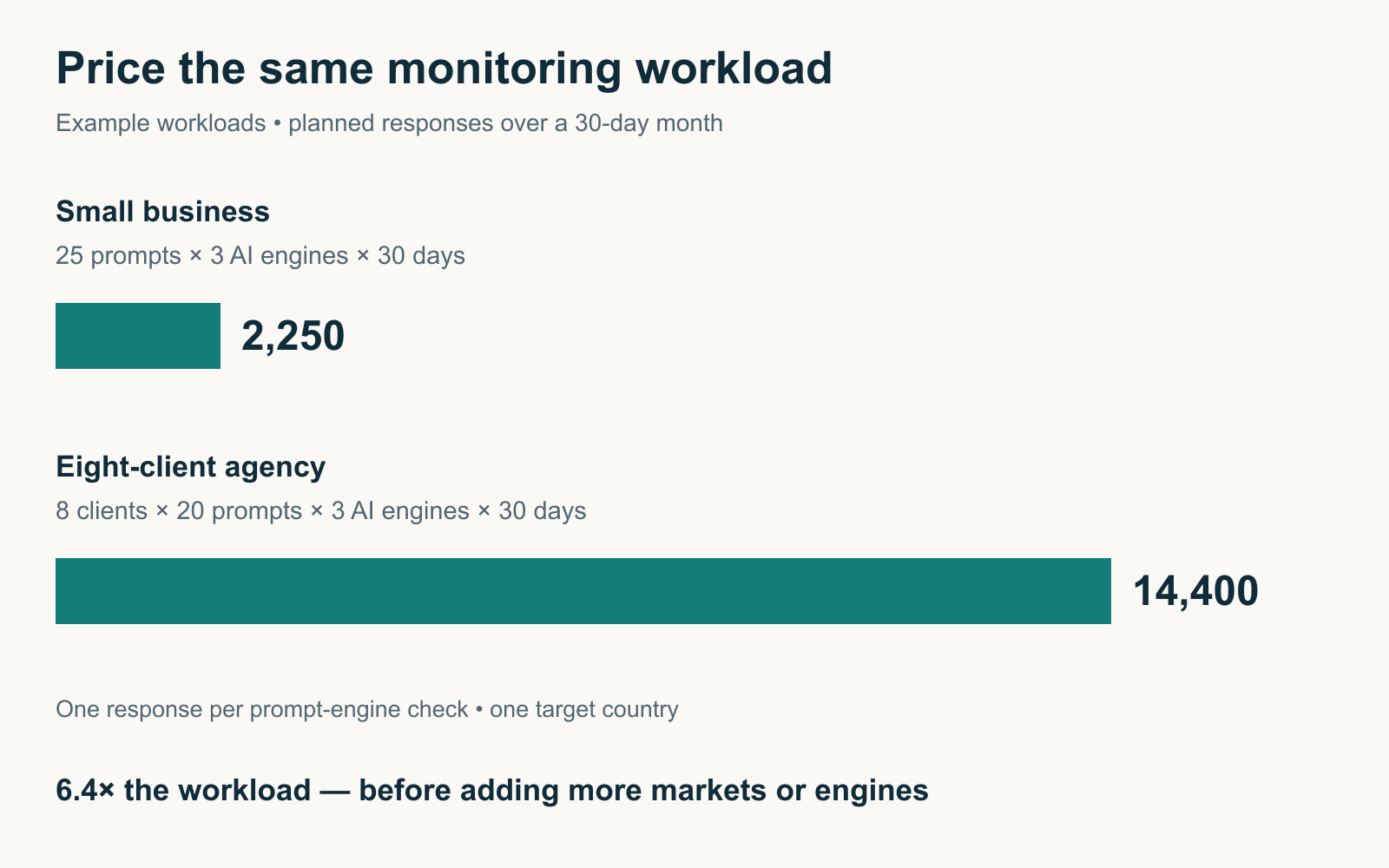
This is the most useful exercise to complete before purchasing any GEO platform.
Instead of asking, “How much does your software cost?”, ask:
“How much will it cost to monitor the exact questions, AI engines, countries, and reporting schedule my business needs?”
Let’s walk through two examples.
Example 1: A Small Business Tracking 25 Prompts
Imagine you’re managing GEO for a Singapore accounting software company.
You want to monitor:
- 25 customer questions.
- Three AI platforms.
- Daily tracking.
- One target country.
Assuming one response is collected for every prompt-platform combination each day, a 30-day month would involve:
25 prompts × 3 platforms × 30 days = 2,250 monitored responses
That doesn’t mean every vendor charges for 2,250 units.
One provider may count only the 25 tracked prompts. Another might allocate capacity per AI engine. A credit-based product might charge according to the cost of each execution.
The calculation establishes your workload, not the final subscription price.
You can now compare what each vendor would charge to support that same workload.
| Pricing Model | Question to Ask |
|---|---|
| Flat prompt allowance | Are 25 prompts monitored across all three engines within the same allowance? |
| Engine-based add-ons | Are all three platforms included, or must I buy additional coverage? |
| Domain-based subscription | Does the subscription cover this brand and its website? |
| Credit-based pricing | How many credits will 2,250 planned observations consume? |
| Combined SEO/GEO credits | Will other marketing tasks use the same monthly credit pool? |
This comparison is much more reliable than choosing the lowest headline price.
Example 2: An Agency Tracking Eight Clients
Now imagine an agency manages eight SEO and GEO clients.
Each client needs 20 tracked prompts across three AI engines, checked daily.
For a 30-day month:
8 clients × 20 prompts × 3 engines × 30 days = 14,400 planned observations
That is a significant monitoring workload.
The agency also needs to consider whether every client requires a separate workspace, whether reports can be exported, and whether account managers can access the correct client data.
This is where an entry-level subscription may become impractical.
For example, Peec’s documented agency credit model defines one prompt checked on one model for one day as one credit allocation unit.
Under those terms, this hypothetical workload would require capacity corresponding to 14,400 such checks for the month, assuming the same allocation method and no additional requirements.
That doesn’t establish the current Peec plan price. It tells the agency the usage capacity it should verify before asking for a quotation.
Don’t Confuse Cost per Prompt With Cost per Useful Finding
A vendor may advertise an inexpensive price per prompt, but a monitoring report isn’t valuable merely because it contains many observations.
Imagine two platforms.
One collects thousands of answers but gives you only a proprietary visibility score. Another collects fewer responses but preserves the actual prompts, brand mentions, citations, and competitor sources.
For a team trying to decide which pages to improve, the second tool might be more useful.
The better purchasing question is whether the subscription produces information your team can verify and act on.
Our guide to measuring GEO performance explains how to separate AI visibility measurements from website visits and business outcomes.
What Features Are Worth Paying Extra For?
Not every advanced GEO feature deserves a larger subscription.
Some are genuinely useful for certain teams. Others may go unused for months.
Competitor Visibility and Citation Research
For a business operating in a competitive industry, knowing which brands appear in relevant AI answers can be more useful than simply monitoring its own mentions.
Citation research adds another layer by identifying which websites are referenced in those answers.
This helps marketers investigate source coverage, content gaps, and competing information.
If the software charges extra for competitor analysis or detailed citations, evaluate whether those findings influence your content or marketing decisions.
More Frequent Tracking
Daily monitoring can be valuable when you need repeated observations.
However, AI-generated answers vary, and daily changes don’t necessarily represent sustained performance shifts.
A business reviewing a small set of topics monthly may not need the same collection frequency as an agency preparing weekly client reports.
Pay for monitoring frequency that matches your reporting process.
More AI Engines
More AI platform coverage can be useful, particularly for businesses operating across multiple markets.
However, tracking an additional model has limited value if your target customers rarely use that experience or if the tool doesn’t provide enough information to interpret the results.
Prioritise the platforms relevant to your audience.
API Access and Reporting Integrations
API access, scheduled exports, and reporting integrations become more valuable as the number of clients or internal stakeholders grows.
An individual marketer may be comfortable exporting a monthly report manually.
An agency handling 30 clients may benefit substantially from automated data delivery and repeatable dashboards.
This is where a higher subscription can reduce operational costs.
Content and Technical Optimisation Features
Some GEO platforms offer content recommendations, technical audits, or automated content workflows.
These features may be valuable if your team doesn’t already have comparable software.
However, paying more for integrated functionality makes less sense when those features duplicate tools you already own.
Also, a content optimisation score doesn’t prove that a page will receive more AI citations.
Recommendations still need to be checked for factual accuracy, relevance, and practical usefulness.
GEO Tool Pricing for Different Business Sizes
Your budget should reflect what you need to monitor and how your team will use the data.
Here’s how I’d approach the decision.
| Buyer Type | Suggested Initial Budget | Priority |
|---|---|---|
| Freelancer or solo marketer | Free to $50/month | Establish a baseline and monitor a small set of prompts |
| Small business | $50–$150/month | Track commercial questions, brand mentions, citations, and competitors |
| Growing in-house team | $150–$400/month | Expand prompt coverage, projects, and repeatable reporting |
| Small SEO or GEO agency | $150–$500/month | Manage several client workspaces and standardise reporting |
| Larger agency or enterprise | $400–$1,000+ or custom | Scale monitoring, permissions, markets, integrations, and support |
These are suggested planning budgets, not claims that every business needs to spend the stated amount.
A small company with limited GEO requirements may be adequately served by free first-party tools.
Likewise, an agency already using an SEO platform with sufficient AI visibility features may not need a completely separate subscription.
The right budget is the lowest practical amount that supports the decisions you need to make.
How to Avoid Paying Too Much for GEO Software
Before upgrading, compare what you’ll gain with what you’ll actually use.
Here are the seven checks I’d complete before buying:
- Count the prompts you genuinely need. Start with commercially relevant questions rather than creating hundreds of minor variations.
- Choose the essential AI platforms. Don’t pay for extra engines solely because the vendor supports them.
- Check the actual billing unit. Prompt allowances, engine checks, domains, and credits aren’t equivalent.
- Calculate your full project requirements. Include countries, products, client accounts, and monitoring frequency.
- Review annual commitments. A lower monthly equivalent may require a full-year payment.
- Check exports and historical access. Make sure you can retain or access the evidence your reporting depends on.
- Test with a real workload. Use the questions and reporting tasks your team will perform after subscribing.
If the product offers a trial, use it to check the underlying data, not merely explore the interface.
For example, collect several AI responses for your most important prompts. Check whether brand mentions and citations were identified correctly, whether location settings are clear, and whether the report gives you useful next steps.
A polished dashboard isn’t enough if the measurements aren’t understandable.
Our GEO tools with free trials comparison can help you identify products available for evaluation before committing.
When Is It Worth Upgrading Your GEO Plan?
A higher-priced plan should solve an actual limitation in your current workflow.
For example, upgrading may make sense if your team regularly exhausts its prompt allowance, needs to monitor additional countries, or spends excessive time preparing client reports manually.
It may also be worthwhile when the new tier provides access to citation evidence or integrations that directly support your marketing decisions.
However, don’t upgrade solely because your vendor introduces another AI visibility score or dashboard widget.
Before increasing your subscription, ask whether the additional features will help you answer an important question, improve your reporting process, or reduce work elsewhere.
Signs You Probably Don’t Need an Upgrade Yet
If you’re only checking a handful of prompts occasionally and rarely acting on the findings, buying hundreds of additional monitoring slots is unlikely to help.
Similarly, if your current software produces reports that nobody reviews, more expensive reporting features won’t solve the underlying problem.
In those situations, improving your measurement process may provide more value than increasing the subscription.
Are GEO Tools Worth Paying For?
For some businesses, absolutely. For others, free reporting and occasional manual research may be enough.
Paid GEO software becomes more compelling when you need recurring monitoring, competitor comparisons, historical response data, or reporting across multiple AI platforms.
For example, a software company competing in a crowded category may want to know which providers appear when customers ask for recommendations.
A publisher may care more about whether its articles are cited as sources.
An agency may need a repeatable monitoring process that can be applied across many clients.
Those are practical reasons to invest in GEO software.
However, paying for AI visibility tracking doesn’t guarantee increased mentions, citations, website traffic, or revenue.
The software measures or analyses selected observations. It doesn’t control the answers generated by ChatGPT, Google, Perplexity, or other systems.
That’s why GEO spending should be evaluated against the usefulness of the information and the decisions it supports—not promises of guaranteed AI recommendations.
Frequently Asked Questions
How Much Does a GEO Tool Cost in 2026?
GEO tools range from free first-party reporting to subscriptions costing several hundred dollars a month, with enterprise plans potentially exceeding $1,000.
Entry-level paid products include Otterly.AI from $29/month and Digimetrics from $39/month. Other platforms use domain-based, prompt-based, or credit-based pricing.
What Is the Cheapest GEO Tool?
Google Search Console and Bing Webmaster Tools provide free first-party AI search reporting for verified websites.
Among selected paid products, Rankscale advertises a lower-cost Essentials tier with annual billing, while Otterly.AI publishes a $29 monthly Lite plan. They provide different types and amounts of monitoring.
Is $100 per Month Enough for GEO Software?
For many small businesses, yes.
Around $100 can provide recurring monitoring, citation-related insights, competitor information, or other GEO features, depending on the product.
However, the included prompt, engine, domain, and project limits determine what the subscription can actually support.
Why Are Some GEO Tools So Expensive?
Higher-priced platforms may provide more monitoring capacity, wider AI engine coverage, multiple workspaces, historical data, integrations, advanced reporting, or enterprise support.
However, higher prices don’t automatically mean more accurate visibility measurements.
How Are GEO Prompts Charged?
Pricing varies by provider.
Some platforms charge based on the number of tracked questions. Others count prompt-engine combinations, monitoring frequency, or credits used for individual operations.
Always calculate the subscription against your intended monitoring workload.
Is GEO Software More Expensive Than Traditional SEO Software?
Not necessarily.
Dedicated GEO monitoring can cost less than a full SEO platform, but broader monitoring requirements may become expensive.
Integrated SEO and GEO software can also change the comparison because one subscription may cover several workflows.
Do GEO Tools Include ChatGPT and Google AI Overviews?
Many do, but coverage depends on the provider and subscription tier.
Some plans include several engines, while others charge extra for Google AI Mode, Gemini, Claude, or additional monitoring configurations.
Always verify the exact AI experiences included.
Is an AI SEO Tool Different From a GEO Tool?
The categories overlap, but they aren’t identical.
An AI SEO tool may focus on keyword research, technical optimisation, content production, or SEO automation.
A GEO tool may concentrate on brand visibility, citations, and competitor appearances in AI-generated answers.
Some platforms combine both.
Should I Choose Monthly or Annual GEO Pricing?
Monthly billing provides more flexibility when you’re still evaluating a product.
Annual billing can reduce the effective monthly price, but it increases your commitment.
Before paying annually, confirm the platform’s features, usage limits, export capabilities, and suitability for your workflow.
Final Verdict: Pay for the GEO Workload You Need, Not the Biggest Feature List
GEO tools can cost anywhere from nothing to well over $1,000 a month, but the subscription price alone doesn’t reveal the value.
A $29 plan may be enough for a small business tracking a handful of important questions. A $99 subscription might suit a company that needs broader recurring monitoring. Agencies and enterprises may require more expensive plans to support multiple projects, markets, and reporting workflows.
The important thing is to understand what the price actually includes.
Count your prompts, choose the relevant AI platforms, confirm how monitoring frequency affects usage, and check whether essential features require additional payment.
Then test the tool against a real set of customer questions before committing.
The best GEO tool price isn’t necessarily the lowest one. It’s the lowest cost that gives your team the reliable information and workflow it actually needs.
Disclosure: digitalmarketingtools.ai is sponsored by Digimetrics.ai. Sponsored Highlights are clearly labelled advertising. Our reviews, comparisons and guides are written to be useful and fair regardless of who sponsors the site. Read the full disclosure.


