
Free vs Paid GEO Tools: What’s the Difference in 2026?
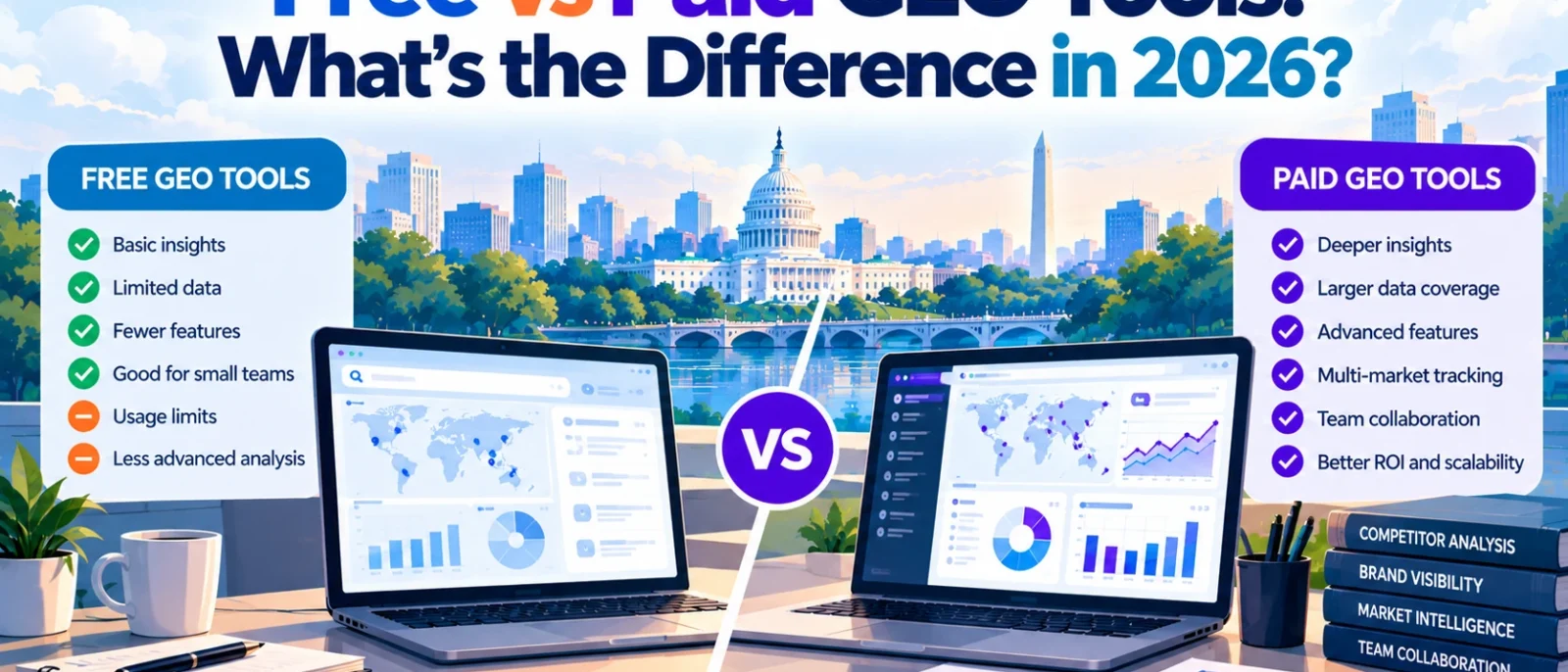
Do you really need to pay for a GEO tool to find out whether your business appears in ChatGPT, Google AI Overviews, or other AI-generated answers?
Not necessarily.
Free tools can already help you check brand mentions, examine AI citations, and understand how your website performs in certain AI search experiences. Some even provide useful ongoing reporting without requiring a subscription.
So why do businesses pay $29, $99, or hundreds of dollars per month for GEO software?
The biggest difference is how much you can monitor, how consistently you can track changes, and how easily you can turn that information into useful decisions.
Free GEO tools are generally enough for basic checks and initial research. Paid GEO tools become more useful when you need recurring monitoring, competitor comparisons, historical data, and reports across multiple AI search platforms.
However, paying more doesn’t automatically make the data more accurate or your brand more visible.
In this guide, we’ll compare free vs paid GEO tools, explain what you actually get for your money, and help you decide whether a subscription is worth it for your business.
Free vs Paid GEO Tools: Quick Comparison
Before choosing a tool, it helps to understand what free and paid GEO software generally offer.
| Feature | Free GEO tools | Paid GEO tools |
|---|---|---|
| AI visibility checks | Basic snapshots or first-party reports | Recurring monitoring across selected AI platforms |
| Brand mention tracking | Limited or platform-specific | More configurable prompts and brands |
| Competitor analysis | Often limited | More detailed comparisons and tracking |
| Historical data | Depends on the tool | Usually more extensive, subject to plan limits |
| AI citation tracking | Available in some free tools | Often includes broader source analysis |
| Automated monitoring | Limited or unavailable in free checkers | Common in dedicated monitoring platforms |
| Reporting | Basic dashboards or manual exports | Scheduled reports, exports, and sometimes white-label options |
| Multiple brands | Often restricted | Available on some plans |
| Pricing | $0 | Entry-level subscriptions to custom enterprise pricing |
| Best for | Beginners, freelancers, initial GEO research | Agencies, in-house teams, and ongoing GEO campaigns |
These are general differences rather than universal rules. Free first-party tools can provide information that paid platforms cannot reproduce, while some inexpensive paid subscriptions have surprisingly restrictive tracking limits.
For example, Bing Webmaster Tools provides free information about how publishers’ websites are cited in supported Microsoft AI experiences. A paid tool monitoring ChatGPT prompts serves a different purpose, rather than simply providing a better version of the same data.
The right choice depends on what you’re trying to measure.
If you’re unfamiliar with AI visibility tracking, our complete guide to GEO tools explains the fundamentals.
What Can You Actually Do With Free GEO Tools?
Free GEO tools have become more useful in 2026. You can investigate several aspects of AI search visibility without immediately paying for specialist software.
However, not everything advertised as free provides the same access.
Some services offer permanently available reporting. Others provide one-time snapshots, limited credits, or short trials that eventually expire.
Let’s look at what you can realistically accomplish without paying.
1. Monitor Google AI search performance with Google Search Console
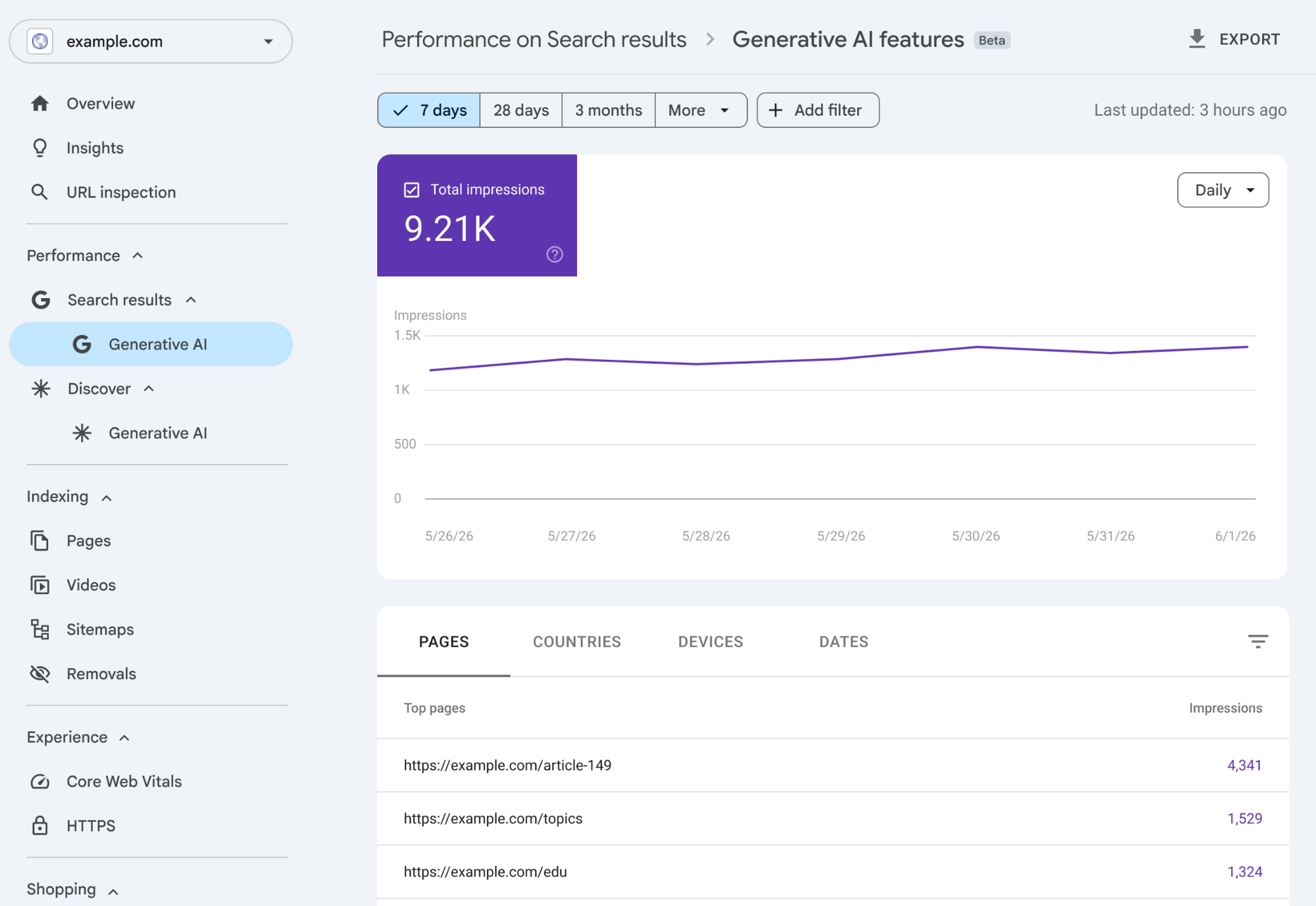
Google Search Console is one of the first tools website owners should use.
It helps you understand how your website performs in Google Search, including supported AI-powered search experiences.
Search Console’s AI-related reporting provides useful first-party information about search visibility. However, it doesn’t replace independent prompt monitoring across ChatGPT, Perplexity, and other AI assistants.
That distinction matters.
If your business primarily relies on Google Search, Search Console may already answer many of your initial questions. But if you want to know whether ChatGPT recommends your product over a competitor, you’ll need a different approach.
Best for: Website owners who want to understand Google Search performance without adding another subscription.
2. Check AI citations using Bing Webmaster Tools
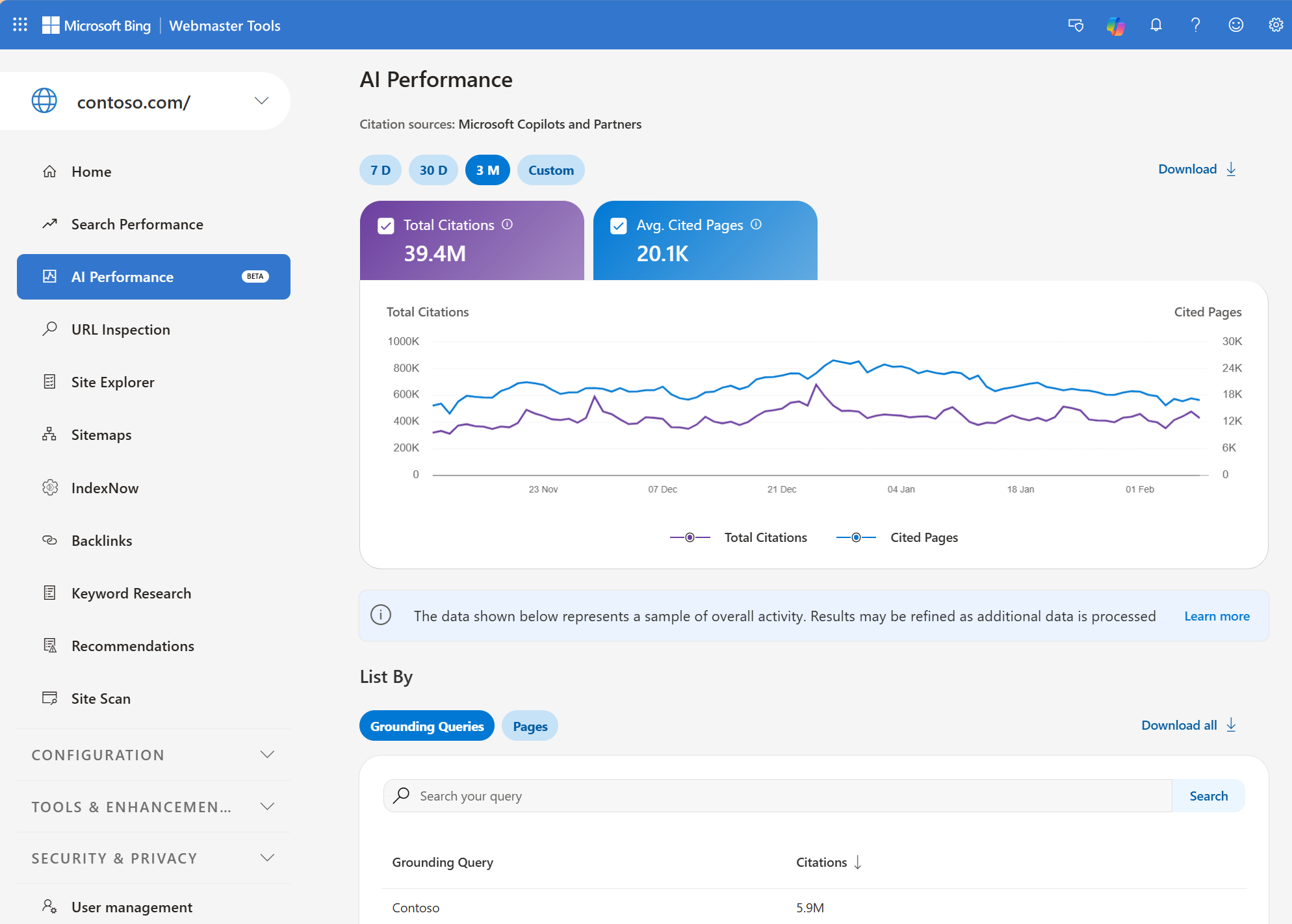
Bing Webmaster Tools offers another free source of AI visibility information.
Microsoft introduced its AI Performance reporting in February 2026, giving verified publishers information about how their content appears in supported AI-generated experiences.
Its reporting includes citation activity related to Microsoft Copilot, Bing’s AI-generated summaries, and selected partner integrations.
Microsoft has also expanded its AI visibility reporting with additional insights into topics, user intent, and citation comparisons.
According to Microsoft’s official announcement, the goal is to help publishers understand how their content contributes to AI-generated answers.
For businesses primarily interested in whether their websites are being cited, this information can be valuable.
However, Bing’s reporting doesn’t represent your brand’s complete visibility across every AI platform.
Best for: Website owners who want free, first-party AI citation information.
3. Run basic brand visibility checks
Free AI visibility checkers can help answer a straightforward question: does your brand appear in relevant AI-generated responses?
Tools from providers such as Semrush, Ahrefs, and HubSpot offer different forms of introductory brand visibility analysis.
Depending on the checker, you may see brand mentions, related citations, competitor information, or an overall visibility assessment.
These tools can be useful when you’re starting GEO research or investigating a particular brand.
But there’s an important limitation.
A free report might analyse a predefined set of prompts or a limited dataset. That doesn’t necessarily reflect every relevant question your customers ask.
You also may not be able to repeat the same checks regularly or access enough historical information to evaluate changes.
Best for: Businesses that want an initial understanding of AI search visibility before choosing a monitoring platform.
4. Check AI-generated answers manually
You can also investigate AI search visibility without using a dedicated GEO platform.
For example, you could ask ChatGPT or Perplexity questions that potential customers might ask about your industry.
If you sell project management software, you might investigate prompts such as:
- What are the best project management tools for small teams?
- Which project management software is easiest for beginners?
- What are the best alternatives to Asana?
Record which brands appear, how they’re described, and which sources are cited when citations are available.
This can help you understand how your business is represented in selected AI-generated answers.
However, manual checks have limitations. Responses can vary depending on context, location, account settings, timing, and the AI system being used.
One answer isn’t enough to establish how often a brand appears across real user conversations.
Manual checks work best as exploratory research, not as a replacement for consistent measurement.
For a detailed comparison of no-cost options, see our Best Free GEO Tools in 2026.
What Do Paid GEO Tools Offer That Free Tools Don’t?
Paid GEO tools generally become more useful once you need to monitor visibility repeatedly rather than investigate it occasionally.
The difference isn’t simply getting a larger dashboard or a more impressive score.
You’re paying for features that can reduce manual work, support more detailed analysis, and make monitoring easier to repeat.
Here are the capabilities that matter most.
1. Automated prompt monitoring
Suppose you want to track 30 customer questions across ChatGPT, Google AI Overviews, and Perplexity.
You could check those questions manually.
But repeating the process every week, recording the answers, identifying competitors, and comparing changes would quickly become time-consuming.
Paid GEO platforms can automate much of that monitoring.
Depending on the subscription, they may collect responses daily or at another scheduled frequency, record brand appearances, and compare changes over time.
This makes it easier to investigate patterns rather than relying on occasional observations.
However, check exactly what the platform monitors. A paid subscription doesn’t necessarily cover every AI search engine, location, or prompt you need.
2. Historical visibility data
One of the biggest limitations of many free checkers is their lack of useful historical information.
A snapshot can tell you that your brand appears in a particular dataset today. It may not tell you whether that visibility improved, declined, or remained unchanged over several weeks.
Paid tracking can provide a more consistent history.
For example, imagine your marketing team updates an important product comparison page.
With historical monitoring, you can examine whether your brand’s appearances or citations change in the tracked responses after the update.
That doesn’t prove the content update caused the change. AI-generated answers can vary for reasons outside your control.
But it gives your team information worth investigating.
3. Better competitor comparisons
Knowing that your brand appears in an AI-generated answer is useful.
Knowing which competitors appear instead, and where those recommendations come from, can be more actionable.
Paid GEO tools may let you track several competitors against the same prompts, compare their visibility over time, and investigate sources cited in relevant answers.
For example, if a competitor frequently appears in answers about affordable accounting software, you can examine the supporting sources and identify what information your own website may be missing.
Free checkers can provide some competitor information, but paid monitoring is generally more practical for repeated comparisons using a consistent prompt set.
4. More advanced citation analysis
AI-generated answers sometimes cite websites, articles, product pages, and other sources.
Understanding those citations can help you investigate why certain brands or resources appear in responses.
A paid GEO tool may provide more extensive citation histories, frequently cited domains, source comparisons, and related analysis.
For example, if multiple AI-generated comparisons cite a particular industry publication, your team might investigate its coverage, editorial criteria, and relevance to your market.
That doesn’t mean you can simply obtain a link from that website and guarantee that AI systems will recommend your business.
Citation information provides clues for research, not guaranteed placement opportunities.
5. Reporting and team workflows
If you’re managing GEO for clients or preparing regular updates for management, reporting becomes an important part of the process.
Free tools may require you to collect screenshots, export data manually, and combine findings from several sources.
Paid platforms can offer recurring reports, organised workspaces, team collaboration, and integrations.
These features don’t necessarily improve AI visibility by themselves, but they can reduce the time required to monitor and communicate performance.
For agencies, that time saving can be particularly valuable.
Free vs Paid GEO Tools: Real Pricing Examples in 2026
The difference becomes clearer when you look at actual platforms and their access models.
| Tool | Free access | Paid pricing | Main consideration |
|---|---|---|---|
| Google Search Console | Ongoing free reporting | Free | Google Search performance and supported AI search reporting |
| Bing Webmaster Tools | Ongoing free reporting | Free | Microsoft AI citation data |
| Otterly.AI | Free trial | From $29/month | Dedicated prompt and AI visibility monitoring |
| Digimetrics.ai | 7-day trial with 200 credits | $39–$199/month | GEO-related analysis alongside SEO and other marketing tools |
| Profound | Free 7-day trial | Custom Enterprise pricing | Advanced monitoring and enterprise requirements |
Pricing and access terms checked against public product information in October 2026. Prices are in USD. Plan features and promotional terms can change.
Otterly.AI: When paying for focused GEO monitoring makes sense
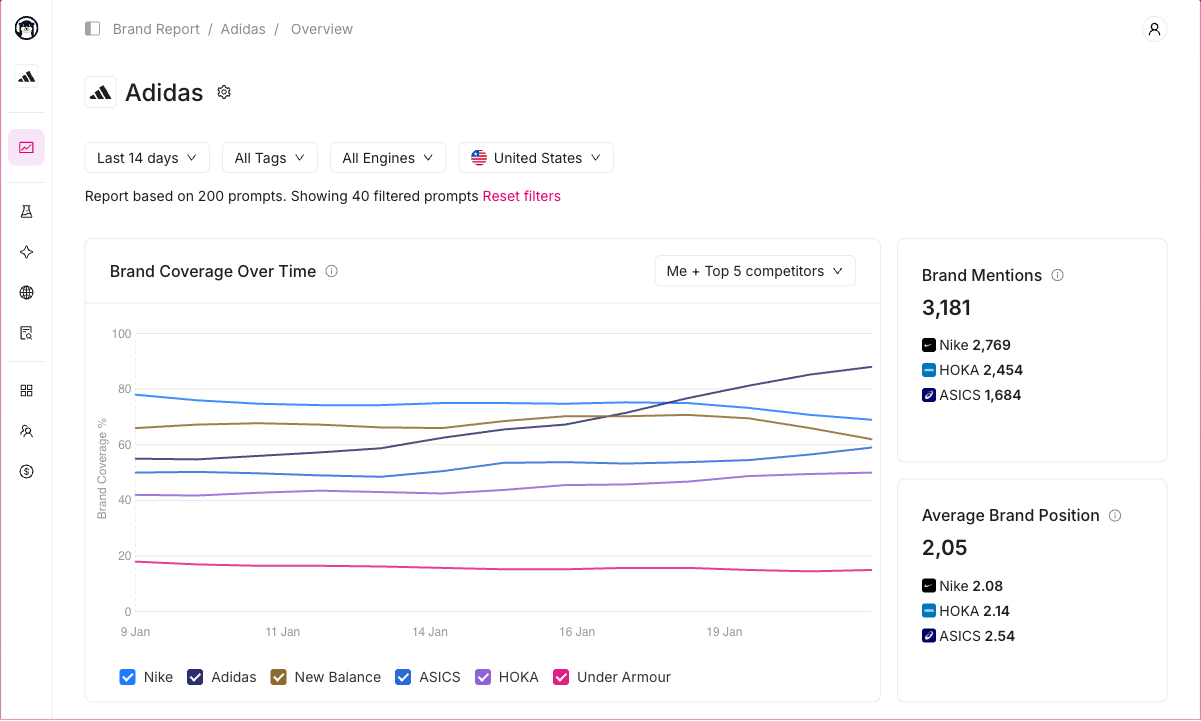
Otterly.AI’s pricing page lists its Lite plan at $29 per month, including 15 tracked search prompts.
The plan supports daily monitoring across four AI search engines: ChatGPT, Google AI Overviews, Perplexity, and Microsoft Copilot. Additional engines are available as add-ons.
For a small business monitoring a limited set of important questions, that may be sufficient.
But 15 prompts can become restrictive if you need to track multiple products, locations, or customer segments.
The value of upgrading depends on whether the additional prompt capacity supports monitoring you genuinely need.
Digimetrics.ai: When an integrated marketing toolkit makes sense
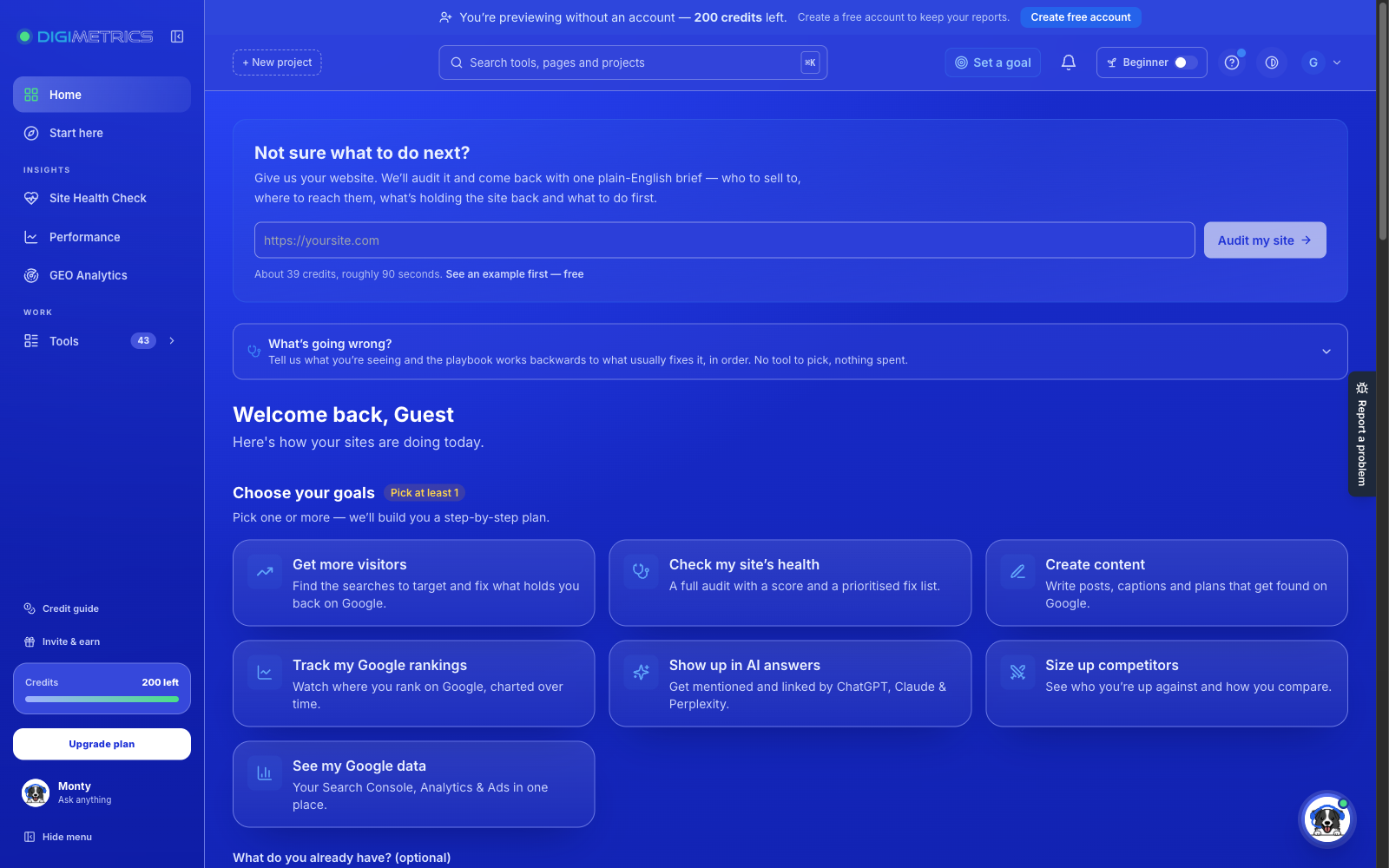
Digimetrics.ai offers a seven-day trial with 200 credits and one project.
Its paid subscriptions currently include:
- Starter: $39/month, 500 credits and three projects.
- Pro: $109/month, 2,000 credits and ten projects.
- Expert: $199/month, 6,000 credits and 25 projects.
Unlike a dedicated AI visibility tracker, Digimetrics combines GEO-related functionality with broader SEO, content, technical analysis, and other digital marketing tools.
That can appeal to businesses that want to investigate several marketing problems within one workspace.
However, its credits are shared across tool runs. You should calculate expected usage rather than assuming the subscription provides unrestricted monitoring.
For example, a team that frequently performs deep audits and generates content may use its credit allowance differently from a team focused on keyword and visibility checks.
Profound: When enterprise monitoring becomes relevant
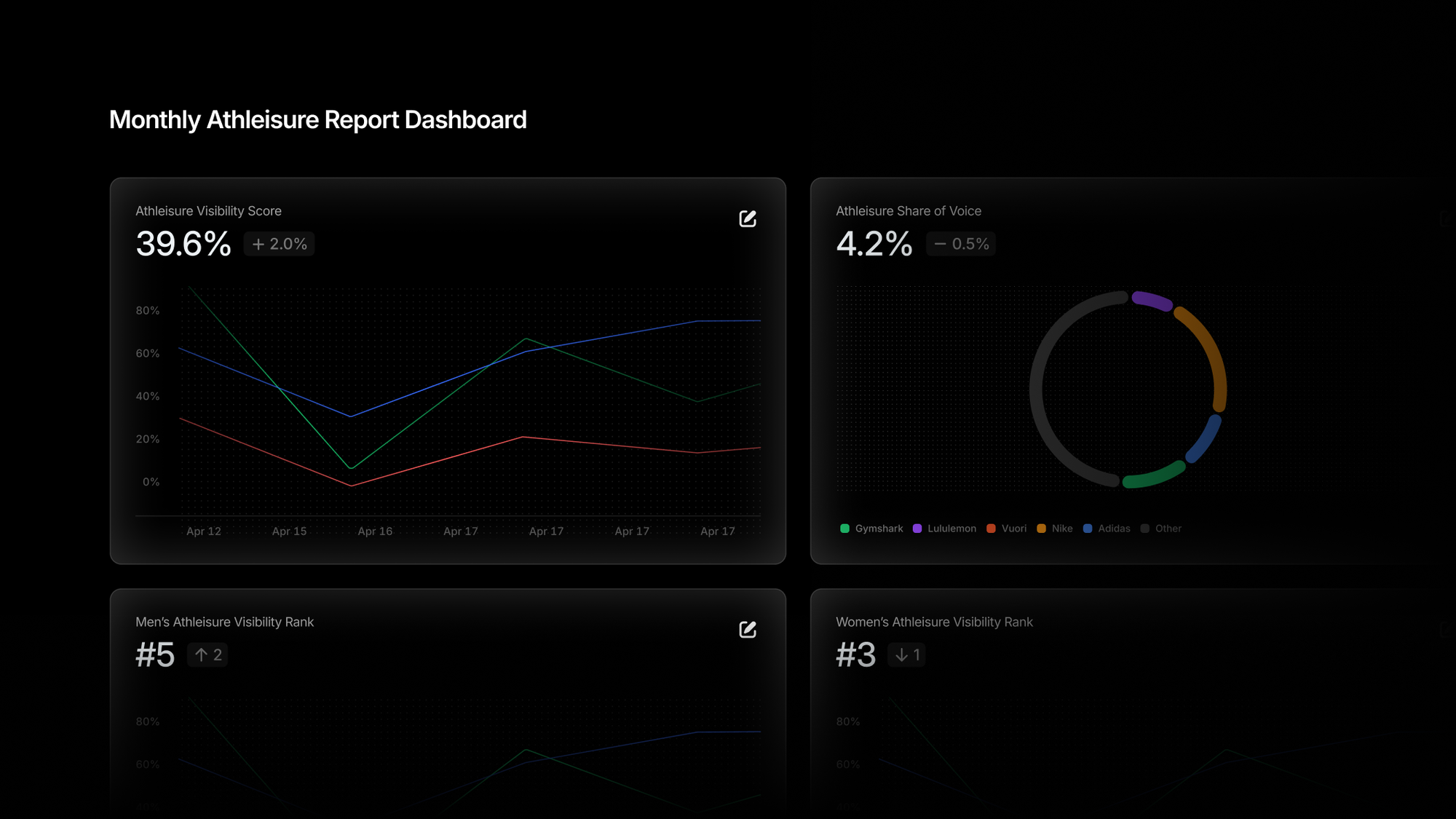
Profound’s official pricing page lists a free trial and custom Enterprise pricing.
Its trial includes monitoring 50 unique prompts daily for seven days across ChatGPT, Gemini, and Google AI Overviews.
The Enterprise offering supports more extensive monitoring requirements, additional AI engines, and custom capabilities.
The distinction is important because a trial may let you evaluate the platform’s interface and data quality, but won’t necessarily provide the long-term history or full coverage available through an enterprise agreement.
If you’re considering Profound for a large organisation, request a quote based on the actual monitoring requirements rather than relying on estimated prices from comparison websites.
For more options, see our Best Paid GEO Tools in 2026 comparison.
When Is a Free GEO Tool Enough?
Not every business needs a paid GEO subscription.
In fact, paying for extensive monitoring before you understand what you’re trying to measure can create unnecessary expenses.
Here are three situations where free tools may be sufficient.
You’re just starting to learn GEO
If you’re unfamiliar with AI search visibility, begin with basic checks.
Use Google Search Console and Bing Webmaster Tools to examine the data available for your website. Then try free AI visibility checkers to understand how your brand appears in selected responses.
At this stage, your goal should be to learn which metrics matter and identify the questions customers actually ask.
You don’t need enterprise monitoring to establish that foundation.
You only need to monitor a few important questions
A local service business might care about a small set of customer questions.
For example, a plumbing company may want to know whether AI assistants mention its business when users ask about plumbing services in a particular area.
Occasional checks and free reporting may provide enough initial context, particularly if the business doesn’t need formal monthly visibility reports.
Just avoid treating one AI-generated response as a definitive ranking.
You’re working with a limited marketing budget
If your budget is tight, spending money on GEO software may not be the most valuable next step.
Your website might still need better service pages, clearer product information, improved technical accessibility, or more useful content.
Google’s guidance on AI features in Search explains that established SEO best practices remain relevant for Google’s AI search experiences.
If your main issue is poor website content or technical accessibility, purchasing a more expensive monitoring dashboard won’t automatically fix it.
When Should You Upgrade to a Paid GEO Tool?
A paid subscription becomes easier to justify when free tools can no longer support the work you need to do.
Here are the clearest signals.
1. You need to track visibility consistently
If your team checks the same prompts every week and records the answers manually, a paid platform may save time.
Automated monitoring is particularly useful when you need to compare results over several months.
2. You’re monitoring multiple competitors
Manual competitor analysis becomes difficult when you’re tracking dozens of prompts across several AI platforms.
Paid competitor monitoring can help organise the information and reveal changes worth investigating.
3. You manage GEO for multiple clients
Agencies need separate client workspaces, repeatable reporting, and predictable tracking costs.
A few free reports may be enough during the sales process, but ongoing client campaigns often require more consistent monitoring.
4. You need more detailed reporting
If your manager or clients expect regular visibility updates, a paid reporting workflow may reduce repetitive work.
However, don’t pay for advanced reporting if a simple monthly summary already answers the questions that matter.
5. You can identify a clear use for the additional data
This is arguably the most important reason to upgrade.
If a paid platform reveals useful competitor and citation information, your team should have a process for investigating and acting on those findings.
Otherwise, you’re simply paying for more data.
Is a Paid GEO Tool Actually Worth the Money?
Instead of guessing whether a subscription is expensive, calculate what it costs relative to the work it replaces or improves.
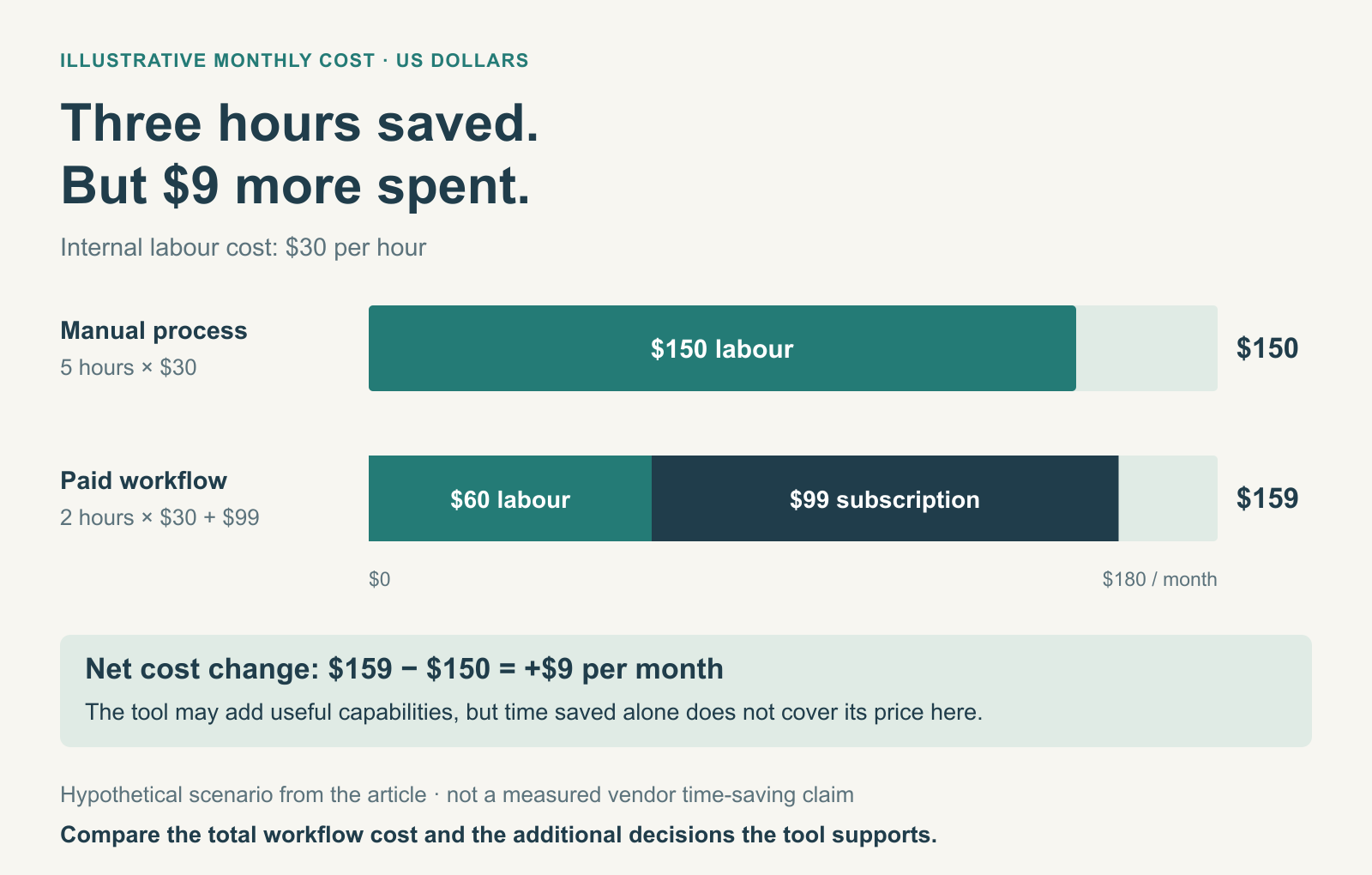
Consider a small marketing team spending five hours per month collecting screenshots, recording AI answers, and preparing visibility reports.
If the team’s internal labour cost is $30 per hour, that’s approximately $150 in monthly work.
Now suppose a $99 GEO subscription reduces the process to two hours.
The labour cost falls to $60, but the subscription adds $99, bringing the combined cost to $159.
In this example, the paid tool actually costs $9 more per month than the manual process.
That doesn’t automatically make it a bad purchase. It may provide better historical records, broader monitoring, or useful competitor insights.
But it shows why automation alone doesn’t always justify the price.
A higher-priced tool becomes worthwhile when the time saved, capabilities gained, and improvements to decision-making outweigh its total cost.
For agencies, you can also calculate software spending per client to understand whether the subscription fits your service pricing.
How to Compare a Free and Paid GEO Tool Fairly
One of the biggest mistakes people make is comparing the results of different GEO tools without checking how they collect their data.
A free checker might use a predefined collection of prompts, while a paid tracker monitors questions you’ve selected yourself.
If the reported visibility scores differ, that doesn’t necessarily mean one tool is wrong.
They may simply be measuring different things.
Here’s a straightforward way to evaluate them.
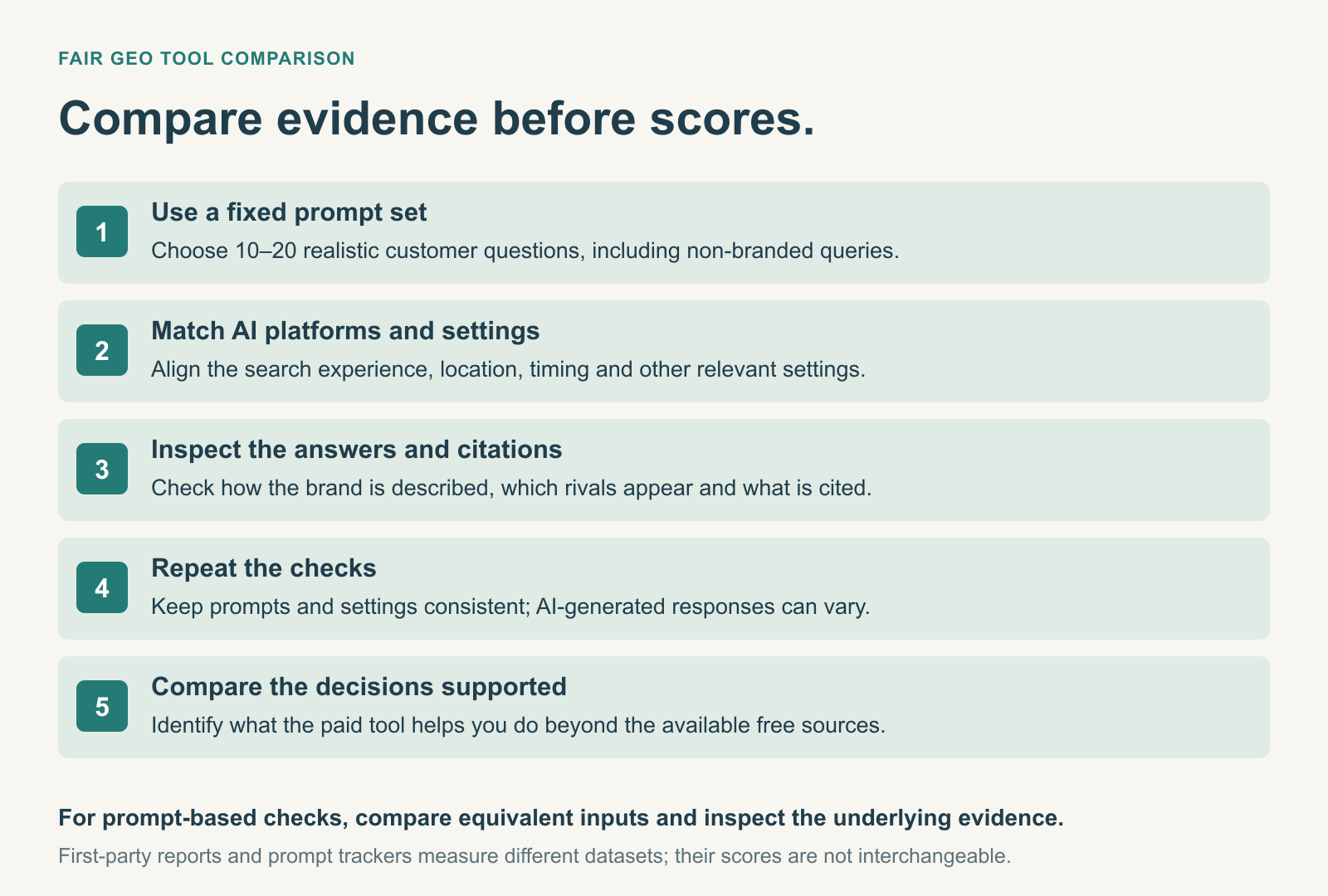
Step 1: Choose a fixed list of prompts
Select 10–20 questions your customers might realistically ask.
Include a mix of product recommendations, competitor comparisons, and questions related to your business category.
Don’t choose only branded prompts. Those may make your visibility look stronger than it is for customers who don’t already know your company.
Step 2: Check the same AI platforms
Make sure you’re comparing equivalent search experiences.
For example, ChatGPT, Google AI Overviews, and Perplexity don’t necessarily produce the same responses or use identical citation systems.
If one product monitors ChatGPT while another monitors Google AI Overviews, their visibility scores shouldn’t be treated as directly comparable.
Step 3: Record the actual responses
Don’t rely only on a score or percentage.
When possible, examine the answers themselves, including how your brand is described, which competitors appear, and what sources are cited.
This helps you determine whether the tool’s findings are relevant to your business.
Step 4: Repeat the process
AI-generated answers can vary between runs.
Repeat the checks over a reasonable period, using consistent prompts and settings.
A paid tool should make this easier, but automation doesn’t remove all variation from the underlying AI responses.
Step 5: Compare the decisions each tool helps you make
At the end of your evaluation, ask a simple question:
What did the paid platform help us understand or accomplish that we couldn’t reasonably do with the free tools?
If the answer is unclear, you may not need to upgrade yet.
Our guide to choosing the right GEO tool covers more factors to consider before purchasing.
Can Free GEO Tools Be More Useful Than Paid Tools?
Yes, especially when the free and paid products provide different types of data.
Take Bing Webmaster Tools as an example.
Microsoft’s AI Performance reporting provides information about citations associated with verified websites in supported AI experiences.
That first-party information can be valuable even when you’re paying for another platform’s prompt monitoring.
A paid tool might show how frequently your brand appears in its selected ChatGPT responses, but that doesn’t replace the citation information provided by Bing.
Similarly, Google Search Console remains useful even if your team has a sophisticated commercial GEO platform.
These tools can complement each other.
A good GEO workflow doesn’t necessarily involve replacing every free tool with a paid subscription. It involves choosing the most useful source for each question.
Common Mistakes When Comparing Free vs Paid GEO Tools
Assuming every free option is permanently free
A seven-day trial and a free reporting tool aren’t the same thing.
Before signing up, check whether access expires, credits renew, and a payment method is required.
A trial can be excellent for evaluating software, but it isn’t a sustainable monitoring solution unless you eventually pay.
Comparing visibility scores from different methodologies
Different platforms may use different prompts, AI models, sampling methods, or calculations.
A visibility score of 60 on one platform doesn’t necessarily mean your brand performs better than it does on another platform reporting 40.
Compare the underlying evidence whenever possible.
Paying for AI engines you don’t need
Monitoring more AI platforms can provide broader coverage, but not every business needs every available option.
Start with the platforms relevant to your customers and expand only when you have a reason.
Choosing a subscription based only on its starting price
An inexpensive plan might provide very few prompts, limited reporting, or restricted access to certain AI engines.
A more expensive plan may offer better value if it covers your actual monitoring requirements.
Always calculate the total cost for your intended workload.
Expecting paid software to guarantee better AI visibility
A GEO platform can provide useful information about your brand’s appearances in AI-generated answers.
It cannot guarantee that AI systems will recommend your business.
Actual improvements may require clearer website content, stronger product information, technical changes, and other marketing work.
No subscription removes the need for a sound strategy.
Free vs Paid GEO Tools: Which Should You Choose?
The right choice depends on your situation.
| Your situation | Recommended approach | Why |
|---|---|---|
| New to GEO | Start free | Learn the metrics and identify useful prompts |
| Freelancer with one small project | Start free or use an inexpensive trial | Avoid unnecessary recurring expenses |
| Small business with basic visibility needs | Free tools may be enough | First-party reporting and occasional checks may cover initial needs |
| In-house team with recurring monitoring | Consider paid software | Historical tracking and competitor analysis become more valuable |
| Agency managing several GEO clients | Consider a paid agency-capable plan | Client management and repeatable reporting save time |
| Enterprise operating across multiple markets | Evaluate advanced paid platforms | More extensive coverage, integrations, and controls may be necessary |
There’s no requirement to upgrade simply because you’re taking GEO seriously.
If free tools answer the questions your business needs answered, keep using them.
If their limitations prevent you from monitoring important trends, serving clients, or making useful decisions, that’s when paid software becomes more attractive.
Final Verdict: Free GEO Tools Are Enough Until You Need More
Free GEO tools are no longer just simple demonstrations of what paid platforms can do.
Google Search Console and Bing Webmaster Tools provide useful first-party information, while free AI visibility checkers help businesses investigate brand mentions, citations, and competitor appearances.
For beginners, freelancers, and small businesses with limited monitoring requirements, that may be enough.
Paid GEO tools become more valuable when you need to monitor selected prompts consistently, compare competitors over time, prepare recurring reports, or manage multiple brands.
But don’t upgrade simply because a paid platform promises more insights.
Start by identifying what information you actually need, check whether free tools already provide it, and work out whether the additional capabilities will save time or improve your decisions.
The best GEO setup isn’t necessarily the most expensive. It’s the one that gives you useful, trustworthy information at a cost your business can justify.
For specific product recommendations, explore our Best Free GEO Tools in 2026 and Best Paid GEO Tools in 2026 comparisons before choosing your next platform.
Frequently Asked Questions
What is the main difference between free and paid GEO tools?
Free GEO tools generally provide basic visibility checks, first-party reporting, or limited access to commercial features. Paid tools typically offer more configurable prompt monitoring, historical data, competitor comparisons, and reporting capabilities. However, specific features depend on the provider and plan.
Are free GEO tools accurate?
Free GEO tools can provide useful information, but accuracy depends on their methodology and data sources. A free checker may only examine selected prompts or a limited sample of AI-generated responses. Its findings shouldn’t be treated as a complete representation of every AI search experience.
Is it worth paying for GEO tools in 2026?
Paying for GEO software can be worthwhile when you need recurring monitoring, competitor research, or automated reporting that free tools cannot provide efficiently. Businesses with only occasional research needs may not benefit enough to justify another subscription.
How much do paid GEO tools cost?
Entry-level GEO subscriptions can start below $50 per month, while more extensive monitoring platforms cost hundreds of dollars or require custom enterprise quotes. The final price depends on tracking limits, supported platforms, projects, users, and reporting features.
Can I do GEO without paying for software?
Yes. You can use Google Search Console, Bing Webmaster Tools, free AI visibility checkers, and manual AI search research to understand aspects of your brand’s visibility. You’ll still need to invest time in interpreting the results and improving your website or marketing content.
Do paid GEO tools guarantee better rankings in ChatGPT?
No. Paid tools can help monitor and analyse selected AI-generated answers, but they don’t control which brands ChatGPT or other AI systems recommend. A subscription doesn’t guarantee additional mentions, citations, traffic, or sales.
Should beginners start with free or paid GEO tools?
Beginners should usually start with free tools and limited trials. This provides an opportunity to understand AI visibility metrics and identify important customer prompts before committing to a subscription.
Can I use free and paid GEO tools together?
Yes. In fact, combining free first-party sources such as Google Search Console and Bing Webmaster Tools with paid monitoring can provide a more useful view than relying on one platform alone.
Disclosure: digitalmarketingtools.ai is sponsored by Digimetrics.ai. Sponsored Highlights are clearly labelled advertising. Our reviews, comparisons and guides are written to be useful and fair regardless of who sponsors the site. Read the full disclosure.


